
In this section, you will be shown how to add user to MetaDefender Aether.
Right to add users to MetaDefender Aether
Only Admins are able to invite users and give certain right to those users.
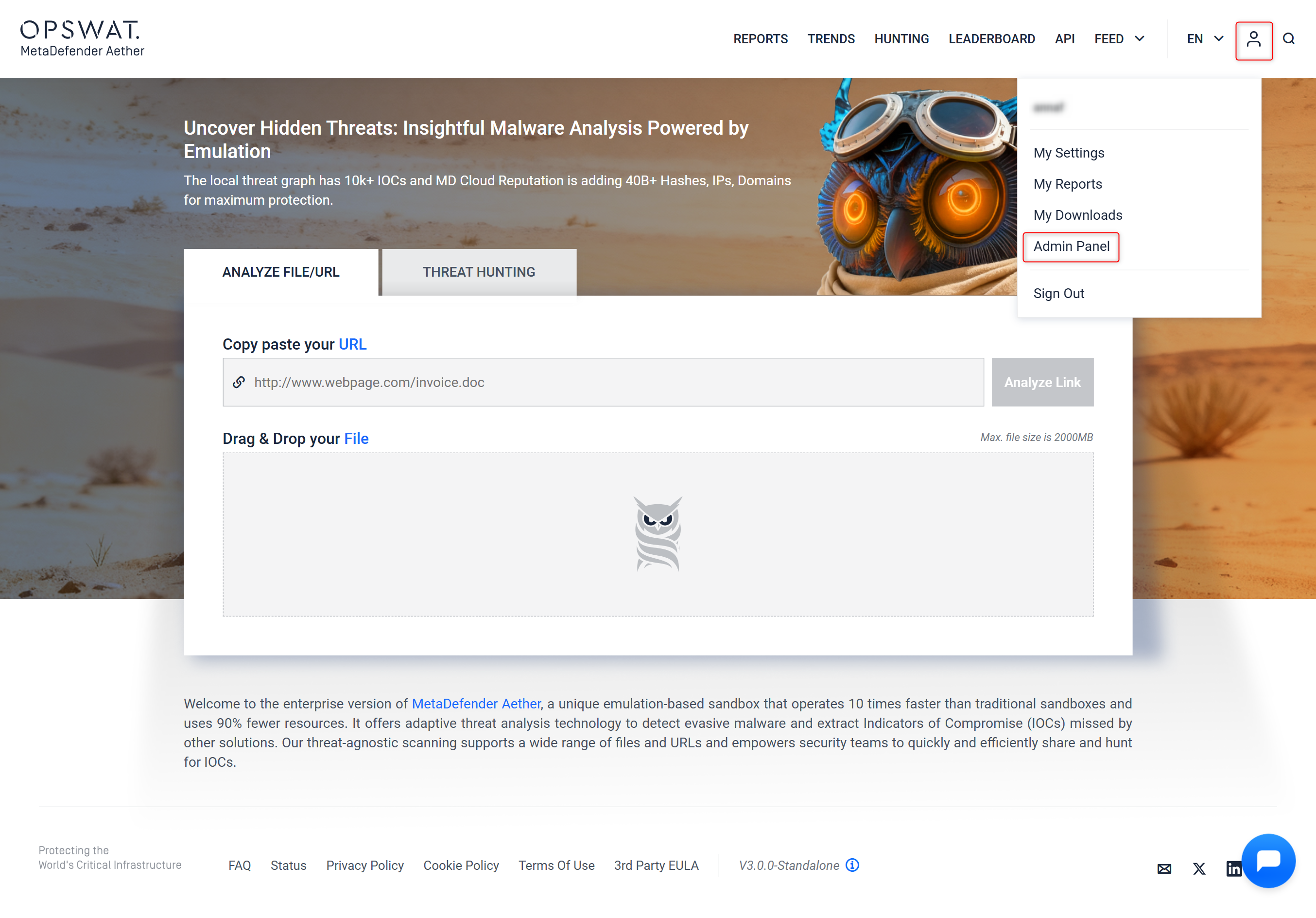
Step 1 - Go to "Admin panel"
Go to your "Admin panel" by clicking on Your account icon on the top right corner.
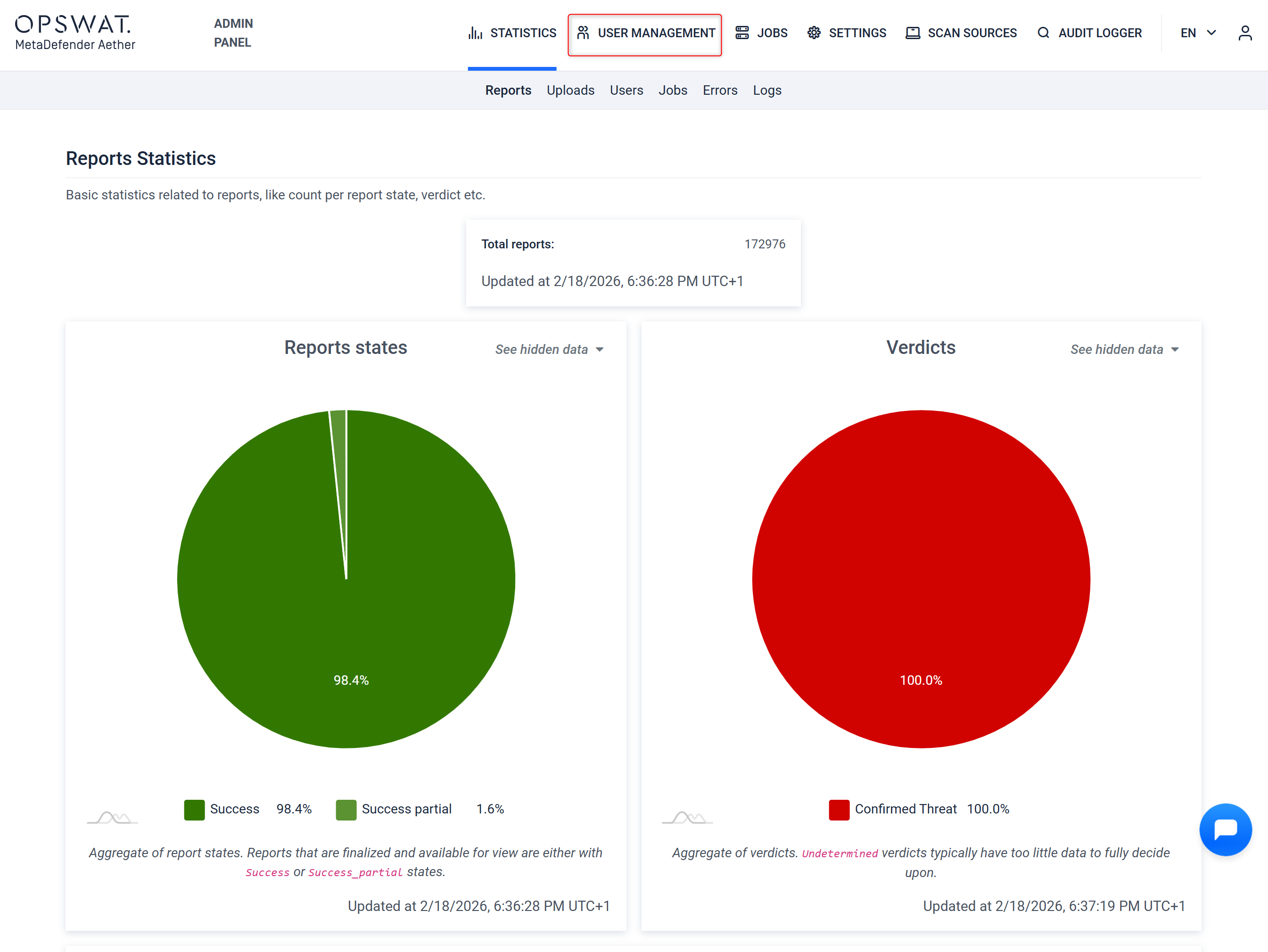
Step 2 - Select "User Management"
After you arrive to the Report Statistics Dashboard, where you can select "User Management" on the top left area of the menu bar.
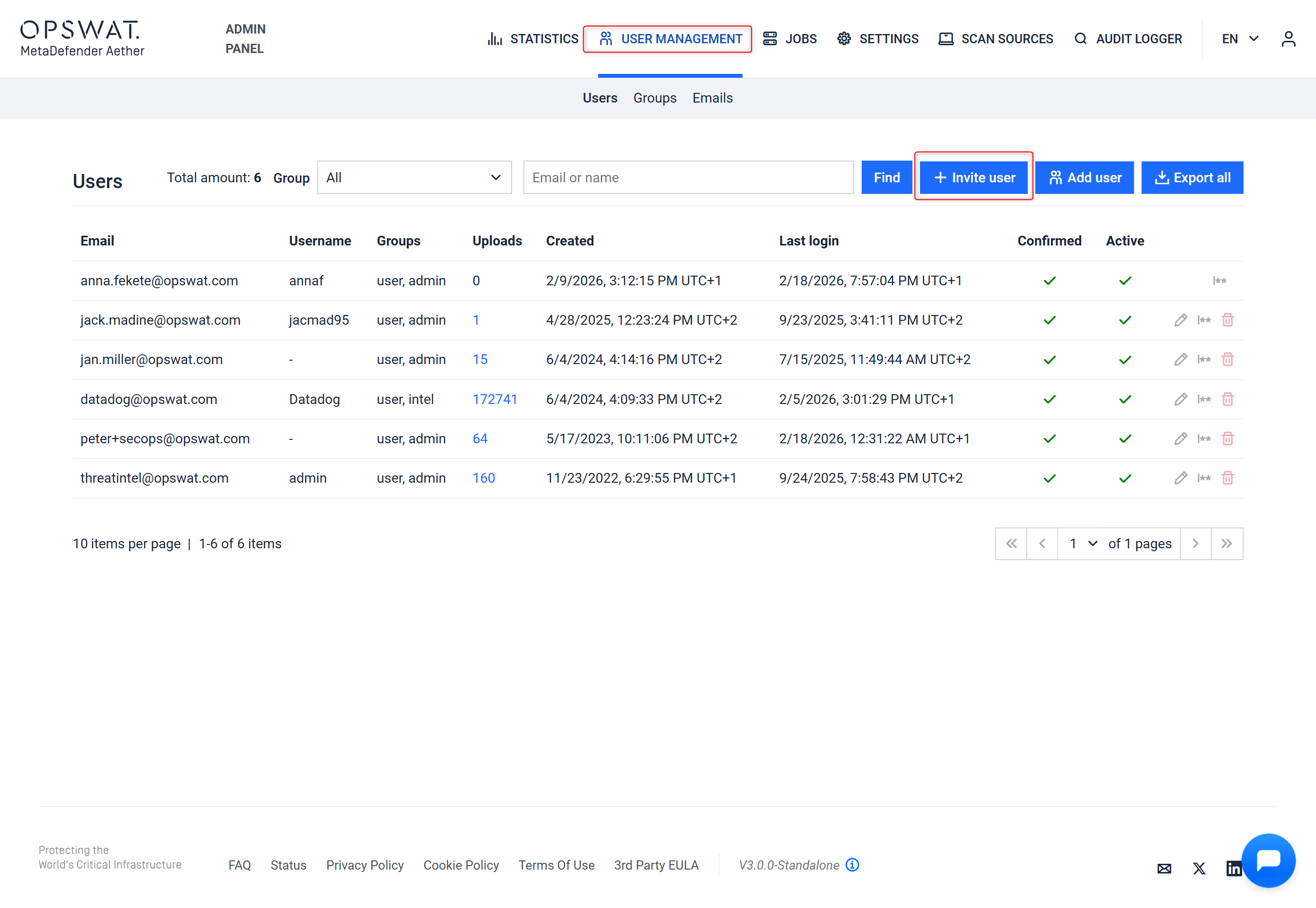
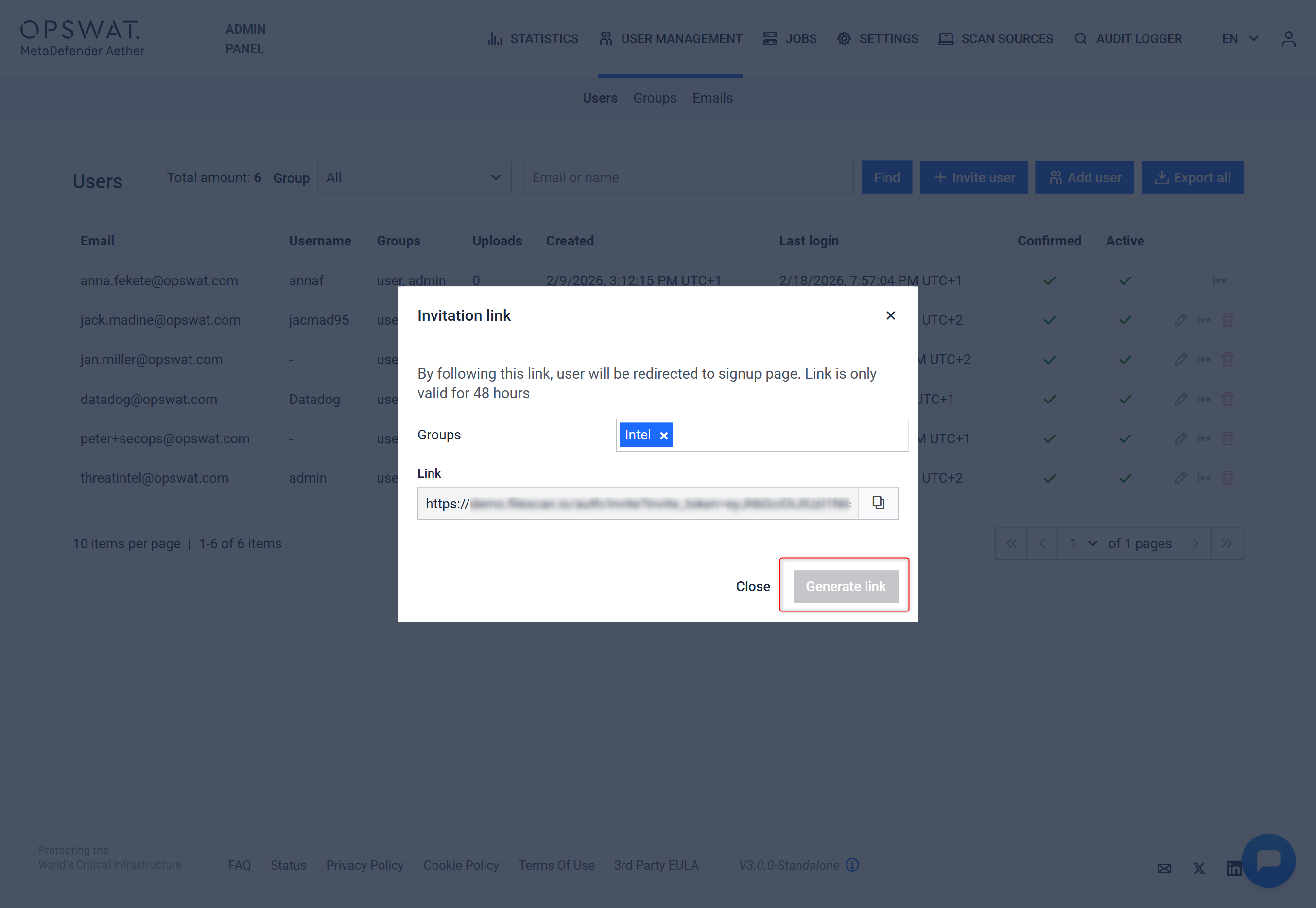
Step 3 - Click on "Invite user"
By selecting "Invite user", you will get a pop-up window.
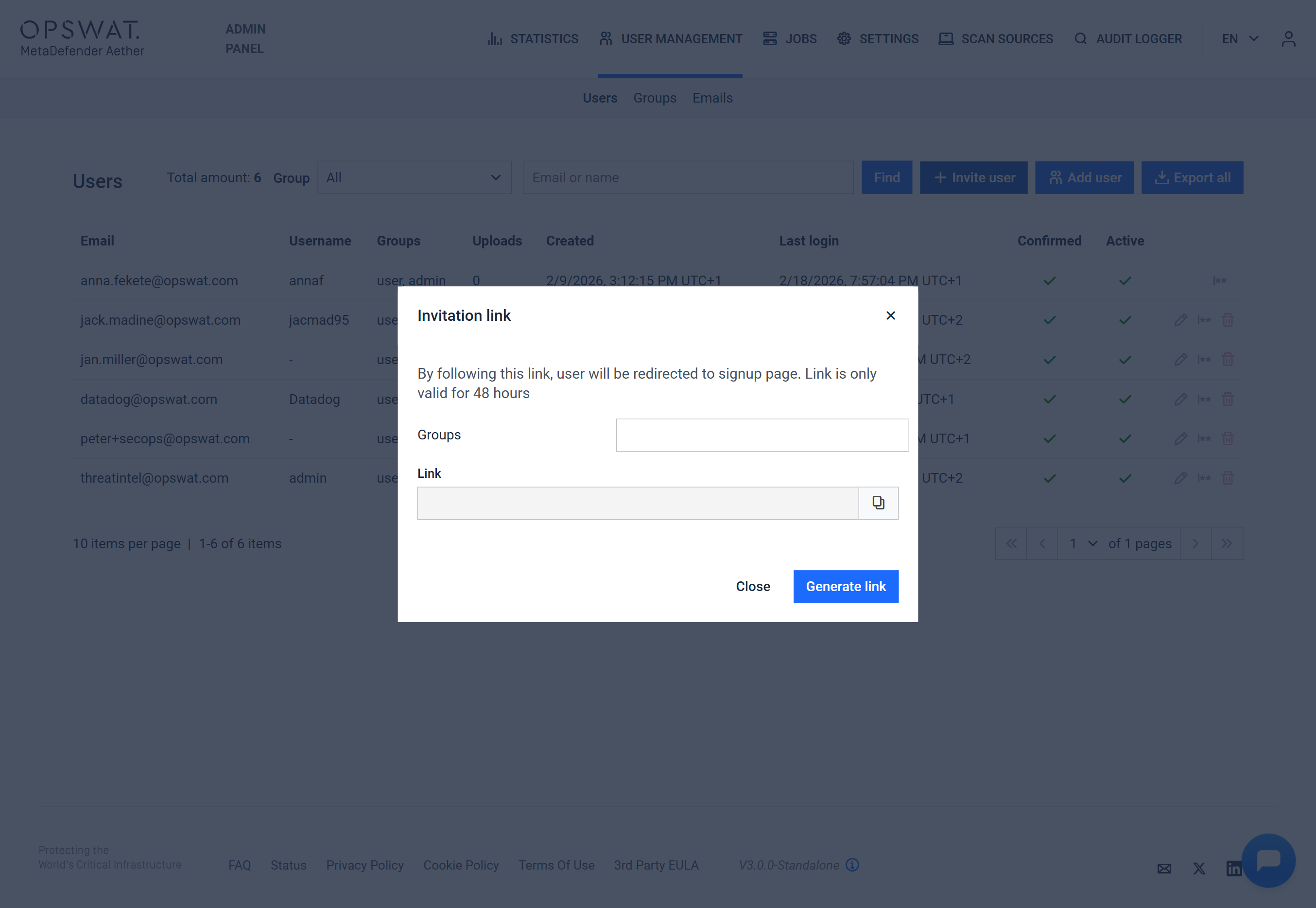
Step 4 - Generate invitation link
You may choose between the following user group types from the drop-down to generate a link for the designated MetaDefender Aether user
Admin
Auditor
Intel
User
Guest
Was this page helpful?
Admin Guide