
Function
The Audit Logger is a logging system that logs events happening inside the system. These events include settings changes, logins and logouts etc. be them successful or failed. The Audit Logger logs the event, the user responsible for it, an error message in case of an error, and also the before and after states where it makes sense (ex. in case of settings changes).
Audit Logger does not log events or errors that are not the result of user interactions.
Each log is categorized into four levels:
info: the successful events are on this level
warning: - (this level is currently not used)
error: those events got this level that resulted in an error
fatal: when any of the Audit Loggers disabled it generates a log on this level
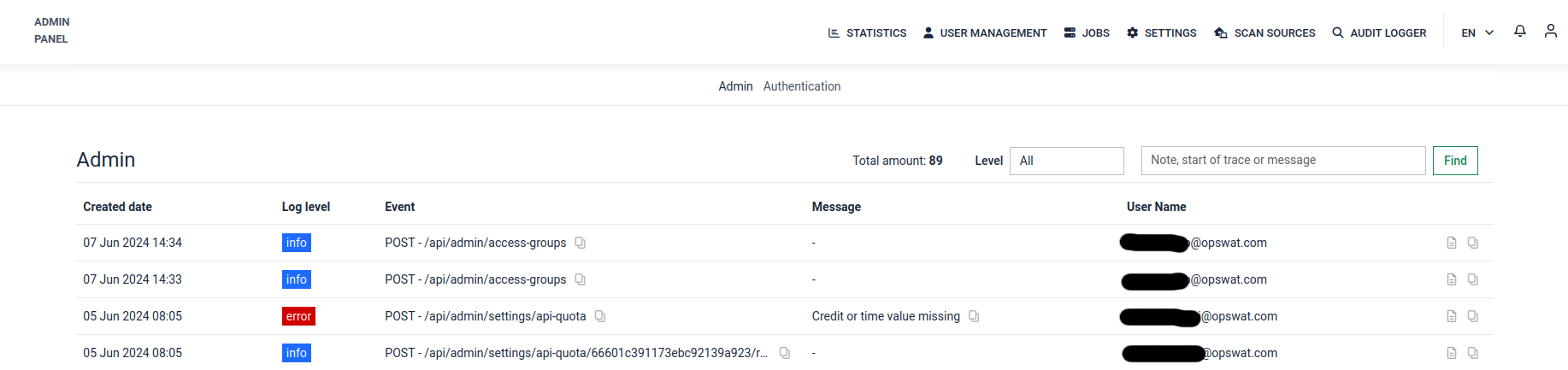
Log Details
On the right side of each log there is a page icon with the title “View log details”.
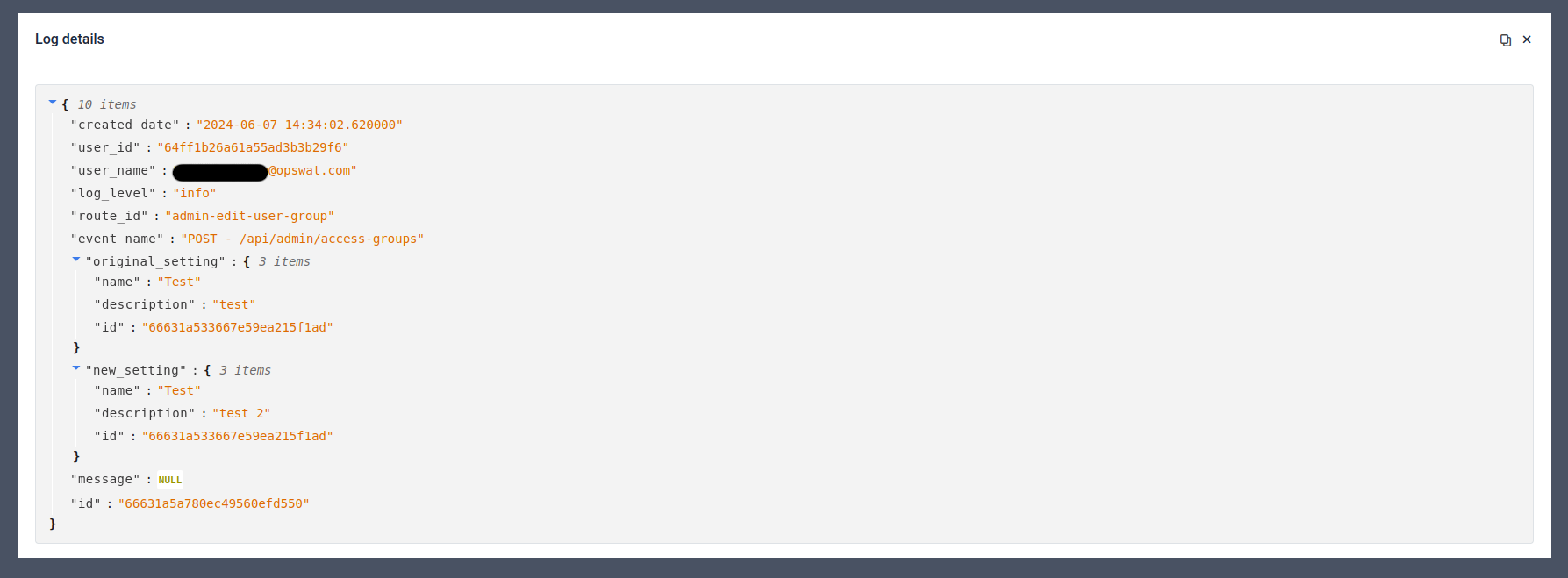
Clicking on this will open the raw log in JSON format that contains more details. For example in case of a setting change the original and the new state.
Types of Audit Logger
There are multiple types of Audit Logger, each logging events for a designated part of the system.
Admin
The Admin Audit Logger logs any event happening on the Admin Panel including changing settings, creating, modifying or deleting users or groups etc..
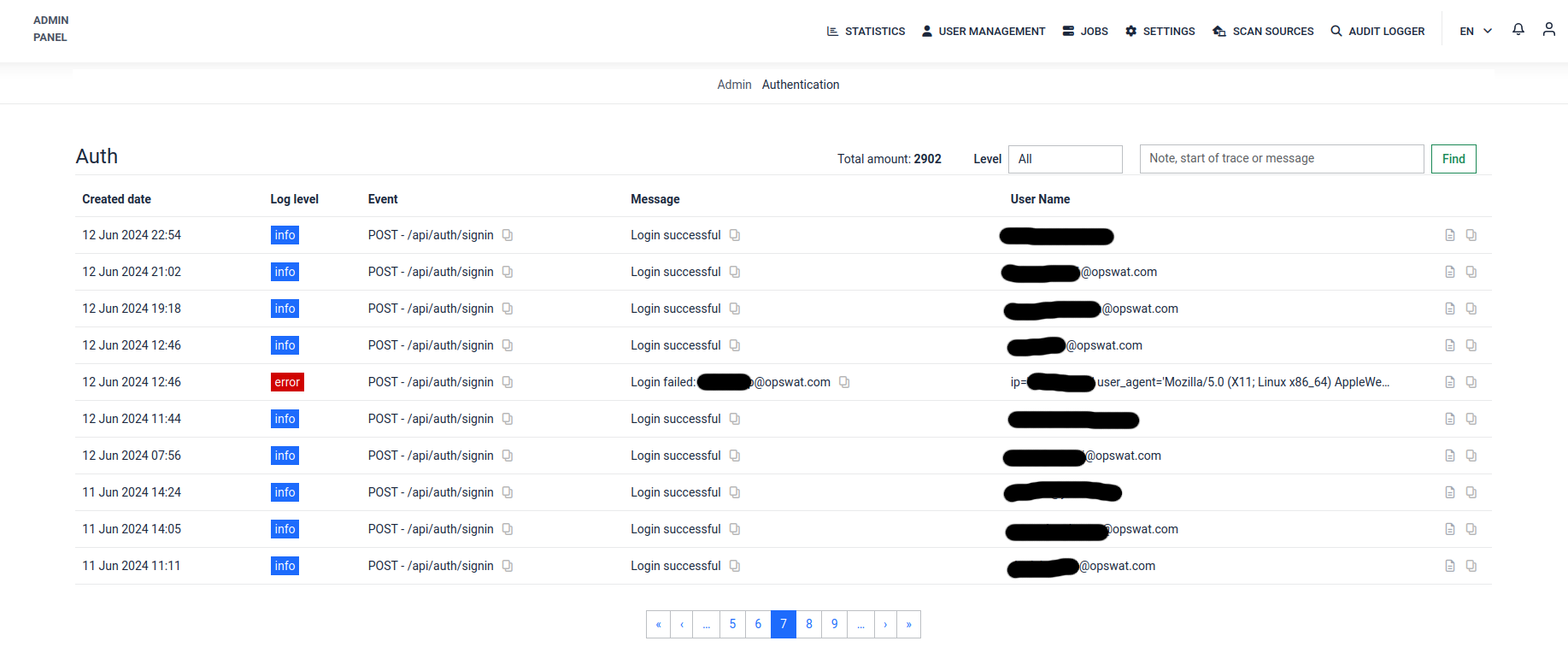
Authentication
The Authentication Audit Logger logs any logins and logouts.
Settings
At the Admin Panel > Setting > Configurations > Audit Logger section, you can enable or disable the Audit Logger and adjust its TTL (Time-to-Live).
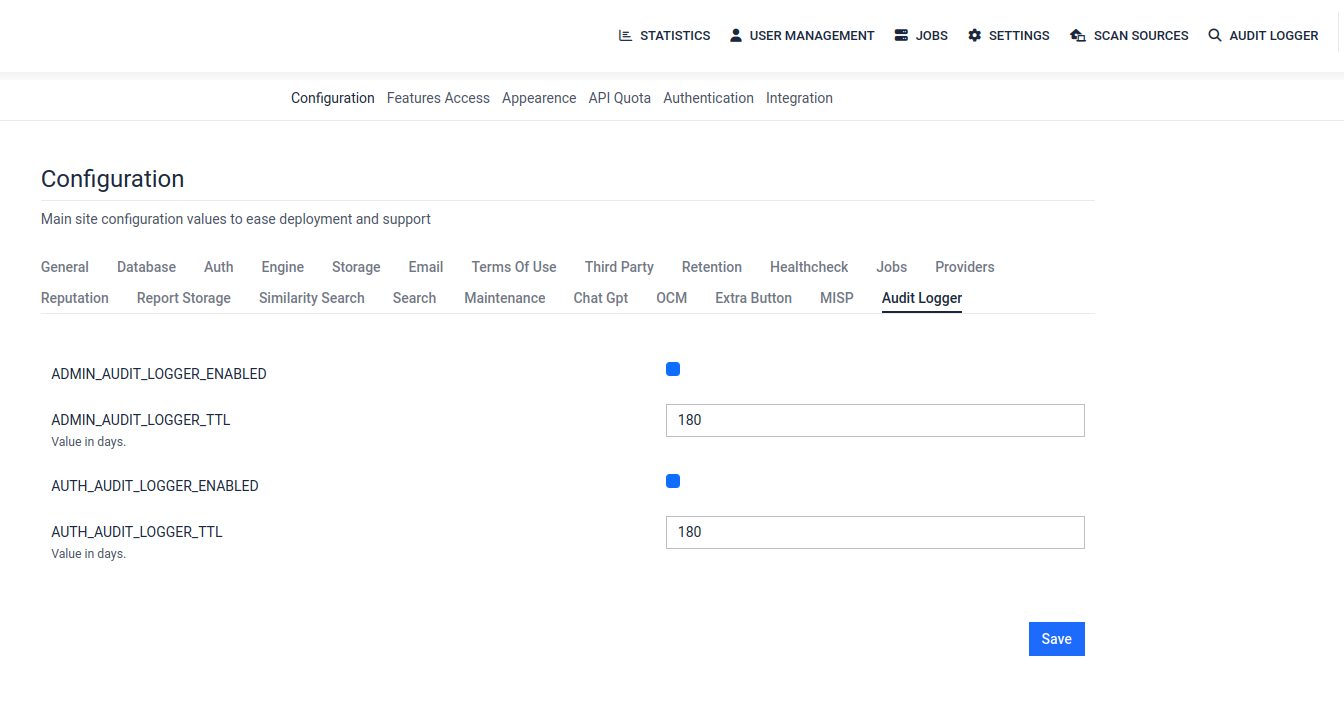
Field | Description |
|---|---|
| Enable or disable admin audit logging. |
| Logging Time-to-Live (TTL) in seconds. |
Each Audit Logger can be enabled/disabled here separately and can be set how many days each Audit Logger should keep its logs.
All Audit Logger is enabled by default. When an Audit Logger is disabled, it generates a fatal level log about it.
Audit Logger logs cannot be deleted manually, instead it automatically deletes logs older then the determined days (default 180 days)