Sandbox Service
The Sandbox service consists of several Docker containers that implement different components of the system.
Internally, docker compose is used to manage all containers and networks in Docker.
The sudo docker ps command can be used to check the status of these containers. This is how the list of containers should look typically:

It is important to check if the following critical containers are listed and healthy:
webservice
nginx/reverse_proxy
redis
mongodb
arangodb/graphdb
broker
transform
The logs for each container can be displayed in real time, e.g.:
The following helper scripts should be used to start/stop the sandbox service (including all containers):
It is also possible to interact with the sandbox service as a system service (this will produce very little output):
Additional commands are available to restart all components, or the broker and transform selectively:
Database storage location
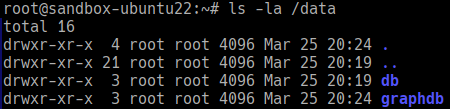
The MongoDB (db) and ArangoDB (graphdb) database files are stored in the /data directory: