Frontend Server
This is where the fsWebservice / nginx webserver lives (as a docker container). This is how it should look typically:
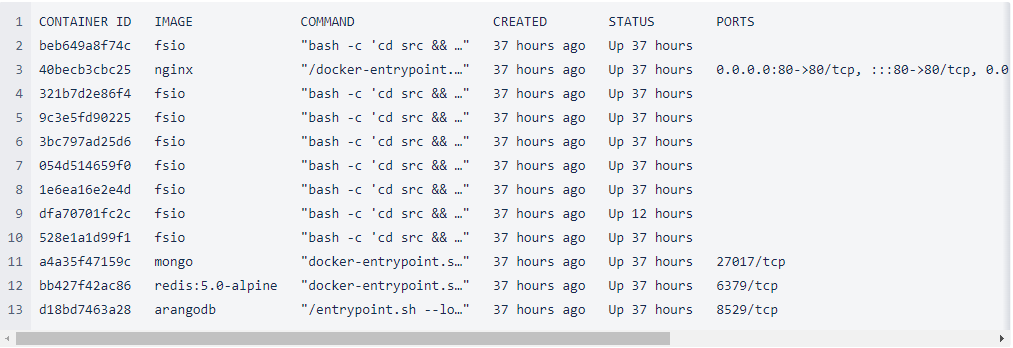
As the webservice has a variety of environment variables that have to be passed to the docker container, it is a requirement to use the following scripts (which are pre-populated) to start/stop the webservice:
1 /home/filescanio/FileScanIO/launch_webservice.sh
2 /home/filescanio/FileScanIO/shutdown_webservice.sh
Database storage location
1 filescan@xyz:/data$ ls -al
2 total 16
3 drwxr-xr-x 4 root root 4096 Jun 24 2021 .
4 drwxr-xr-x 20 root root 4096 Jul 25 2021 ..
5 drwxr-xr-x 3 root root 4096 Jun 24 2021 db
6 drwxr-xr-x 3 root root 4096 Jun 24 2021 graphdb
Backend Server
Sandbox Engine
The sandbox engine (fsTransform) lives on the backend server and also utilizes a few services, which should always be running in the background. Specifically, the URL analysis engine and a NSRL whitelist lookup service. This is how it should typically look:

Broker Service
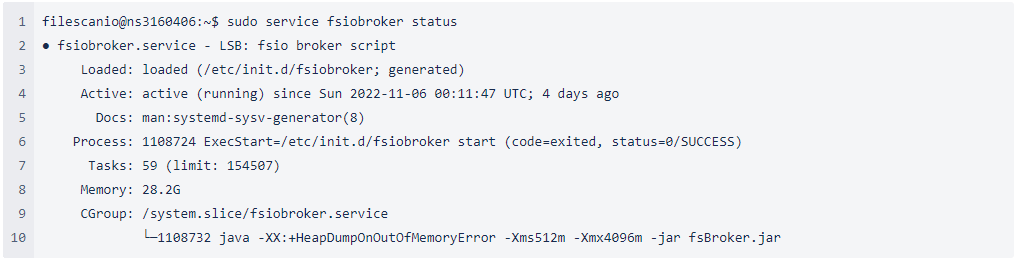
The broker runs as the “fsiobroker” service and should be looking like this:
Sandbox Service
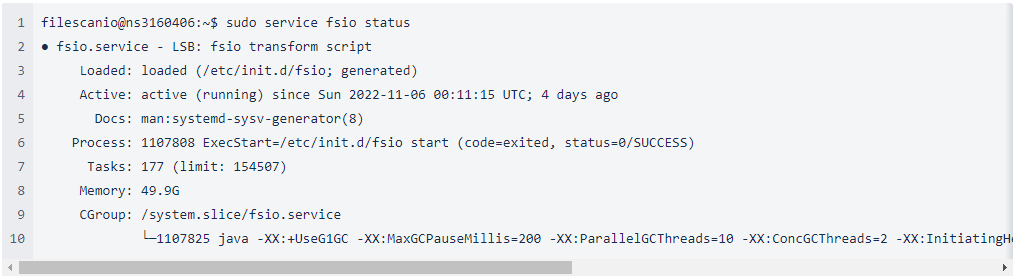
The analyzer runs as the “fsio” service and should be looking like this:
Restarting the Broker/Sandbox Engine
sudo service fsio stop
sudo service fsio start
sudo service fsiobroker stop
sudo service fsiobroker start
Verifying the status of the Broker/Sandbox Engine
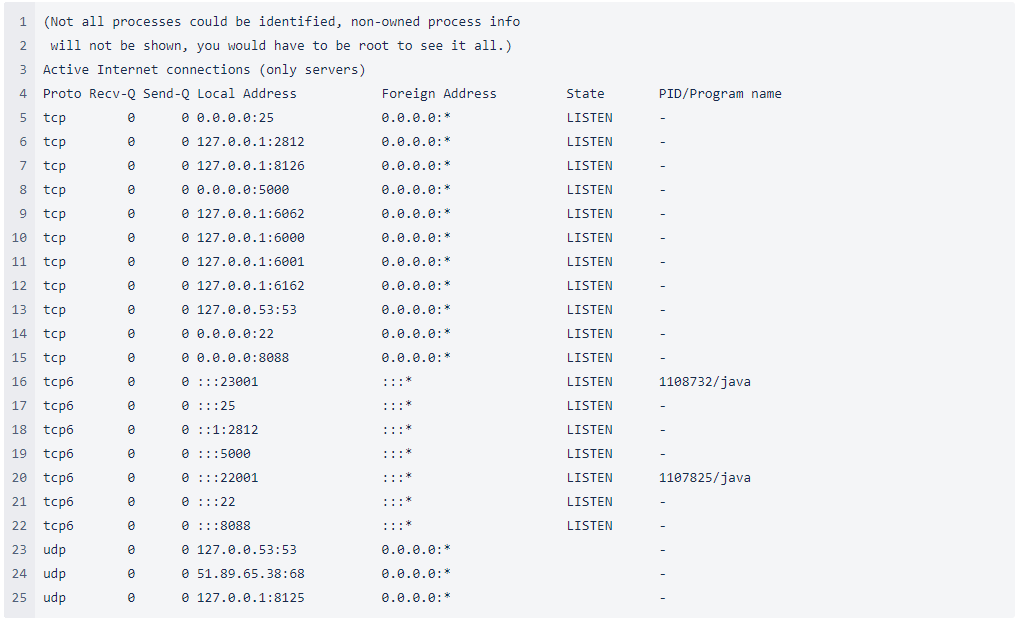
The broker/sandbox engine have port 22001 and 23001 open: