
HA (High Availability) Mode is all about keeping your systems running, come what may. It's that redundancy, that safety net, that ensures minimal downtime. Think of it as having a backup plan for your entire infrastructure. If one server goes belly up, another seamlessly takes over, keeping the lights on and the data flowing.
How to Enable
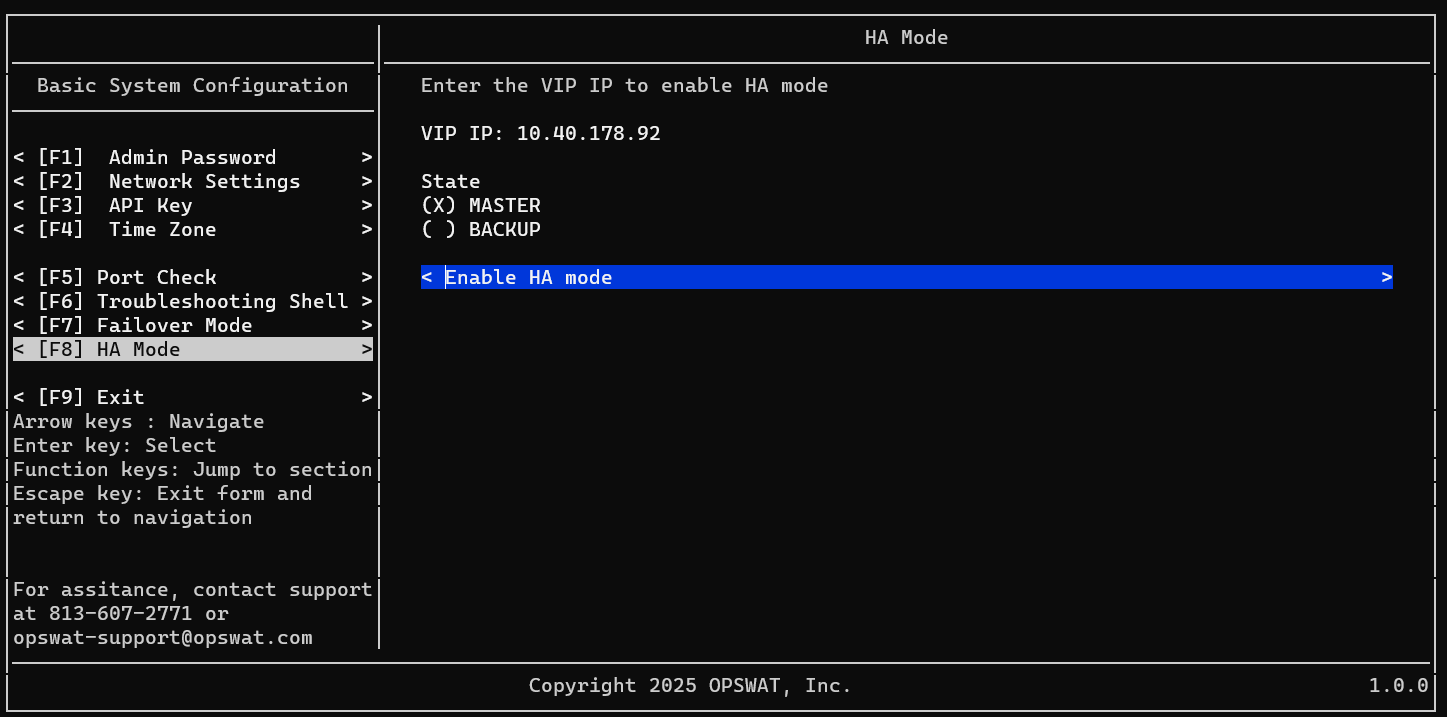
Setup Master node
Login to your 1st NAC VM as admin user
Navigate to HA Mode
Input your VIP (Virtual IP)
Select state as Master
Select Enable HA Mode
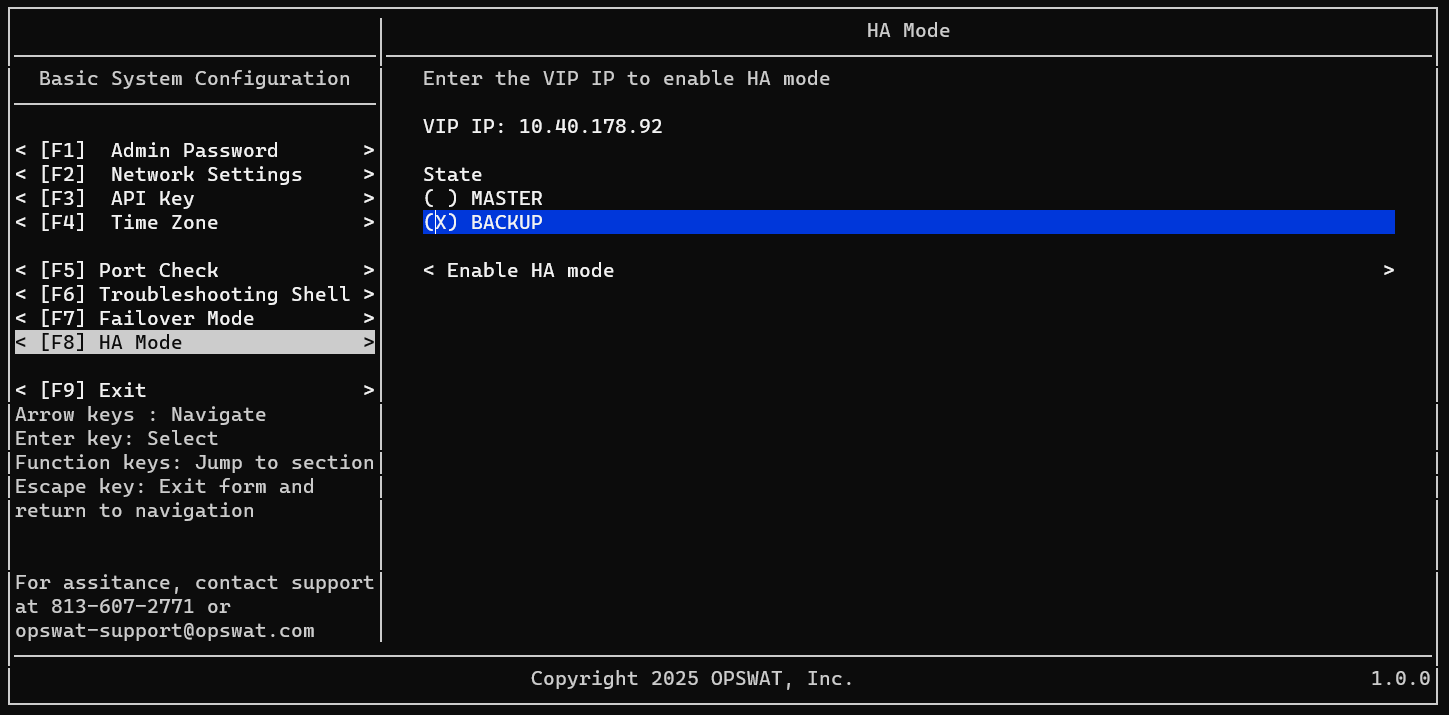
Setup Backup node
Login to your 2nd NAC VM as admin user
Navigate to HA Mode
Input your VIP (Virtual IP)
Select state as Backup
Select Enable HA Mode
Was this page helpful?
Secure Access Solution