
From version 7.6.474.0 and beyond, OPSWAT Client introduces a user interface (UI) to interact with end-users. The OPSWAT Client UI gives end-users a visibility about applications installed on their device under EITHER Application Management OR Software Update & Vulnerabilities screen depend on OPSWAT Client version installed on the device. OPSWAT Client also provides remediation options (if applicable) to resolve potential security issues on applications.
If you do not want to show applications installed a device on the OPSWAT Client UI, you can follow the steps below:
Download the default rebranding package here and extract it
Change value of the parameter “app_management.disabled” to 1 in config.json file. By default, its value is 0 (show installed applications on the OPSWAT Client UI)
Zip all the files and folder again and make sure they are not nested in a folder
Log into Central Management Console as an administrator
Navigate to Settings > Global Settings > Device Agent tab > Agent section
Upload the modified rebranding package to the setting “Make OPSWAT Client user interface available to end-users
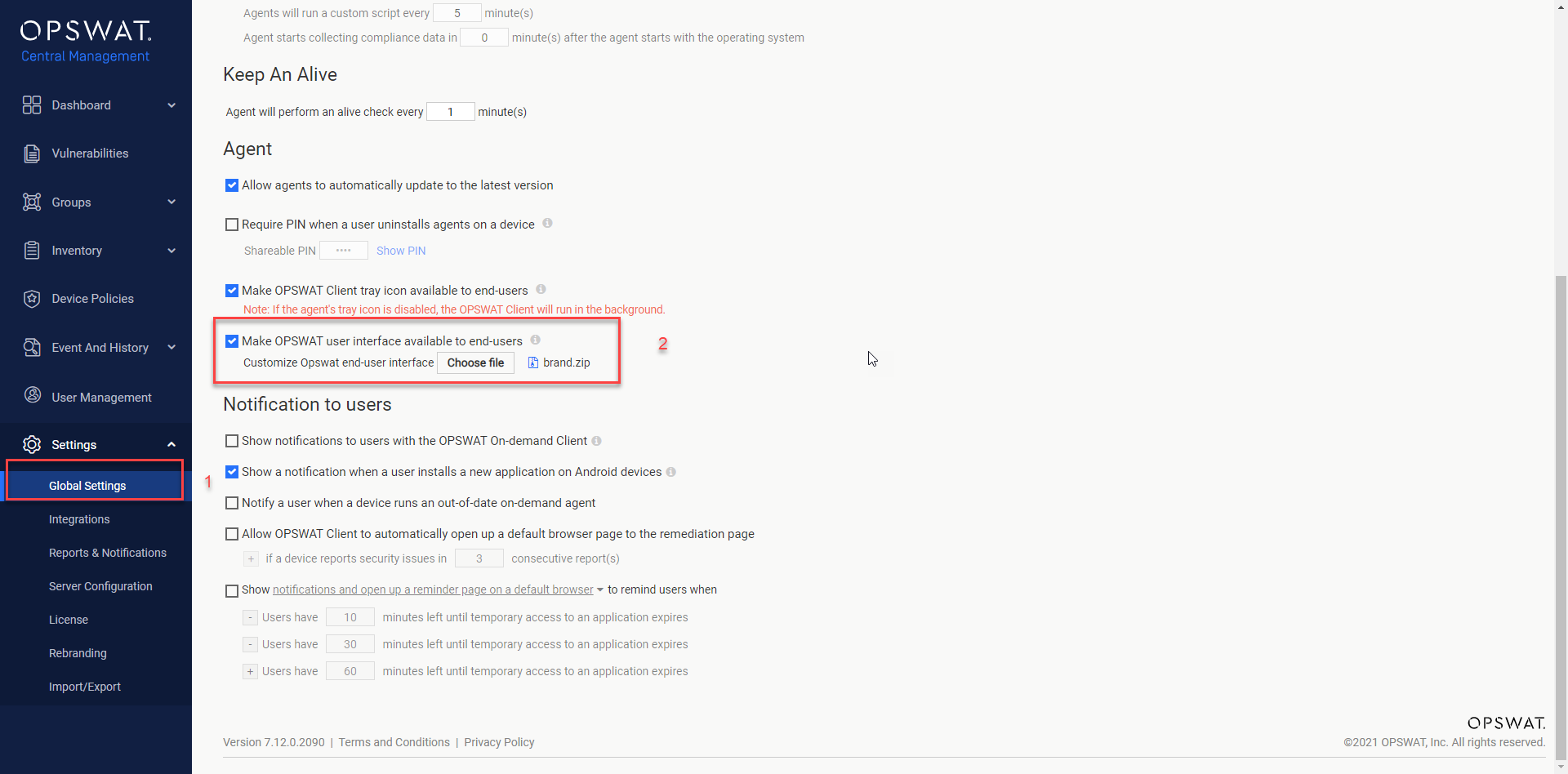
Click Save and confirm your PIN to save your changes.
Wait for few minutes then check the OPSWAT Client UI again