
The following guideline describes how to add a MetaDefender Kiosk Linux instance to OPSWAT Central Management.
A MetaDefender Kiosk Linux volume license must be activated for the OPSWAT Central Management server.
In the MetaDefender Kiosk Linux instance's user interface, navigate to Network Configuration. Fill in the required fields.
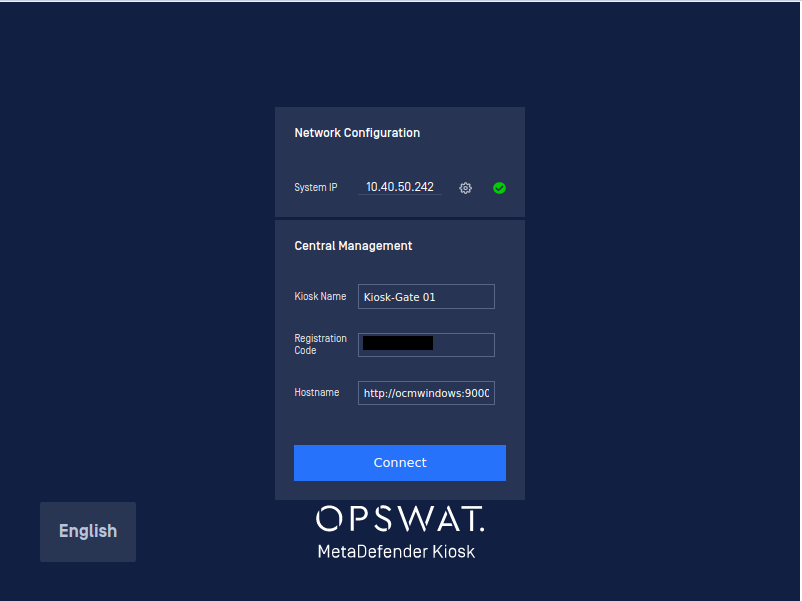
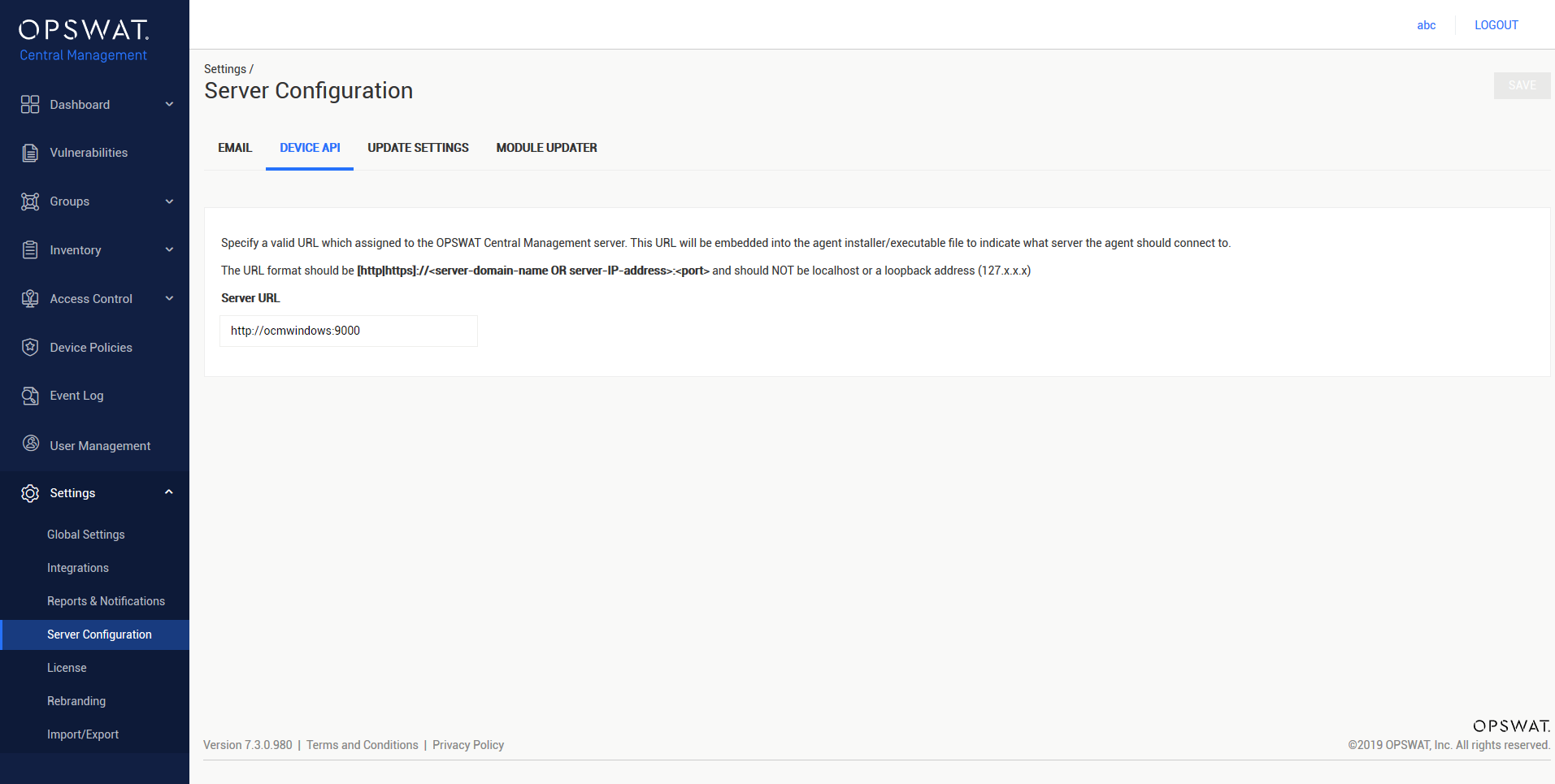
- URL: The server URL of the OPSWAT Central Management server. The Server URL can be found in Settings > Server Configuration > DEVICE API under Server URL.
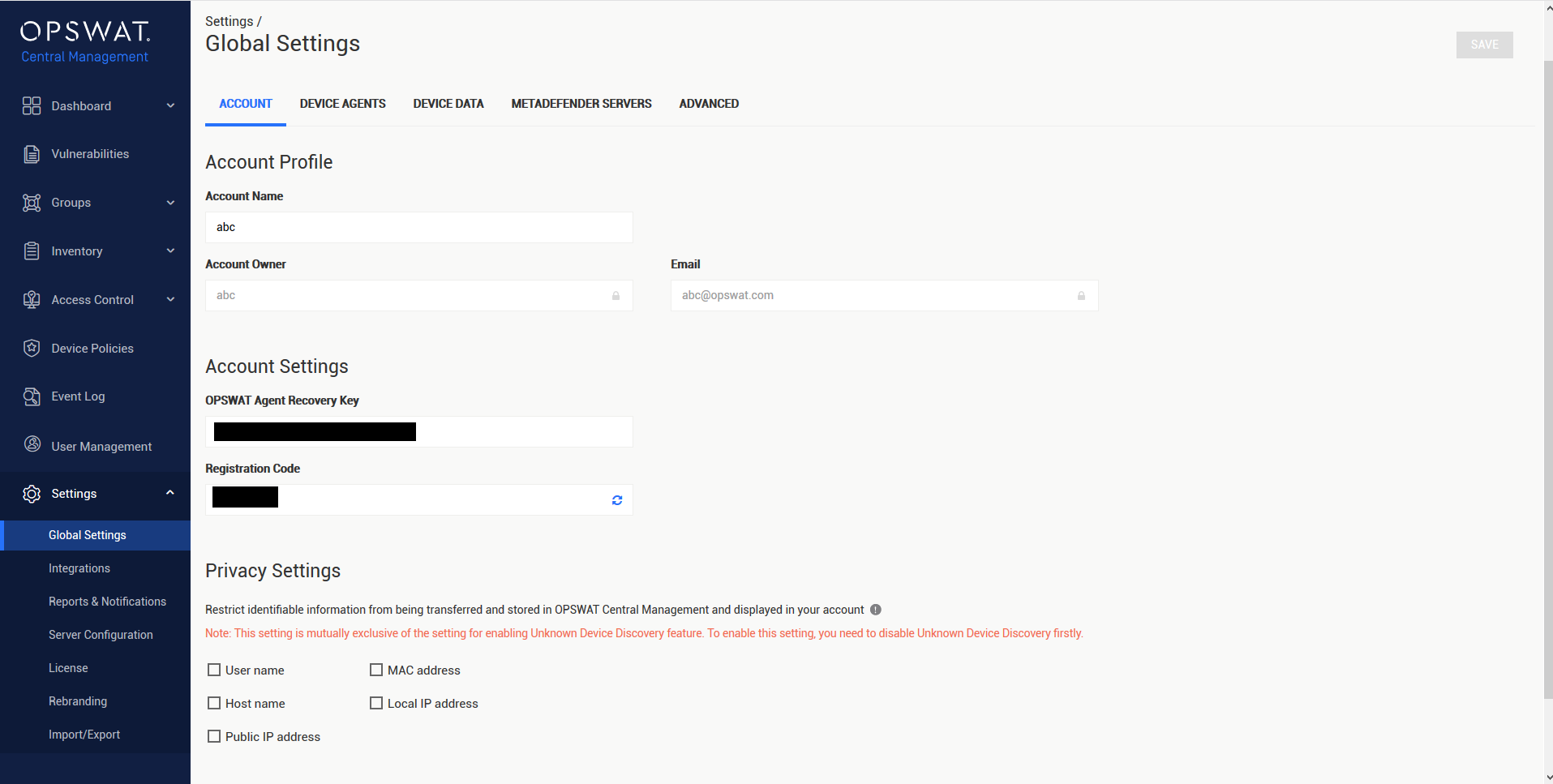
- Registration code: The integration secret of the OPSWAT Central Management server. The registration code can be found in Settings > Global Settings > ACCOUNT under Registration Code**.**
Select Connect. If successful, the MetaDefender Kiosk Linux should then show up in the OPSWAT Central Management console.
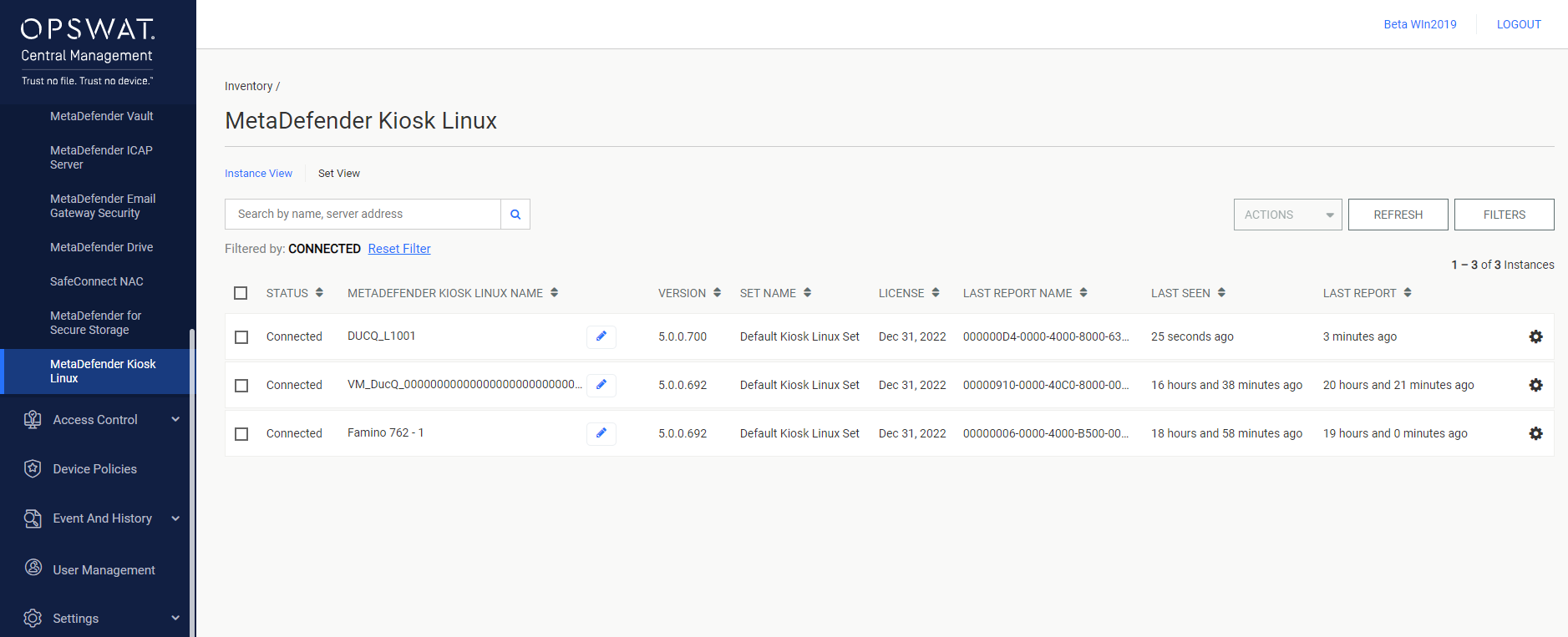
The status of the MetaDefender Kiosk Linux instance changes to Connected once its version information is successfully fetched.