
The deployment options vary depending on what are the number of instances where MetaDefender Storage Security will be installed.
Options:
Single Instance deployment of MetaDefender Core and MetaDefender Storage Security
Multi-Instance with Autoscaling for MetaDefender Core and single instance of MetaDefender Storage Security.
OPSWAT provides a terraform project to deploy MetaDefender Storage Security and MetaDefender Core in different instances using AWS services.
Prerequisites
AWS knowledge: This guide assumes familiarity with AWS Services
AWS account: needs permission to create AWS Services depending on the examples listed in Architecture Examples in CSPs
Tools installation: Terraform, AWS CLI
Single Instance Deployment
Deploy using Terraform
OPSWAT provides a terraform project to create the infrastructure needed to deploy the Architecture Examples in CSPs
Locally clone the metadefender-csp repository and go to AWS/single-ec2
Modify terraform.tfvars with the desired options
LICENSE_KEY required if wanted to have the MetaDefender Core instance activated automatically
APIKEY_GENERATION=true to have the apikey generated by terraform
There is one general section and one section for each product that is supported using this Terraform project
To deploy MetaDefender Storage Security, modify the section for Storage Security
Run terraform init and apply. Check the resource to be created, after that enter "y"
Deploy using AWS Console
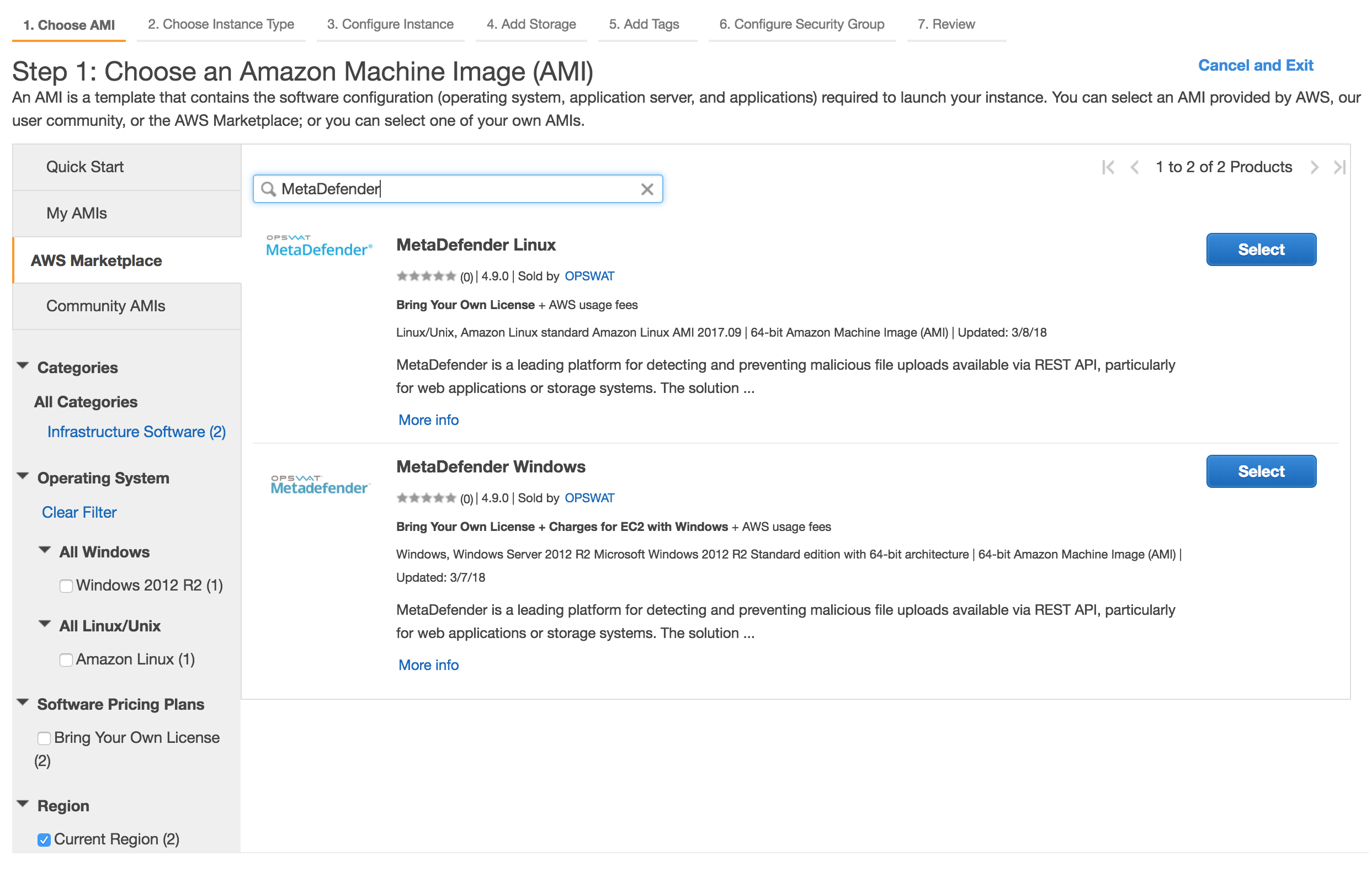
Select MetaDefender Storage Security AMI
Go to the EC2 Management Console in AWS and select Launch Instance
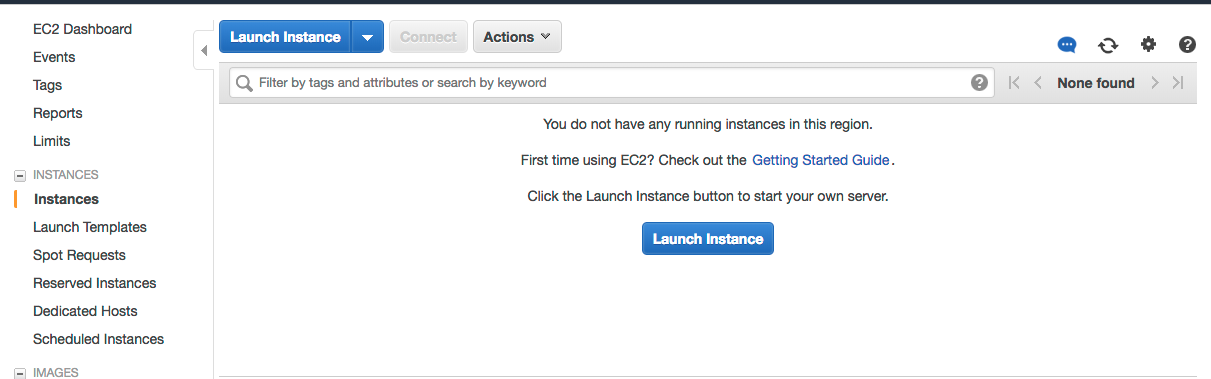
Select the desired MetaDefender Storage Security, based on the OS support:
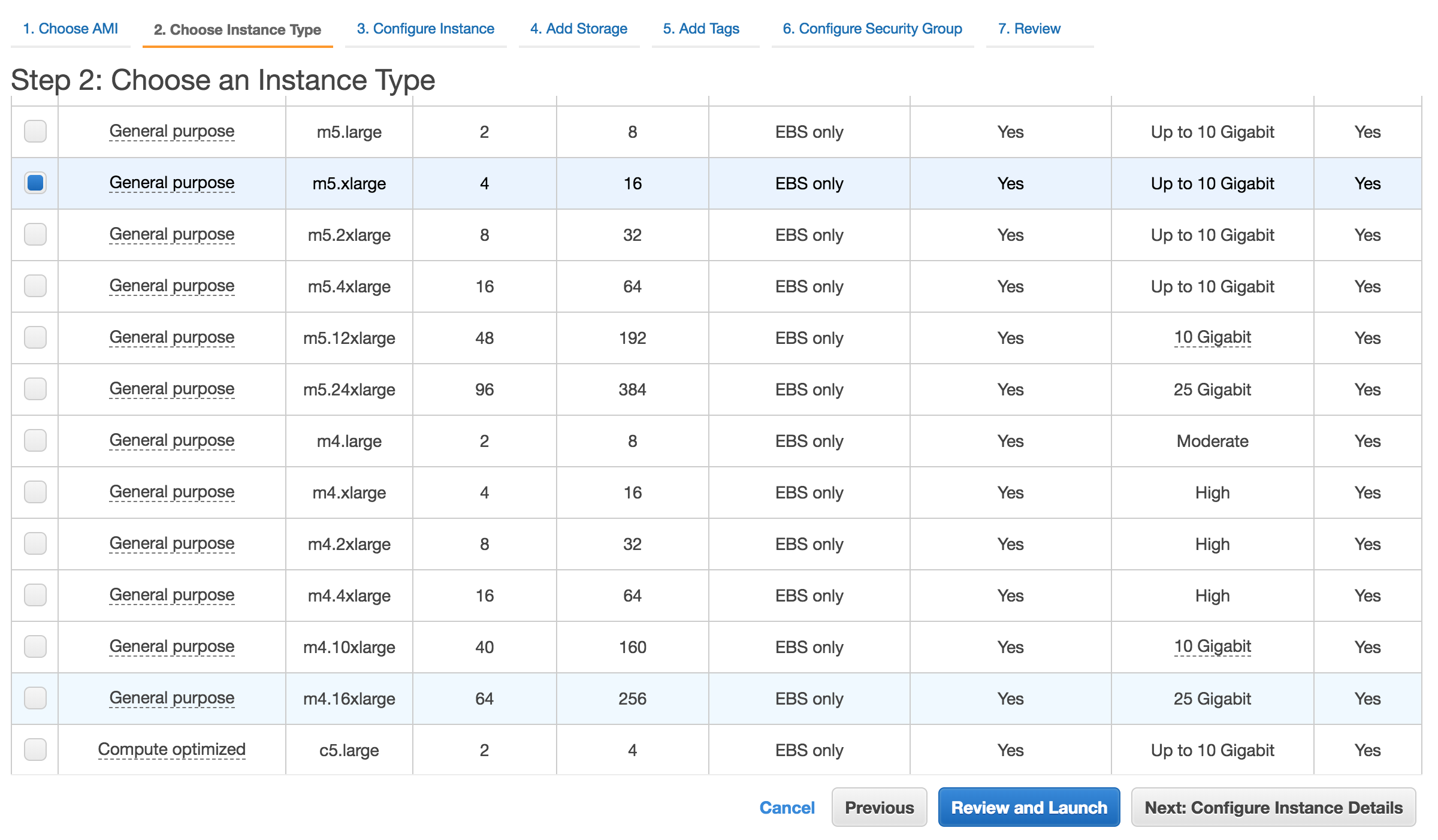
Choose the Instance type
Please review MetaDefender Storage Security's general system requirements before choosing the desired AMI and instance type.
Networking for EC2
Select the desired VPC and subnet you would like to have MetaDefender Storage Security deployed.
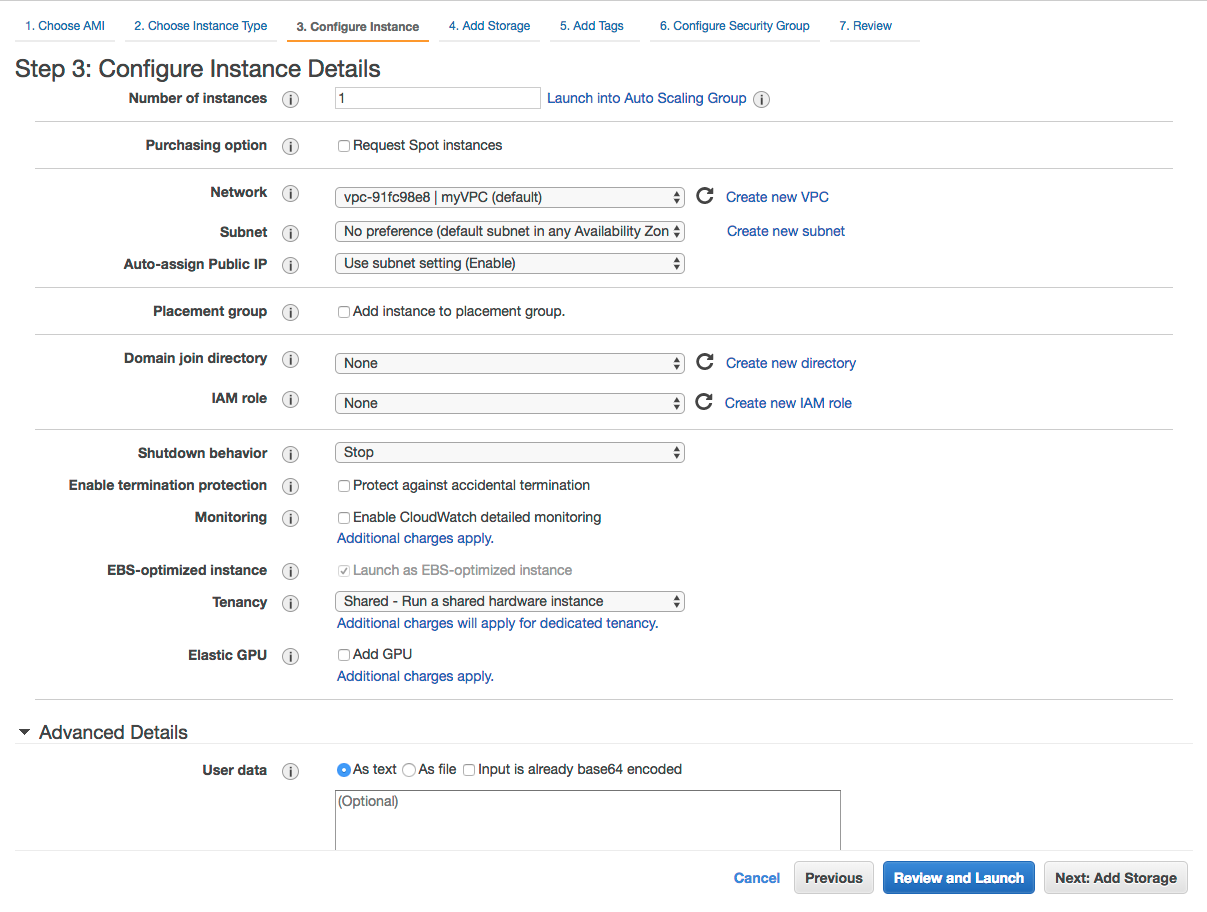
Depending on the deployment model, the recommendation would be to deploy MetaDefender Storage Security in a private subnet.
Storage configuration
Storage step can be skipped
In general there's no need for additional storage by MetaDefender Storage Security. Follow the system requirements for Storage.
Security Groups configuration
There are 2 rules that are needed to be opened during the installation phase, after which only one rule should remain:
Custom TCP: 80/443
MetaDefender Storage Security exposes the web UI by default to port 80 and 443 with SSL. However this port can be changed during the installation phase or updated during it's lifetime.
RDP / SSH
In order to install MetaDefender Storage Security on Windows add access for RDP and for Linux add support for SSH
Highly recommended would be not to allow traffic to RDP or SSH from anywhere, but to limit to your IP address
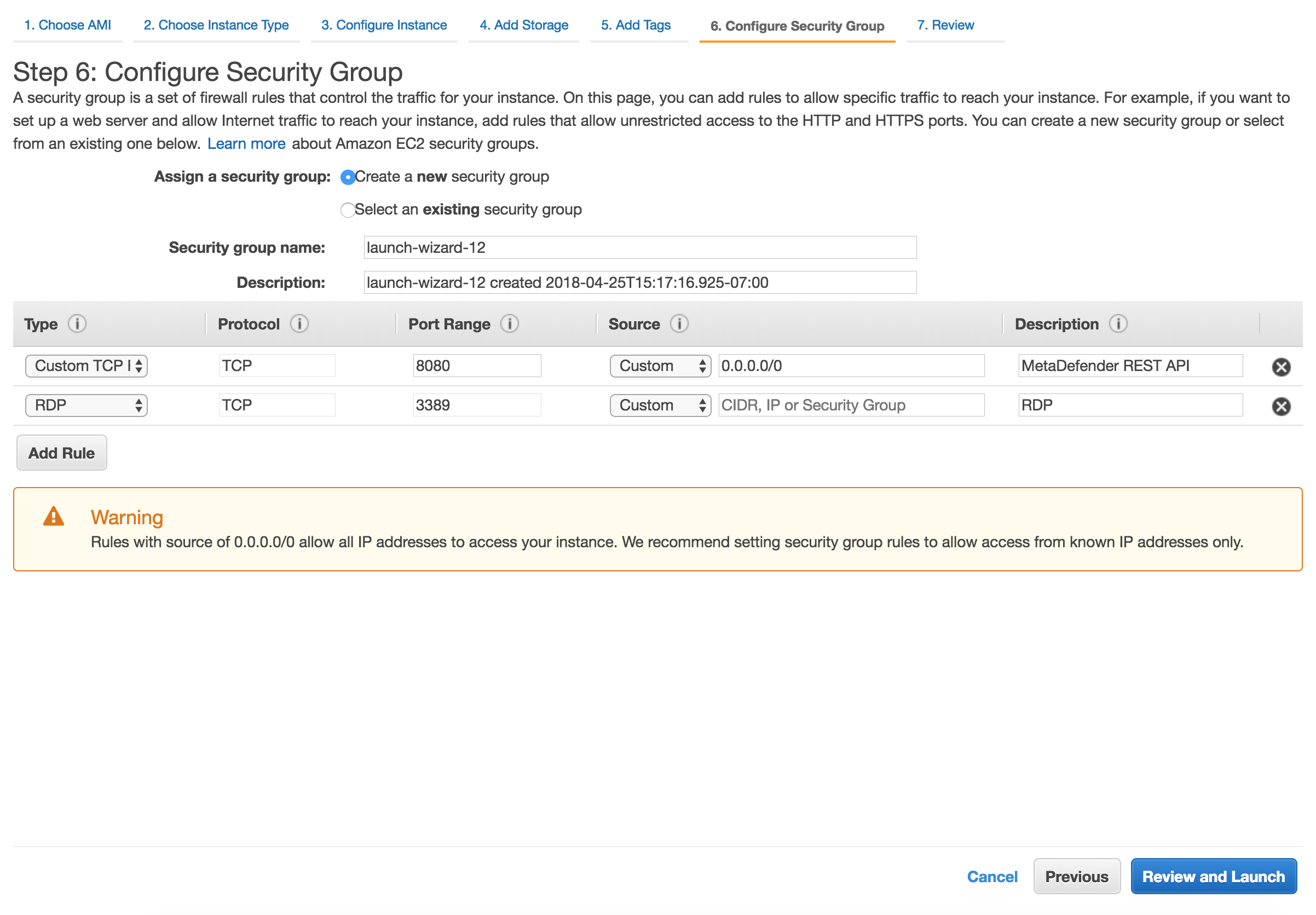
After the installation remove RDP or SSH from this Security Group!
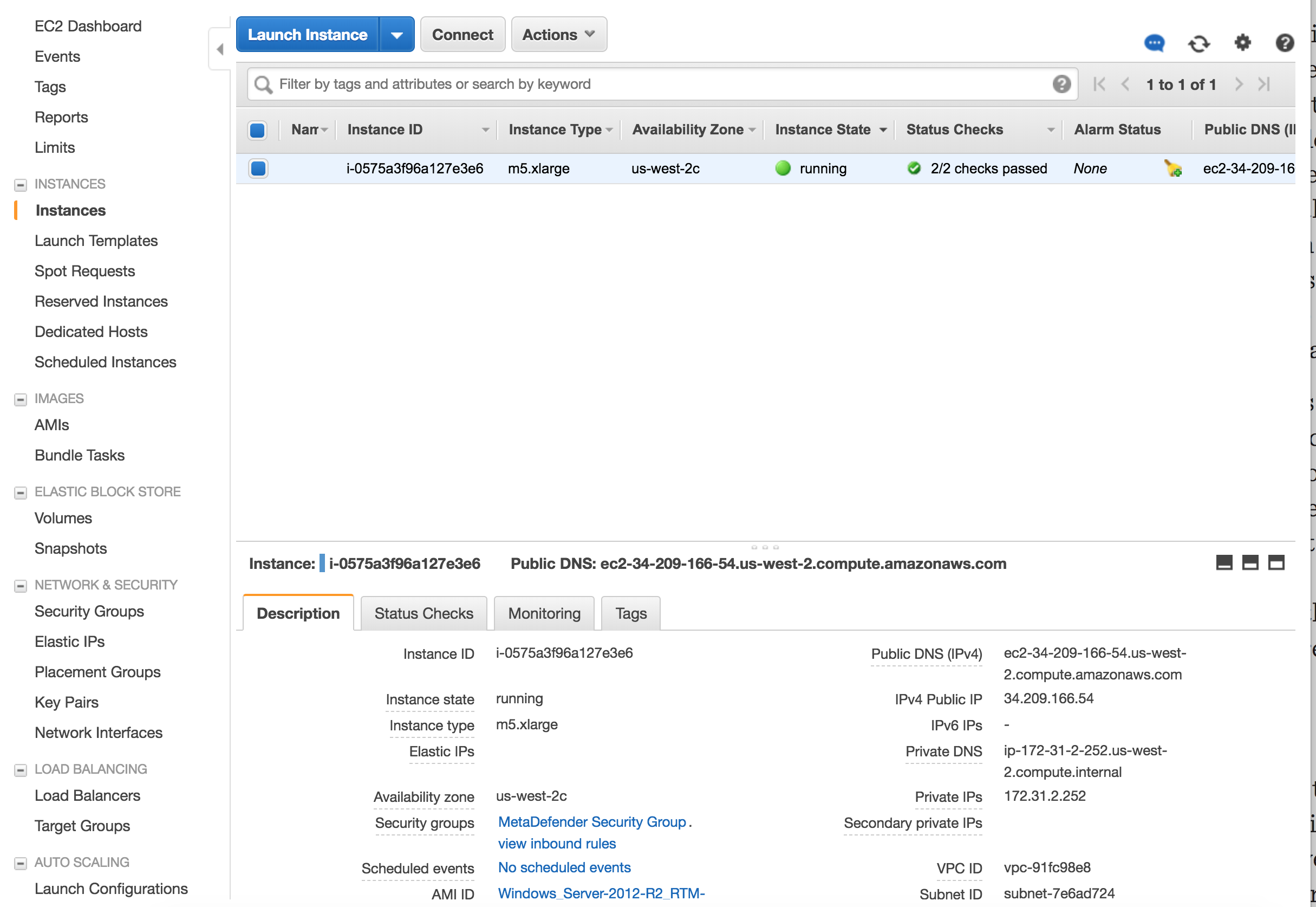
Launch the instance
After you review the settings, hit Launch. In a few minutes the instance should become available
Multi-Instance Deployment
Deploy using Terraform
OPSWAT provides a terraform project to create the infrastructure needed to deploy the Architecture Examples in CSPs
Locally clone the metadefender-csp repository and go to AWS/autoscaling-group
Modify terraform.tfvars with the desired options
Run terraform apply and check the resource to be create, after that enter "y"