
This guide provides detailed instructions for installing MetaDefender Storage Security and its dependencies on machines with limited or no internet connectivity. A machine connected to the internet will be needed to download the dependencies manually and copy them to the offline machine.
Installing Binary Packages
You will need to download and install the following binary packages for your respective operating system:
Debian/Ubuntu
RedHat/CentOS
Note: For detailed instructions, refer to the guide for Debian/Ubuntu or CentOS/RHEL
Installing Docker and Docker Compose
To be able to install the dependencies offline, you need a machine connected to the internet to download the required packages. Later, the packages will be copied to the offline machine.
To download the dependencies, follow the official guide for Docker Engine and Docker Compose
The compose plugin for docker can be installed only manually when in an offline environment using the following commands (also available in the official instructions in the link above):
Installing MetaDefender Storage Security package
After the prerequisites above have been set up, you can run the MetaDefender Storage Security installer to setup the compose files and the mdss command line.
Debian/Ubuntu
RedHat/CentOS
Loading Docker images
MetaDefender Storage Security is composed of several Docker images that need to be pulled from an online repository. For offline installations, these images are available on the MyOPSWAT portal under MetaDefender Storage Security in the MetaDefender Storage Security Offline Docker Toolkit section:
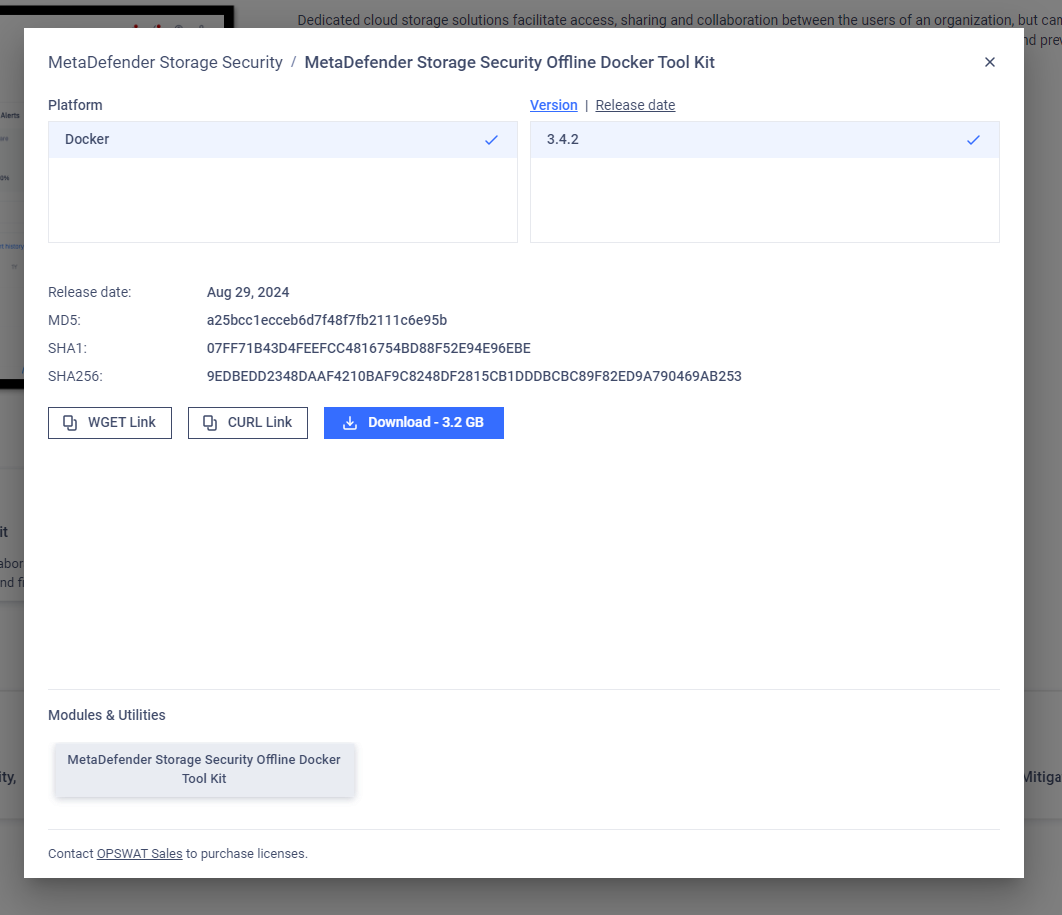
Next, you need to extract the mdcs.tar archive and transfer it to the offline machine. Once the file is on the offline machine, use the following command to load the Docker images:
Starting MetaDefender Storage Security
Finally, MDSS can be started using the regular startup command:
Updating MetaDefender Storage Security Offline
To update MetaDefender Storage Security while in offline mode the same steps can be followed but with the latest installer and offline package, detailed instructions are outlined in the Offline Update Guide