
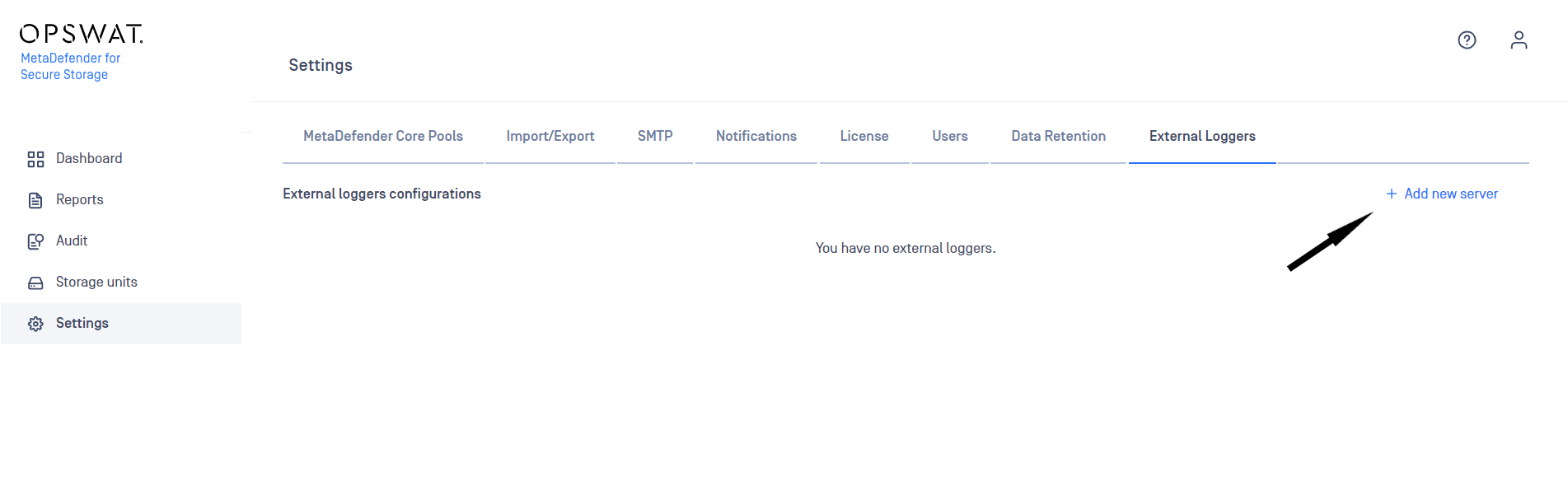
In order to add an external logger configuration:
Navigate to Settings -> External Loggers
Click on Add New Server button
Integrate a Syslog (UDP) external logger
In order to visualize MetaDefender Storage Security audit logs in a centralized dashboard, integration with a Syslog (UDP) server is possible.
Currently we support Syslog (UDP) using the RFC5424 Output format as external logger configuration.
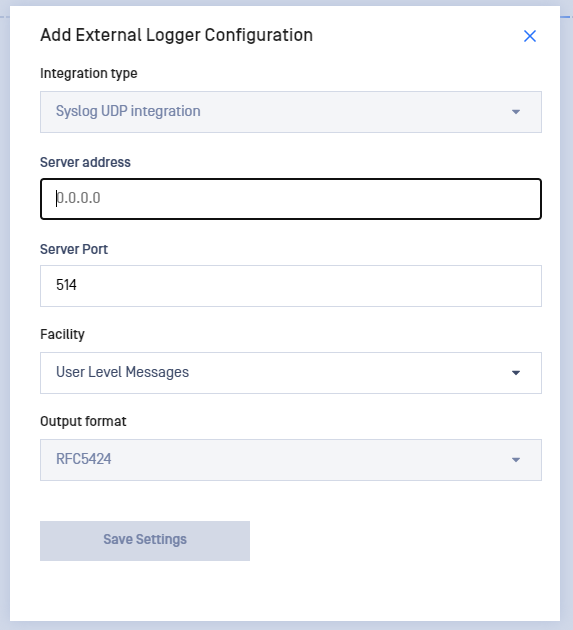
For adding a new Syslog configuration, you will need to enter the following details on the Add External Logger Configuration window:
Server address - Ipv4, Ipv6 and Host Name formats are supported
Port
Syslog Facility
Output format - RFC5424 format is supported
Up to 5 different external loggers configurations of each type are supported.
Syslog message format
We support format RFC5424. You can find more details about this format here.
Prefix Field (click for more info) | Description |
|---|---|
Priority value | |
The version of the syslog protocol specification. | |
A formalized timestamp | |
The machine that originally sent the syslog message | |
The device or application that originated the message | |
Process name or ID associated with a syslog system | |
Type of the message | |
A mechanism to express information in an easily parseable and interpretable data format | |
Free-form message that provides information about the event |