
Configuration
File Tagging post action is available only for storage units of type Amazon S3 and S3-Compatible.
How to configure remediation actions?
- From the left-side navigation menu, go to Storage units
- Select the storage for which you wish to configure File Tagging post action
- Click on Remediation actions in the actions dropdown
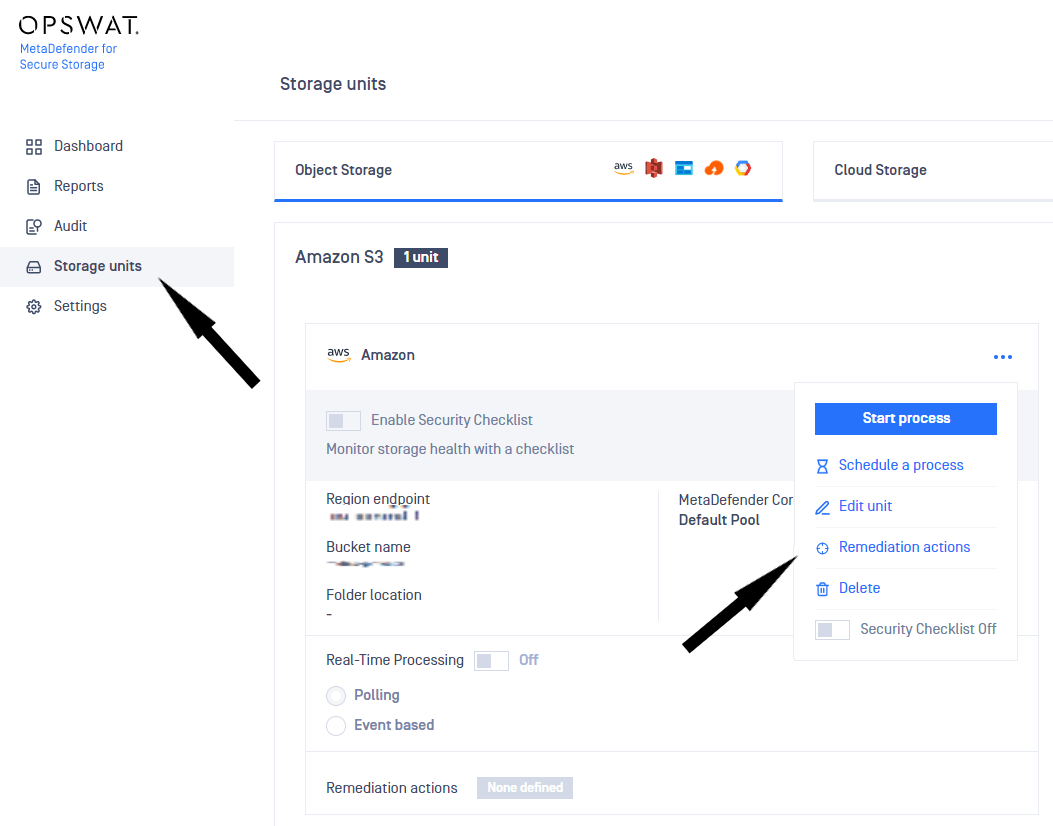
Enable file tagging for S3 storage
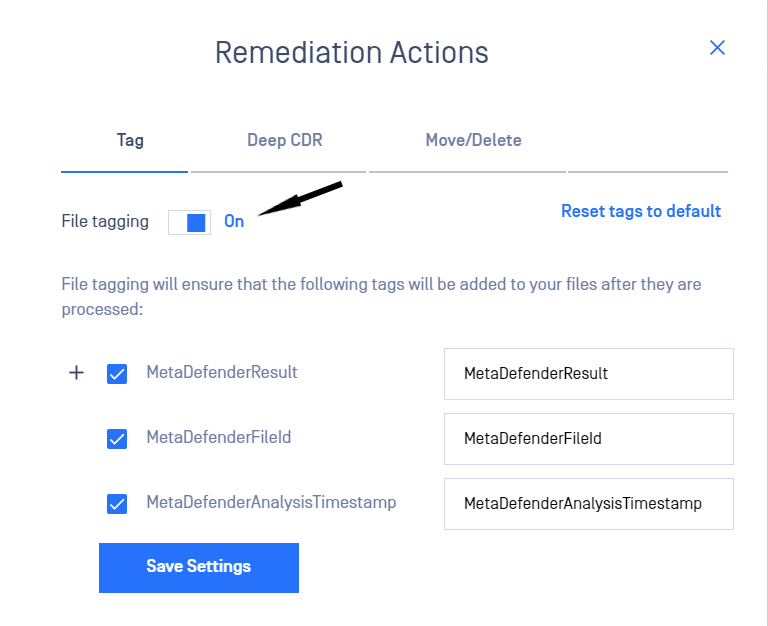
- Toggle File tagging from the Remediation Actions window
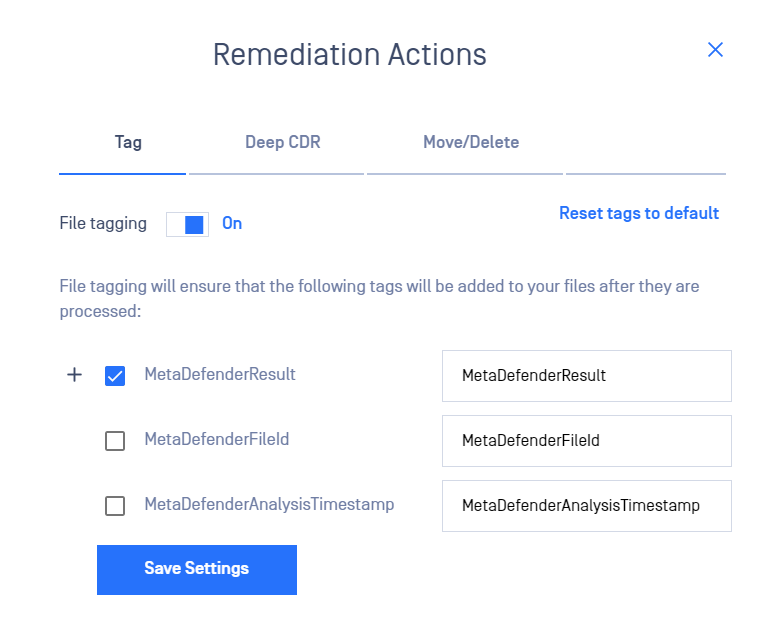
- Select which tags to be added by checking/unchecking the boxes. (Note: at least one tag should be enabled if File Tagging is on)
Customize file tags
There are three tags which can be customized and added to the file:
1. MetaDefenderResult
2. MetaDefenderFileId
3. MetaDefenderAnalysisTimestamp
To customize the key of a tag, please modify the values next to the default key.
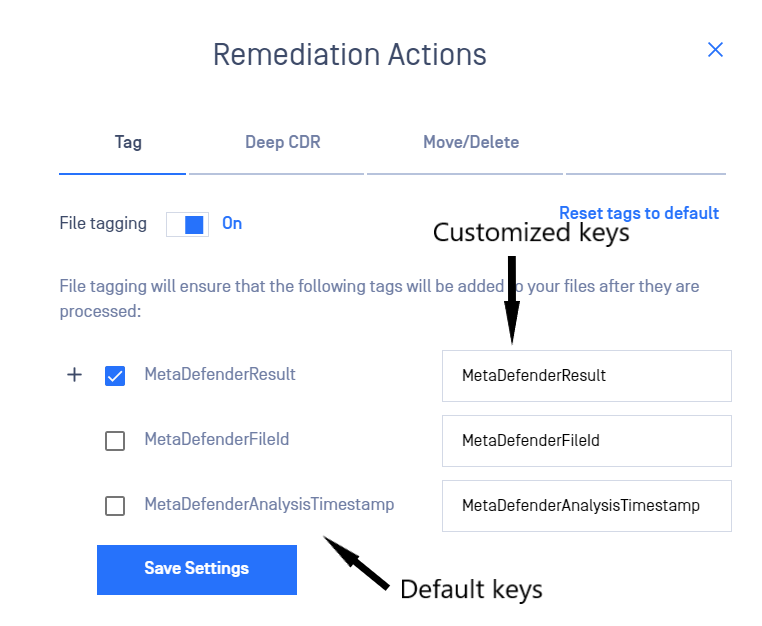
By clicking on the + icon, the values of tags which can be customized will be expanded:
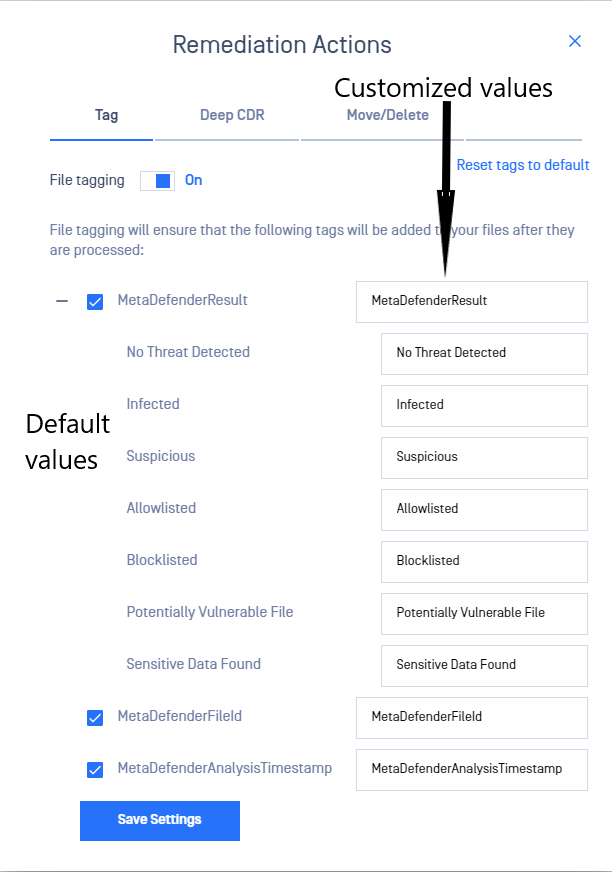
This remediation action adds all or some of the following tag names and respective values:
| Name | Value | Description |
|---|---|---|
| MetaDefenderResult (or the customized key associated with this name) | No Threat Detected / Infected etc (or the customized value associated with each result) | The final result of the processing |
| MetaDefenderFileId (or the customized key associated with this name) | 5e7e15f132efdd0006b0e132 | A unique file identifier that can be used for further REST API queries |
| MetaDefenderAnalysisTimestamp (or the customized key associated with this name) | 2020-03-28T21:43:40.1500000Z | Date and time in UTC format when file processing has started |
Was this page helpful?