Installation
v3.9.4
Search this version
Installation
Installation
Title
Message
Create new category
What is the title of your new category?
Edit page index title
What is the title of the page index?
Edit category
What is the new title of your category?
Edit link
What is the new title and URL of your link?
Uninstalling MetaDefender Managed File Transfer
Copy Markdown
Open in ChatGPT
Open in Claude
Uninstalling Using the Install Wizard
- Go to Start → Control Panel → Uninstall a program
- Select whether to do a complete uninstallation. If you select no, a normal uninstallation will take place
Normal Uninstallation
When you choose this option you the installer will preserve your data, configurations, and licenses.
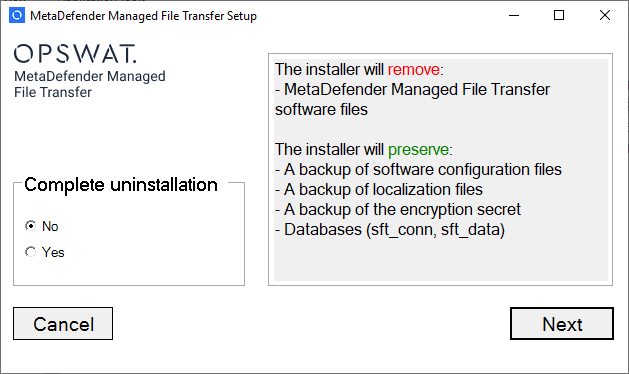
Normal uninstallation
Complete Uninstallation
When you choose this option the installer will remove all data created by MetaDefender Managed File Transfer™
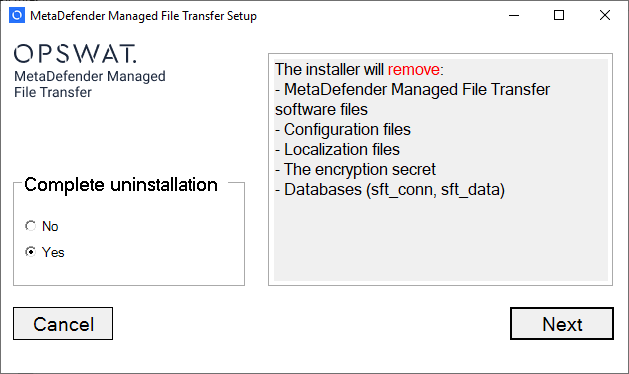
Complete uninstallation
Uninstall From Command Line
Normal uninstallation
cmd
metadefender-managed-file-transfer.exe /uninstallComplete uninstallation
cmd
metadefender-managed-file-transfer.exe /uninstall CompleteUninstall=yesType to search, ESC to discard
Type to search, ESC to discard
Last updated on
Was this page helpful?
Next to read:
Sizing guideDiscard Changes
Do you want to discard your current changes and overwrite with the template?
Archive Synced Block
Message
Create new Template
What is this template's title?
Delete Template
Message
