
Persistent Popup in Silent Mode on Windows Server
Users may encounter a persistent popup even when utilizing the /silent mode on a Windows Server machine. This issue is related to Windows User Account Control (UAC). Adjusting the UAC severity level from the displayed window can resolve this.
Resolution
While in /silent mode, if a popup persists, it may be due to Windows UAC.
Manually adjust the UAC severity level in the window to resolve the popup issue.
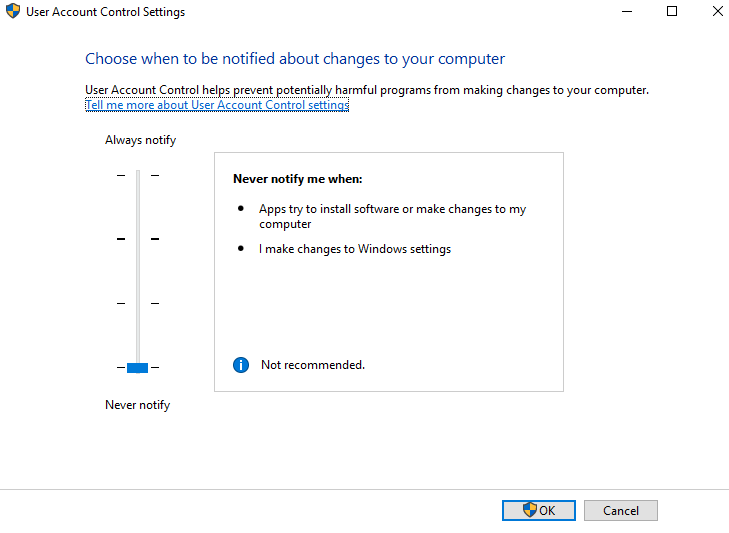
This solution ensures smooth execution in /silent mode on Windows Server machines.
Was this page helpful?
Troubleshooting