
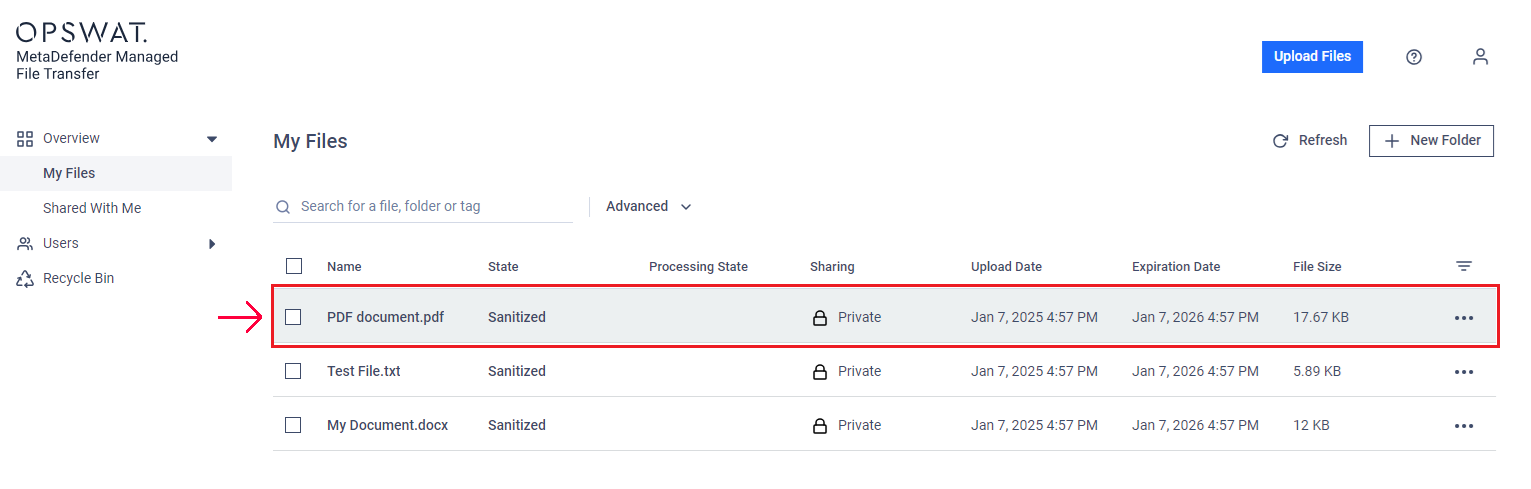
To view detailed information about a file, simply click on the file row in the table.
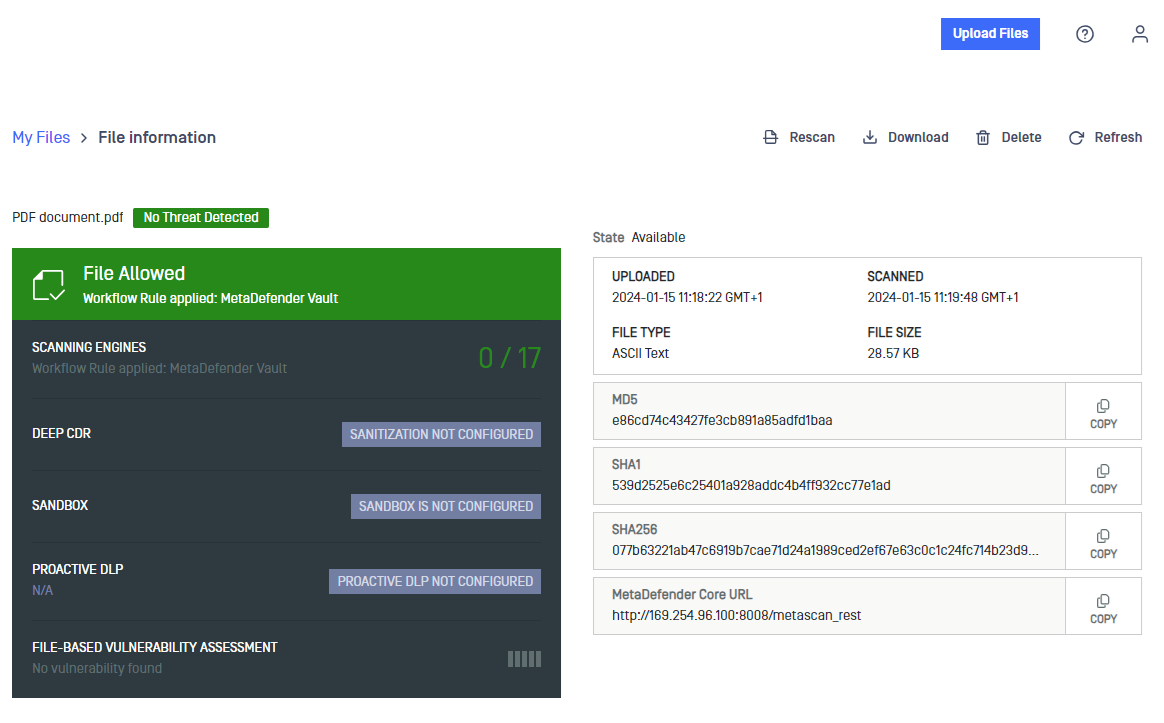
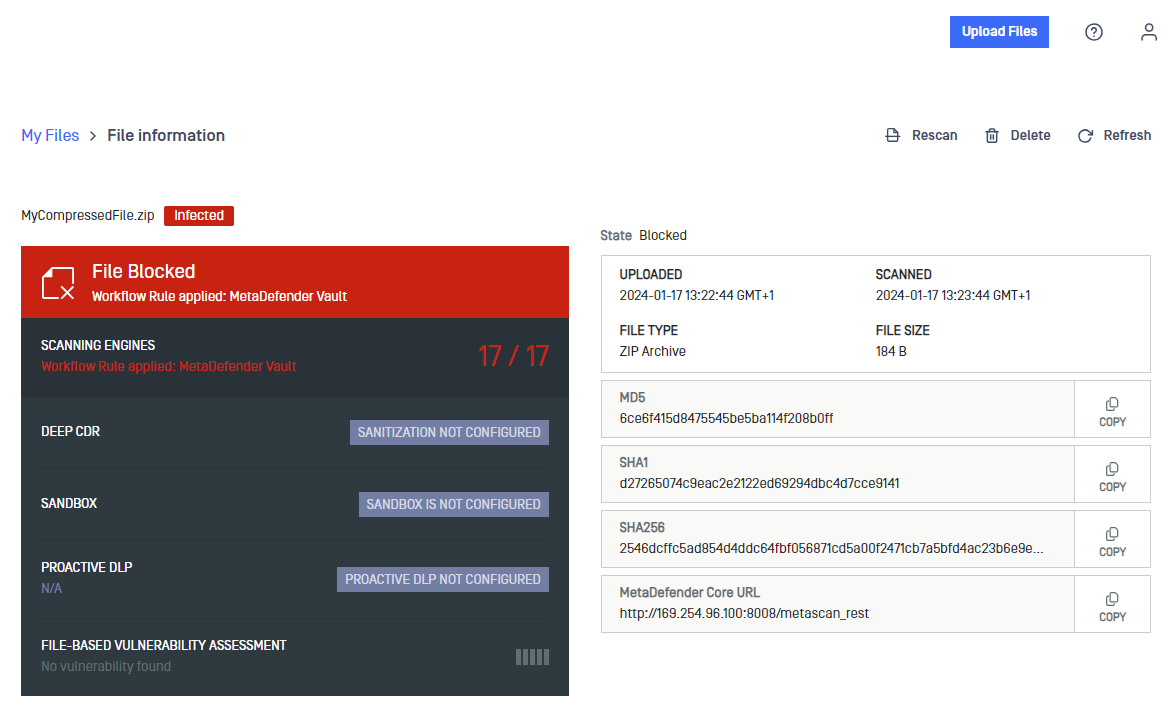
The "File Information" page will display scan results and technical details. You can also perform actions like "Rescan," "Download," or "Delete" from the menu in the top right corner.
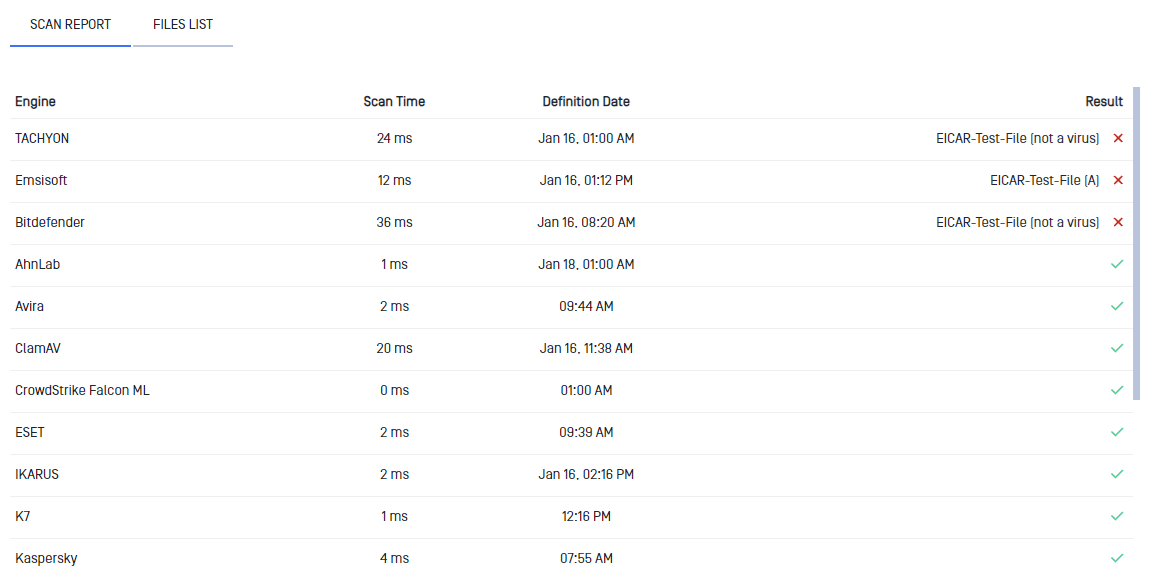
In the "SCAN REPORT" tab, you can see the detailed report from different scanning engines.
In the "FILES LIST" tab, you can identify any malicious files included in the file.

Was this page helpful?
End-User Guide