
To ensure optimal support from OPSWAT®, you can create a support package from the MetaDefender Managed File Transfer™ user interface. This package includes essential information about the operating system and OPSWAT® software installed on the machine.
Generating the Package via Command Line Interface (CLI)
You can also generate the support package using the GenerateSupportFiles command line tool located in the product's installation directory. Default path: "C:\Program Files\OPSWAT\MetaDefender Managed File Transfer\Services\GenerateSupportFiles.exe."
Refer to the examples below for usage instructions.
The CLI tool can be run even if MetaDefender Managed File Transfer™ services or the database server are not running. However, without the database server, the support package will lack key information.
Command Line Parameters
Parameter | Description |
|---|---|
--OutputFolder | (Required) Move the support package to this folder after creation |
--IncludeDbDump | Include a backup of the database in the support package. Including a database dump can significantly increase the size of the resulting archive |
--IncludeTelemetry | Include telemetry data in the support package |
--Password | Create a password-protected support package with this password |
Examples
Example 1: Create a support package to a specified folder
Output
Example 2: Create a support package with Telemetry
Example 3: Create a support package with DbBackup
Generating the Package Through the User Interface (UI)
Administrator privileges are required.
To generate a support package from the web interface:
In the top-right corner of the screen, open the User Info menu.
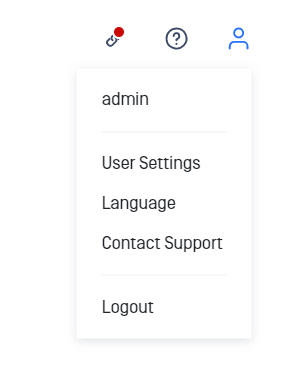
Click "Contact Support"
Enter a password to-protect the archive
(Optional) Check "Include database dump" if you want to include a database dump. Note: including a database dump can significantly increase the size of the package.
Click "Export packages" to download the package
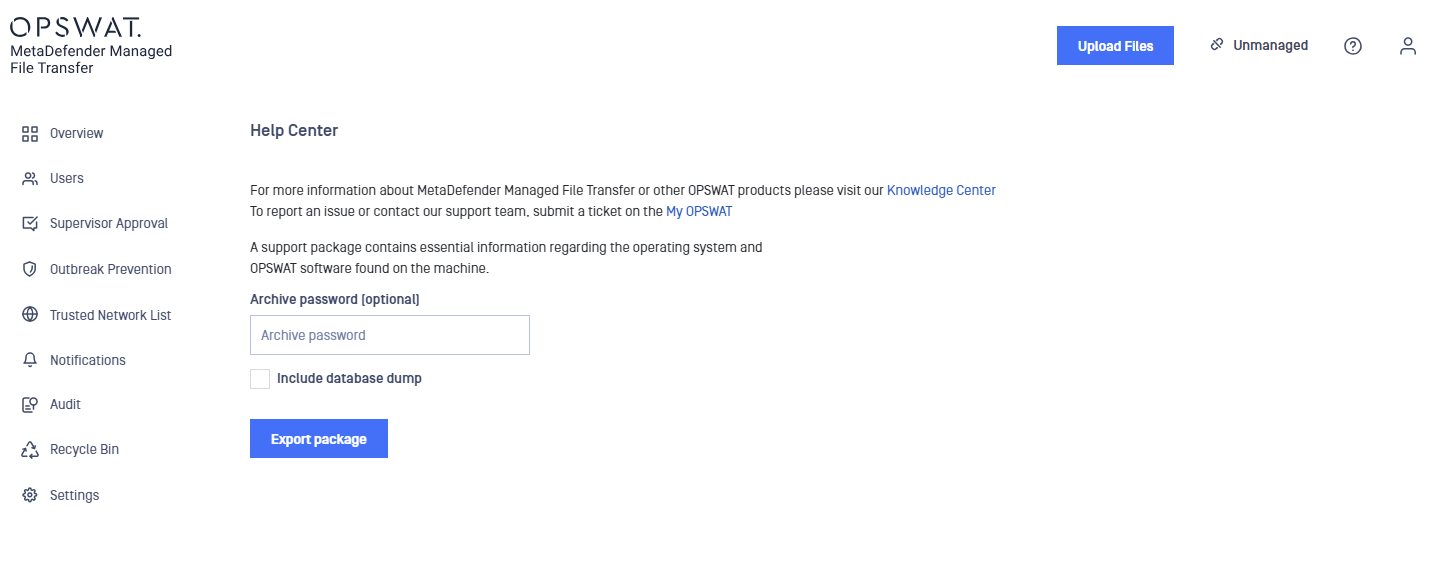
Content of the Support Package
The support package contains the following elements:
Config
MetaDefender Managed File Transfer™ service configuration files
nginx configuration files
DbDebug
Database statistics
Environment
System information
Network information
EventLog
Windows event logs (errors only)
Localization
Default localizations
Custom localizations
Logs
MetaDefender Managed File Transfer™ service log files
MetaDefender Managed File Transfer™ tool log files
MsiInstallLog
MSI installation logs for MetaDefender Managed File Transfer™
MSI installation logs for installed dependencies
InstallLog
MetaDefender Managed File Transfer™ install log files
Registry
Registry keys relevant for product_name
Services
File version info for MetaDefender Managed File Transfer™ files
Storage
Local MetaDefender Managed File Transfer™ file storage metrics
Telemetry (Optional)
Telemetry data
DbBackup (Optional)
Database backup