
Version | 4.8.6 |
|---|---|
Release date | 8 Oct 2026 |
Scope | This release strengthens Kiosk's security and administrative control with Application Integrity Enforcement, PIN verification for restricted workflows through Central Management (CM10), and user consent before original media is modified. It simplifies operations with hardened image upgrades from a USB drive, a refreshed Kiosk Console with built-in settings search, and flexible email notifications that tell users when their session needs attention. The release also improves the end-user experience with a more accurate Media Passport and a clearer Kiosk UI, expands media support to LVM partitions on removable drives and full-disk Acronis TIB backups, and includes a range of reliability fixes for startup, file transfer, encrypted files, and diagnostics. |
Kiosk 4.8.6.0639 | |
Release date | 20 Oct 2026 |
Enhancement | |
Password Required for Kiosk Configuration Backups | Creating a Kiosk configuration backup now always requires a password. The same password now also protects the MetaDefender Core configuration backup included in the file. |
Security Enhancements | Various security issues have been addressed to enhance the overall security of the system. |
Kiosk 4.8.6.0528 | |
Release date | 8 Oct 2026 |
New Features | |
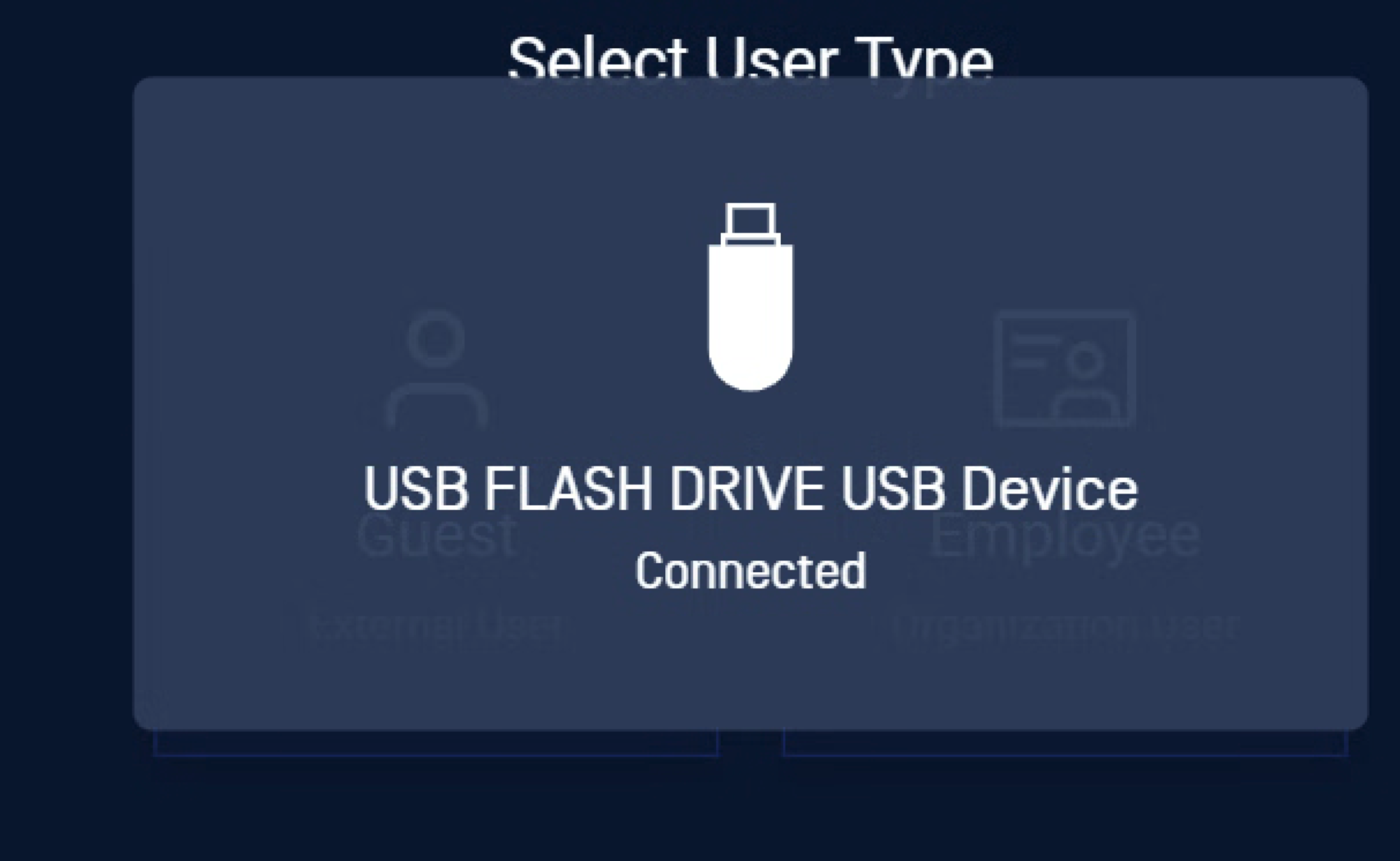
Kiosk Hardened Image Upgrade from a USB Drive [Kiosk Hardened Image] | Administrators can now select a USB drive as a hardened image upgrade source in the Kiosk Console, alongside the existing My OPSWAT (Internet) and Folder sources, so offline deployments can apply a new hardened image directly at the Kiosk. When a USB drive containing a valid image package is inserted, the Kiosk UI detects the package, runs validation checks, and prompts for the Exit Password if one is configured before copying the package locally and starting the upgrade. 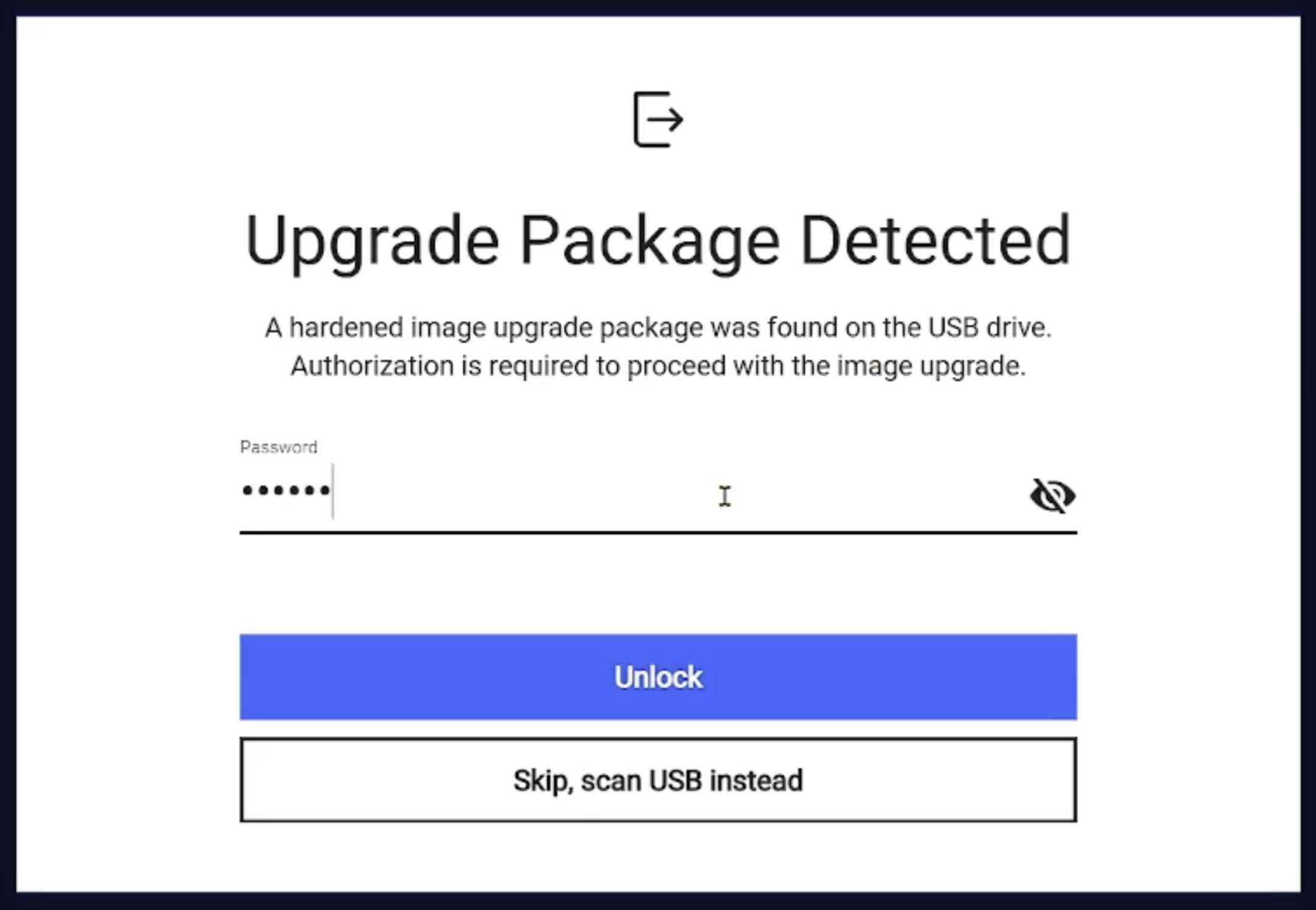 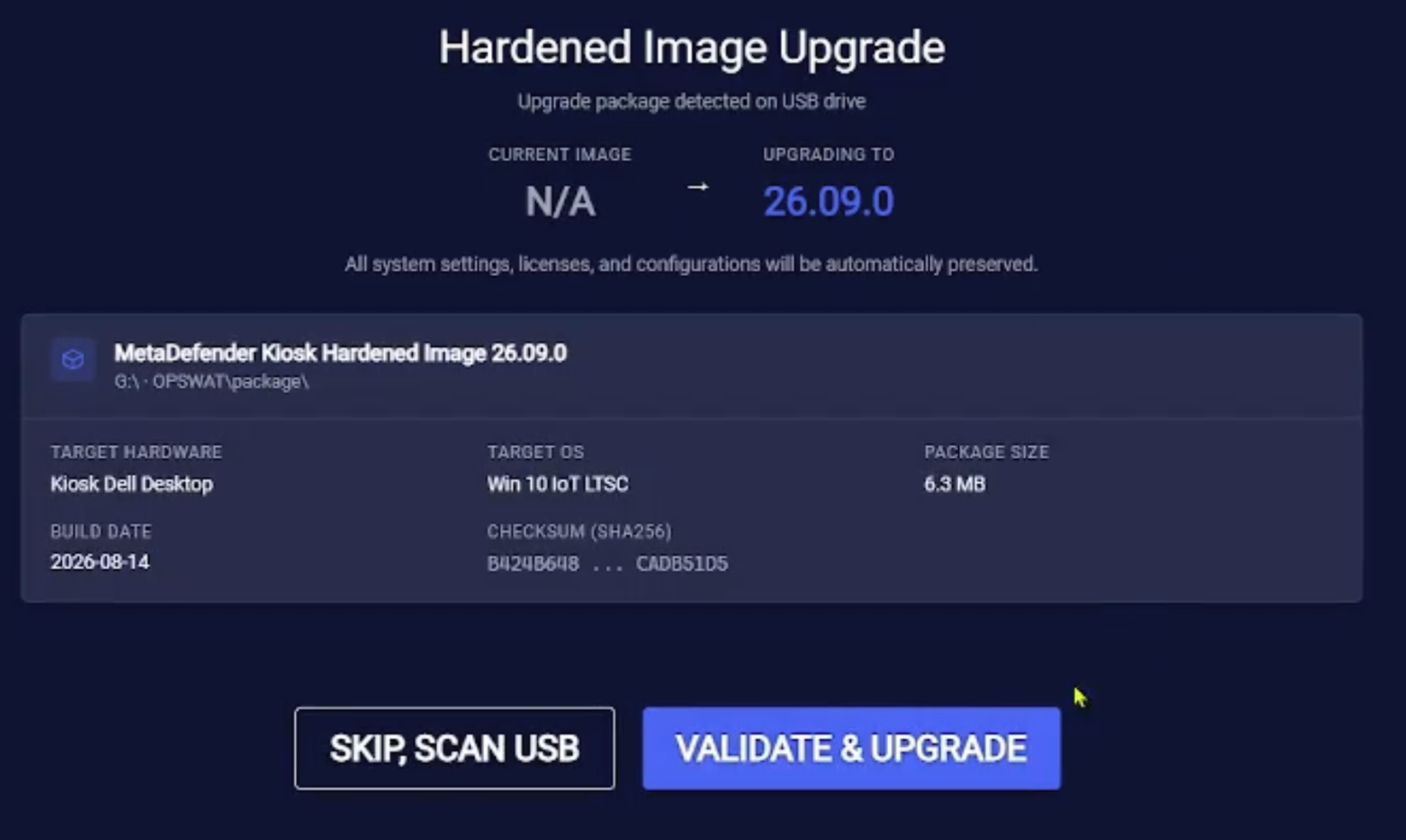 |
PIN Verification for Restricted Workflows via Central Management (CM10) | Administrators can now require a PIN, created in My OPSWAT Central Management (CM10), before a user can open a specific workflow. When a user selects the restricted workflow, Kiosk prompts for the PIN and validates it with CM10 before allowing the session to continue.  |
Refreshed Kiosk Console Design | The Kiosk Console has a refreshed look with updated colors, typography, spacing, and components, making pages cleaner, easier to read, and quicker to navigate for day-to-day administration. Navigation and behavior are unchanged. 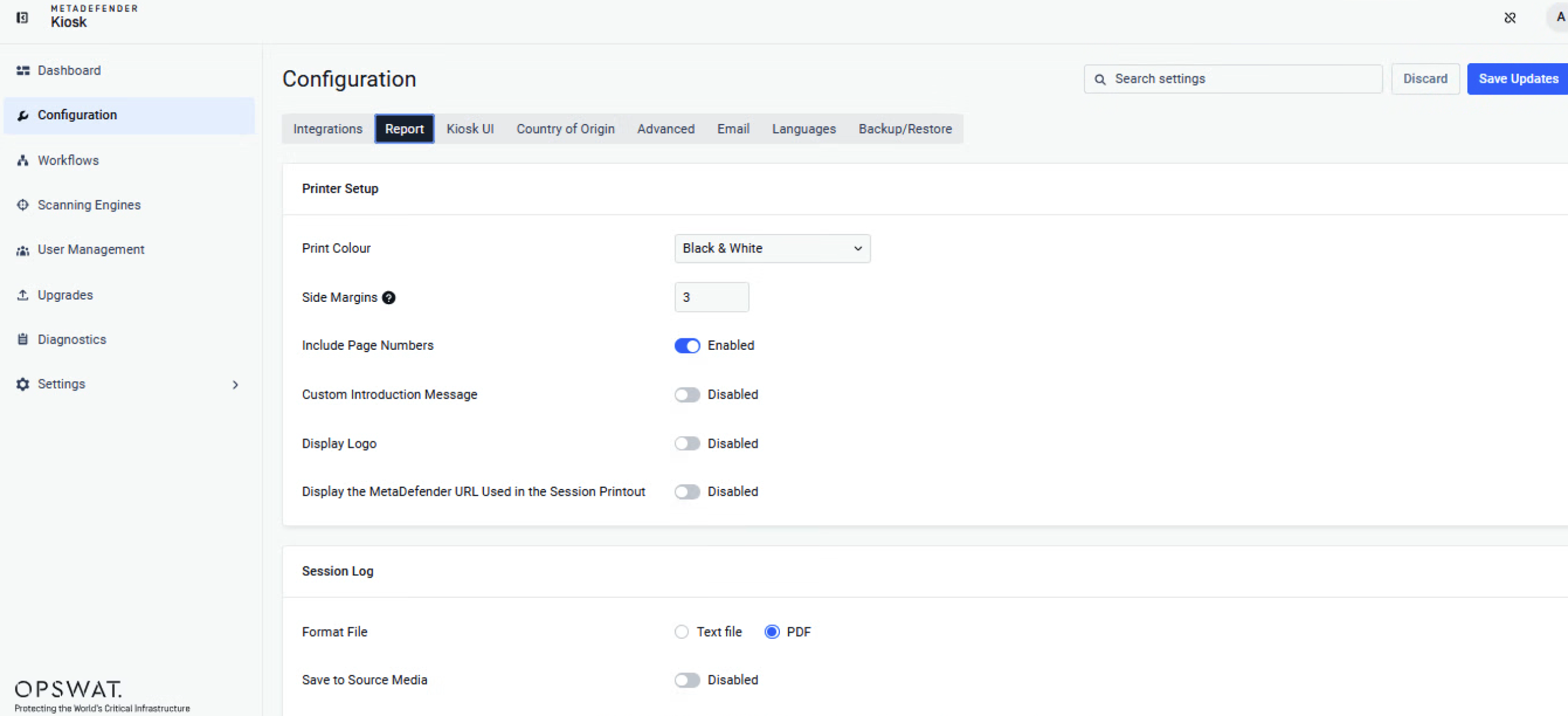
|
Application Integrity Enforcement | Kiosk now protects a predefined set of application folders from unauthorized modification, including the MetaDefender Core installation path and any additional paths an administrator adds. If any unauthorized change to these folders is detected, Kiosk locks the Kiosk UI so the altered system cannot be used until an administrator reviews and approves the change from the Kiosk Console. This protection is enabled by default, and every violation is recorded in an audit log. 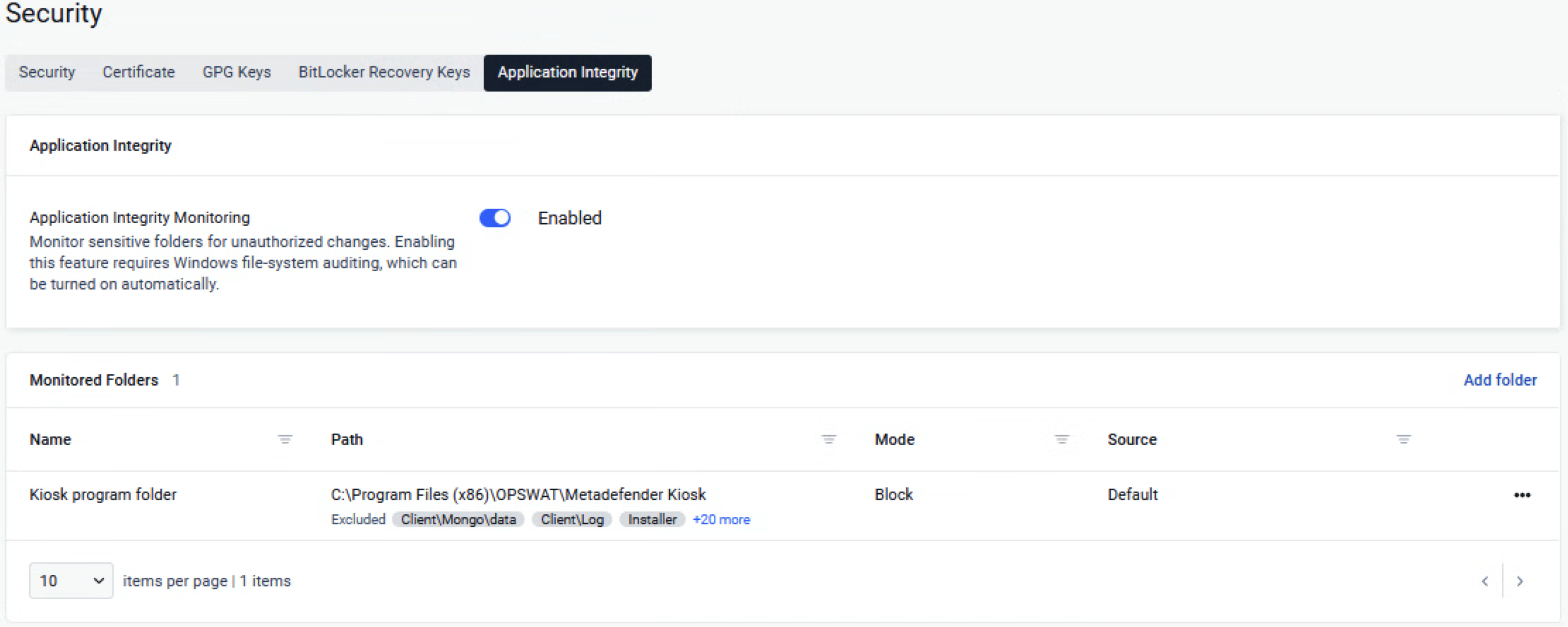 |
User Consent Before Modifying Original Media | Administrators can now enable "Prompt the user before modifying their original media" in a workflow's File handling settings. When enabled, the user sees a summary of the changes Kiosk will make to their media, such as removing blocked files or copying back remediated files, and must approve them first; if the user declines, the media is left unchanged and the user is offered the workflow's alternative destinations instead. 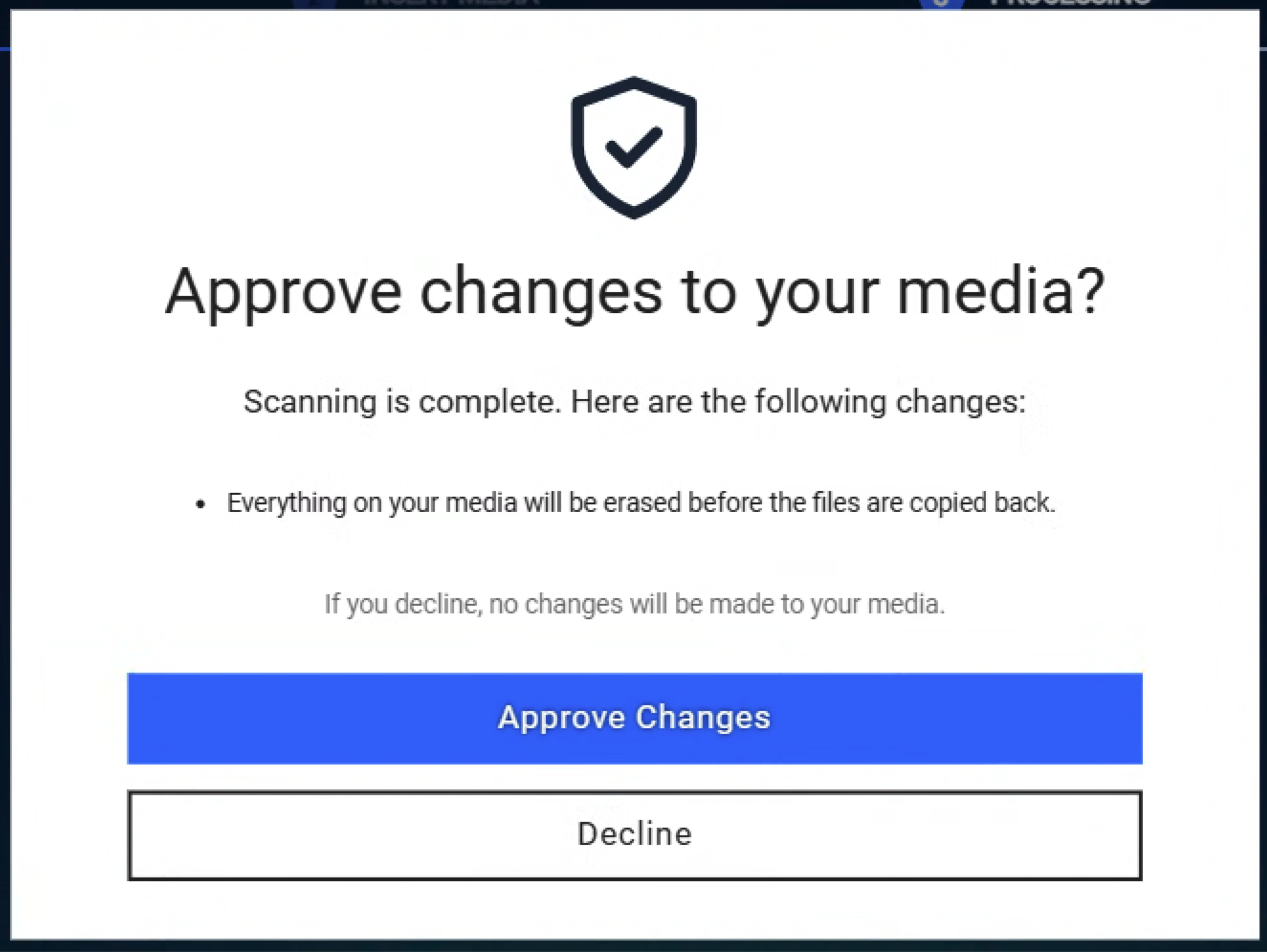 |
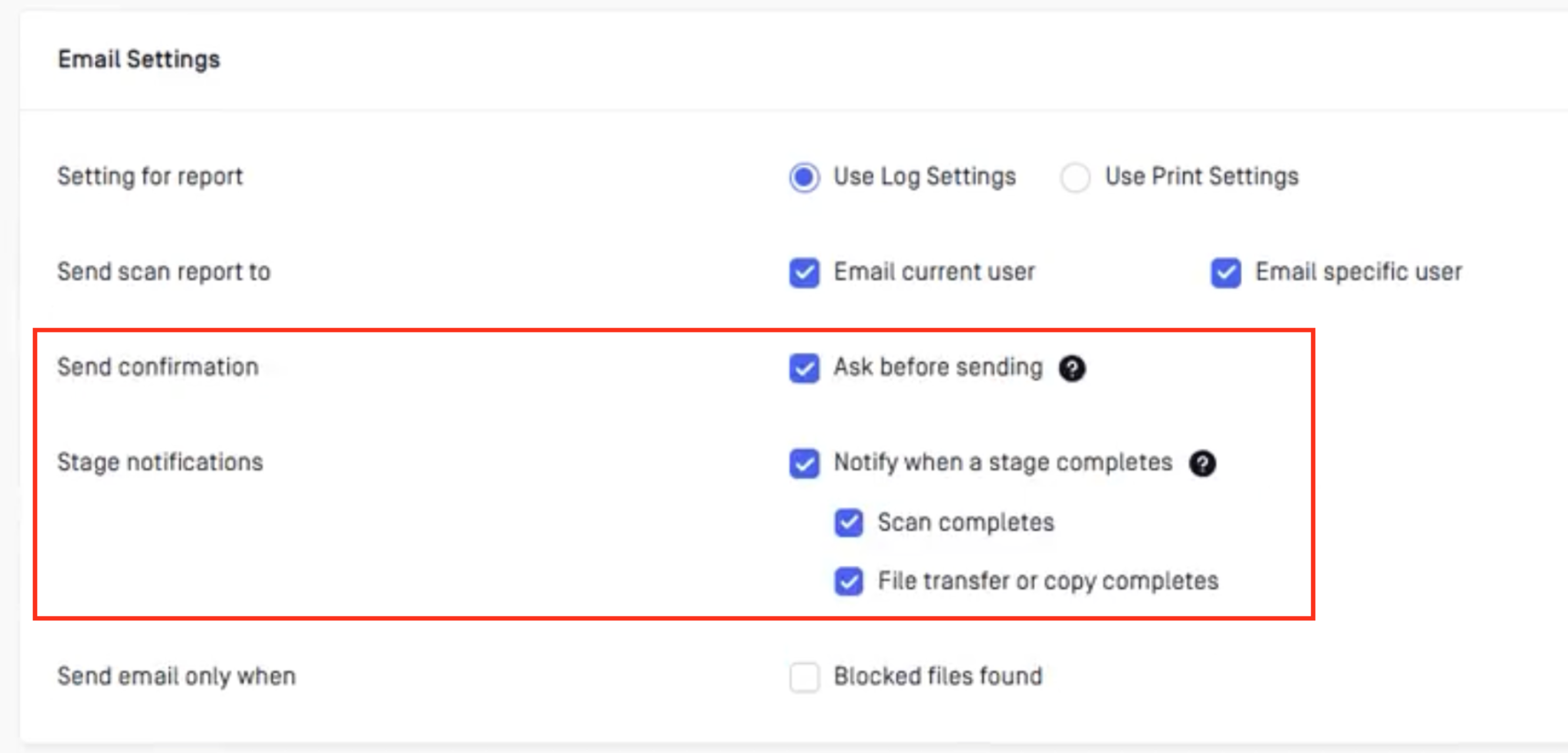
Flexible Email Notifications | Kiosk gives administrators more control over when and whether scan session emails are sent:
 |
Search for Settings in the Kiosk Console | Administrators can now search for a setting by keyword on the Configuration page and on each workflow's page in the Kiosk Console, and jump directly to the matching setting instead of browsing through each tab to find it. 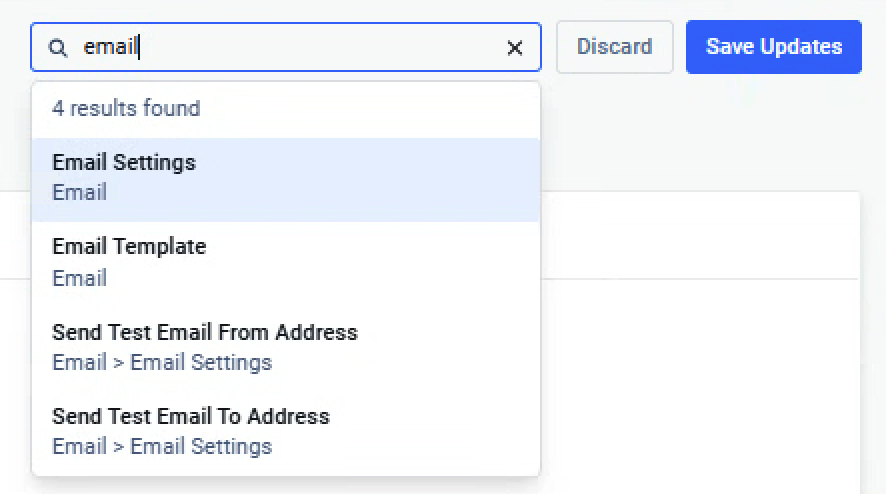 |
Enhancement | |
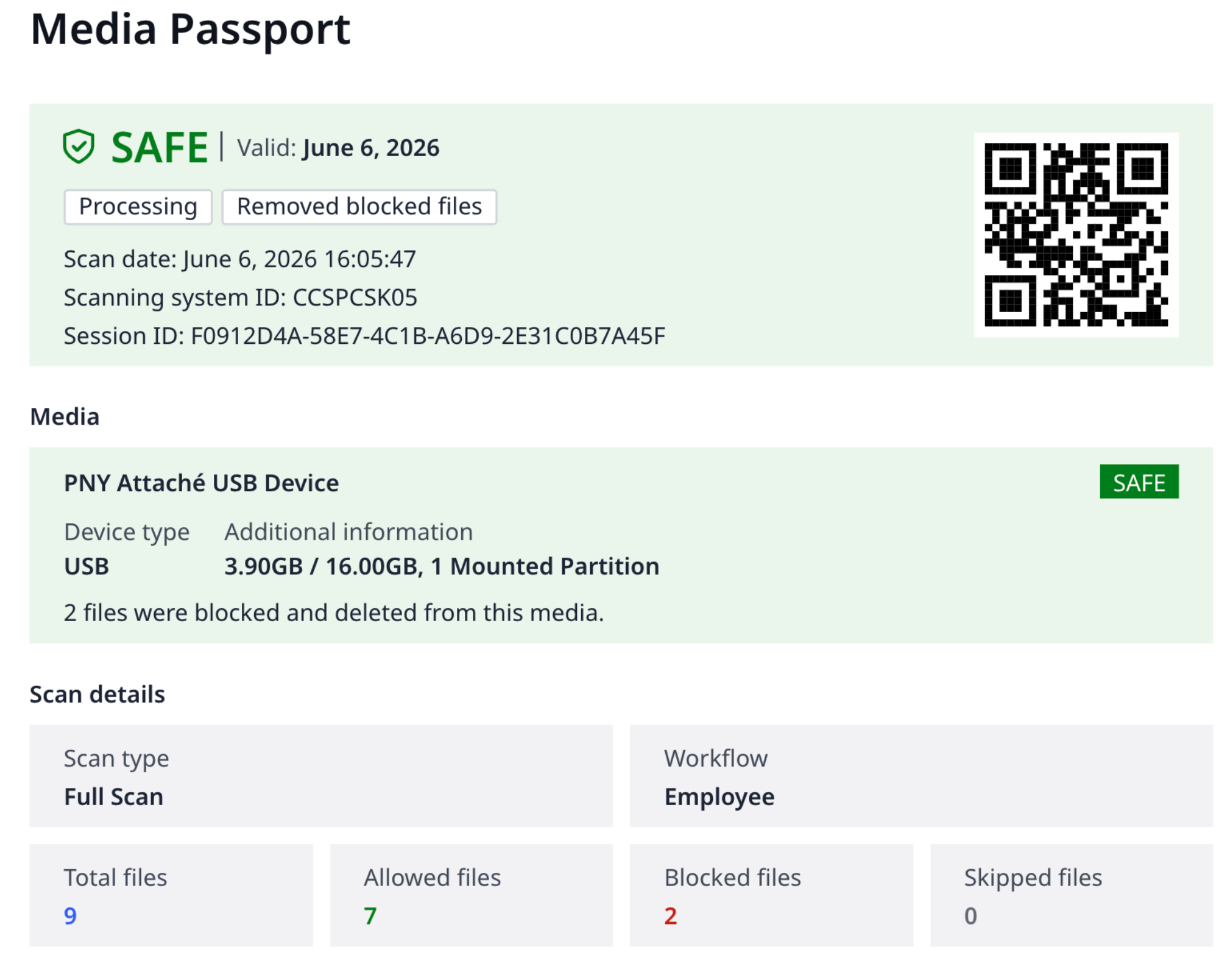
Improved Media Passport | The Media Passport now gives a more complete and accurate record of each session:
 |
Enroll Industrial Firewall (IFW) to Central Management from Kiosk | The integration workflow for the Industrial Firewall (IFW) can now enroll the connected firewall to My OPSWAT Central Management (CM10) directly from Kiosk, making enrollment more convenient. This option is available for IFW only. |
Faster File Copy from Mobile Phones | Copying files from a connected mobile phone is now faster, especially from folders that contain a large number of files, which previously could be very slow to transfer. |
Certificate Selection for Smart Card Login | When a smart card or PIV/CAC token contains multiple valid authentication certificates, Kiosk now lets the user choose which certificate to use for login instead of selecting one automatically. |
Scan LVM Partitions on Removable Drives | Kiosk can now detect, mount, and scan Linux LVM2 partitions on physical USB drives and external disks, so Linux-formatted media can be scanned without first converting it to a disk image file. Previously, these partitions were not visible to Kiosk. |
Preserve Scheduled Tasks Across Hardened Image Upgrades | Administrators can now nominate Windows scheduled tasks in the hardened image upgrade configuration so that Kiosk preserves them across a hardened image upgrade, for example a task that monitors and renews a certificate used for Wi-Fi authentication.  |
Mount Full-Disk Acronis TIB Backups Without Modifying the Local Disk | Kiosk now mounts Acronis TIB backups of a whole disk by converting them to a temporary virtual disk that is deleted after the session, instead of temporarily resizing a volume on the Kiosk's own disk. If there is not enough temporary space, the mount fails with a reason shown in the Kiosk UI; partial-disk backups continue to be handled as before. |
Enhanced Kiosk UI User Experience | The Kiosk UI has been improved to make scan sessions clearer and easier to follow:
  |
Security Enhancements | Various security issues have been addressed to enhance the overall security of the system |
Bug Fixes | |
Diagnostics reported FAILED for an unconfigured SMTP server on air-gapped systems | Fixed an issue where the Diagnostics tool tested a leftover default mail server address (127.0.0.1:25) when no SMTP server was configured, and reported the check as FAILED. Diagnostics now shows "Not Configured" for empty SMTP settings, so isolated and air-gapped deployments no longer see misleading failures. |
Kiosk UI showed a black screen when launched without administrator rights | Fixed an issue where, after an upgrade, the Kiosk UI could fail to start and leave a persistent black screen when launched normally by a standard (unelevated) account, while it started correctly only with "Run as Administrator". |
Race condition in breakout protection at startup | Fixed a race condition in the Kiosk breakout protection during Kiosk application startup. |
Multi-file transfers to MetaDefender Managed File Transfer failed partway | Fixed an issue where sessions transferring multiple files to MetaDefender Managed File Transfer (MFT) failed at a varying percentage of progress and no files arrived in MFT, even though single-file transfers succeeded and MetaDefender Core reported the scan as completed. |
Session aborted when multiple GPG-encrypted files were selected | Fixed an issue where selecting two or more GPG-encrypted files in one session triggered an unexpected password prompt and an error, and ended the session. |
AUTORUN.INF file reported as skipped | Fixed an issue where an AUTORUN.INF file on the scanned media was reported as skipped. |
Device Decryption screen keyboard issues when a physical keyboard is connected | Fixed two issues on the Device Decryption (Unlock Device) screen when a physical keyboard is connected to the Kiosk: the virtual keyboard no longer appeared automatically, and characters typed on the virtual keyboard before selecting the password field were entered in reverse order. |
Duplicate session-ended events sent to syslog for each scan session | Fixed an issue where Kiosk sent the session-ended syslog event (event ID 20000) more than once per session, creating near-duplicate entries that complicated SIEM rules. Kiosk now sends this event once, at the end of the session. |
MetaDefender KIOSK Documentation
The users can consult this web page or, alternatively, they can download the manual in pdf format from the link below:
MetaDefender KIOSK manual (SHA256: 9BB644060CE8A8FE92645EAD93B20D6BA6E3D81239DAAD0EA322147C6AC6C780).
OPSWAT MetaDefender AGD Documentation_v1.6 (SHA256: 78A69F89D3C0D0FCA8A4B8D30B2C92E55D80CC559583F23AC61158F67CE04988).