Release Notes
v4.8.0
Search this version
Release Notes
Release Notes
Title
Message
Create new category
What is the title of your new category?
Edit page index title
What is the title of the page index?
Edit category
What is the new title of your category?
Edit link
What is the new title and URL of your link?
OMVA - Release Notes
Copy Markdown
Open in ChatGPT
Open in Claude
| OMVA 2.0.10.247 | |
|---|---|
| 23 April 2024 | |
| Enhancements | |
| Boot Protection Enabled | In the latest version, OMVA will validate removable drives immediately after installation and rebooting the machine. This feature enhances the security of the system by blocking potentially harmful removable drives upon boot. Previous versions of OMVA did not block removable drives after rebooting the machine. Note: In case administrators do not wish to enable this feature in the new version, they can disable this feature by configuring it using the OMVA Tool and generating a new OMVA installation file for installation on the system. |
| Fixed Bugs | |
| Failed to validate removable devices | Resolved issue where OMVA failed to validate and block certain removable devices. |
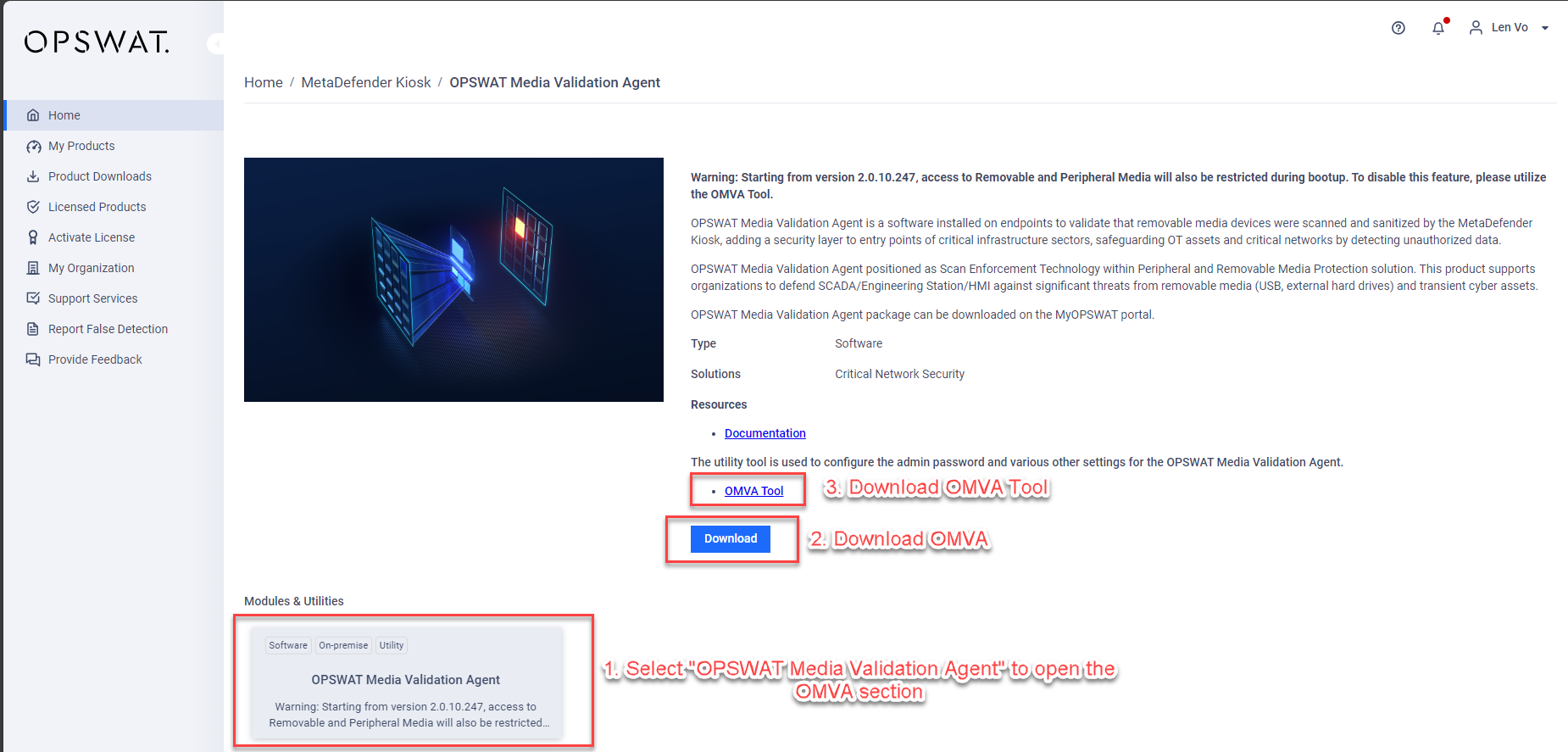
Downloading OMVA and OMVA Tool:
The new version of OMVA and OMVA Tool are published on the MyOPSWAT Portal.
- Go to the MyOPSWAT Portal website (https://my.opswat.com) and log in to your account.
- Navigate to the MetaDefender Kiosk page from the Home Page (https://my.opswat.com/home/metadefender-kiosk) and select the OPSWAT Media Validation Agent module.
- You can then proceed to download OMVA and OMVA Tool.
Type to search, ESC to discard
Last updated on
Was this page helpful?
Next to read:
Archived Release NotesDiscard Changes
Do you want to discard your current changes and overwrite with the template?
Archive Synced Block
Message
Create new Template
What is this template's title?
Delete Template
Message
