
Version | 4.8.3 |
|---|---|
Release date | 26 June 2026 |
Scope | This release strengthens identity and access security with new SSO authentication options and least-privilege support. It expands encrypted-media handling and enhances Central Management (CM10) capabilities. The release also includes usability, performance, and security improvements along with bug fixes. |
Kiosk 4.8.3.7906 - 26 June 2026 | |
New Features | |
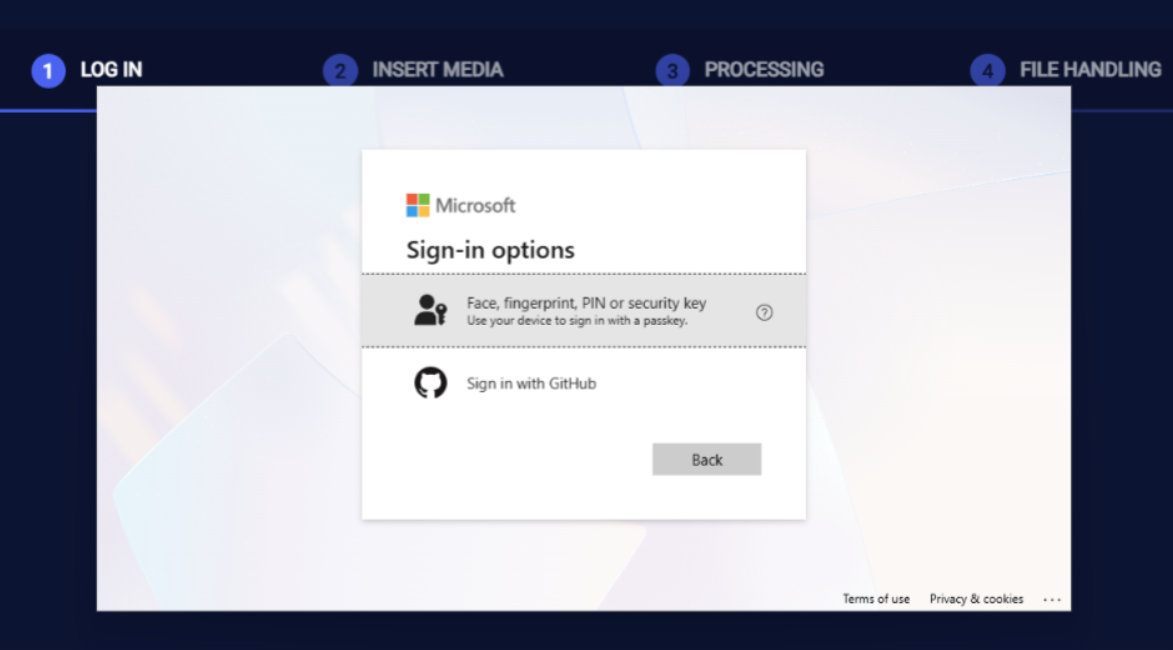
Support SSO Smartcard Authentication with Certificate-based Sign-in. | Users can now authenticate at the Kiosk using a smartcard which enables certificate-based sign-in for SSO authentication (such as Microsoft EntraID). This strengthens identity assurance for high-security environments that mandate hardware-based credentials.
|
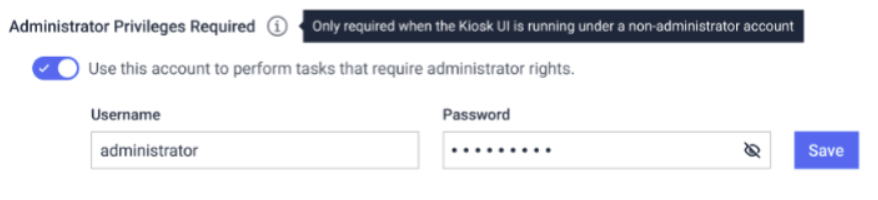
Support Running The Kiosk UI under Standard User Accounts | The Kiosk UI can now run under a standard Windows user account instead of an administrator, reducing the attack surface and aligning deployments with least-privilege security policies. Administrators can optionally configure a separate admin account for tasks that require elevated privileges.
|
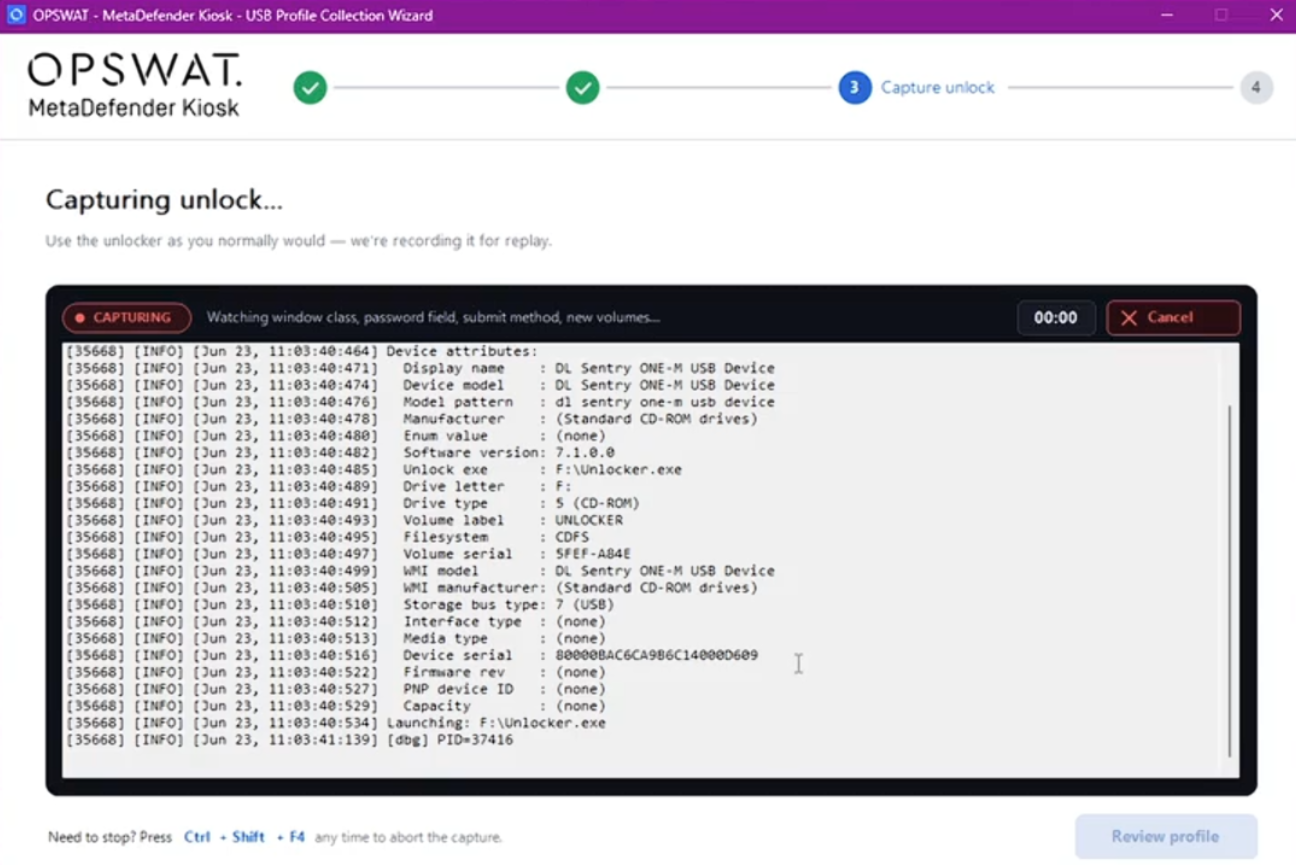
Encrypted USB Profile Capture Tool | Kiosk now includes a utility tool that allows administrators to capture the unlocking process of encrypted USB devices not natively supported by Kiosk. The captured profile can then be exported as a JSON file and imported into Kiosk, enabling it to recognize and unlock these devices automatically. This makes it easy to extend encrypted USB support and replicate configurations across multiple Kiosk deployments.
|
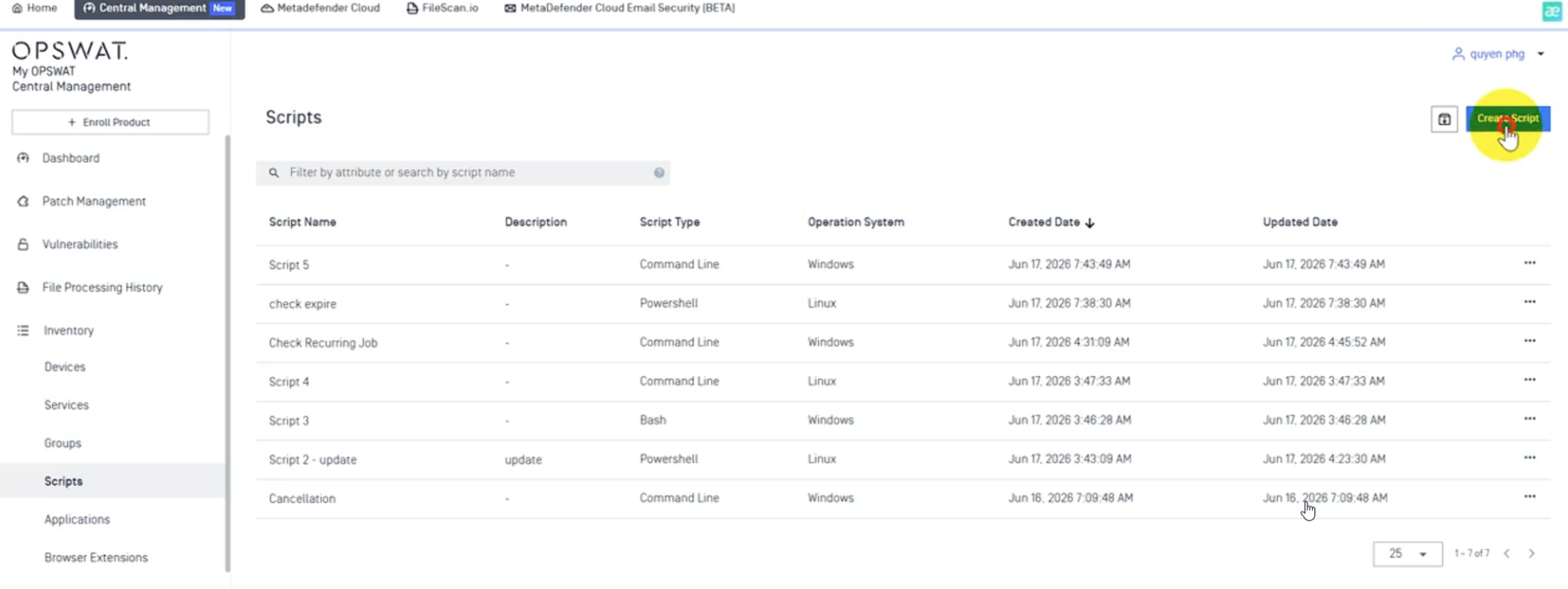
Execute Remote Script Execution from Central Management (CM10) | Central Management (CM10) can now support remotely triggering script execution commands on managed Kiosk devices, enabling centralized automation and maintenance without physical access to each Kiosk.
|
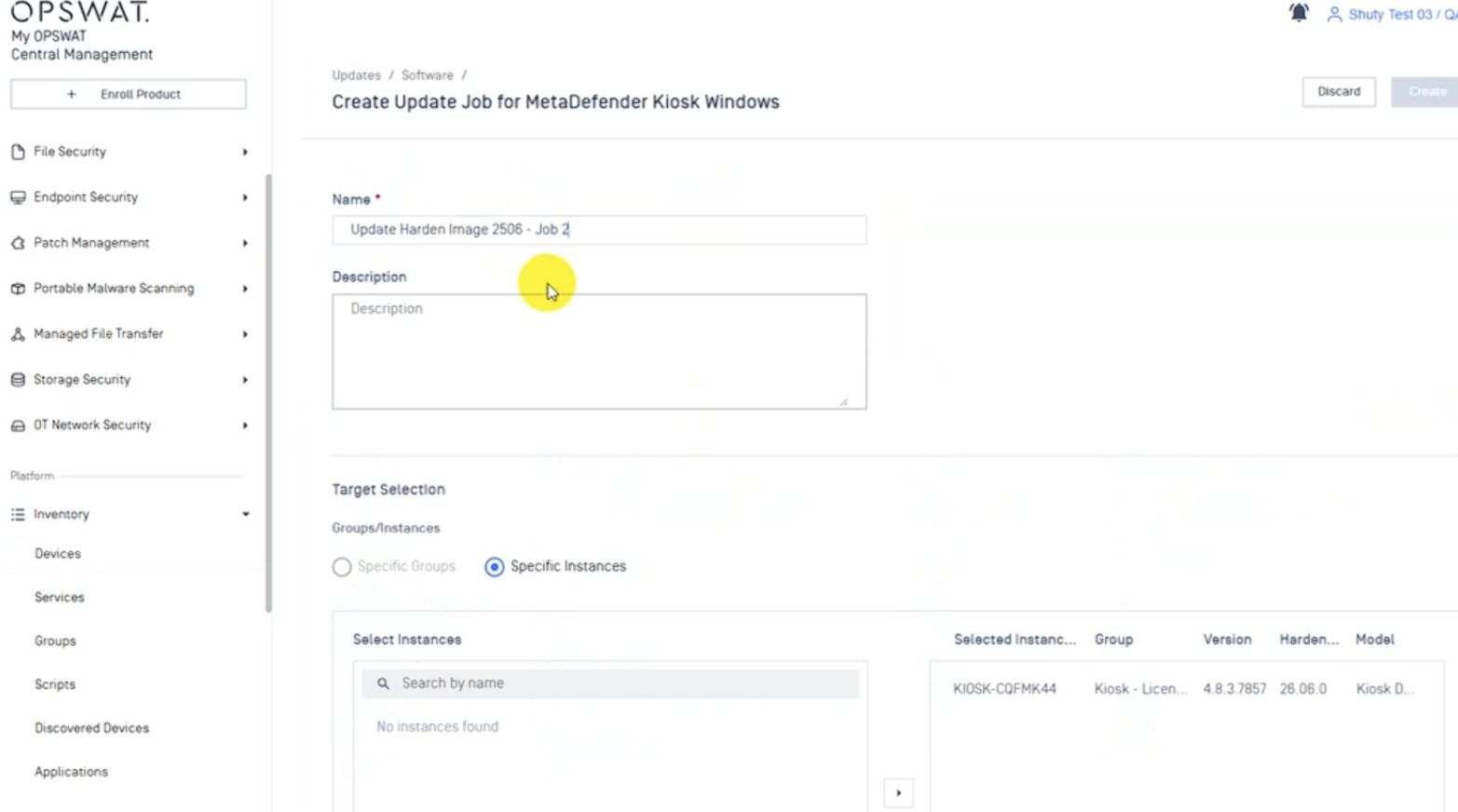
Dedicated Kiosk Hardened Image Upgrade Option in CM10 | Kiosk hardened image upgrades through Central Management (CM10) have been enhanced with a dedicated upgrade option, making it easier to manage and roll out image updates across individual devices or groups. Providing a more streamlined and intuitive upgrade management.
|
Telemetry for Product Improvement | A new telemetry capability collects operational and usage data to help OPSWAT continuously improve product quality and performance. This feature can be disabled at any time if preferred. |
Enhancement | |
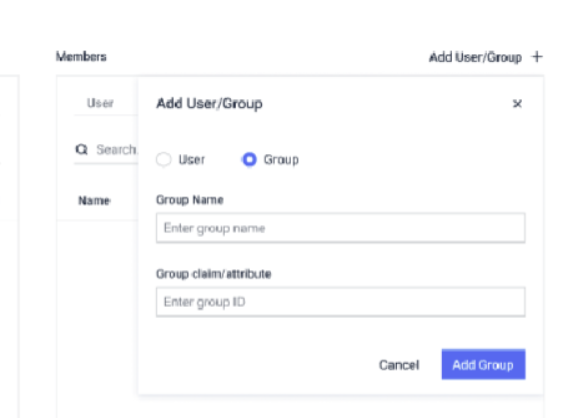
SSO Group-Based Kiosk Workflow Assignment | Administrators can now assign Kiosk workflows based on SSO group membership, enabling group-driven access, processing rules, and routing without configuring each user individually.
|
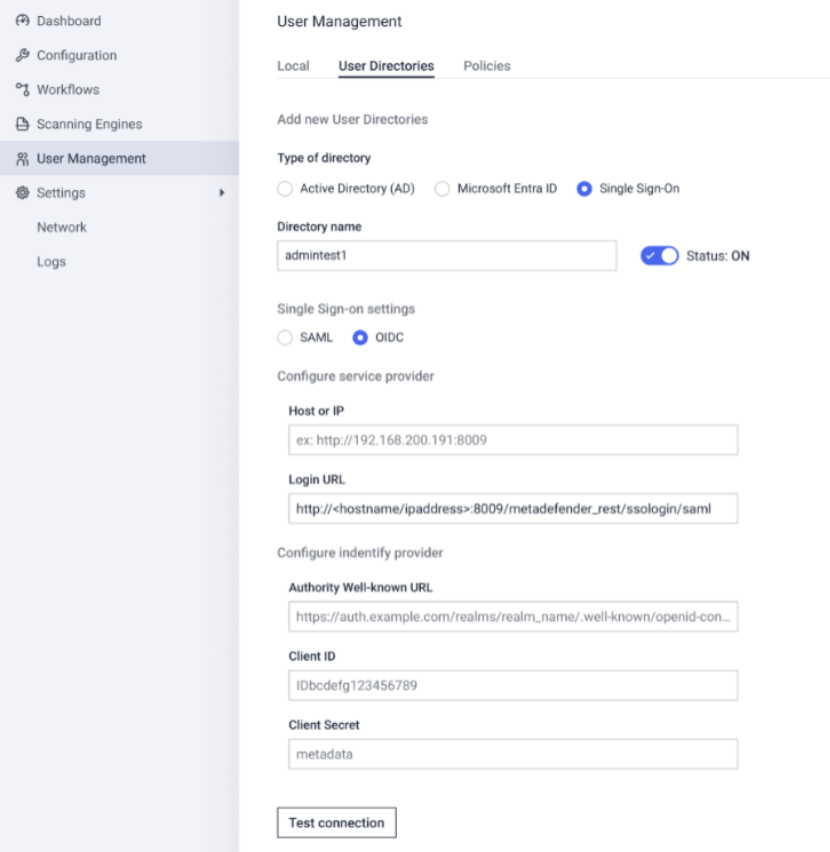
Enhanced SSO authentication in Management Console to support OIDC | Extending the existing SSO support in Management Console, Kiosk now also supports OIDC-based single sign-on, giving administrators more flexibility to centralize authentication and manage the user lifecycle through their organization's preferred identity platform.
|
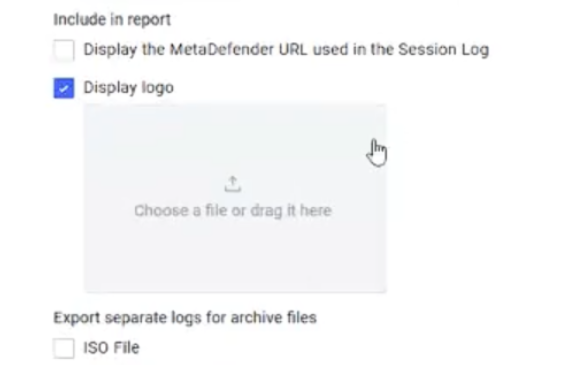
Custom Logo for Media Passport & Session Logs | Administrators can now display a custom organization logo on the Media Passport and Session log, allowing these reports to be branded consistently with corporate identity for a more professional appearance.
|
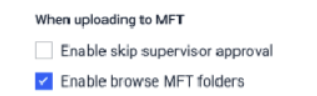
Support Managed File Transfer (MFT) Browsing | Administrators can enable Managed File Transfer (MFT) browsing when uploading files through the Kiosk, streamlining secure file submission without leaving the Kiosk interface.
|
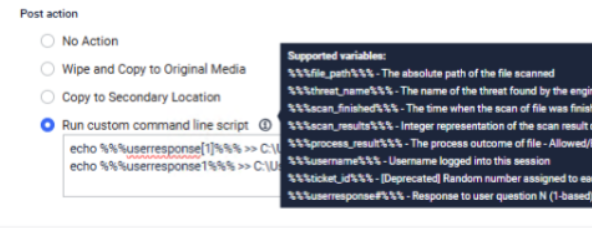
Support Variables in Custom Command-Line Scripts | Administrators can now pass variables and the end user's "User Question" response (%%%%) into custom command-line post-actions.
|
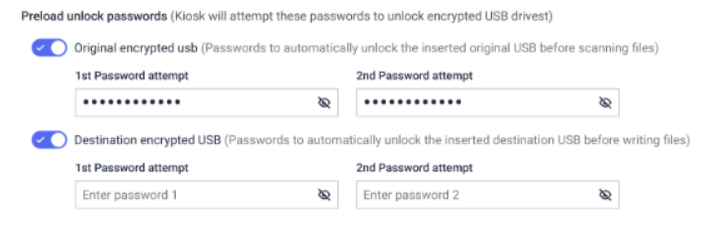
Pre-Configured Passwords for Original Encrypted Destination USBs | Administrators can pre-configure passwords for encrypted both original and destination USB drives, so file retrieval and write-back proceed automatically without prompting the end user to unlock the device manually.
|
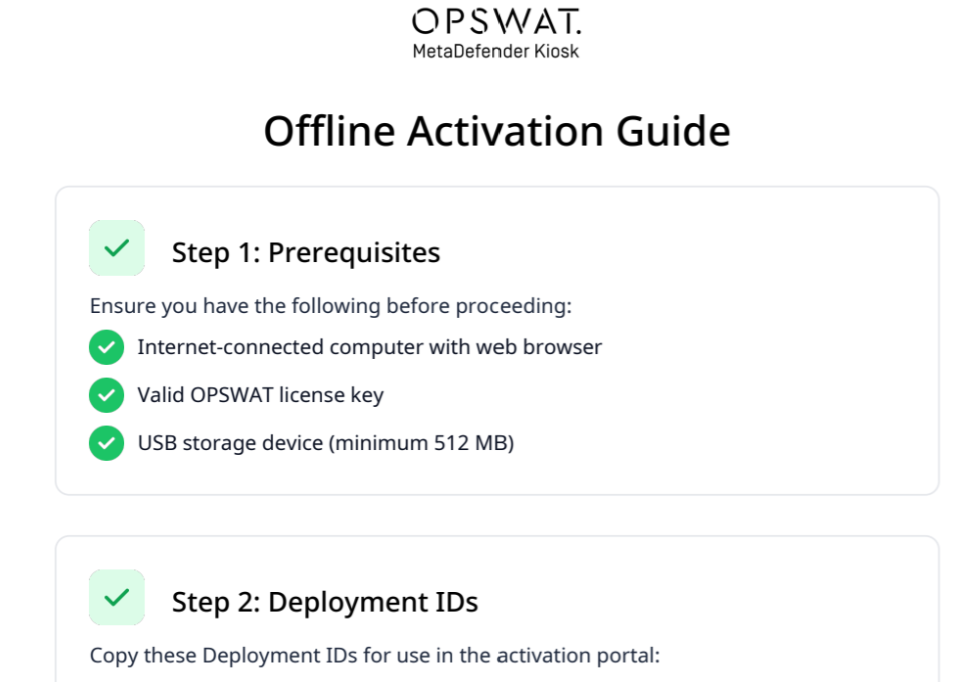
Enhanced Offline Activation Instructions | The offline activation instructions exported to USB are now a professionally formatted PDF with a 5-step visual guide, embedded portal screenshots, deployment IDs, and OPSWAT branding, replacing the previous plain-text file for a clearer activation experience.
|
Enhance Back Button to Insert Media Screen | The back button has been enhanced to allow users to return to the insert media screen, making it easy to reinsert or swap media without restarting the entire session. This improves the experience when a drive is removed early or needs to be replaced with a different one. |
Support scan LVM partitions in Acronis TIB disk images. | The Kiosk can now mount and scan LVM (Logical Volume Manager) partitions storing in Acronis TIB disk images, extending backup-image scanning coverage to a wider range of source media. |
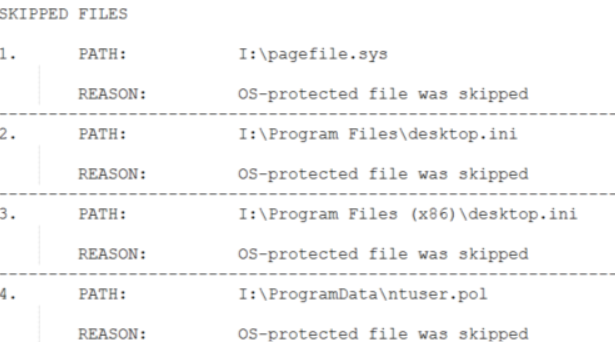
Improved Skipped File Reporting | Scan results in the Kiosk UI and logs now provide more detailed information about skipped files. This gives operators clearer visibility into scan outcomes and makes it easier to troubleshoot why specific files were not processed.
|
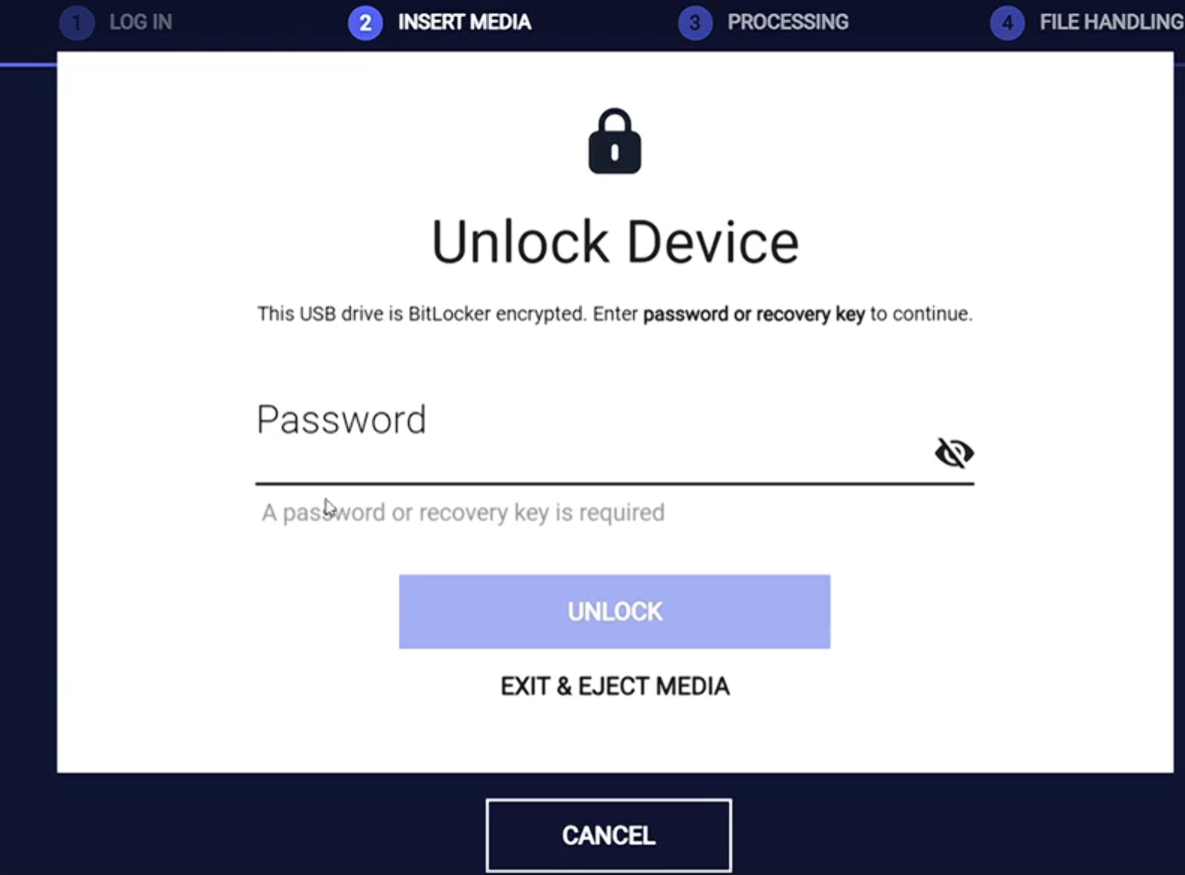
BitLocker-Encrypted USB Unlock with Recovery Key | Extend the existing support of BitLocker, the Kiosk can now unlock and scan BitLocker-encrypted USB drives using a provided recovery key.
|
System Resource Optimization for Large File Scans | Memory consumption has been optimized to improve stability when handling large scans, reducing the risk of resource exhaustion and unexpected failures during high-volume sessions. |
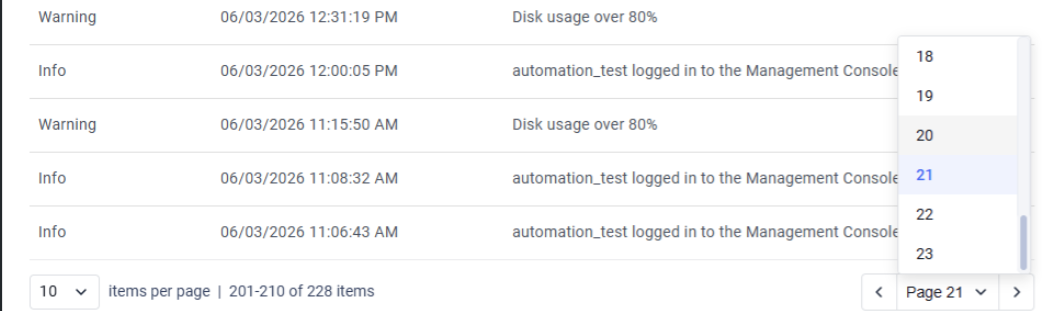
Improved Paging Performance | Improved paging performance when displaying large scan sessions or long lists of application logs, resulting in faster load times and a more responsive experience
|
Improved Mobile Device Scanning | Improved performance when scanning files transferred from mobile devices such as phones and tablets, delivering faster and more efficient processing within the Kiosk workflow. |
Display DHCP or Static IP in Device Info screen | The Device Information in Kiosk UI now shows whether the Kiosk's IP address is assigned via DHCP or statically configured. |
Removed Legacy Microsoft Visual C++ Redistributable | Legacy Microsoft Visual C++ Redistributable have been evaluated and removed from the Kiosk installer, eliminating outdated dependencies that are no longer required for installation. Kiosk application now only uses Microsoft Visual C++ 2015-2022 Redistributable |
Security Enhancements | Various security issues have been addressed to enhance the overall security of the system |
Improved CloneZilla Disk Image Scan result | Improved scan result classification for CloneZilla disk image folders. Unmountable disk images scan results are now accurately classified as Blocked, ensuring more reliable scan outcomes. |
Improved Email RFC Compliance | Kiosk-generated SMTP emails are now RFC-compliant with proper headers, sender/recipient formatting, and encoding for non-English content, preventing mail servers from rejecting or silently dropping messages. |
Bug Fixes | |
Fixed Kiosk service crash when scanning virtual disk files containing non-ASCII filenames | Resolved an issue where the Kiosk service could restart unexpectedly while scanning virtual disk files (VHD/VHDX), particularly those containing non-ASCII filenames on non-English system locales. |
Fixed blank SSO login screen when network is unavailable at startup | Resolved a race condition where the Kiosk showed a blank SSO authentication screen if the service started before the network was ready. |
Fixed missing numeric keys on the Vietnamese on-screen keyboard | Resolved an issue where the Vietnamese on-screen keyboard did not expose number and symbol keys. |
MetaDefender KIOSK Documentation
The users can consult this web page or, alternatively, they can download the manual in pdf format from the link below:
MetaDefender KIOSK manual (SHA256: 9BB644060CE8A8FE92645EAD93B20D6BA6E3D81239DAAD0EA322147C6AC6C780).
OPSWAT MetaDefender AGD Documentation_v1.6 (SHA256: 78A69F89D3C0D0FCA8A4B8D30B2C92E55D80CC559583F23AC61158F67CE04988).