
MetaDefender Kiosk 4.7.11 | |
|---|---|
5 December 2025 (Kiosk 4.7.11.5065) | |
New Features | |
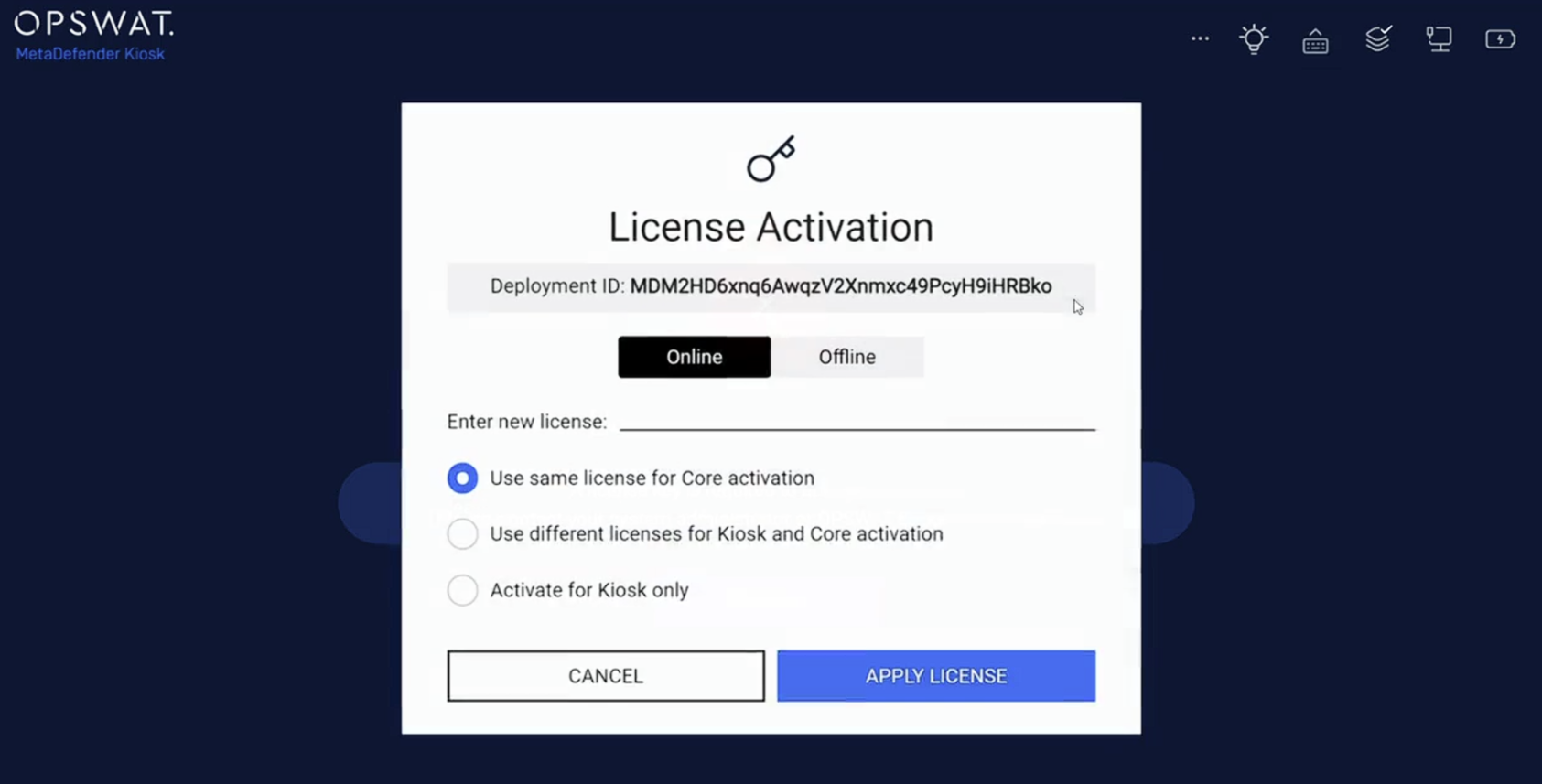
Enhanced license activation and renewal | Kiosk now automatically renews licenses when services restart, reducing downtime and manual intervention. Administrators can also activate both Kiosk and Core licenses directly from the Kiosk UI, improving flexibility and user experience.
|
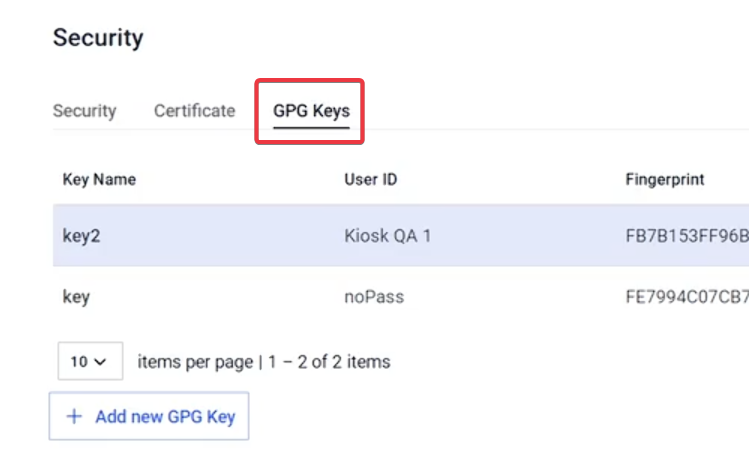
GPG file decryption support | Kiosk now introduces advanced support for decrypting GPG-encrypted documents and files using provided private keys. Files are automatically decrypted, scanned for threats, and processed without manual intervention. Ensuring security, compliance, and efficiency for sensitive data handling.
|
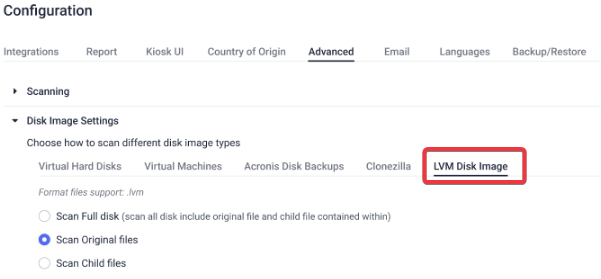
Support LVM Image Disk scanning | Kiosk now supports scanning LVM disk images, enabling deep security analysis of files and directories within LVM volumes without requiring conversion to other formats. This enhancement improves coverage for Linux-based storage and simplifies workflows for customers handling LVM images
|
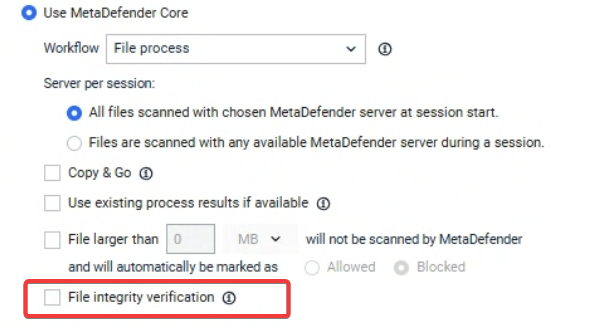
File integrity verification when sending files to Core | Kiosk now supports has verification to ensure file integrity when sending files to Core for scanning. Files with mismatched hashes are automatically blocked and reported.
|
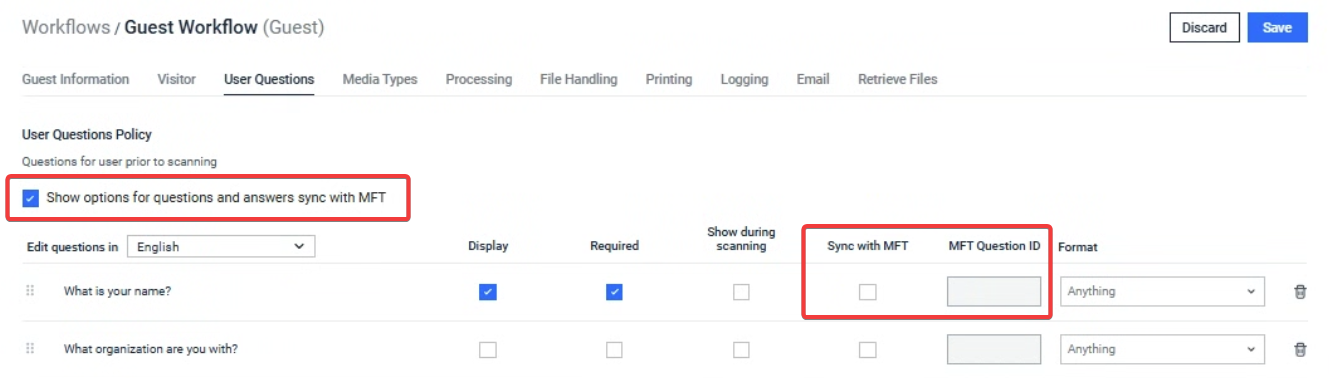
Question responses synchronization with MFT | Kiosk introduce a new option to enable synchronization of Kiosk questions and responses with MFT. When enabled, Kiosk sends user responses, allowing MFT to classify files based on the user response data.
|
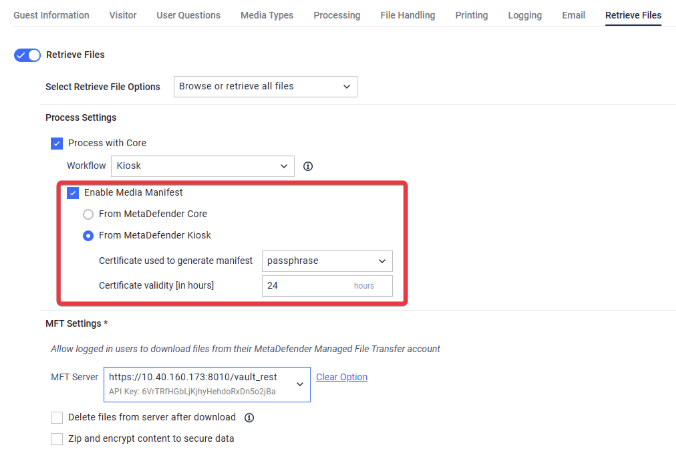
Media manifest support for File Retrieval | Kiosk now supports generating a media manifest when retrieving files, enhancing the integration with other solutions such as MetaDefender Endpoint.
|
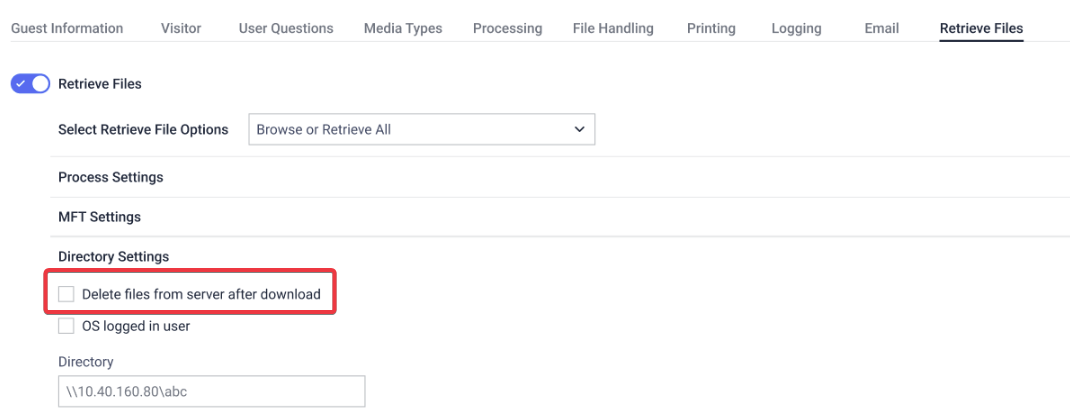
Delete files after retrieval from local or shared network directories | Kiosk now supports an option to delete files after retrieval from local or shared network directories, helping better maintain storage and streamline workflows by automatically removing files once they are successfully retrieved.
|
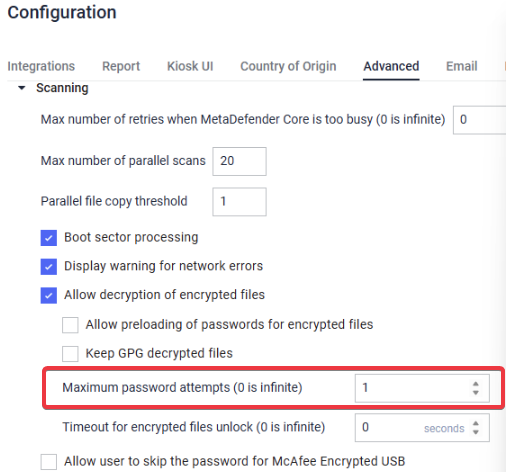
Support password attempt limitation | Kiosk now supports configurable limits on wrong password attempts when scanning encrypted documents or archives. This feature enhances security and user experience by allowing administrators to set maximum attempts and display warnings during the process.
|
Manage and deploy kiosk HTTPS certificates via central management | Kiosk now supports certificate configurations via My OPSWAT, including option to enable HTTPS. This enhancement enables centralized control of certificates, improving security and consistency across deployments. |
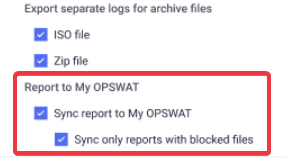
Download Kiosk scan reports from My OPSWAT | Kiosk now supports automatic syncing of scan reports to My OPSWAT, allowing customers to download results in PDF, JSON, or TXT formats. Users can enable or disable report syncing, with an option to sync only when blocked files are detected.
|
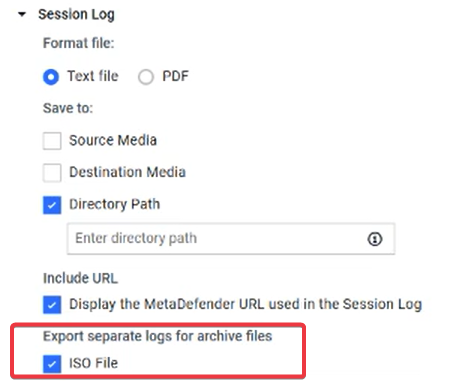
Detailed logs for ISO image scans | Kiosk now supports generating detailed logs for ISO image scans. Separate logs are stored in the Kiosk logs folder, improving visibility and troubleshooting during scanning sessions.
|
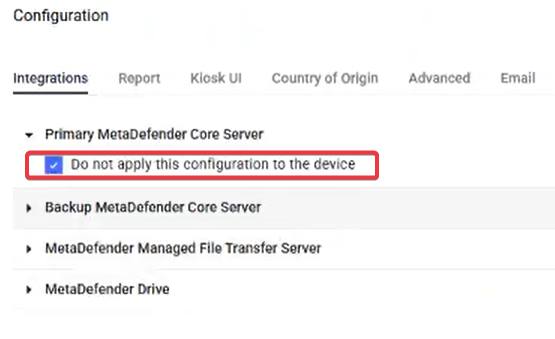
Exclude Core API from My OPSWAT group settings | Kiosk policies on My OPSWAT now allow administrators to exclude MetaDefender Core API values from being updated during group configuration pushes. This enhancement improves flexibility and security, enabling different kiosks to use unique API keys without risk of overwriting the setting.
|
Custom MFT folder names based on user input | Kiosk now supports naming the destination folder in MFT based on user input provided during the initial scan questions. After scanning, files are uploaded to MFT under a folder named according to the user’s response, replacing default session-based naming. This enhancement improves organization, traceability, and aligns with customer workflows. |
Enhancements | |
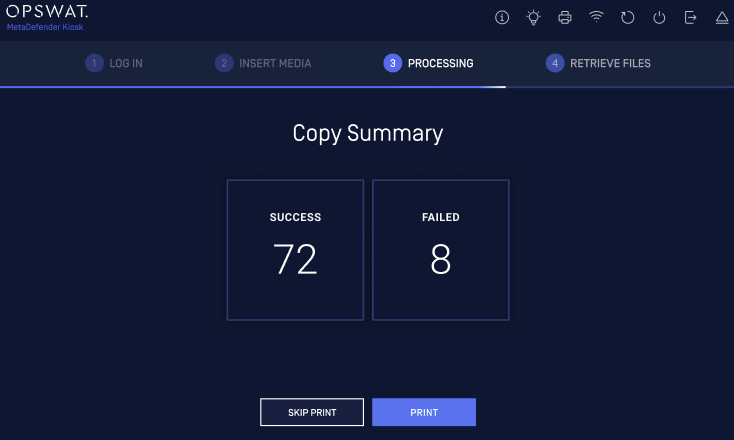
Enhanced Copy Results Display | Kiosk UI now shows detailed copy results, including the number of files successfully copied and those that failed. This improvement provides better visibility and transparency during file transfer operations.
|
Improved media detection stability | Kiosk now includes multiple enhancements to ensure reliable media detection: |
Enhanced syslog messages for Kiosk application upgrade process | Kiosk now sends application upgrade indicators to syslog, including events for upgrade, uninstall, backup success/failure, and upgrade failure. This enhancement improves visibility and monitoring of upgrade operations |
Enhanced details of blocked file information in My OPSWAT | Kiosk reports sent to My OPSWAT now include comprehensive details of all blocked files, including specific block reasons, hash lookups, and relevant metadata. The updated format ensures accurate and transparent reporting across dashboards and workflows. |
Enhanced SCSI USB device unmounting | Kiosk now provides a faster and more reliable unmounting process for SCSI USB devices, reducing delays. Improvements include optimized handling for devices with multiple partitions, resolution of SSD eject issues, and better user experience during long unmount operations. These enhancements ensure smoother workflows for forensic and secure scanning environments. |
Support Datalocker DL4 FE encrypted USB drive | Added support for Datalocker DL4 FE encrypted USB drive |
My OPSWAT policy compatibility across Kiosk versions | Kiosk now supports backward and forward compatibility for policies across versions (4.7.9 or later). This enhancement allows multiple Kiosk versions to be added to a single My OPSWAT Kiosk policy while ensuring consistent policy application across different versions. |
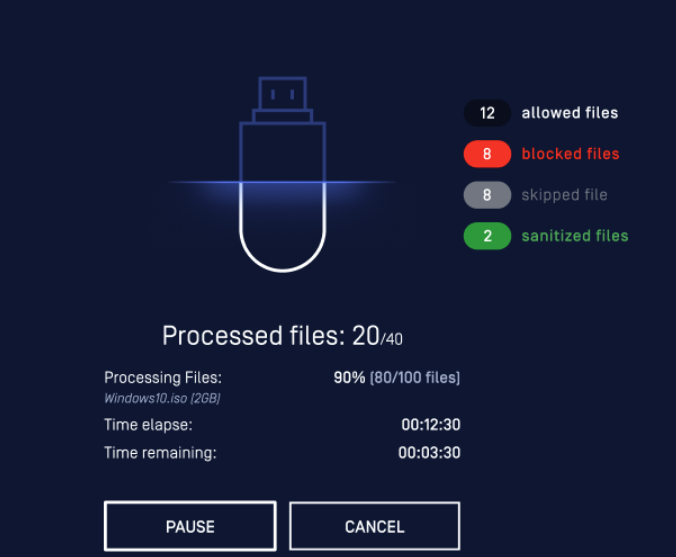
Improved progress feedback during scanning | Kiosk now displays real-time scanning progress for better clarity during large number of scans. Calculations were optimized to ensure accurate progress to improve the user experience.
|
Enhanced error messaging during Kiosk configuration | Enhancement to provide clear, informative error messages that pinpoint invalid or missing fields, helping users quickly identify and resolve issues. This improvement ensures a smoother configuration experience and reduces troubleshooting time. |
Bugs | |
Fixed “Undefined” scan result for TIBX files | Resolved an issue where Kiosk incorrectly returned “Undefined” scan results for TIBX files instead of the correct verdict. The update ensures accurate result handling and improves reliability for disk image scans. |
Fixed VMDK lock file (.lck) clean up issue | Resolved an issue where .lck files were not deleted after processing VMDK files. The fix ensures proper cleanup after session completion or scan cancellation |
Fixed unable to mount large Clonezilla image issue | Resolved an issue where large CloneZilla images were not mounted properly. The logic has been updated to allow sufficient time for automatic drive letter detection, ensuring proper mounting and complete full scanning of all files in the CloneZilla images |
Known issues | |
Size limitation of archive report in email attachment | When attaching archive reports as a ZIP file to session emails, files larger than 25 MB cannot be sent due to email size limitations. |
MetaDefender KIOSK Documentation
The users can consult this web page or, alternatively, they can download the manual in pdf format from the link below:
MetaDefender KIOSK manual (SHA256: 404339BCE0F3E4C5EFA52F55903C8C617C0F9630D01E2020EC09EA6CDC1304C7).
OPSWAT MetaDefender AGD Documentation_v1.6 (SHA256: 78A69F89D3C0D0FCA8A4B8D30B2C92E55D80CC559583F23AC61158F67CE04988).