
Management consists of configuring the global configuration, workflow settings, and viewing health / license status of multiple Kiosk instances. This guide outlines how to add a Kiosk instance to Central Management, please refer to Central Management documentation for further product details.
Central Management v7
Adding a Kiosk instance
Access the Central Management Console at
http://<ip or dns>:9000On the left hand panel navigate to Inventory → MetaDefender Kiosk
Click Add Kiosk in the right hand corner
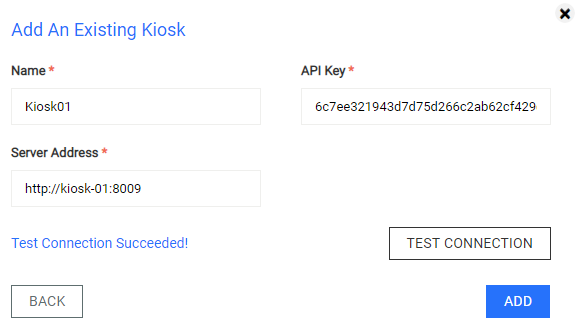
Click Add an existing Kiosk in the pop up panel
Fill in the required fields "Name", "Server Address", and "API Key" and click Add
The value for the "API Key" field is the generated API key of an administrator user of MetaDefender Kiosk. Refer to management console user information on how to generate it.
_
_
Central Management v5
Adding a Kiosk instance to a group
Access the Central Management Console at http://<ip or dns>:8018
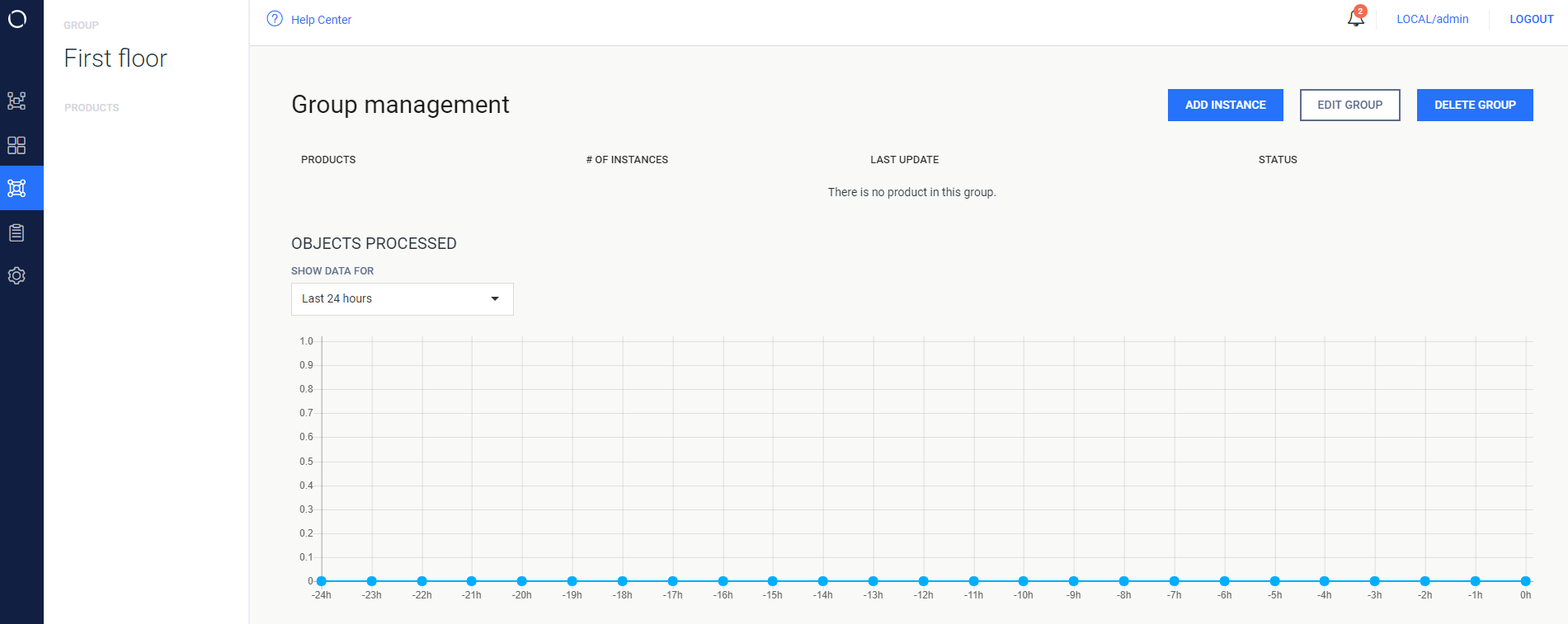
Choose an already existing Group or create a new one and then click "Add Instance"
Fill in the required fields "Name", "Rest Address", and "API Key"
The value for the "API Key" field is the generated API key of an administrator user. Refer to management console user information on how to generate it.
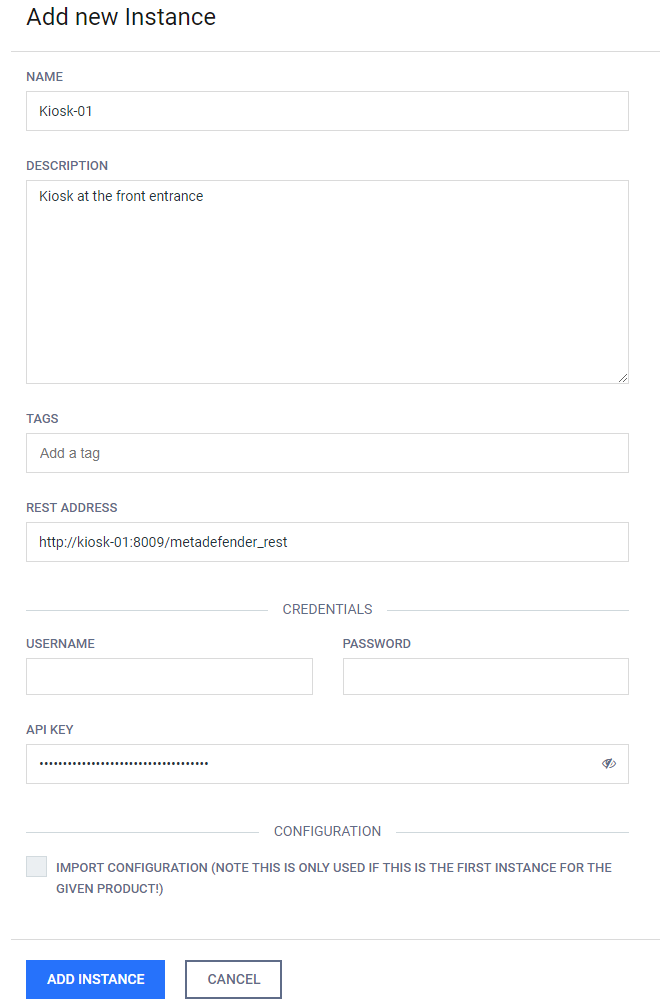
Check "Import configuration" if this is the first Kiosk instance being added and the Kiosk has already been configured to the desired settings. The settings of this configured Kiosk will then be imported without having to reconfigure the settings within Central Management.
Click "Add Instance" when done