
The Object Management page lets you create and manage reusable network objects — single IP addresses, IP ranges, and subnets — that can be referenced in firewall rules and in Learning Mode protected assets.
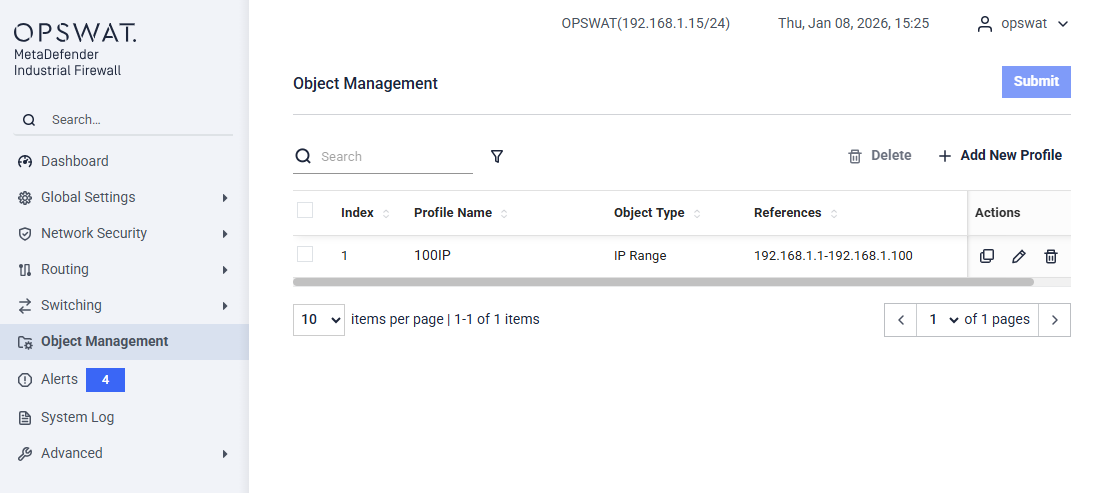
This page displays a list of configured objects with the following information:
Index: Sequence number of the object
Profile Name: User-defined name of the object
Object Type: Type of object (e.g. Single IP, IP Range, Subnet)
References: The IP address, range, or network defined by the object
Actions: Edit, duplicate, or delete the object
Add New Profile
This dialog allows you to create a network object that can be reused across firewall rules.
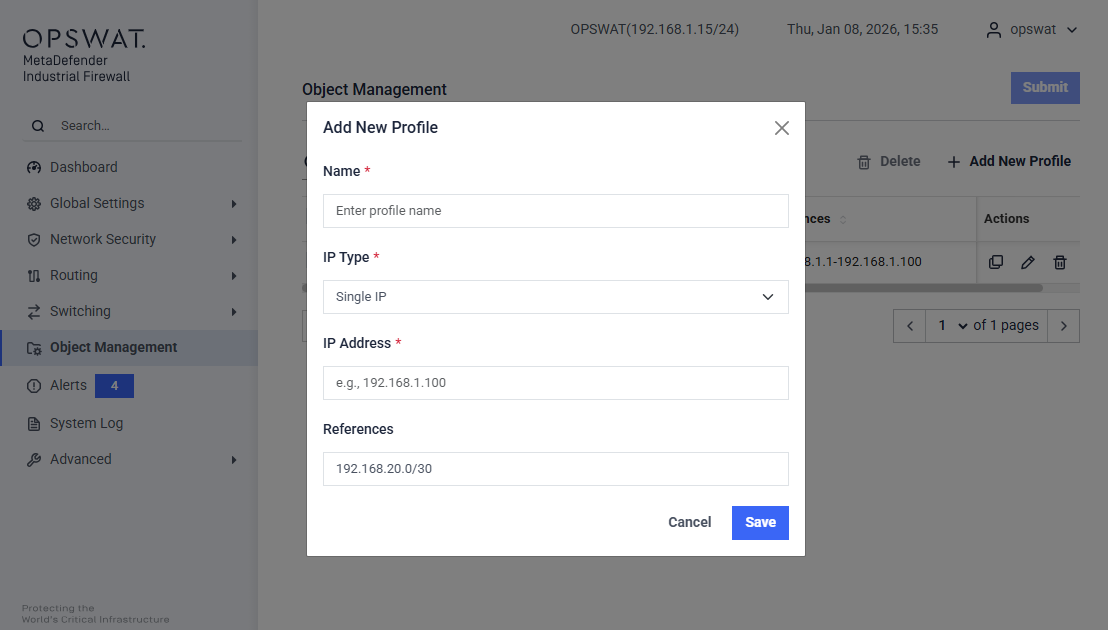
Name (Required): Enter a unique name to identify the object.
IP Type (Required): Select the type of IP object to create:
Single IP – Defines a single host IP address. Example:
192.168.1.100IP Range – Defines a continuous range of IP addresses. Example:
192.168.1.1–192.168.1.100Subnet – Defines a network using CIDR notation. Example:
192.168.1.0/24
Address fields: The required address fields depend on the selected IP Type. Single IP needs an IP Address; IP Range needs a Start IP Address and End IP Address; Subnet needs a Subnet Address and Mask.
References: Displays the auto-generated reference value based on your selections.