This guide describes how to enable and disable ICAP server on Symantec Blue Coat ProxySG.
This documentation is assuming that MetaDefender ICAP Server is already configured and working properly.
Enable MetaDefender ICAP Server
To enable MetaDefender ICAP Server on Blue Coat:
Open the Blue Coat Management Console.
Go to "Configure" tab > "Advanced configuration" button.
In the left side menu, go to "Policy" > "Visual Policy Manager"
Click "Launch"
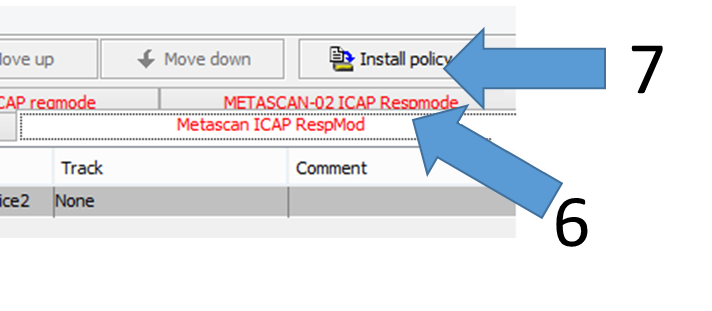
In the VPM window, right click on the service you want to enable tab (typically "ICAP Respmod" or "ICAP Reqmod")
Click "Enable layer".
The tab color should turn black.
Click "Install policy
Disable MetaDefender ICAP Server
To disable ICAP server on Blue Coat:
Open the Blue Coat Management Console.
Go to "Configure" tab > "Advanced configuration" button.
In the left side menu, go to "Policy" > "Visual Policy Manager"
Click "Launch"
In the VPM window, right click on the service you want to disable tab (typically "ICAP Respmod" or "ICAP Reqmod")
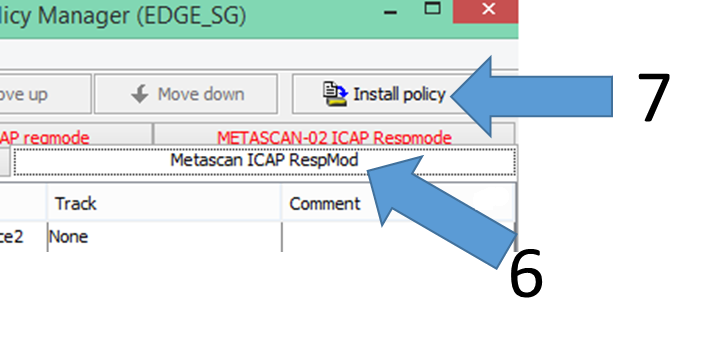
Click "Disable layer".
The tab color should turn red.
Click "Install policy"