
Adjusting the date and time on on your device might different based on your operating system and device. Here are some guidelines:
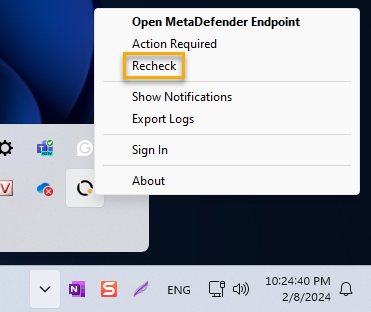
Click on MetaDefender Endpoint tray icon. Select "Recheck" or "Check applications security" depending on the agent version you are running. Wait few minutes and check again.
Was this page helpful?
Troubleshooting Guide