
MetaDefender Email Gateway Security can export operational metrics to OTLP (OpenTelemetry Protocol) compatible collectors. Telemetry gives operators live visibility into licensing status, email processing performance, and pipeline health from their own monitoring dashboards, and can optionally share the same metrics with OPSWAT to support product improvement and faster support.
Telemetry is disabled by default, on new installations and after upgrades alike.
Exported metrics contain product health data only: no email content, addresses, or other personal or sensitive data is ever transmitted.
Configuring telemetry
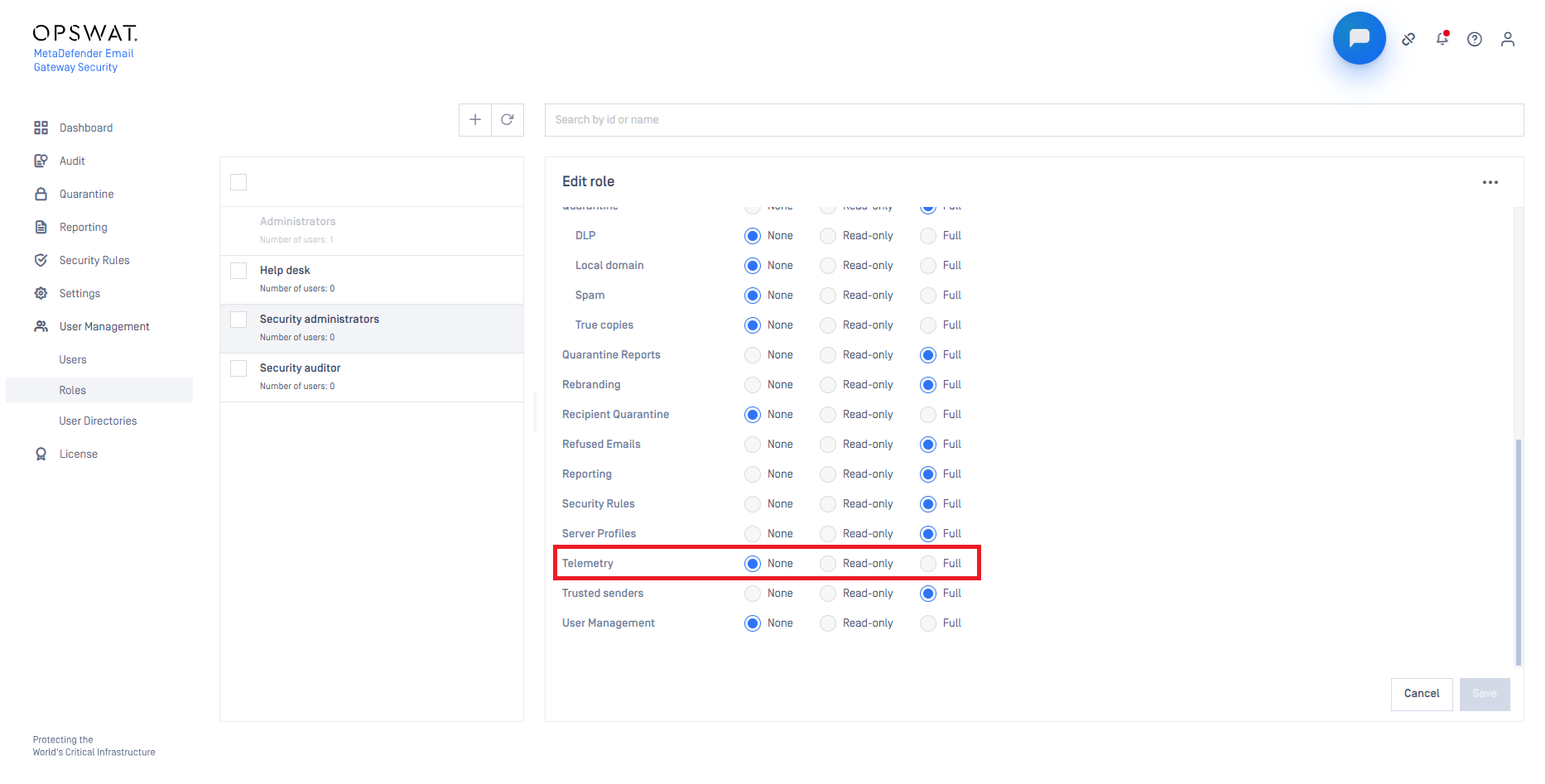
Telemetry is configured on Settings / Telemetry. Access to this page requires the dedicated Telemetry right (for details see Roles).
The Telemetry right is disabled by default for each role except Administrators.
Option | Description |
|---|---|
Enable telemetry | Master switch. Enables or disables telemetry data collection. When disabled, no metrics are collected or sent. |
Send telemetry to OPSWAT | Sends the collected telemetry to OPSWAT for analysis. Turning this on automatically adds the OPSWAT Collector ( |
Collector list | The collectors that receive the metrics. Metrics are exported to every configured collector simultaneously. Each entry shows the Metric Endpoint URL, whether an API key is set, and the protocol used. |
To register your own collector, select Add collector and provide:
Metric Endpoint URL — the OTLP metrics endpoint of your collector
Use API Key authentication — enable when the collector requires an API key, then enter the key in the API Key field
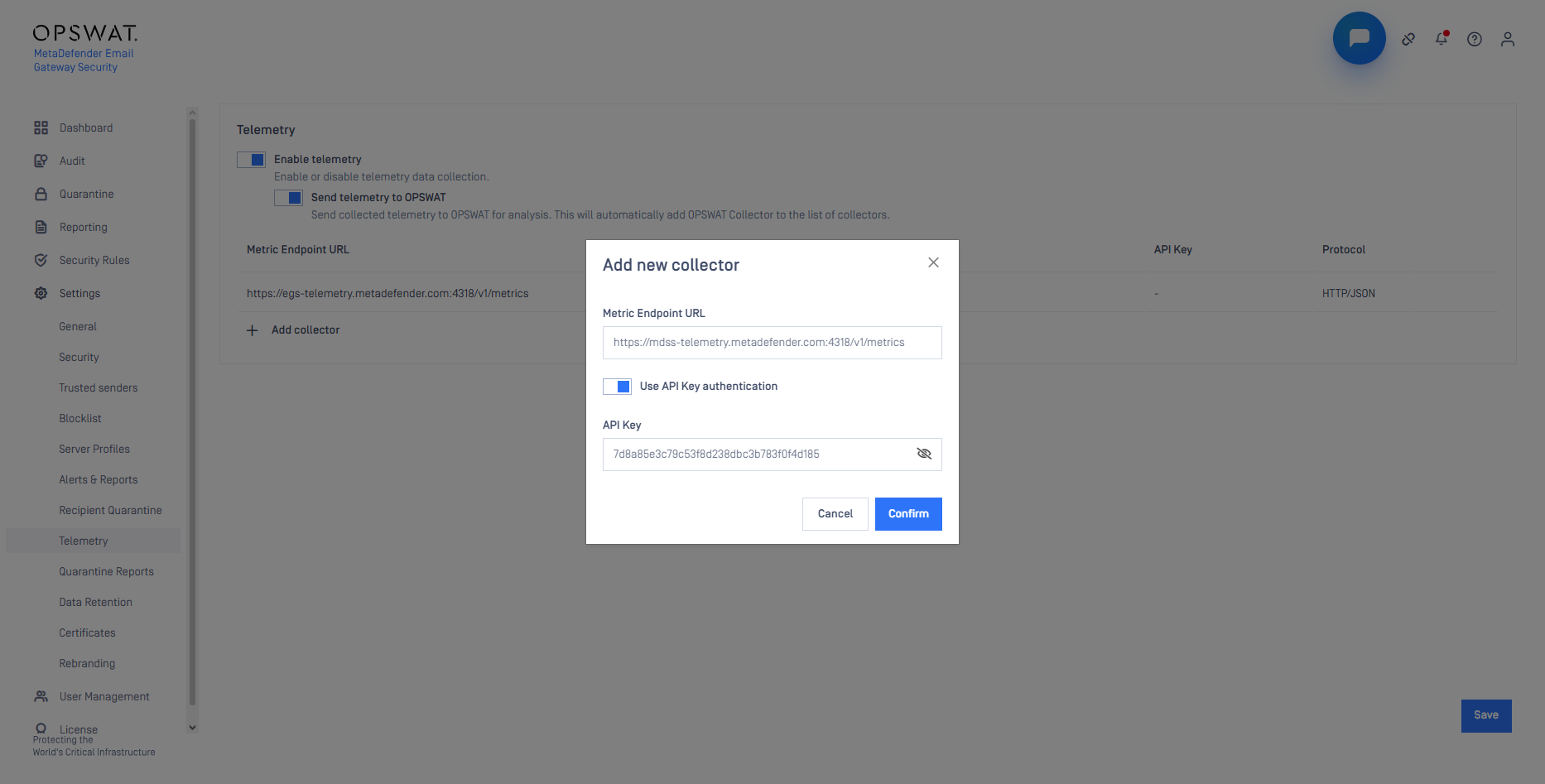
The transport protocol (OTLP over HTTP or gRPC) is derived from the endpoint URL and displayed in the Protocol column of the collector list.
Collector connections always use TLS (Transport Layer Security) 1.2 or newer with certificate verification. Metrics are exported once per minute by default (see [Registry configuration] for tuning). Configuration changes take effect without a service restart.
When Send telemetry to OPSWAT is enabled, the product must be able to reach the OPSWAT Collector on port 4318 (HTTPS) or 4317 (gRPC). For details see Ports.
Telemetry follows the product proxy configuration; environment proxy variables are never used. For details see Proxy configuration.
The following telemetry actions are recorded in the Audit Log:
enabling or disabling telemetry,
changing the Send telemetry to OPSWAT setting, and
adding, editing, or removing collectors.
Exported metrics
Metric | Type | What it reports |
|---|---|---|
| Gauge | Days until the current license expires |
| Gauge | Licensed users currently in use |
| Gauge | Maximum number of licensed users allowed by the license |
| Histogram | End-to-end duration between receiving and delivering an email. Recorded only for delivered emails (not for quarantined, rejected, or failed ones) |
| Gauge | Total number of emails waiting in the processing queue |
| Gauge | Age of the oldest unprocessed email job |
| Gauge | Live number of email jobs per processing state ( |