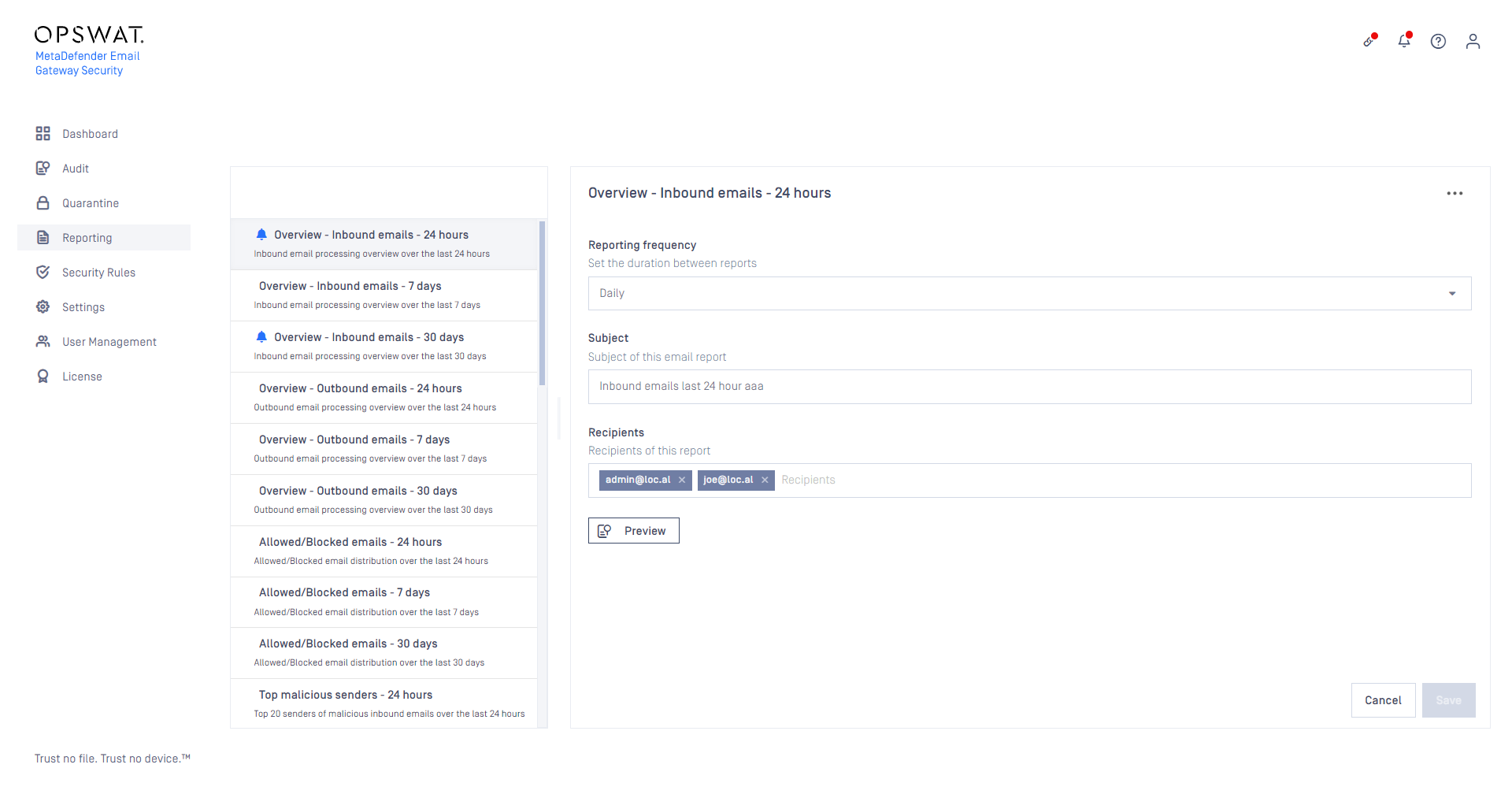
MetaDefender Email Gateway Security supports reporting the most essential processing results in a well organized, printing ready format (for details see Reporting). These reports can be delivered as attachments to scheduled emails.
Configuration
Common report settings
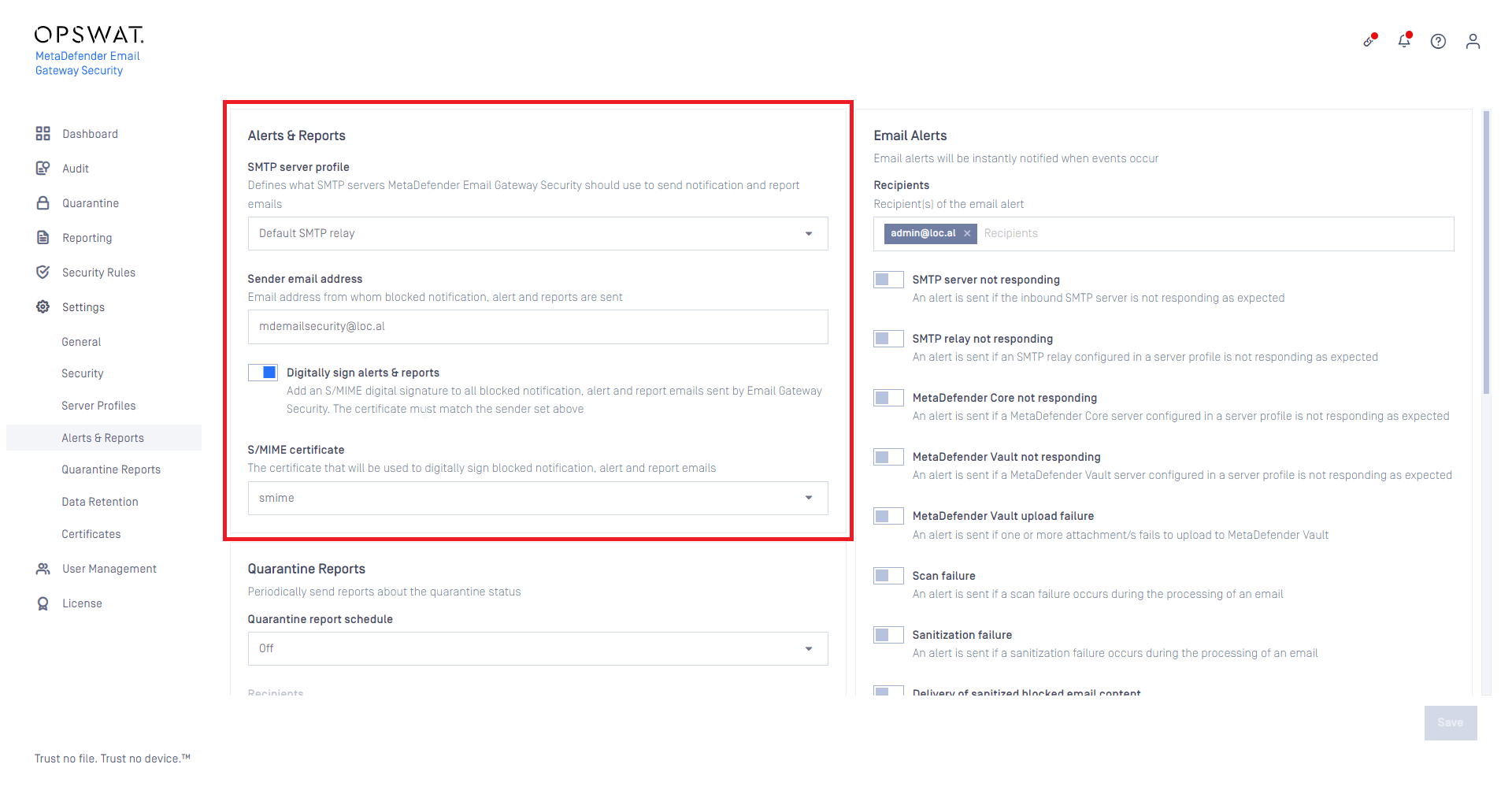
The
SMTP server profile (through which report emails are to be delivered),
Sender email address, and
Whether to digitally sign report emails
can be set as common settings for all the report emails under Settings > Alerts & Reports / Alerts & Reports.
When the SMTP servers of the SMTP server profile set for Alerts & Reports are down, the report email enters the configured retry schedule. For details see Retry.
If the report email can not be delivered even after the retries, it ends up Failed in email history.
Report specific settings
The
Reporting frequency (how often the report email is generated and delivered),
Subject of the report email, and
Recipients of the report email
can be set for each report under Reports.
The icon in the list of reports represents that the particular report has a schedule set up.