
To better reflect the risk level associated to a certain email and for easier understanding what potential risks an email carries, Email Gateway Security introduced classifications of emails.
One-to-many
A certain email may have multiple classifications.
Classifications assigned to a certain email can be reviewed in the Email details view under Audit > Email history or Quarantine. For further details see Operating/Email History and Operating/Quarantine.
Negative classifications
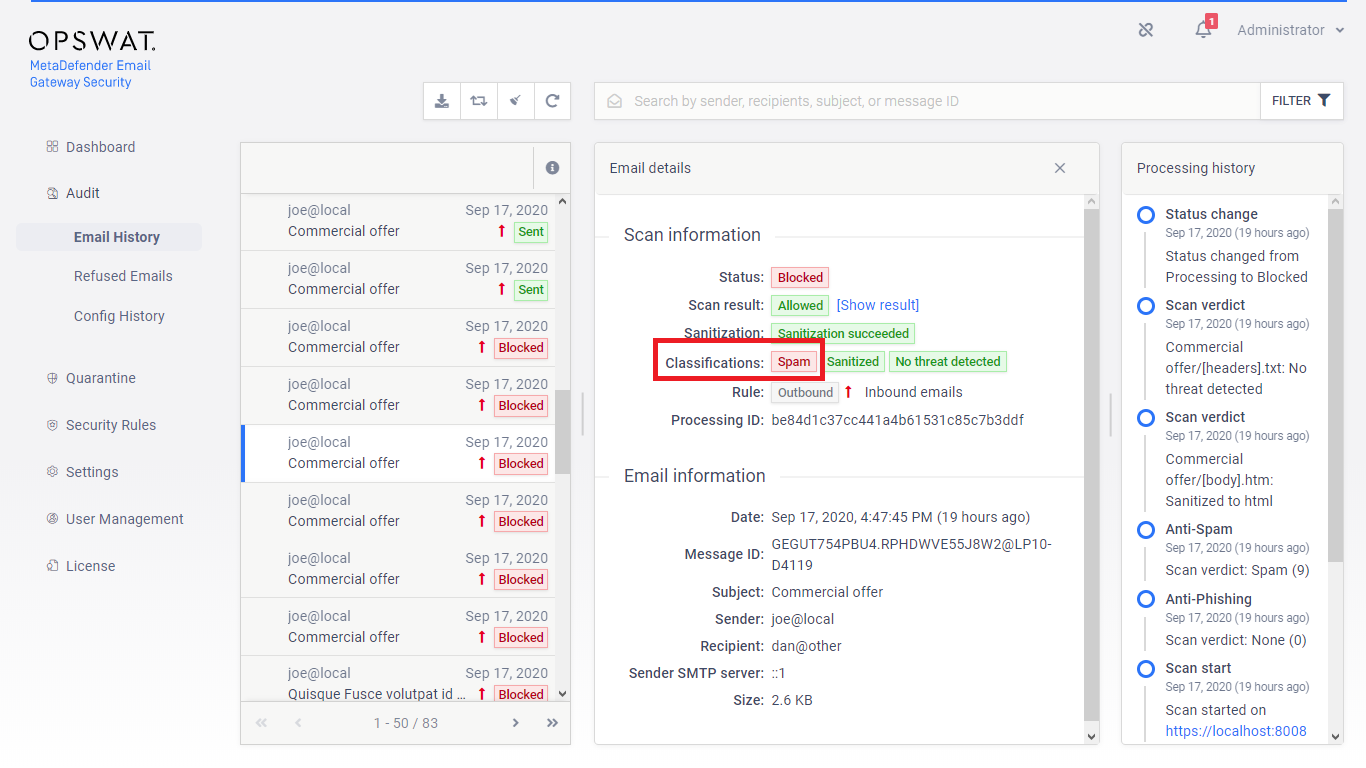
Classifications in this group are negative in terms of that they indicate risk or failure. They are marked with red color in the GUI.
Emails with risks
The emails classified according to the classes below are blocked by default as they expose the organization to significant risk.
Classification | Description |
|---|---|
Scan failure | Anti-malware scan of the Advanced Threat Detection capability failed. |
Threat detected | Malware threat was detected in the email by the Advanced Threat Detection capability. |
Possible threat detected | Possible malware threat was detected in the email by the Advanced Threat Detection capability. |
Phishing | The email was detected as known phishing (probability level 9) by the Anti-phishing capability. For details see the Anti-phishing and anti-spam section under Configuration/Policy. |
Possible phishing | The email was detected as possible phishing (probability level 1-8 depending on the Probability level set for the rule’s anti-phishing) by the Anti-phishing capability. For details see the Anti-phishing and anti-spam section under Configuration/Policy. |
Password protected | The email contains one or more password protected attachments. For details see Operating/Password protected attachments. |
DLP violation | The email contents violate the Data Loss Prevention policy defined by the Sensitive Data Loss Prevention capability. For details see https://onlinehelp.opswat.com/corev4/6._Proactive_DLP.html. |
Possible DLP violation | The email contains data that was detected as possibly violating the Data Loss Prevention policy defined by the Sensitive Data Loss Prevention capability. For details see https://onlinehelp.opswat.com/corev4/6._Proactive_DLP.html. |
Sanitization failure | Processing of the Zero-Day Malware Prevention capability failed. For details see https://onlinehelp.opswat.com/cdr/. |
Blocked other | Blocked for any other reason not mentioned above. |
Unsolicited emails
The emails classified according to the classes below are blocked by default as they most probably are unsolicited emails.
Classification | Description |
|---|---|
Spam | The email was detected as known spam (probability level 9) by the Anti-spam capability. For details see the Anti-phishing and anti-spam section under Configuration/Policy. |
Possible spam | The email was detected as possible spam (probability level 1-8 depending on the Probability level set for the rule’s anti-spam) by the Anti-spam capability. For details see the Anti-phishing and anti-spam section under Configuration/Policy. |
Marketing | The email was detected as marketing by the Anti-spam capability. For details see the Anti-phishing and anti-spam section under Configuration/Policy. |
Possible marketing | The email was detected as possible marketing by the Anti-spam capability. For details see the Anti-phishing and anti-spam section under Configuration/Policy. |
Anti-spam failure | Anti-spam scan of the Anti-spam capability failed. |
Processing failures
Classifications in this group indicate problems in the email processing pipeline making the email undeliverable. The problems listed below do not, however, expose the system to risk.
Classification | Description |
|---|---|
Send failure | The email was failed to be sent due to outage of the next hop in the email relay chain. |
Positive classifications
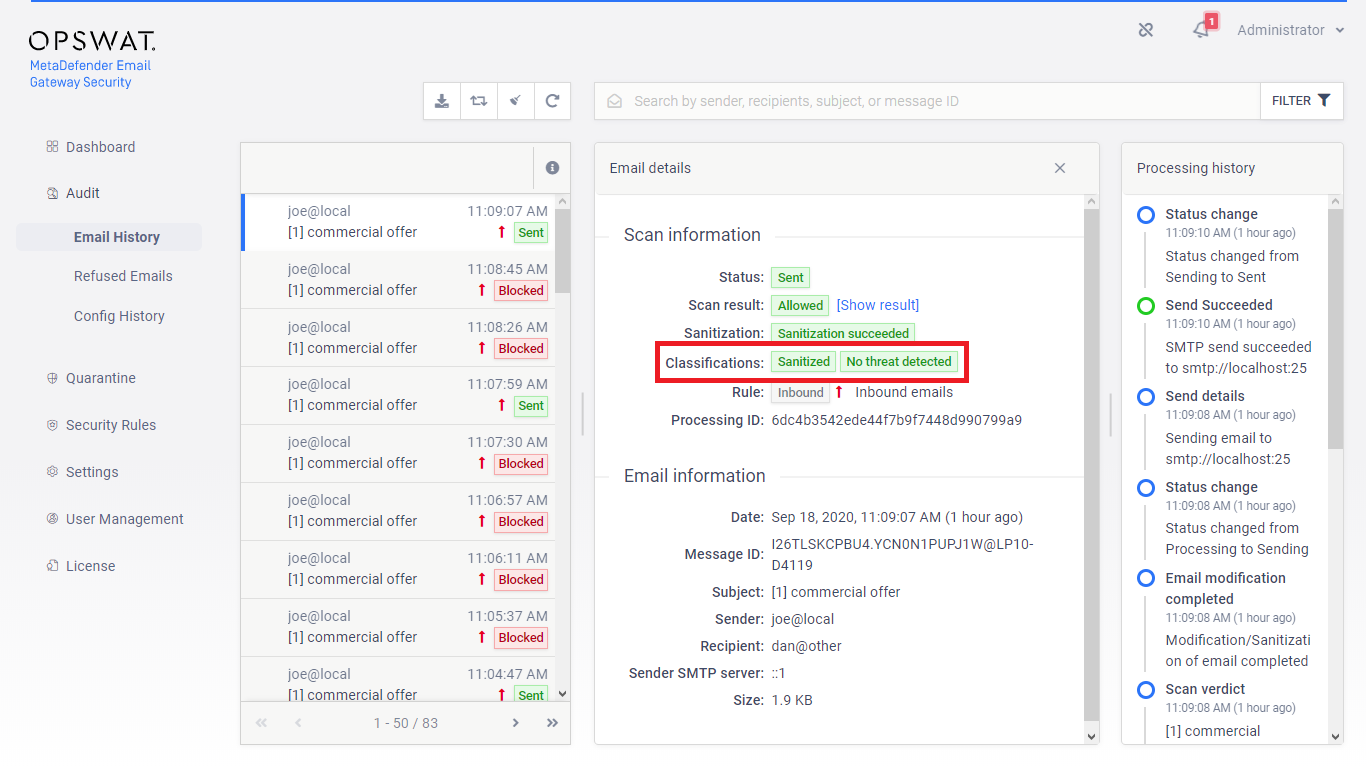
Classifications in this group are positive in terms of that they indicate that the email
was clean,
its risk was mitigated or
the system was configured to bypass it.
Classifications of this group are marked with green color in the GUI.
Clean emails
Classification | Description |
|---|---|
Sanitized | The contents of the email were successfully processed by the Zero-Day Malware Prevention capability: all potentially malicious components have been removed. For details see: https://onlinehelp.opswat.com/cdr/. |
No threat detected | The Advanced Threat Detection capability found all the contents of the email clean. |
Not scanned | The Advanced Threat Detection capability was configured to not scan this email. |
Notifications, alerts and reports
Emails with the classifications below originate from Email Gateway Security and are clean inherently. For further details see Configuration/Alert, notification and quarantine report emails.
Classification | Description |
|---|---|
Notification | Notifications are sent when emails are blocked by Advanced Threat Prevention and Email Gateway Security is configured to block the email. |
Alert | Email alerts can be configured so that certain users can instantly be notified about the occurrence of certain system events. |
Report | Report emails sent by Email Gateway Security. |
Not blocked emails
Classification | Description |
|---|---|
Sanitized original | When Email Gateway Security is configured to quarantine an original copy of sanitized emails, the original copy will receive this classification. |
DLP redacted | The sensitive information found by the Sensitive Data Loss Prevention capability has been redacted. |
Bypassed | If Email Gateway Security is configured by bypass scanning due to processing failures, any bypassed email will receive this classification. |
No license | Email Gateway Security was not licensed when scanning this email, so the email was let through with no processing. |
No classification
Classification | Description |
|---|---|
None | The email did not apply to any other classification. This very rare condition may appear when Email Gateway Security is licensed and works normally, but is configured to not process the email in any way (no malware and spam scanning, no data sanitization, DLP, etc.). |