
To prevent data loss or potential damage, MetaDefender Drive must be safely ejected. Follow the steps below to ensure proper removal.
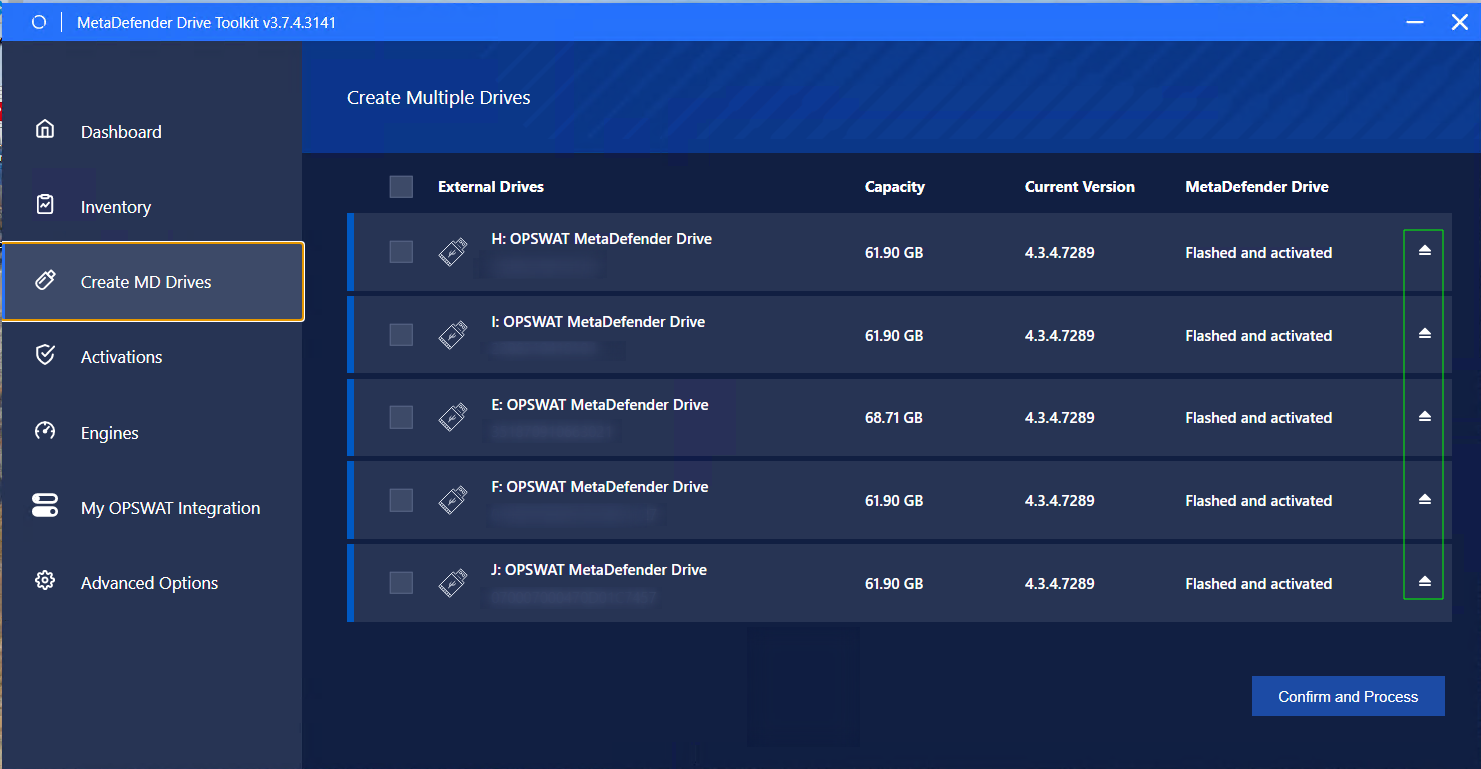
Navigate to Create Multiple Drives page
Click the Safe Removal icon next to the MetaDefender Drive you wish to remove.
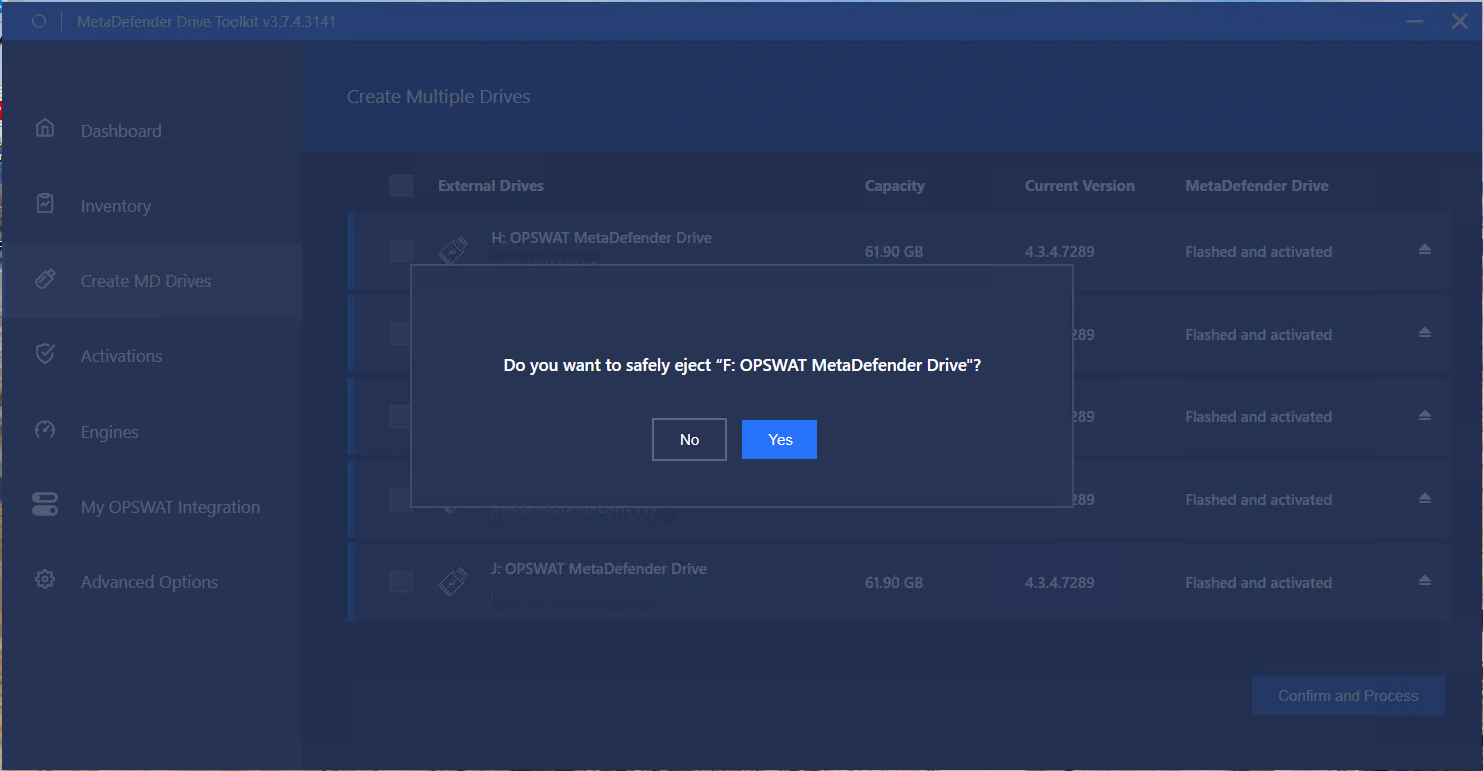
Click Yes to safely eject the selected MetaDefender Drive.
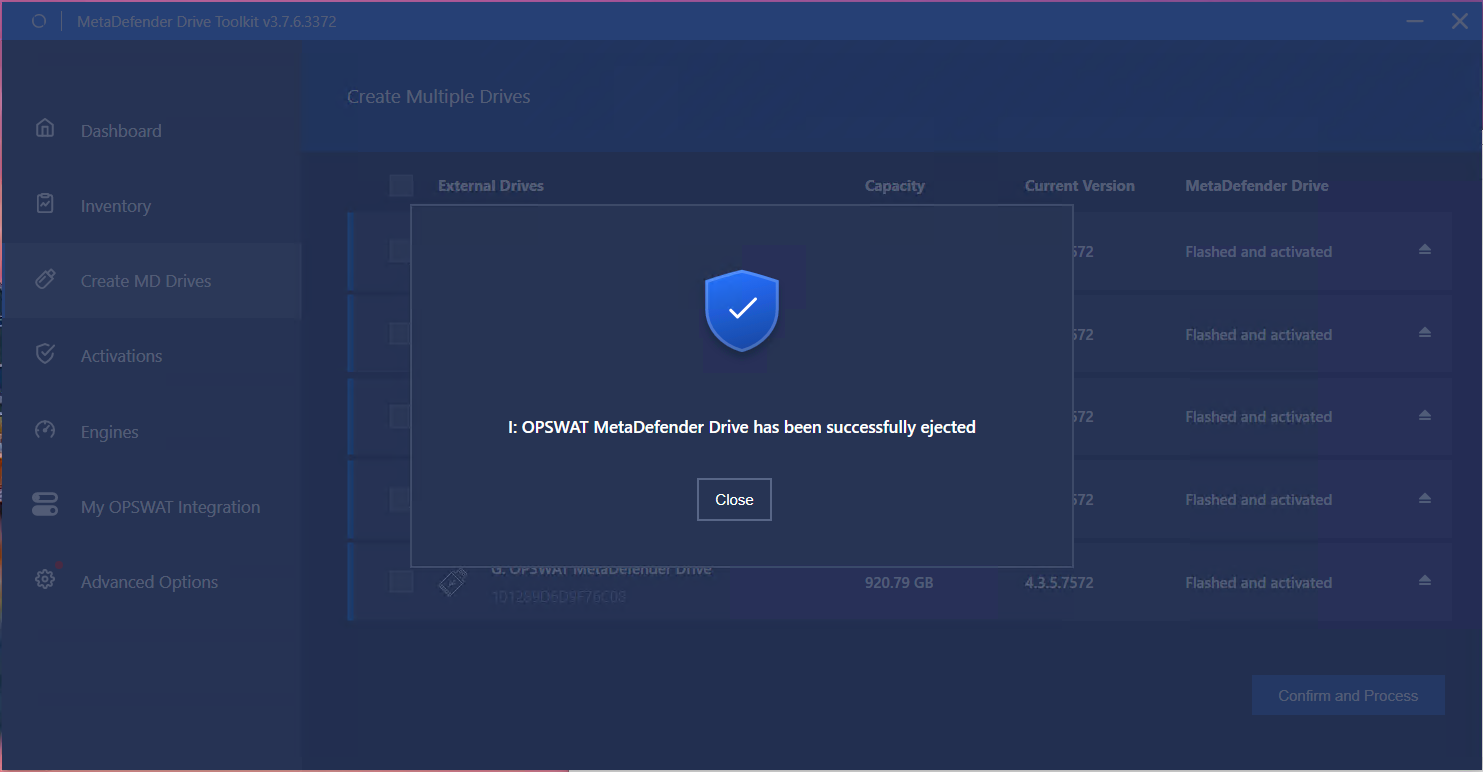
After a successful ejection, a confirmation prompt will be displayed.
Was this page helpful?
Maintenance