
MetaDefender Drive saves a comprehensive set of logs by default, which can lead to a decrease in disk space over time. Lack of available disk space can impact scan performance and report management. MetaDefender Drive offers multiple log saving levels, enabling users to skip non-essential logs.
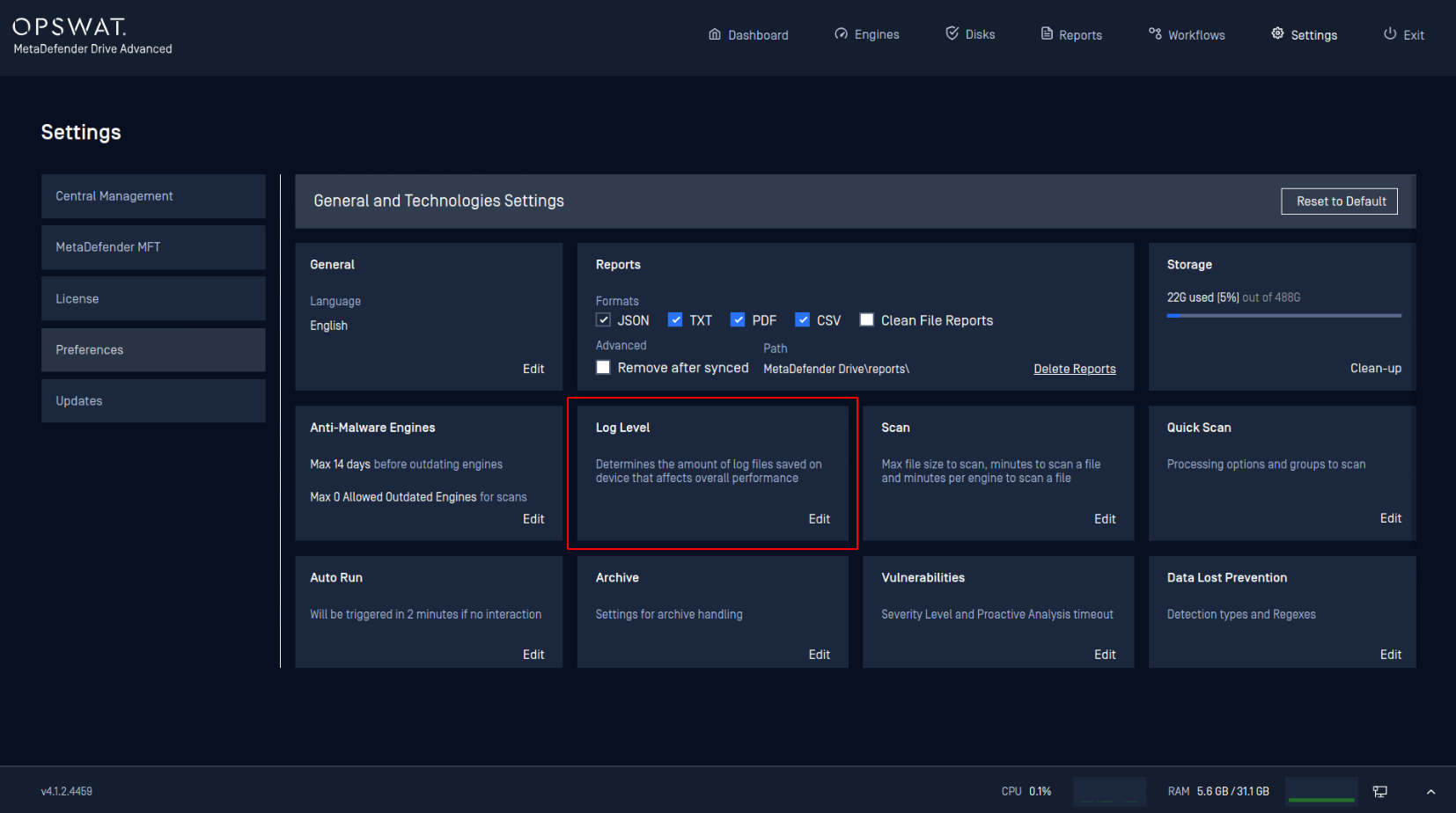
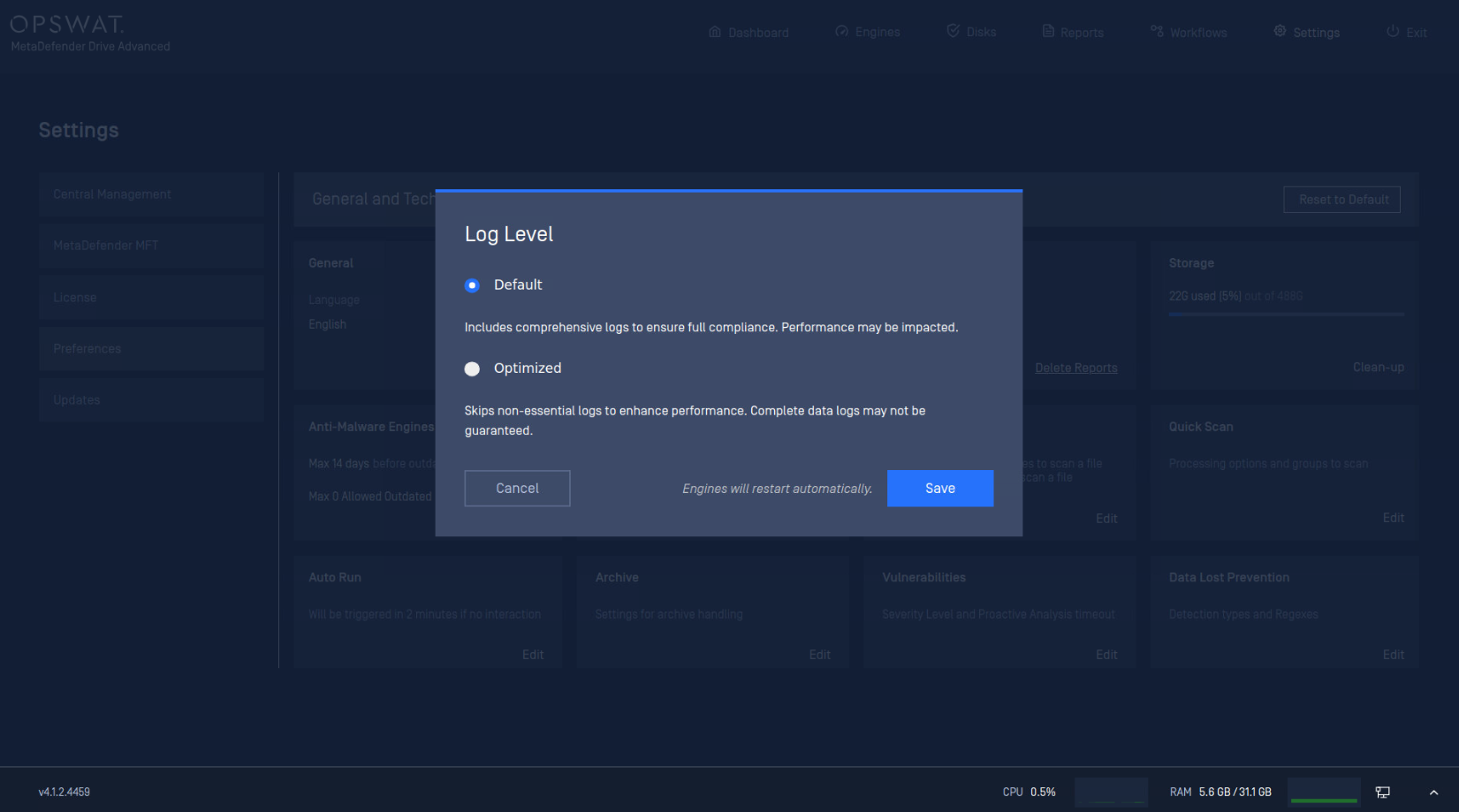
There are two Log Level options:
Default: to save comprehensive logs for better support insights and full compliance.
Optimized: to save a set of essential logs, saving disk space.
Info
In case of a suspected issue or malfunction that requires troubleshooting, keeping the Log Level setting at the Default option is recommended to include more system information and insights. You can learn more about troubleshooting, support packages, and log extraction here.
.
Was this page helpful?
Configuration