Advanced Usages
v4.0.5
Search this version
Advanced Usages
Advanced Usages
Title
Message
Create new category
What is the title of your new category?
Edit page index title
What is the title of the page index?
Edit category
What is the new title of your category?
Edit link
What is the new title and URL of your link?
Boot and scan virtual machines
Copy Markdown
Open in ChatGPT
Open in Claude
MetaDefender Drive supports hypervision: VMWare Workstation (Windows and Linux) and QEMU Virtual Machine Manager (Linux)
Boot and scan VMWare Workstation virtual machines
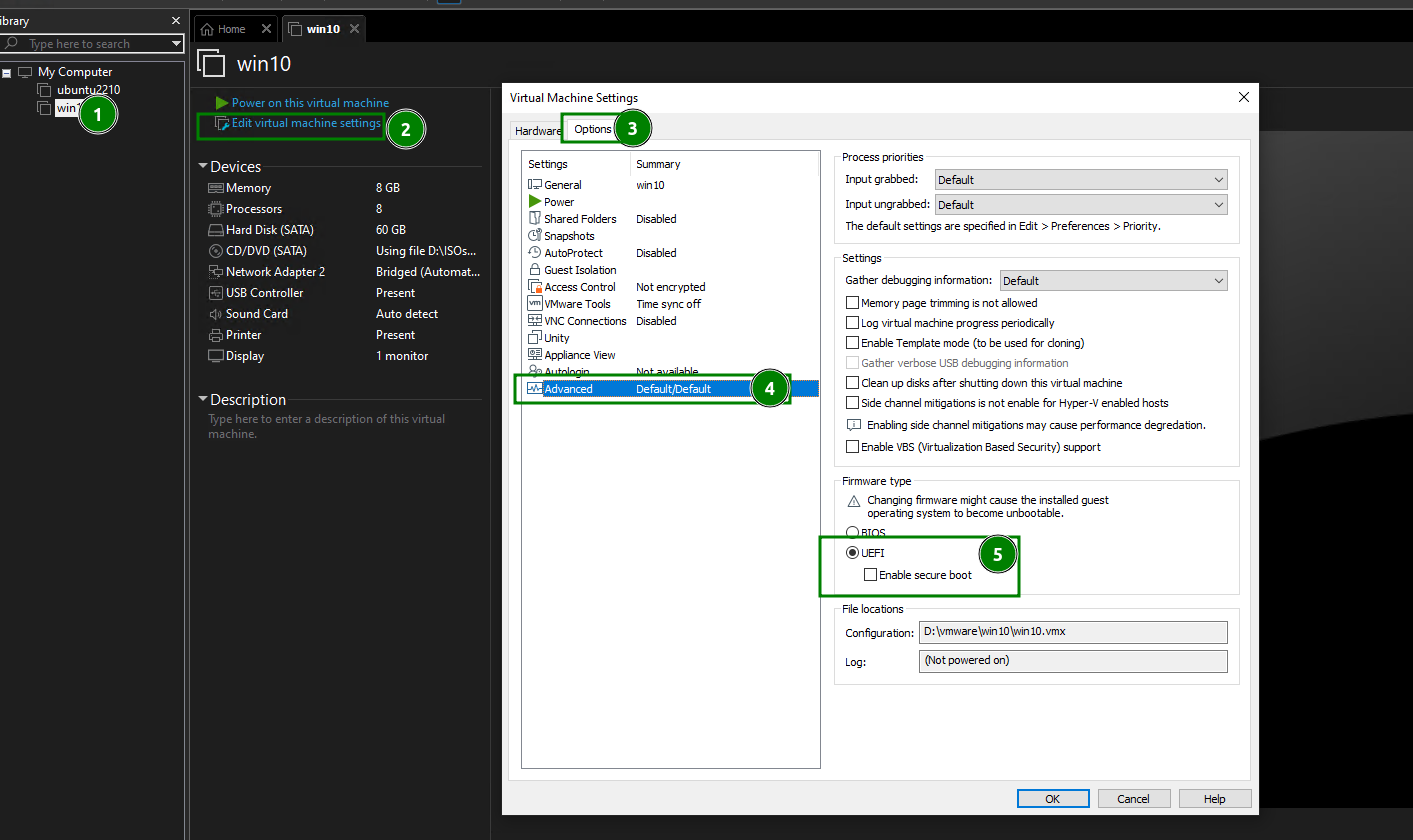
From VMWare Workstation, edit properties of a VM, make sure it is set to run with UEFI
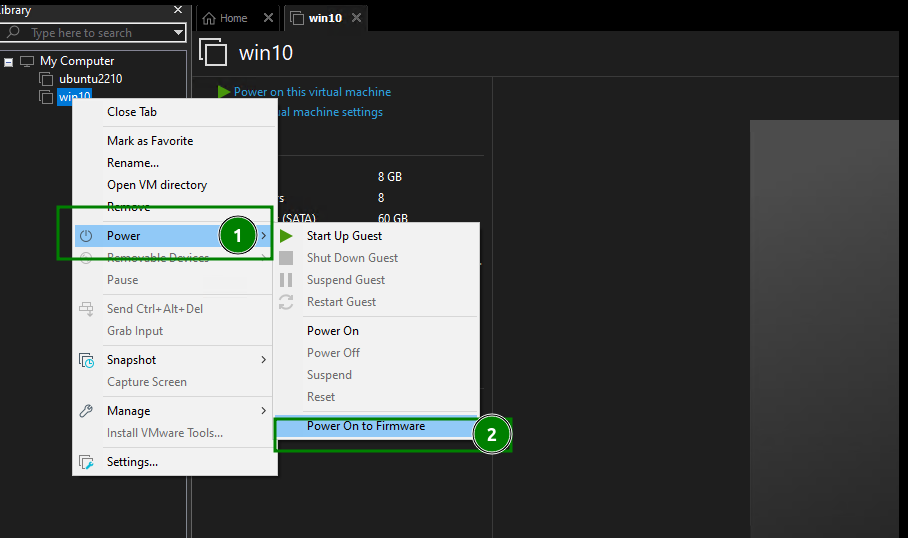
Power On VM to Firmware
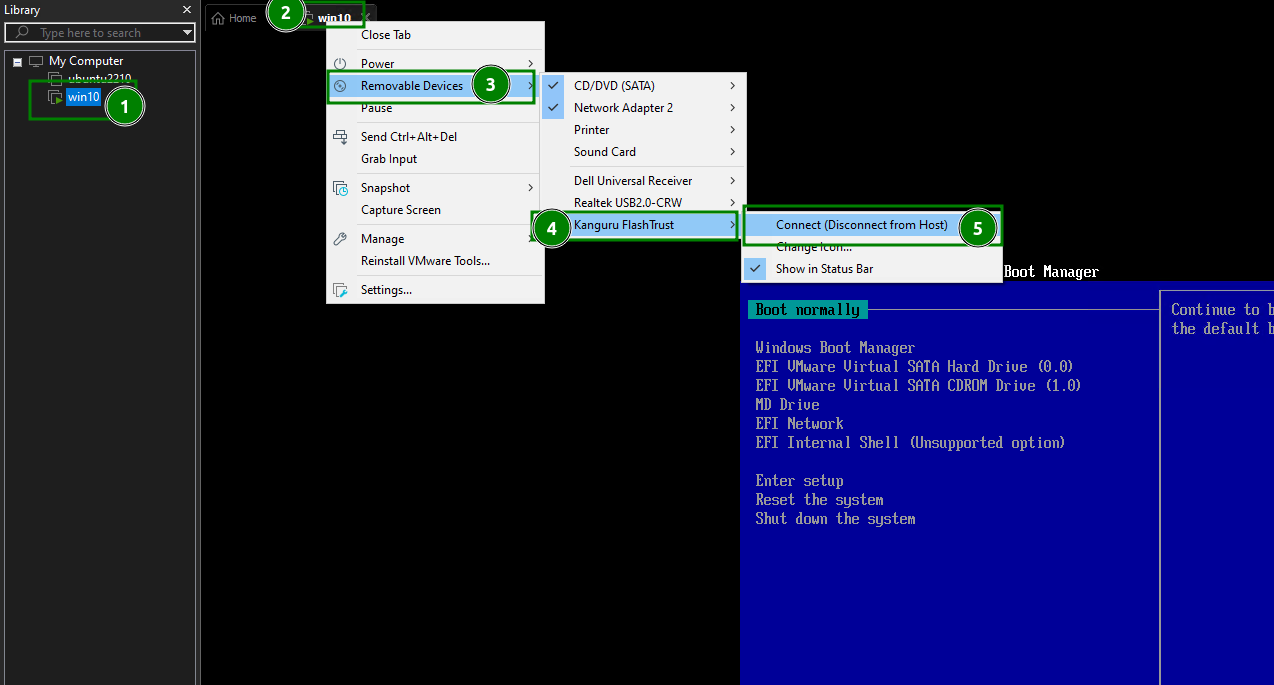
Connect the MetaDefender Drive into the VM
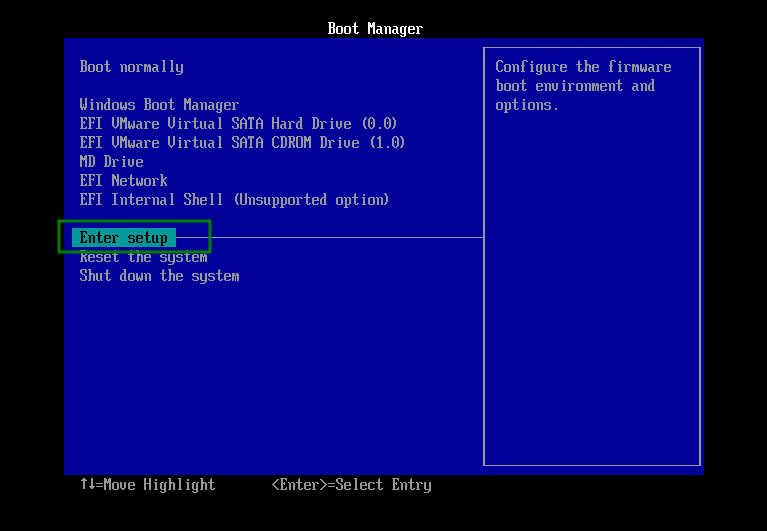
Enter Boot Setup
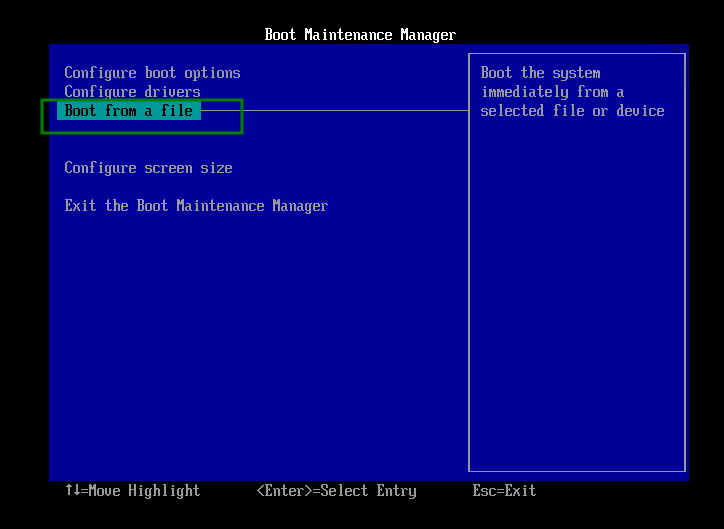
Select Boot from a file
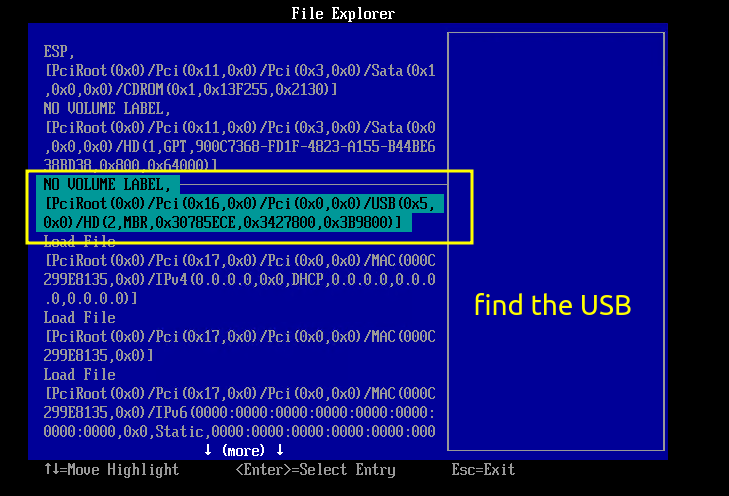
Find the USB device
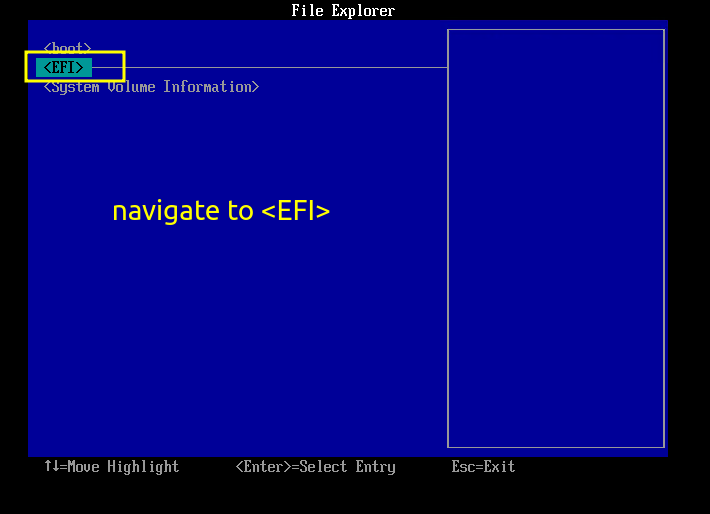
Navigate to EFI
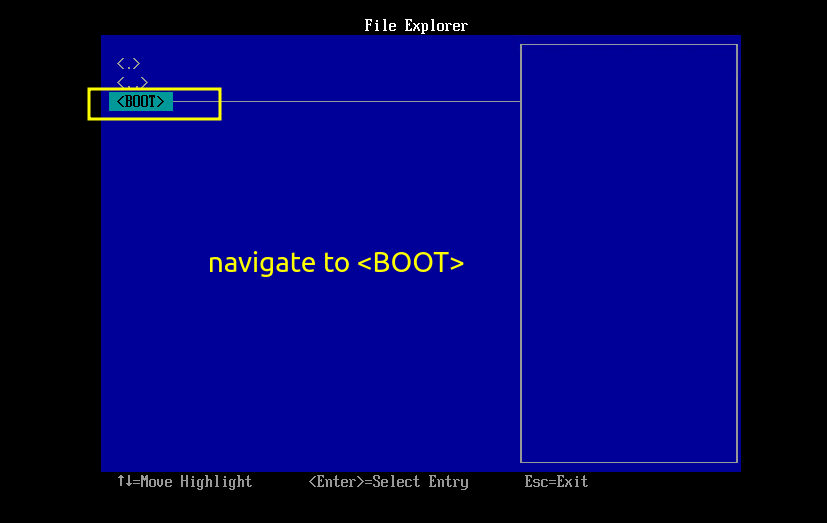
Navigate to BOOT
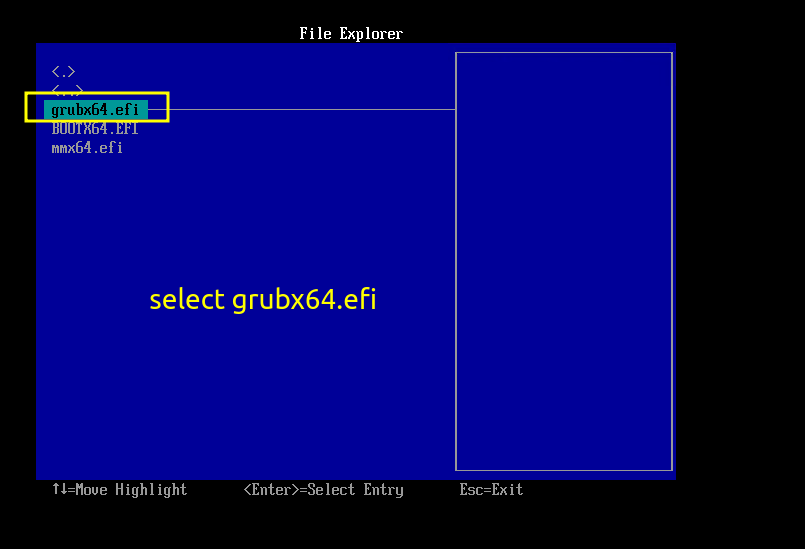
Navigate to select grubx64.efi and wait until your virtual machine boots up
Last updated on
Was this page helpful?
Next to read:
Auto Runnull
Discard Changes
Do you want to discard your current changes and overwrite with the template?
Archive Synced Block
Message
Create new Template
What is this template's title?
Delete Template
Message