Advanced Usages
v4.0.1
Search this version
Advanced Usages
Advanced Usages
Title
Message
Create new category
What is the title of your new category?
Edit page index title
What is the title of the page index?
Edit category
What is the new title of your category?
Edit link
What is the new title and URL of your link?
Boot and scan virtual machines
Copy Markdown
Open in ChatGPT
Open in Claude
- MetaDefender Drive supports hypervision: VMWare Workstation (Windows and Linux) and QEMU Virtual Machine Manager (Linux)
Boot and scan VMWare Workstation virtual machines
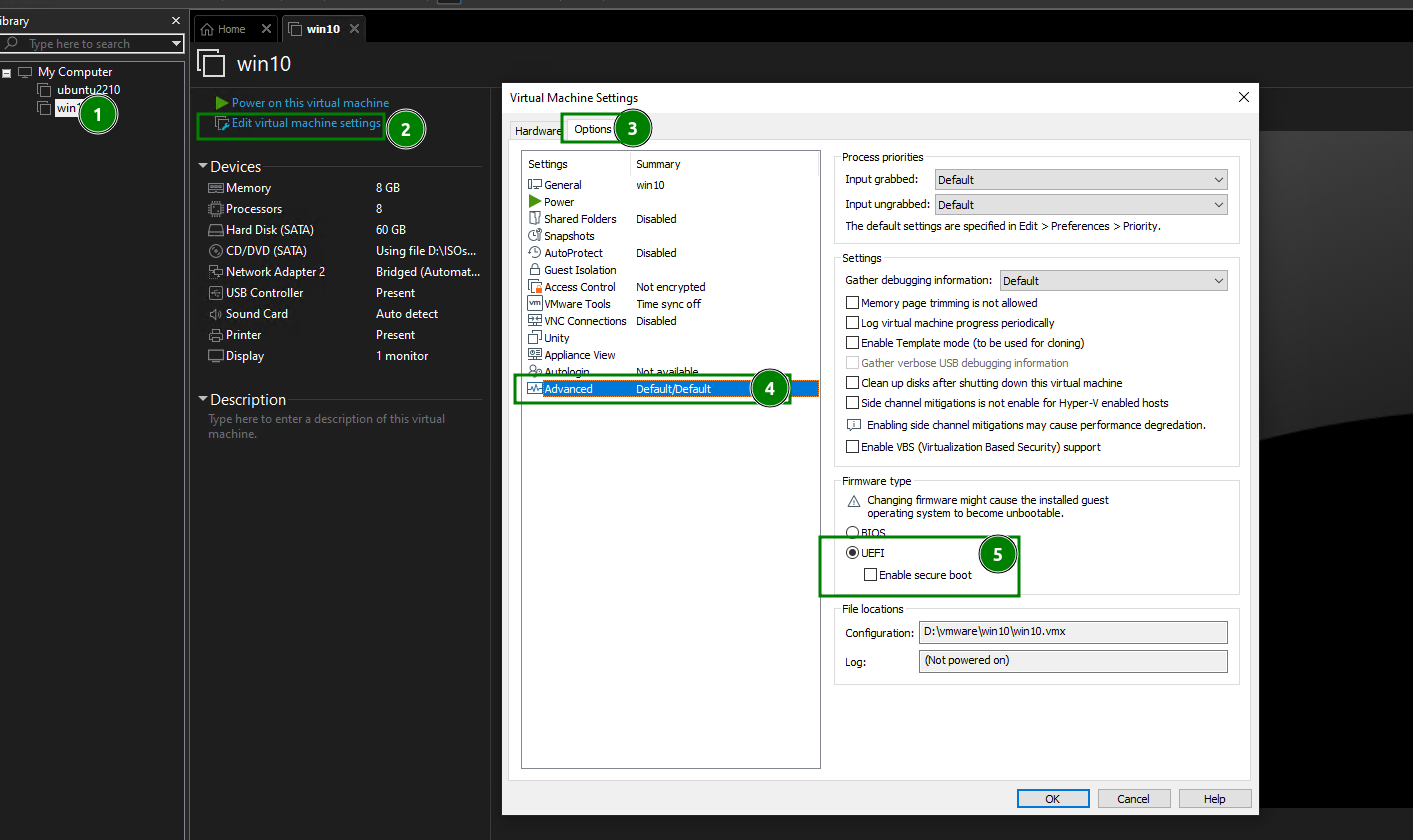
- From VMWare Workstation, edit properties of a VM, make sure it is set to run with UEFI
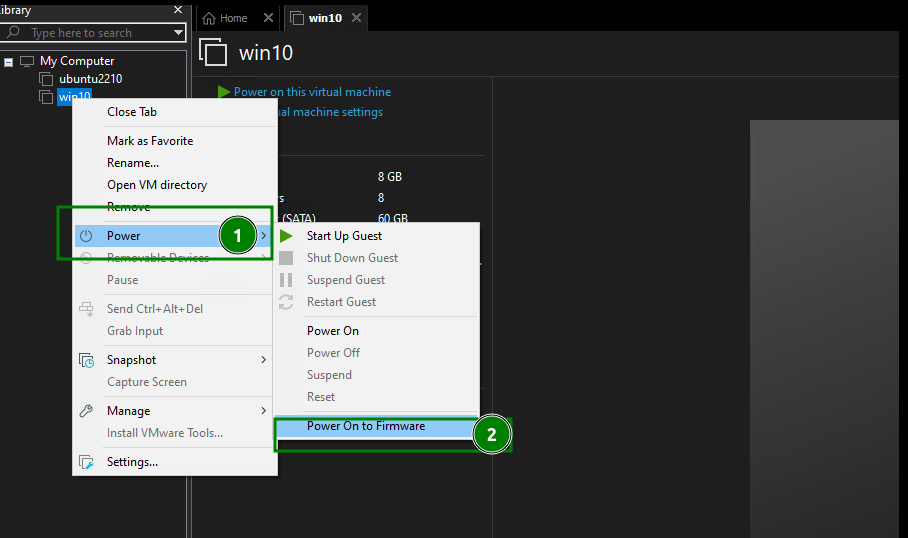
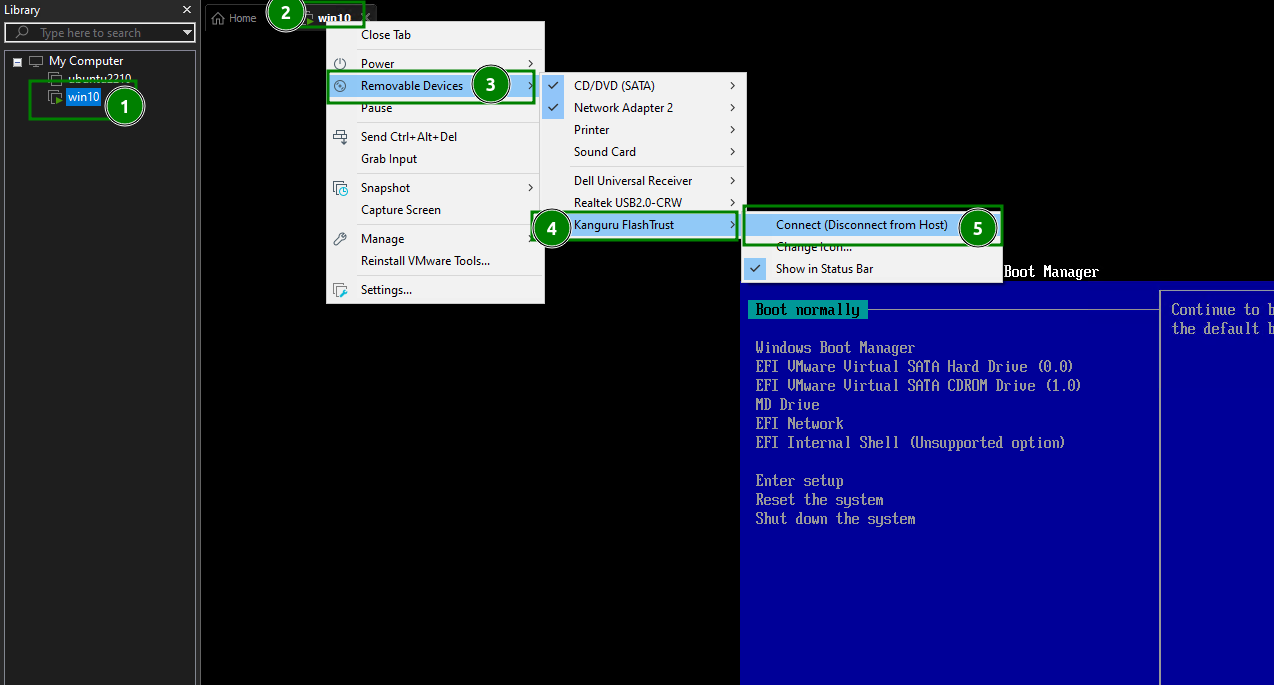
- Power On VM to Firmware
- Connect the MetaDefender Drive into the VM
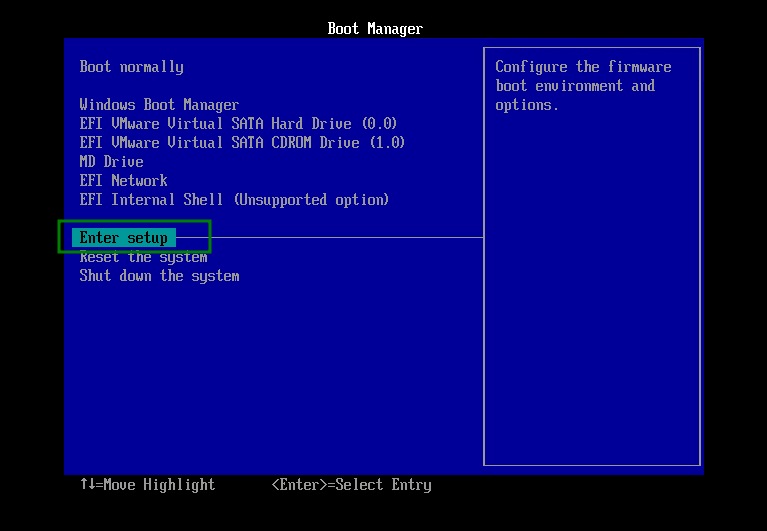
- Enter Boot Setup
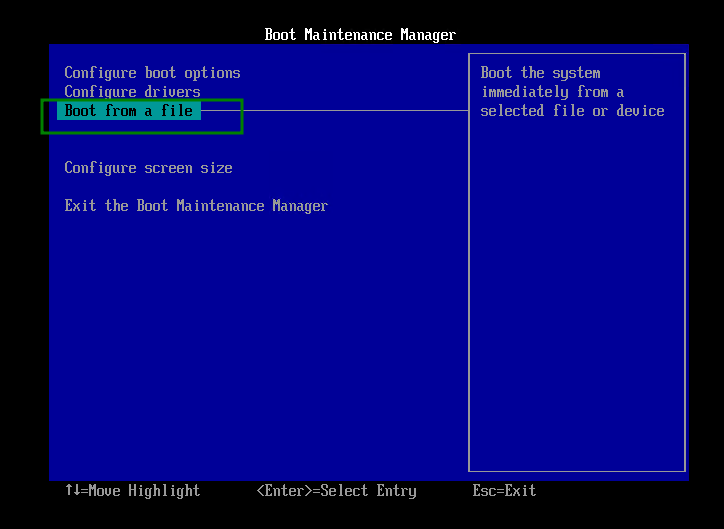
- Select Boot from a file
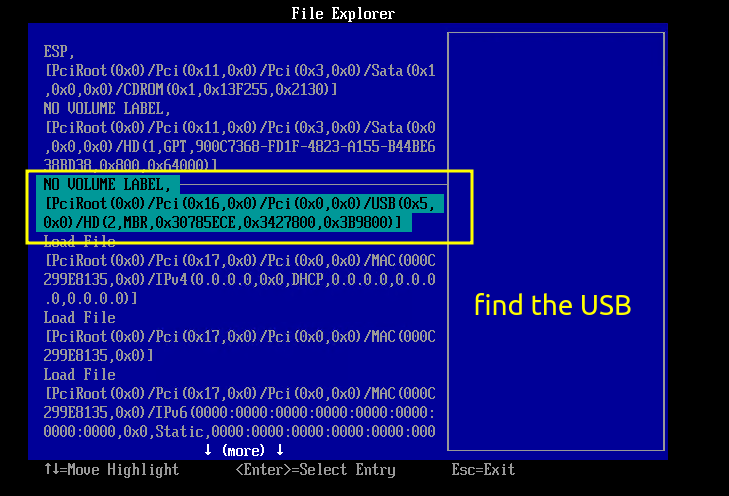
- Find the USB device
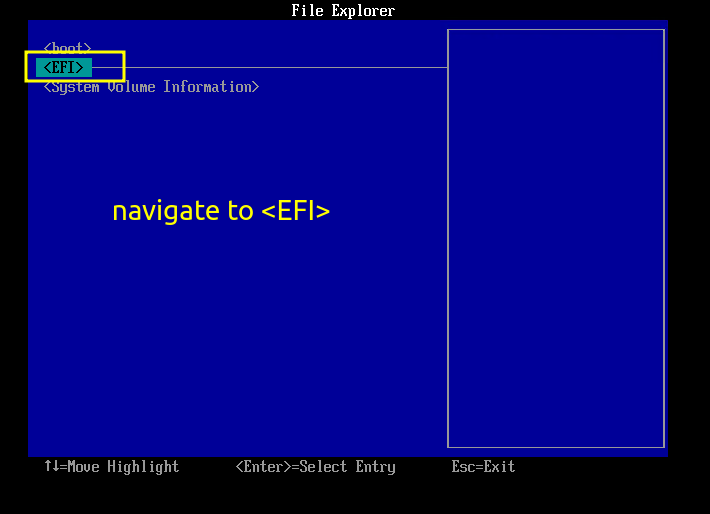
- Navigate to EFI
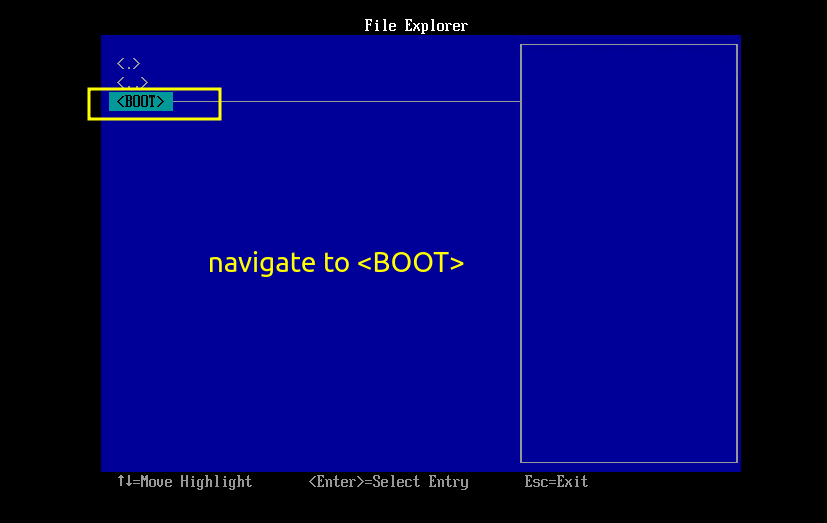
- Navigate to BOOT
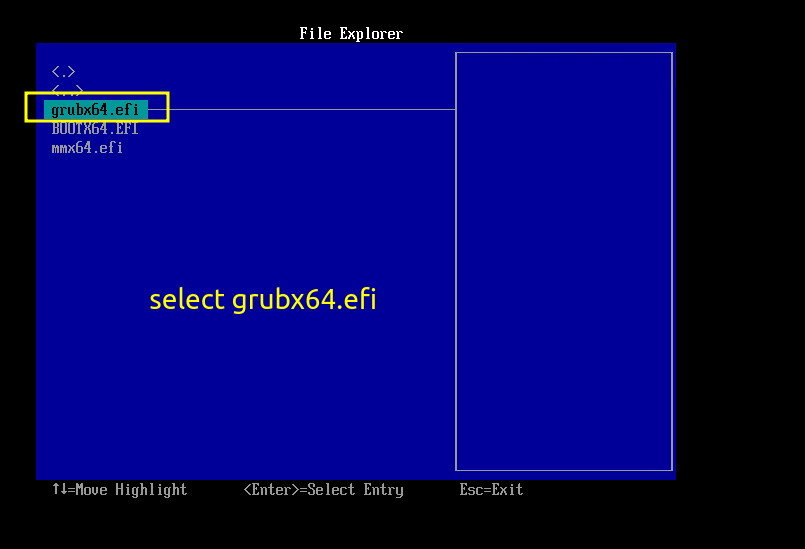
- Navigate to select grubx64.efi and wait until your virtual machine boots up
Type to search, ESC to discard
Last updated on
Was this page helpful?
Next to read:
Auto RunDiscard Changes
Do you want to discard your current changes and overwrite with the template?
Archive Synced Block
Message
Create new Template
What is this template's title?
Delete Template
Message