
Please select the Settings button in the upper right-hand corner of the MetaDefender Drive UI. Then select Edit under the Preferences tab. Finally, select the appropriate language under the Select a language dialog.
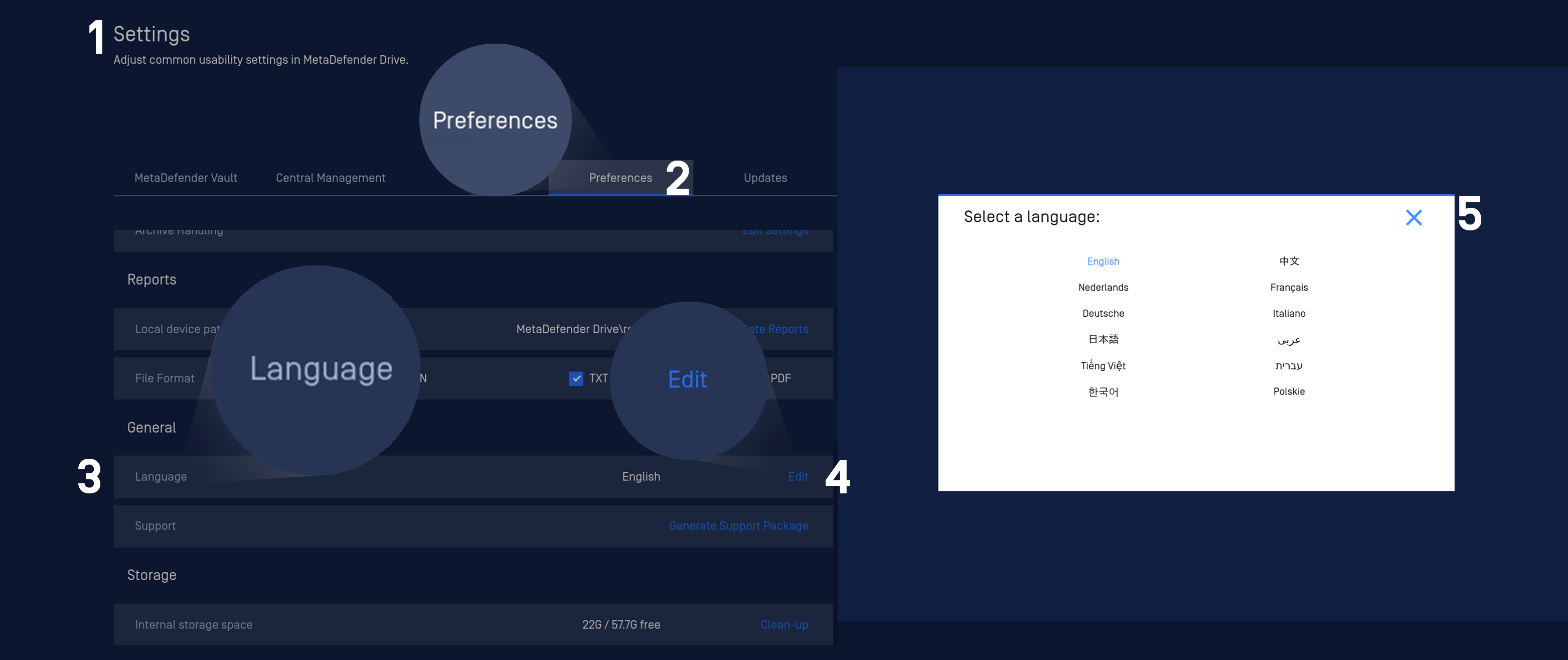
MetaDefender Drive provides localization in several languages
English
French
Dutch
German
Italian
Japanese
Chinese
Vietnamese
Hebrew
Polish
Korean
Was this page helpful?
Configuration