Configuration
v3.14.0
Search this version
Configuration
Configuration
Title
Message
Create new category
What is the title of your new category?
Edit page index title
What is the title of the page index?
Edit category
What is the new title of your category?
Edit link
What is the new title and URL of your link?
Settings - Updates
Copy Markdown
Open in ChatGPT
Open in Claude
Settings > Preferences >Quick Scan Settings > Edit Settings
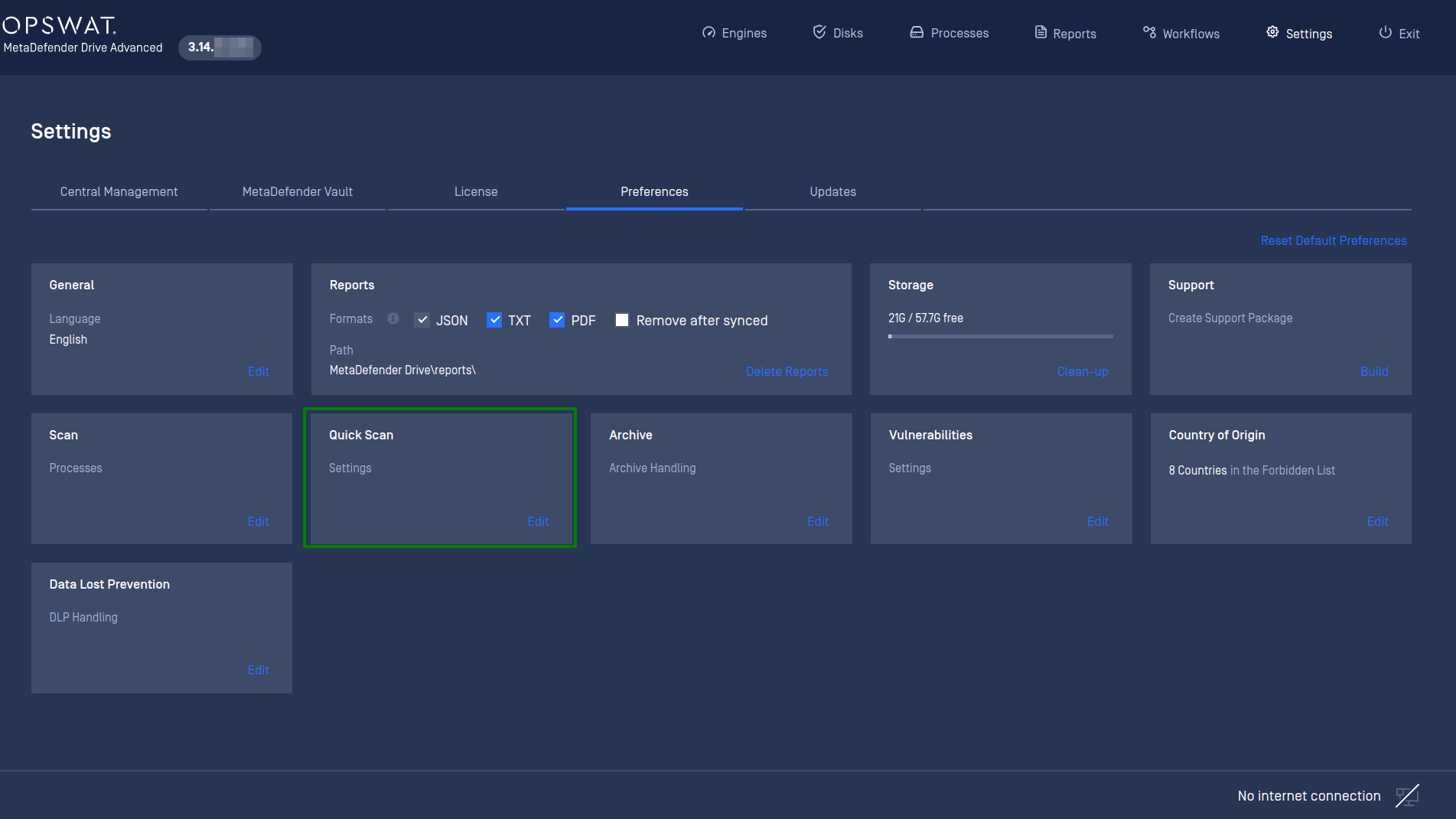
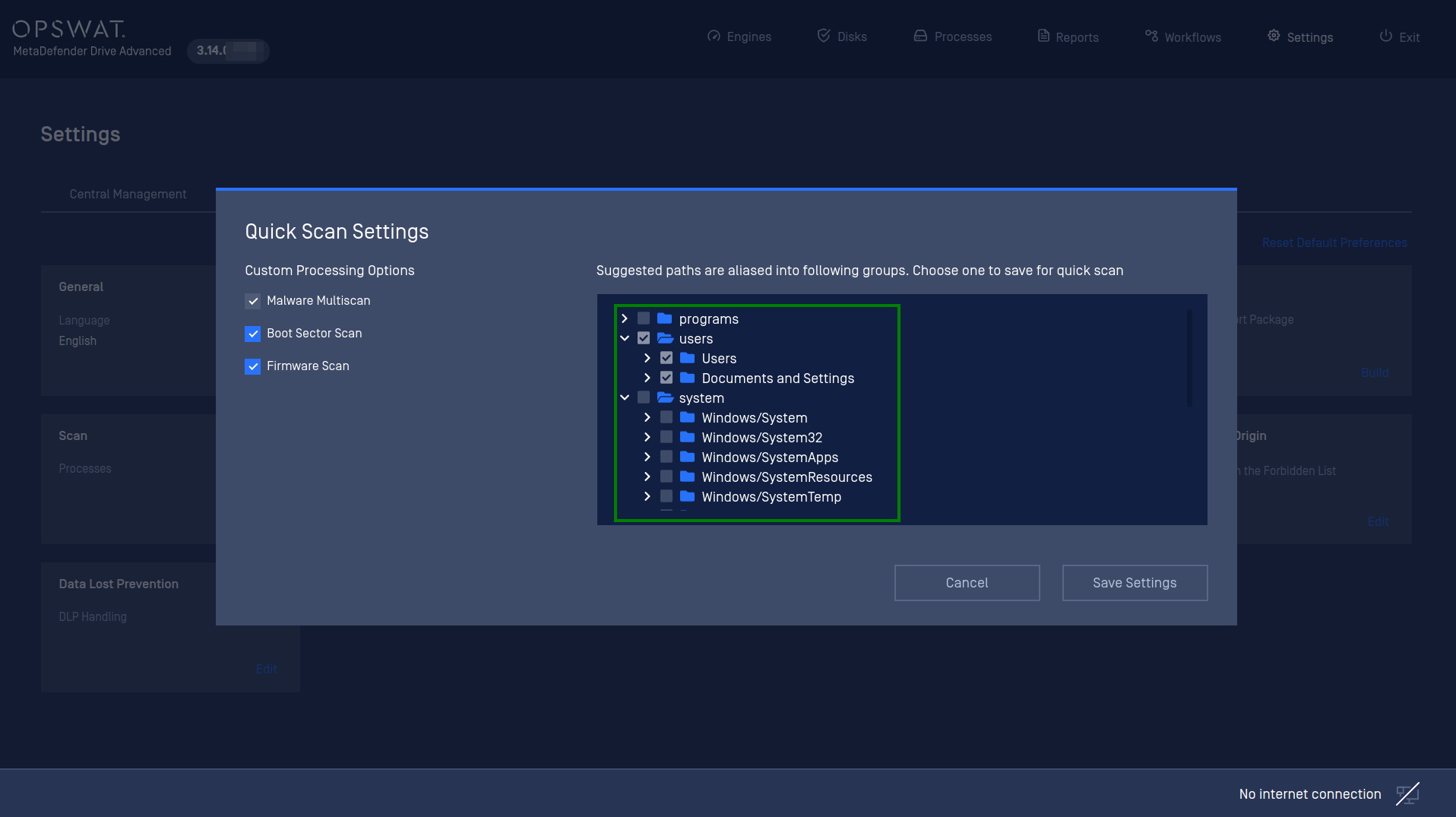
The default paths that being suggested for Quick Scan mode is "System" which is including the most important files and folders of a Windows system. These are the most targeted paths by attackers.
The user can change the default paths and save for the next quick scan session.
- Program
- Users
- System
- All of above
Normally, for a typical Windows laptop with SSD storage, each individual path would take up to 30 minutes or less to complete. A scan against all of the suggested paths would take up to 1 hour and a half approximately.
Type to search, ESC to discard
Last updated on
Was this page helpful?
Next to read:
Preferences - DLP SettingsDiscard Changes
Do you want to discard your current changes and overwrite with the template?
Archive Synced Block
Message
Create new Template
What is this template's title?
Delete Template
Message
