
This page contains tips on how to obtain the USERNAME and the USER BASE DN and GROUP BASE DN attributes when creating an Active Directory type user directory.
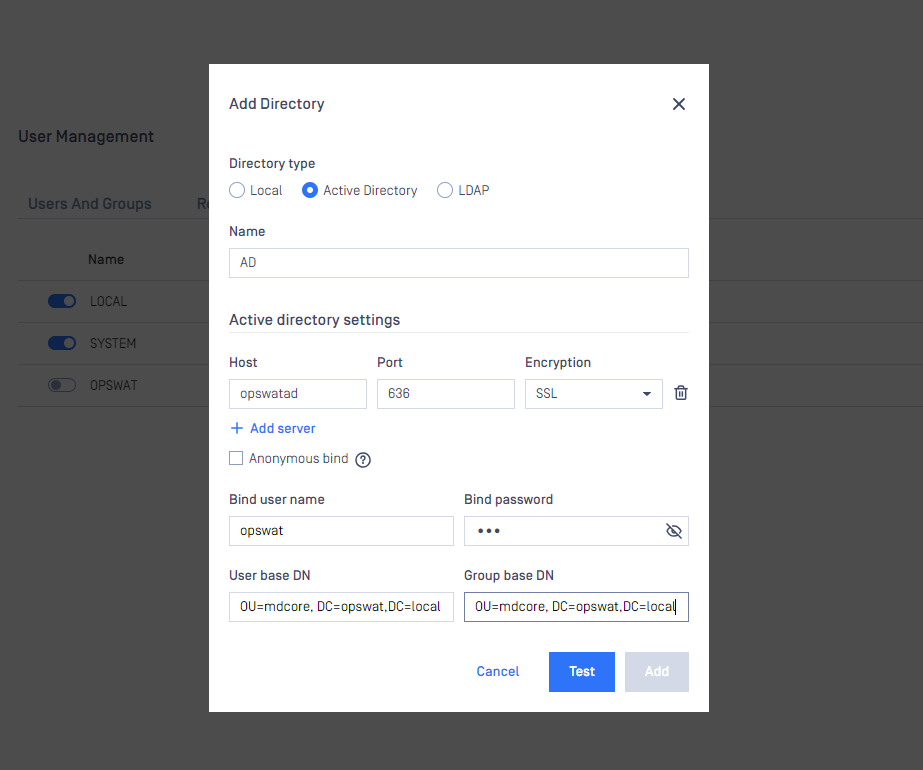
Username
All three attributes should be expressed with a valid LDAP syntax.
Normally a domain administrator should provide these values, however there is a way to get the USERNAME as a LDAP DN, that is needed for the Metadefender Update Downloader to do searches in the directory information tree, and it is as follows:
Log on to a Windows server machine that has connectivity to the Active Directory
Choose a user that is intended for this purpose (ie: has rights to do searches in the tree)
Open a Command window with elevated rights (Run as Administrator)
Assuming example.com as domain and John Smith with account name john.smith as the user, type the following:
or
The commands above will return the correct DN for the user in question. The DN should look something like this:
CN=John Smith,OU=People,OU=Engineering,DC=example,DC=com
Please note, the actual user DN will not look exactly like the above example, but will depend on the structure of the underlying directory information tree in the Active Directory server.
User base and group base DN
Once the user DN is obtained, an easy way to get the DNs for the user and group searches is by taking all the DC parts of the user DN and leaving the rest out, which results in the following DN:
Please note that using only DC components for the user/group DNs may result in searches to be executed from the top of the directory information tree and potentially slow down AD server responses a lot and thus have an impact on Metadefender Update Downloader password validation. The rule of thumb here is that the more specific the user/group DN the faster the server response.
Taking the above example into consideration: a user search DN of "OU=People,OU=Engineering,DC=example,DC=com" could potentially result in much faster server response than "DC=example,DC=com" and should be preferred assuming all users reside under "OU=People,OU=Engineering,DC=example,DC=com" in the directory information tree.
Please also note that users and groups may reside in different parts of the directory information tree, as a consequence applying the same, more specific DN both as USER BASE DN and GROUP BASE DN may cause Metadefender Update Downloader not to find group accounts in the directory information tree. So these DNs should be chosen carefully.