
Knowledge Base
v5.22.1
Search this version
How can I add a mail server to the Core deployment?
Check Your Version:
This article applies to all MetaDefender V5 releases deployed on Windows and Linux systems.
An email server is added to the MetaDefender Core deployment by performing the following steps:
Log into the Core console and navigate to the Settings\Network tab.
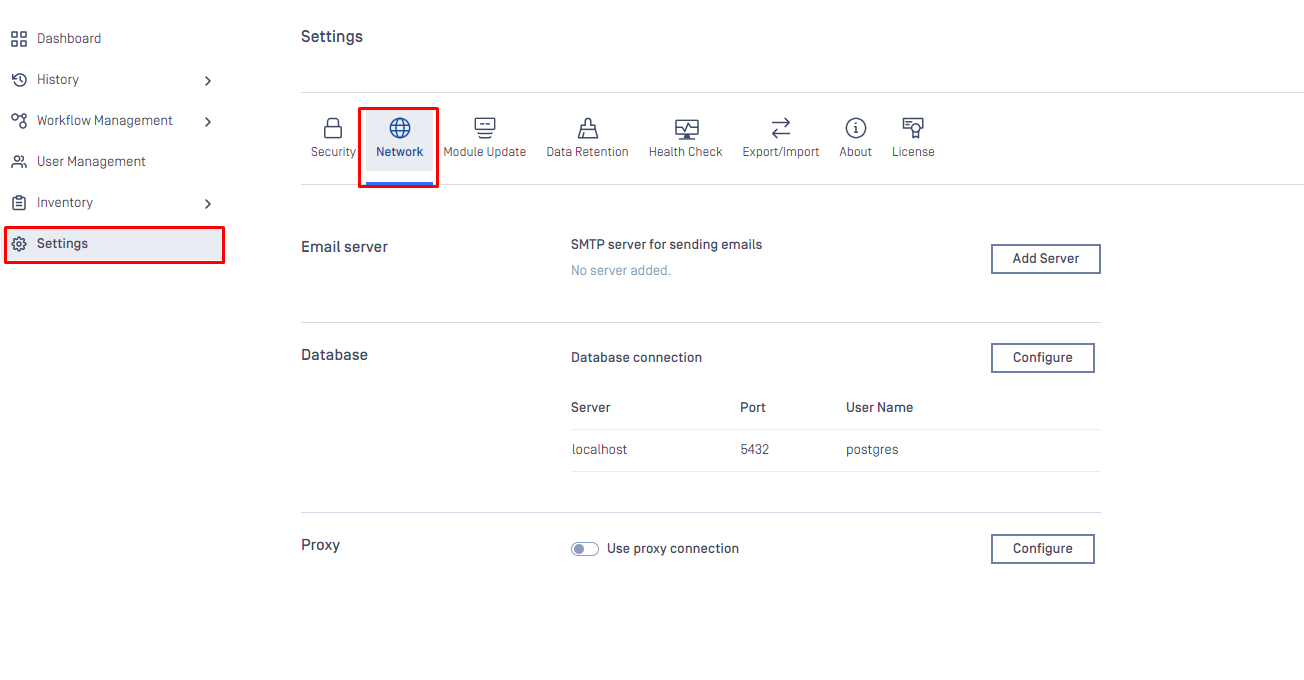
Open the “Add server” tab and complete the requested information fields, regarding Server URL, Port, Connection Type, Auth method, Admin user email and User name and password.
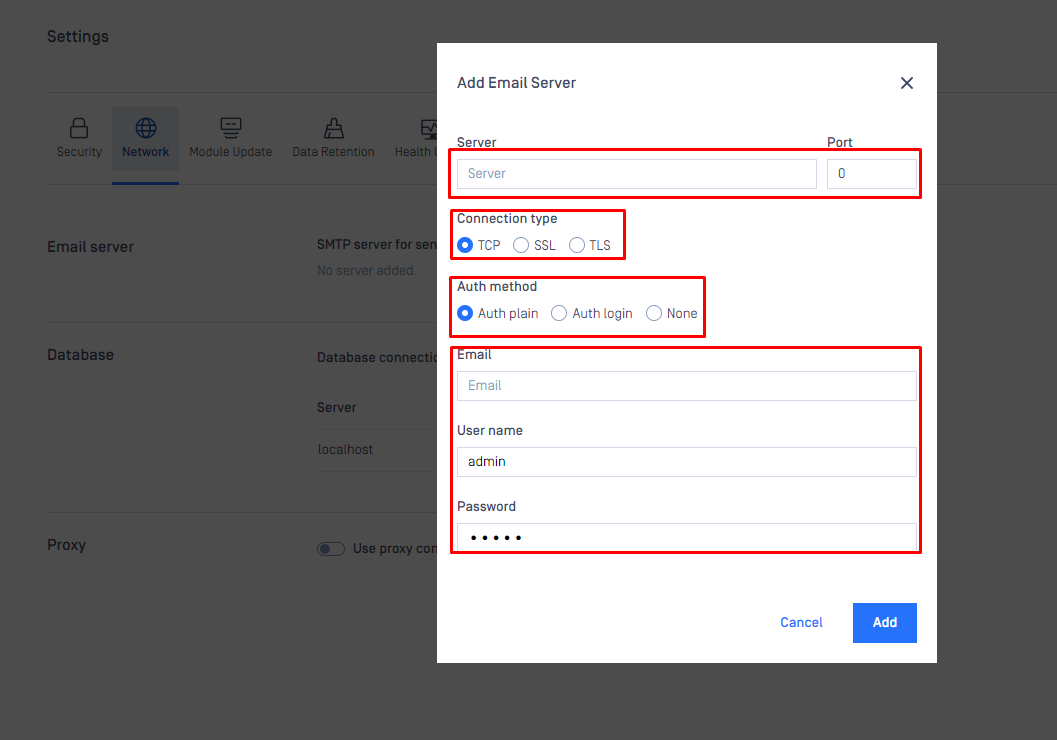
After adding the requested information, simply click on the “add” button and the integration is complete.
Support:
If Further Assistance is required, please follow the instructions on How to Create Support Package With Bundle Tools?, then proceed to log a support case or chat with our support engineer.
Last updated on
Was this page helpful?
Knowledge Base
Knowledge Base
Configuration and Settings
Errors and Troubleshooting
Features and Functionality
Feedback and Support
Licensing, Setup and Deployment
Testing MetaDefender Core
Updates, Patches and Bug Fixes
Version Upgrades