
OCR is a commonly-used technology to recognize text inside images. It examines the text of the documents and converts the characters into code that can be used for data processing. Proactive DLP now can utilize this technology to detect and redact sensitive information.
Supported file types
Portable Document Format: PDF
Microsoft Office: doc, docx, MS Word XML, xls, xlsx, ppt, pptx, rtf,
Standalone image: jpg, png, tiff, bmp, .jp2, .jpg2, .jpf, .jpx, .mj2, .mjp2, .jpm, .jpgm
Supported languages
English
Enabling OCR
Policies > Workflow rules > "Workflow name" > Proactive DLP > Optical character recognition (OCR)
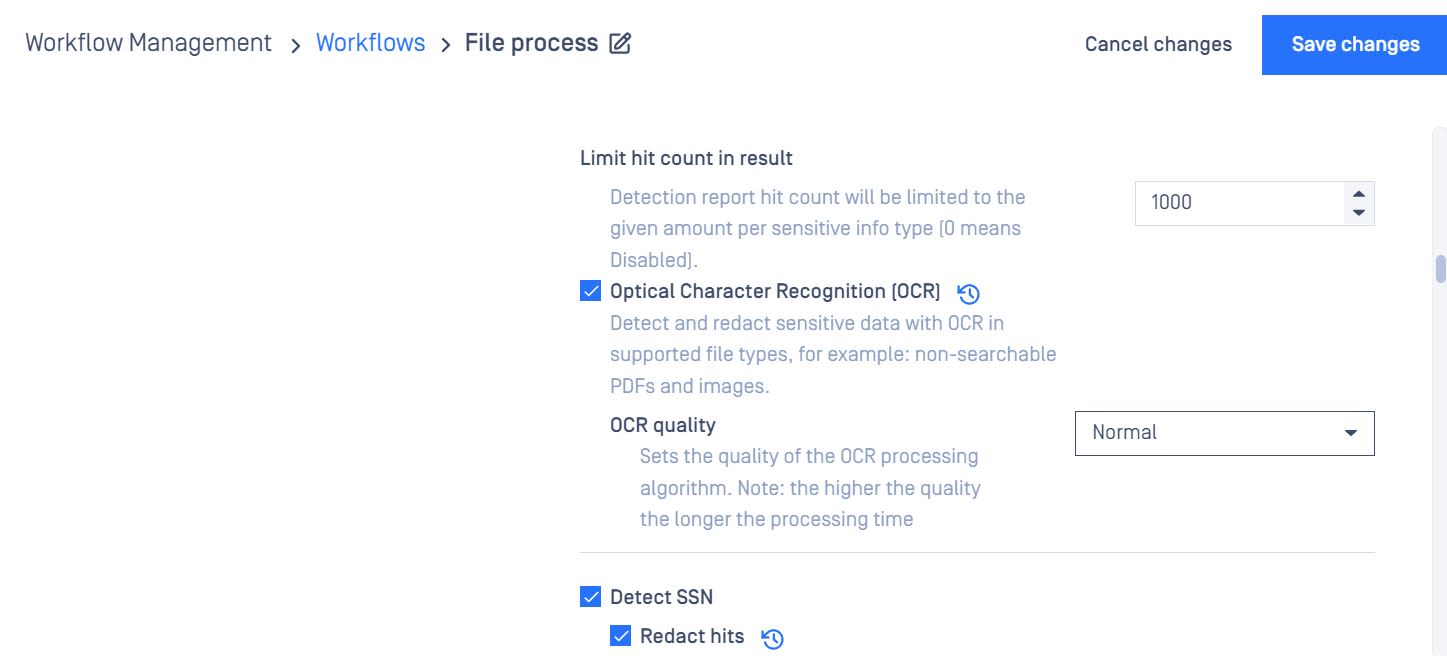
OCR Quality:
Normal: detect the information without pre-processing images
Best: pre-processing images before detecting the image to have a better detection rate, however, performance will be impacted
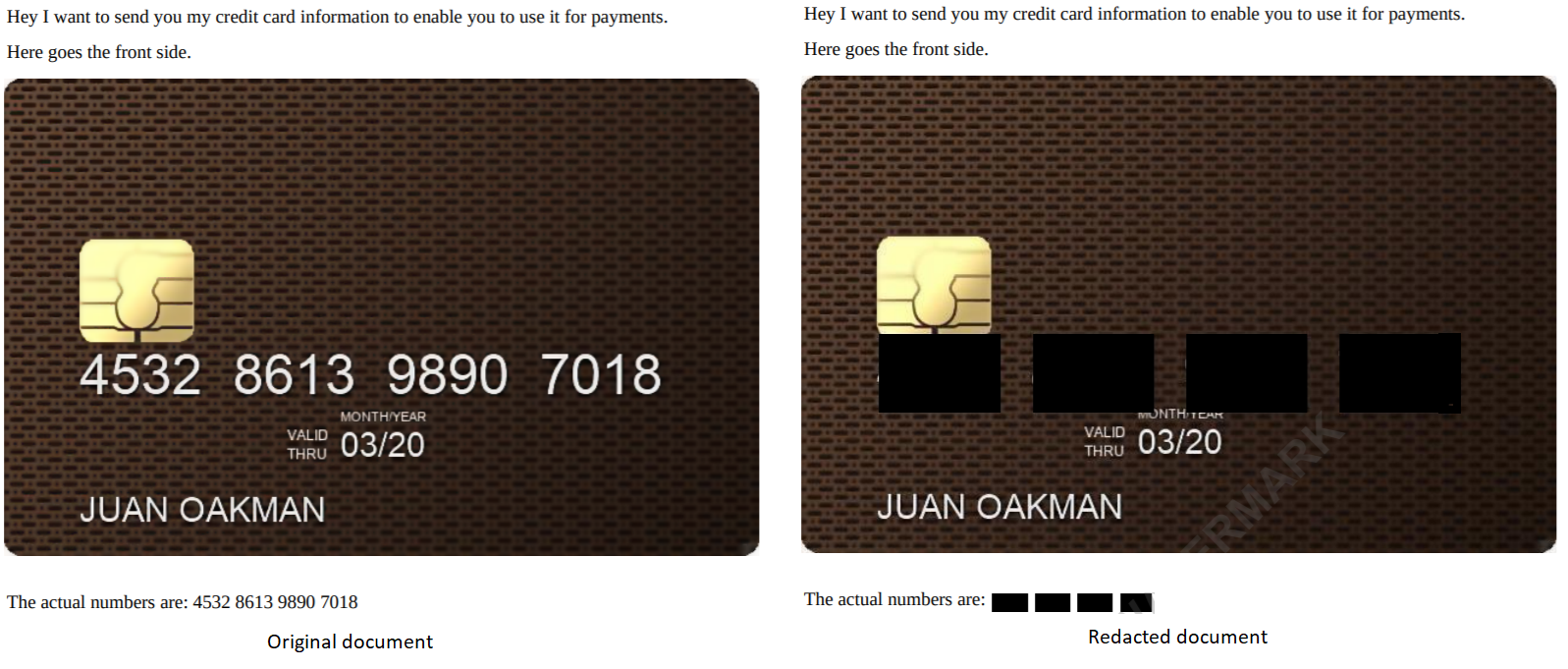
Example output
System requirements
Vectors can affect the accuracy
Low contrast documents
Documents with small text
Documents with blurry images
Colored paper or background in documents
Handwritten text
Unusual or script-type fonts
This feature uses AI functionality for Optical Character Recognition (OCR) to extract text from images and scanned documents, converting it into machine-readable text. You have the option to enable or disable the AI-powered feature within the configuration settings. By default, this feature is disabled but can be activated or deactivated at any time based on user preference. If you enable the AI-powered feature, OPSWAT will not use your content to train or fine-tune its services. You should not rely on any results generated from AI-based functionality without verifying them.