Overview Release Notes Central Hub Deployment Kubernetes Configuration Advanced Deployment
Getting Started
Deployment & Usage
Support
References
Deep CDR
v5.10.1
Search this version
Deep CDR
Deep CDR
Title
Message
Create new category
What is the title of your new category?
Edit page index title
What is the title of the page index?
Edit category
What is the new title of your category?
Edit link
What is the new title and URL of your link?
Advanced Configurations
Copy Markdown
Open in ChatGPT
Open in Claude
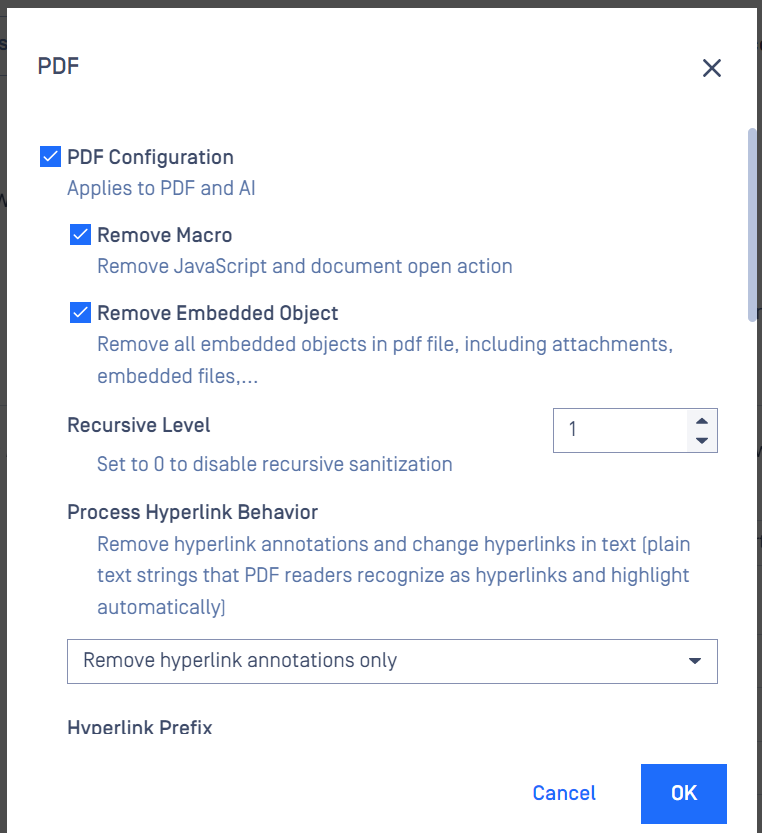
Deep CDR can be configured via workflow or rules within administrator management console. For each file type, it is customizable via module configuration, which objects to remove. For example, you can configure to remove macro while keeping hyperlinks.
The engine configuration is accessible under Workflow > Workflow name > Deep CDR > Advanced > File type
Note:
- PDF Configuration - Skip Signed File: The sanitization process still produces a sanitized file, however, it is the same as the original file.
Type to search, ESC to discard
Last updated on
Was this page helpful?
Next to read:
Retain password protection on sanitized filesDiscard Changes
Do you want to discard your current changes and overwrite with the template?
Archive Synced Block
Message
Create new Template
What is this template's title?
Delete Template
Message
