This feature allows users to run detections for a chosen set of file types. By narrowing the scope, the engine concentrates solely on the selected targets, helping speed up the overall detection time.
Enable the feature
This feature is disabled by default. To enable this feature:
At Workflow Management > Workflows > [Workflow name] > File Type > General, Enable Detect specific file types only
Select file type groups at the sub-setting Selected groups of file types.
Select file types at the sub-setting Selected specific file types.
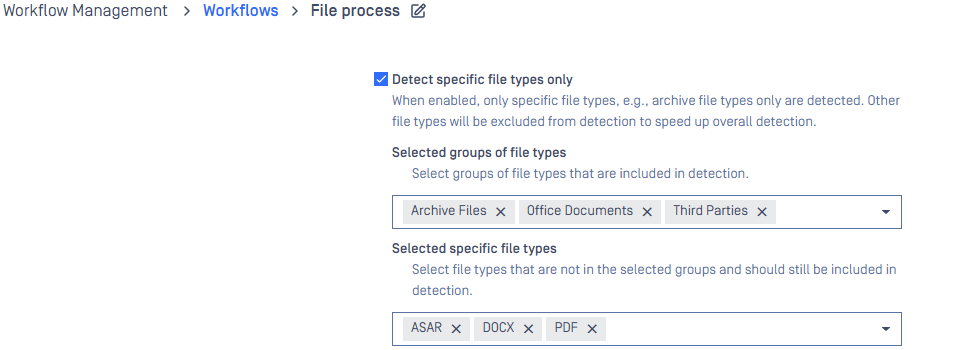
Based on the selected groups and file types, the engine identifies which file types should be detected and selects the appropriate analyzers or detectors to run.
Additional file types may be processed beyond those explicitly selected. For example, if users choose file type A under Selected specific file types, and analyzer X supports both A and B, analyzer X will be invoked, and files of type B will also be detected..
File types defined in user-created custom rules will not appear in the selection list of the
Detect specific file typesfeature. This means these custom file types are excluded from the feature and will be detected asDATA.
Use case: Run detections on extractable files only
The following is the way to configure detections to run only on extractable files.
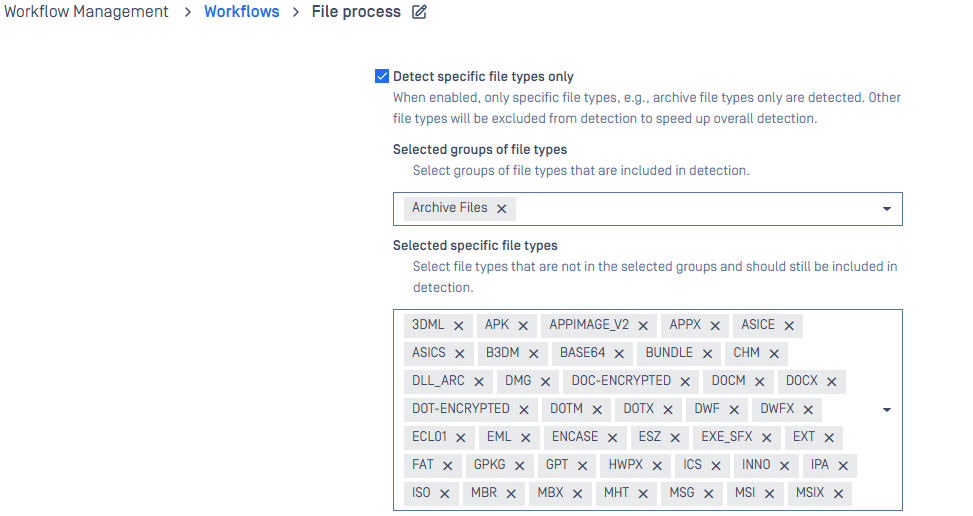
Selected groups of file types should be added with Archive Fileswhich covers archive formats such as ZIP, 7z, RAR, and others.
There are also non-archive files that are still extractable, for example, MS Office, disk images... If these are applicable to your use case, they should be added in the Selected specific file types section. You do not need to enable all options; only select the file types relevant to your use case.
The supported extractable non-archive file types: 3DML, APK, APPIMAGE_V2, APPX, ASICE, ASICS, B3DM, BASE64, BUNDLE, CHM, DLL_ARC, DMG, DOC-ENCRYPTED, DOCM, DOCX, DOT-ENCRYPTED, DOTM, DOTX, DWF, DWFX, ECL01, EML, ENCASE, ESZ, EXE_SFX, EXT, FAT, GPKG, GPT, HWPX, ICS, INNO, IPA, ISO, MBR, MBX, MHT, MSG, MSI, MSIX, MSM, MSO-ENCRYPTED, NTFS, NUPKG, ODP, ODS, ODT, OFT, OLE, OPENPGP-ENCRYPTED, OST, OTP, OTS, OTT, OXPS, P7M, PACK, PBIT, PBIX, PDF-ENCRYPTED, PKG, POT-ENCRYPTED, POTM, POTX, PPAM, PPS-ENCRYPTED, PPSM, PPSX, PPT-ENCRYPTED, PPTM, PPTX, PST, QCOW, RIBC, SHOW, SLDM, SLDX, STC, STD, STI, STW, SXC, SXD, SXG, SXI, SXM, SXW, TNEF, TWBX, UDF_ISO, UTIB, VDI, VHD, VHDX, VMDK, VSDM, VSDX, VSIX, VSSM, VSSX, VSTM, VSTX, WIM, X12EDI, XLAM, XLS-ENCRYPTED, XLSB, XLSM, XLSX, XLT-ENCRYPTED, XLTM, XLTX, XPS, ZLIB.
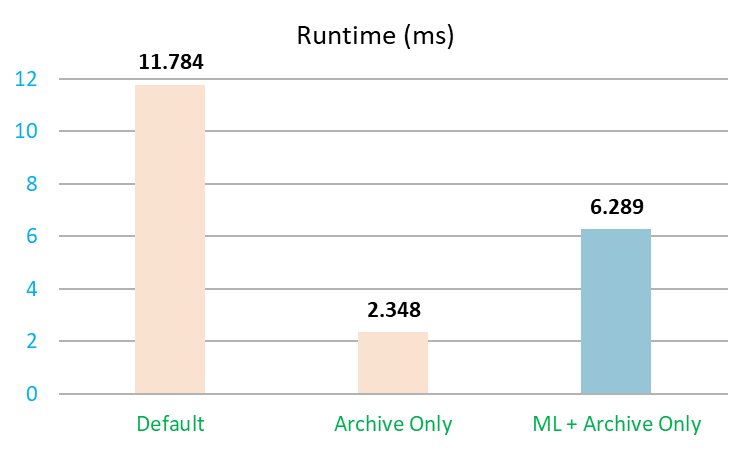
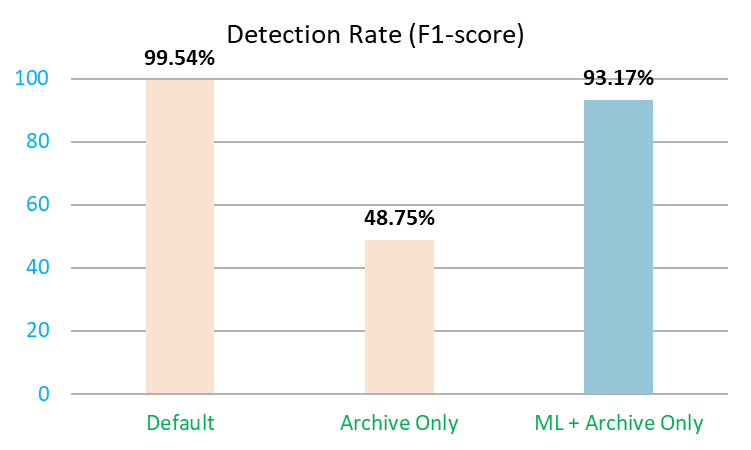
Below are comparisons of run time and detection rate across three modes: Default, Archive Only, and ML + Archive Only. ML stands for Machine Learning which requires feature Classify with Machine Learning to be enabled. The test results are for reference only and were obtained using a dataset in which approximately 55% of the files were archive files. Actual results may vary depending on file types and nature of files.