
Check Your Version:
This article applies to MetaDefender Core with the embedded Adaptive Sandbox module, Adaptive Sandbox version 3.3.0 or later, deployed on Windows and Linux systems.
Overview
The Offline Reputation Service allows you to supply local reputation entries for MetaDefender Core’s Adaptive Sandbox. Use an allow list to trust selected indicators, such as a URL extracted from a document, when you have reviewed the detection and determined that an exception is appropriate.
Configure a permanent reputation folder in the Core interface and place the applicable reputation files in that folder.
Applies to
MetaDefender Core with the embedded Adaptive Sandbox module on Windows or Linux.
Adaptive Sandbox version 3.3.0 or later, with a Core build that exposes the Offline Reputation Service folder setting.
Configure URL allowlisting
1. Create a permanent reputation folder
On the server running Adaptive Sandbox, create a dedicated folder outside the MetaDefender Core installation and engine directories. For example:
Platform | Example folder |
|---|---|
Windows |
|
Linux |
|
These paths are examples; choose a path appropriate for your deployment. Avoid special characters in the path. A simple path without spaces is recommended. Ensure that the account running the module can read the folder and its files, including access through the parent directories.
Important: Do not store customer reputation files inside Core’s installation or engine directories. Files in those locations can be removed or replaced during updates or restarts.
2. Create the URL allow list
Inside the folder, create a plain-text file named exactly:
Add one URL or domain per line. For example:
The protocol is optional. The reputation service ignores the protocol when matching an entry, so using http://, https://, or no protocol does not change the allowlisting behavior.
You may add an optional description after a comma:
URL matching is domain based. Review the scope of the exception before adding an entry; do not assume that a full URL limits the exception to a single page or path.
3. Configure the folder in MetaDefender Core
Sign in to the MetaDefender Core management console.
Go to Inventory → Modules → Adaptive Sandbox.
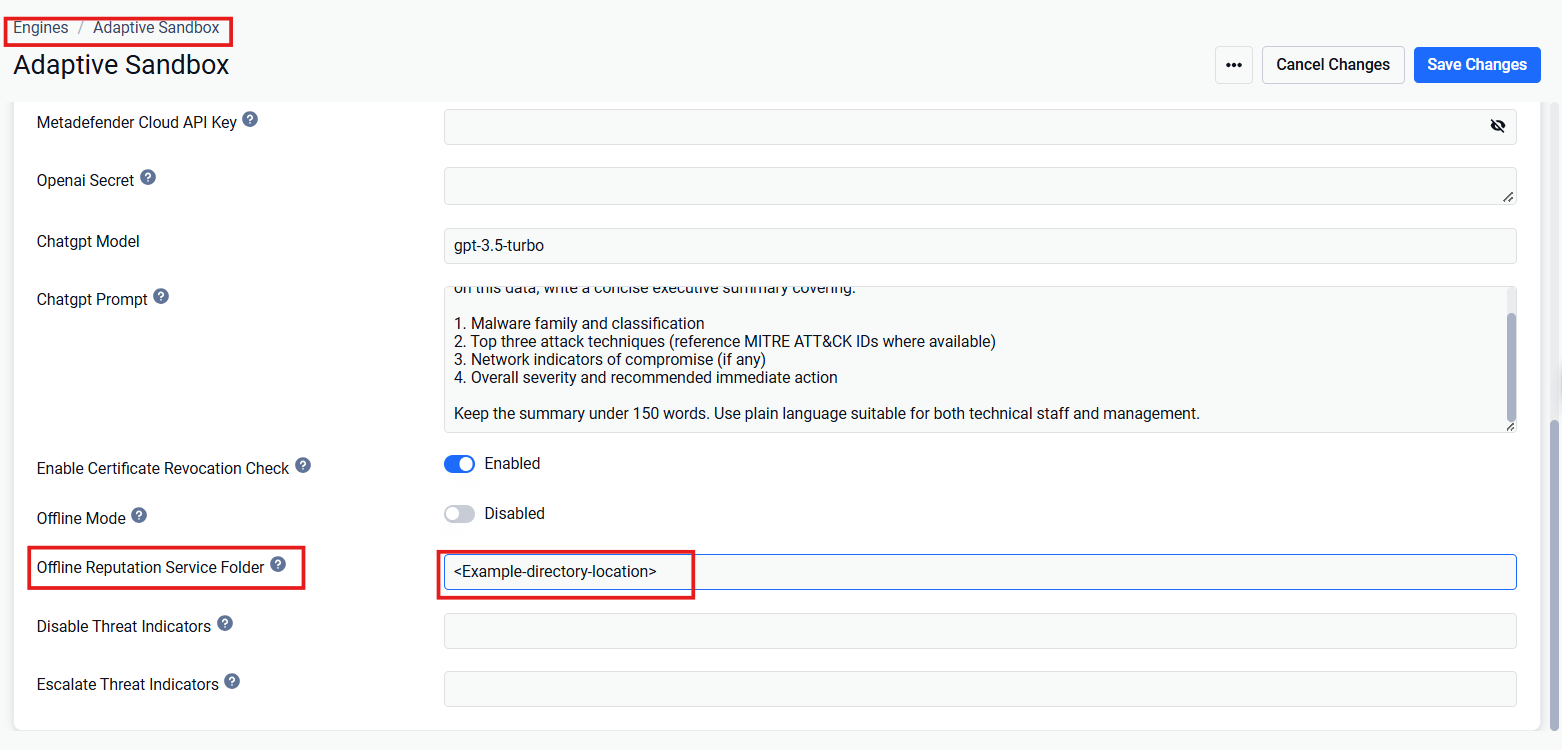
Locate Offline Reputation Service folder.
Enter the full path to the folder created in step 1. Enter the folder path, rather than the path to
url_allowed.txt.Save the module configuration.
You do not need to enable Offline mode for this feature. A manual restart of the MetaDefender Core service is not required and the engine will restart the first time this feature is enabled and the settings are saved; afterwards, the engine has to be restarted for any new changes to take effect.
Other supported reputation file names
The linked Offline Reputation Service reference defines the following allow-list files:
Entry type | Allow-list file |
|---|---|
MD5 hash |
|
SHA-256 hash |
|
IP address |
|
Domain |
|
URL |
|
Digital certificate owner |
|
Certificate-owner entries have separate formatting requirements and do not support optional descriptions.
File formats
Each file - except digicert_owner_allowed.txt - can contain single-line entries as comma separated data and optional description pairs.
Examples: md5_allowed.txt
Example:digicert_owner_allowed.txt
Import Behavior
Data is imported at application startup, if a file has changed.
If a file changes, existing data for that type and list is replaced entirely.
All internal (system-managed) reputation data is updated after installation.
External (customer) reputation data can be modified and re-imported at any time.
Frequently asked questions
Q: Which file path should I use for the allowlist file?
You can store the allowlist file in any suitable location, subject to the following restrictions:
Do not store it in the MetaDefender Core installation folders, as files in these folders may be removed or replaced during updates or service restarts.
Ensure the path contains no spaces or special characters.
A dedicated folder under your user profile is a suitable location.
Q: Do I need to enable Offline mode?
No. This feature works regardless of whether Offline mode is enabled.
Q: Should I include the protocol, such as HTTP or HTTPS, when adding a URL allow/block?
The protocol is optional. The reputation service ignores it, so allowlist and blocklist entries apply whether the protocol is included, omitted, or different from the protocol used in the request.
Q: Do I need to restart the MetaDefender Core service after making these changes?
No. A manual service restart is not required. The engine will restart the first time the settings are saved, and afterwards the engine has to be restarted for any new changes to take effect.
Support:
If Further Assistance is required, please proceed to log a support case or chatting with our support engineer.