
Overview
FSV can check JSON files against a JSON Schema that you provide. Before the file is sanitized, the engine validates it against the schema and reports whether it conforms. You choose whether a non-conforming file is only reported or is blocked.
Applies to: JSON, HAR, LYRX.
Schema dialects: Draft 4, 6, 7, 2019-09 and 2020-12, picked from the schema's $schema keyword. A schema without $schema is accepted; an unrecognised $schema value fails with Schema error. format keywords (date-time, email, uri, ...) are enforced, not just annotated.
Settings
In the Core web console: Workflows → open the workflow → File Structure Validation → Schemas Validation → Schema-based JSON Validation.
Quick start
Copy your schema files to a folder on the Core server, e.g.
C:\schemas\orders\:
C:\schemas\orders\
  order.schema.json      <- root schema
  address.schema.json    <- referenced by order.schema.json
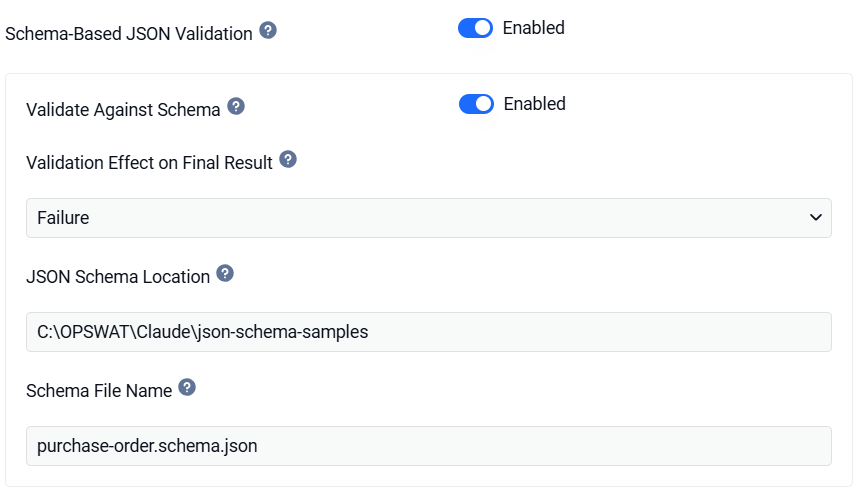
In the workflow rule, enable Validate against Schema under Schema-Based JSON Validation.
Set JSON Schema Location =
C:\schemas\ordersand Schema File Name =order.schema.json.Pick the Validation Effect: start with
Successto see results without blocking, switch toFailureonce the schema is trusted.Scan a JSON file and check the result (see below).
Example schema order.schema.json:
$ref)
A
$refto another file is resolved by file name, in the same directory as the root schema.address.schema.json,./address.schema.jsonandhttps://example.com/schemas/address.schema.jsonall loadaddress.schema.jsonfrom that directory.Nothing is downloaded. To use a schema that references a remote URL, save the referenced file beside the root schema under the same file name.
A referenced file that is missing or not valid JSON fails the file with Schema error.
Results
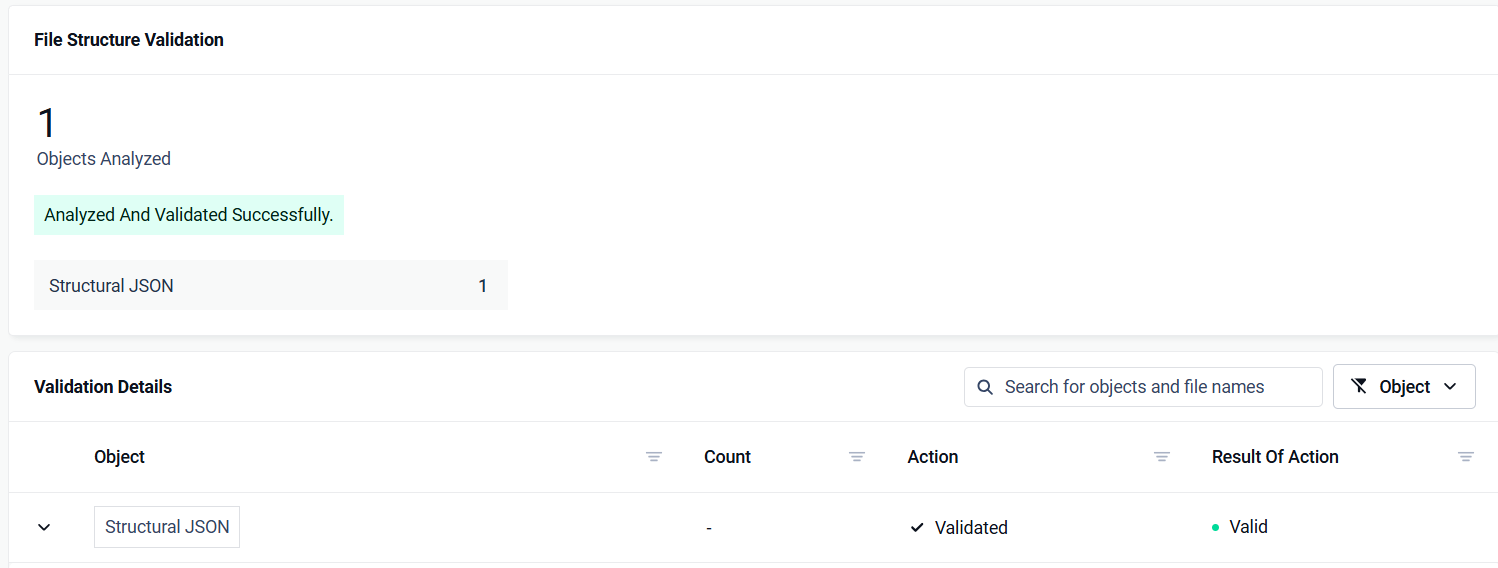
Results appear in the Core scan result under filestructurevalidation_info.process_details, as the processed object structural JSON in details. A blocked file has the message in details and a failure_category instead.
Valid file
Invalid file, effect = success — the file is still allowed; the violation is reported:
Invalid file, effect = failure — the file is blocked, category invalid file structure, with the same message as the failure details.
Message reference
Situation | Category | Details |
|---|---|---|
Instance violates the schema | invalid file structure (effect |
|
File is detected as JSON but cannot be parsed (e.g. NDJSON) | invalid file structure (both effects) | Effect |
Location empty / missing | failed to sanitize |
|
Schema file name empty | failed to sanitize |
|
Schema file not found | failed to sanitize |
|
Schema is broken or a | failed to sanitize |
|
Schema configuration problems (Schema unavailable, Schema error) always fail the file, whatever the validation effect, so a misconfiguration is never silently passed.
Specify the schema through the REST API
When you submit a file through the REST API (POST /file), you can choose which JSON schema File Structure Validation validates the file against. Pass the schema file name in the engines-metadata request header:
Parameter | Description |
|---|---|
| File name of the XSD to validate against, for example, for example |
Known limitations
NDJSON (newline-delimited JSON) is not validated per line. With effect
failurethe file is blocked asMalformed JSON; with effectsuccessit is allowed and reported asinvalidwith theMalformed JSONmessage.UTF-16 JSON files are not validated: the file is allowed and no
structural JSONentry is reported.