
Overview
This section describes how to install and set up MetaDefender Cluster (MD Cluster), a distributed system composed of multiple services, including:
Redis
RabbitMQ
PostgreSQL
MetaDefender Cluster File Storage (MD Cluster File Storage)
MetaDefender Cluster Identity (MD Cluster Identity)
MetaDefender Cluster Control Center (MD Cluster Control Center)
MetaDefender Cluster Worker (MD Cluster Worker)
MD Cluster can be deployed on virtual machines or physical servers. After installation, all services are connected to MD Cluster Control Center, where licensing is activated and system health is monitored.
Architecture Overview
MD Cluster consists of the following components:
Component | Default port | Description |
|---|---|---|
Redis | 6379 | Caching and fast data access |
RabbitMQ | 5672 | Message broker |
PostgreSQL | 5432 | Persistent data storage |
MD Cluster File Storage | 8890 | File storage service |
MD Cluster Identity Service | 8891 | Authentication and authorization service |
MD Cluster Control Center | 8892 | Central control and management |
MD Cluster Worker | 8893 | Instance lifecycle management |
All other services must be connected to MD Cluster Control Center for the system to function correctly.
Prerequisites
Ensure the following requirements are met before starting the installation.
Requirement | Description |
|---|---|
Deployment type | Virtual machines or physical servers. |
Privileges | Administrator privileges on Windows; Root or sudo access on Linux |
Network | All nodes must be able to communicate with each other |
Port | Required ports for Redis, RabbitMQ, PostgreSQL, and MD Cluster services must be open |
Time synchronization | NTP must be configured across all nodes |
Resources | Adequate CPU, RAM, and disk for each service |
Ensure that firewall rules allow communication between all services (Redis, RabbitMQ, PostgreSQL, and MD Cluster services).
Installation procedure
Step 1: Install infrastructure services
Install the required third-party services on designated nodes.
Install Redis on Windows, Linux, or Air-gapped.
Install RabbitMQ on Windows, Linux, or Air-gapped.
Install PostgreSQL on Windows, Linux, or Air-gapped.
Ensure all services are installed and running before proceeding to the next step.
Step 2: Install and setup core MD Cluster services
Setup Data Lake and Warehouse.
Step 3: Connect services to Control Center
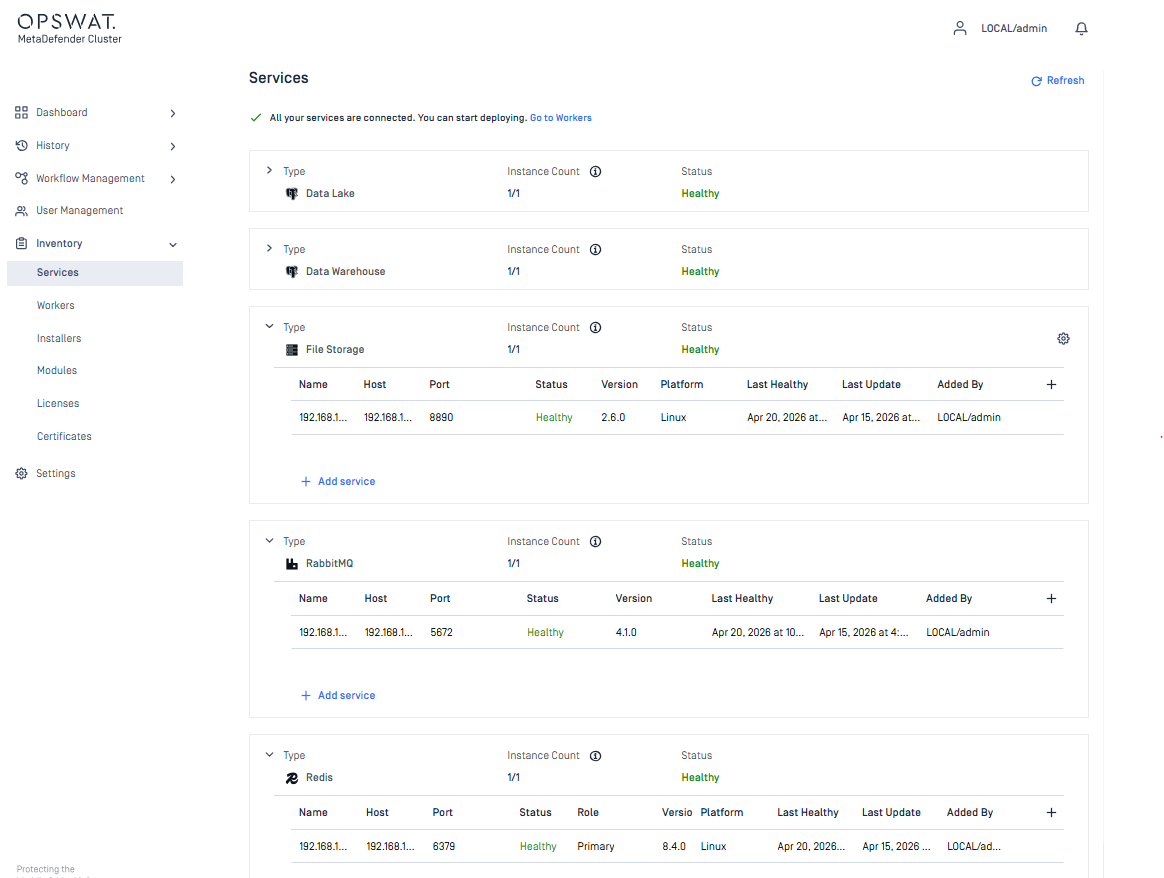
After installation, register all infrastructure services and MD Cluster File Storage to Control Center.
Sign in to MD Cluster Control Center console using your administrator account.
From the sidebar, go to
Inventory>Services.Follow the instructions to add the services.
Verify connectivity to
PostgreSQL (including DataLake and Data Warehouse)
File Storage
RabbitMQ
Redis
Step 4: Install and register MD Cluster Worker
Follow the instructions to obtain the installation script.
Access each target machine and run the script.
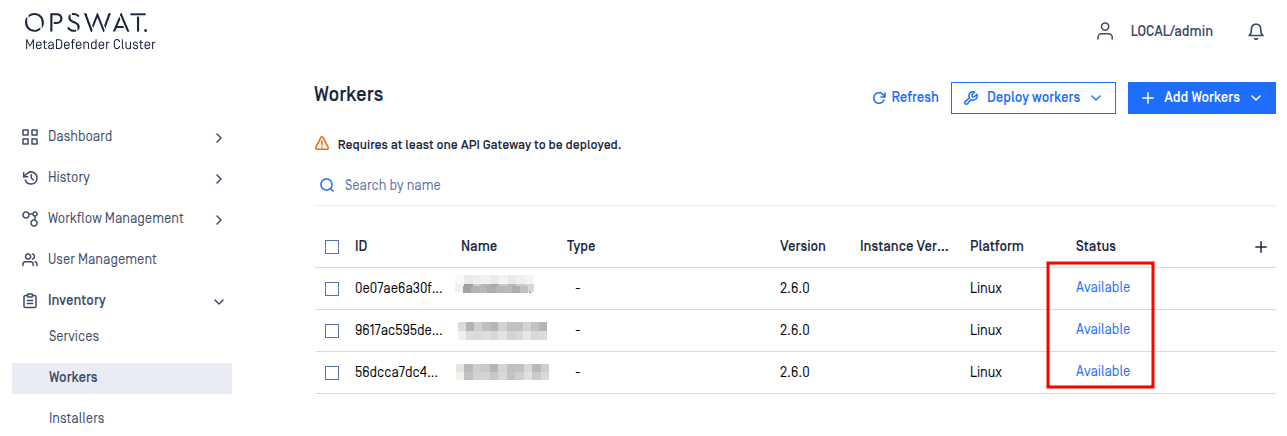
Sign in to MD Cluster Control Center console.
From the sidebar, go to
Inventory>Workers.Verify that the installed workers are showing as
Available.
Step 5: Submit execution installers
Execution installers are deployable units managed by MD Cluster Worker, responsible for executing defined processing tasks within the system’s main flow. These installers are:
MetaDefender Core (MD Core)
MetaDefender Cluster API Gateway (MD Cluster API Gateway)
MetaDefender Cluster Callback Service (MD Cluster Callback Service)
Typical steps:
Sign in to MD Cluster Control Center console using your administrator account.
From the sidebar, go to
Inventory>Installers.Follow the instructions to upload the installers.
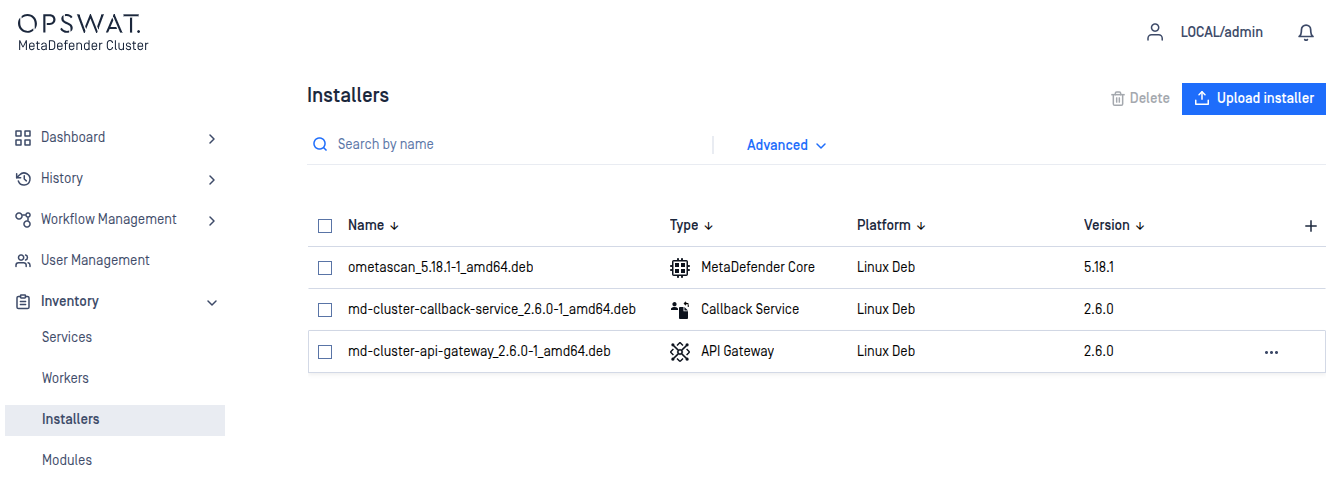
While MD Core and MD Cluster API Gateway are essential to the main flow, MD Cluster Callback Service is optional and only needed when scan results are delivered via webhooks.
Step 6: Deploy execution instances
Sign in to MD Cluster Control Center console.
From the sidebar, go to
Inventory>Workers.Ensure that MD Cluster Workers are showing as
Available.
Follow the instructions to deploy execution instances.
Verify that all instances are successfully deployed.
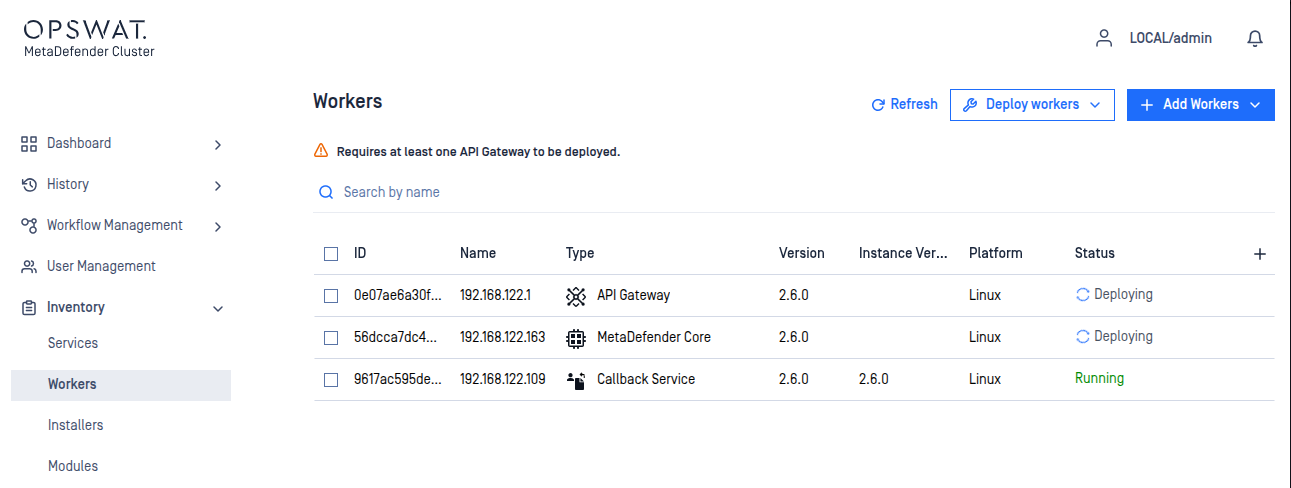
At least one instance of MD Cluster API gateway and MD Core must be deployed on MD Cluster Workers for the system to function fully.
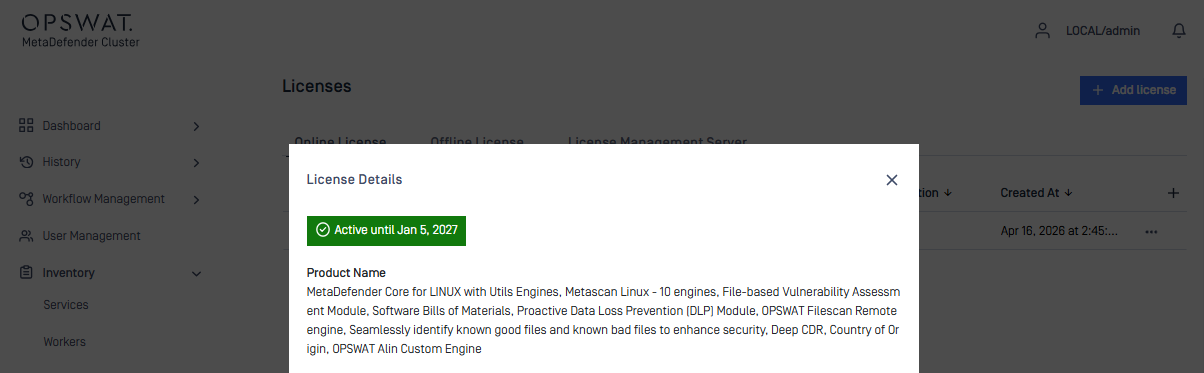
Step 7: Activate license
Sign in to MD Cluster Control Center console.
From the sidebar, go to
Inventory> LicenseFollow the instructions to activate the product according to your license type.
Confirm activation.
Step 8: Verify system activity
After licensing, verify system status.
Sign in to the MD Cluster Control Center console.
Submit a file for scanning from the Control Center.
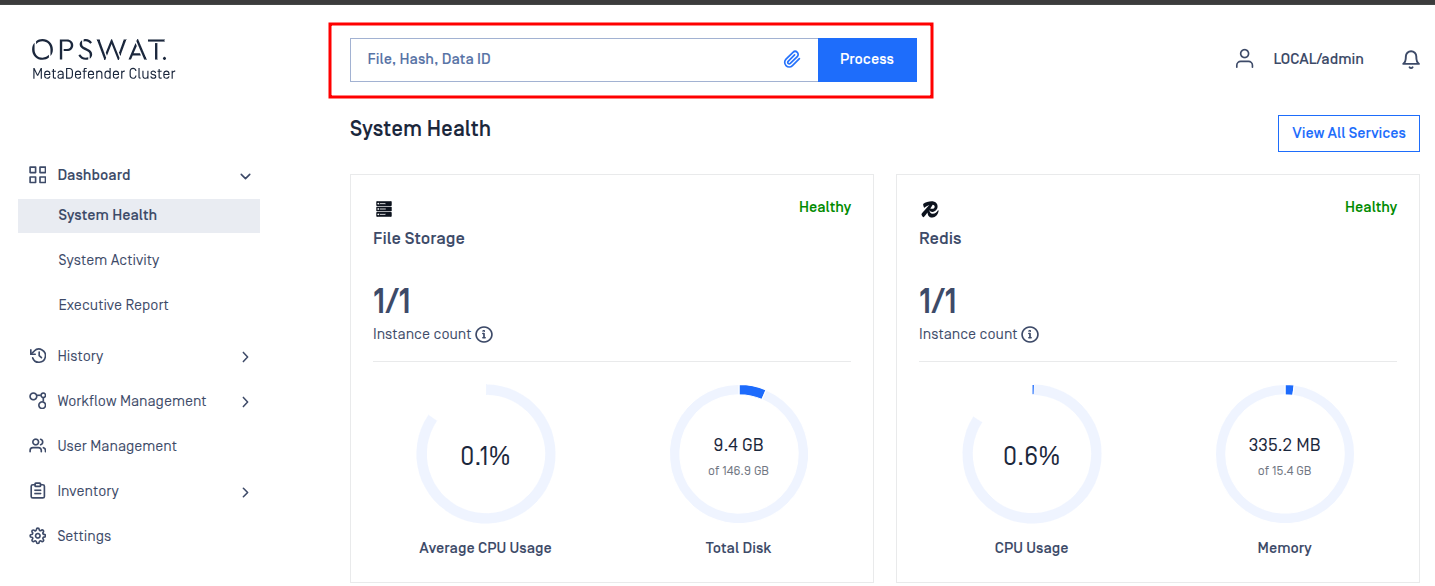
Submitting files from the Control Center is intended only to verify that the system is working correctly. For actual scanning workloads, submit files through the API Gateway using POST – Analyze File (Asynchronous Mode).
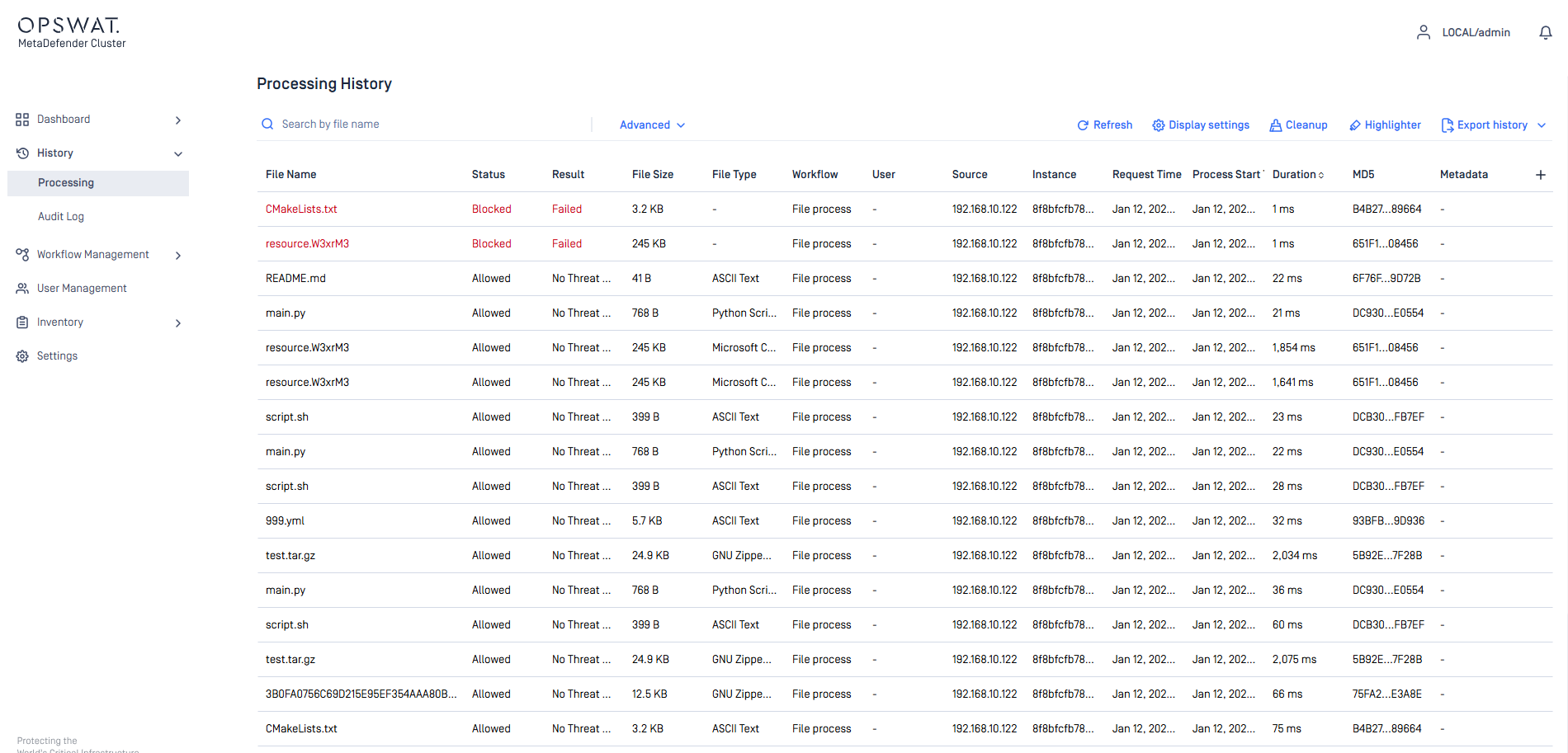
Go to
History>Processingand confirm that the files has been processed.
Log files
Platform | Service | Log location |
|---|---|---|
Windows | MD Cluster Control Center |
|
Linux | MD Cluster Control Center |
|