
The support package contains log files and is essential for OPSWAT to troubleshoot issues. Since version 2.2.0, it is now possible to gather a support package remotely via the web console of the MetaDefender Cluster Control Center.
Ensure that all MD Cluster services are upgraded to version 2.2.0 or higher to fully support this feature.
Remote support package gathering steps:
Go to
Settingsand clickGenerate Support Package.In the
Export Support Packagedialog, select which MetaDefender Cluster services need to generate support package (Service Type) and theTime Range, then selectGenerate
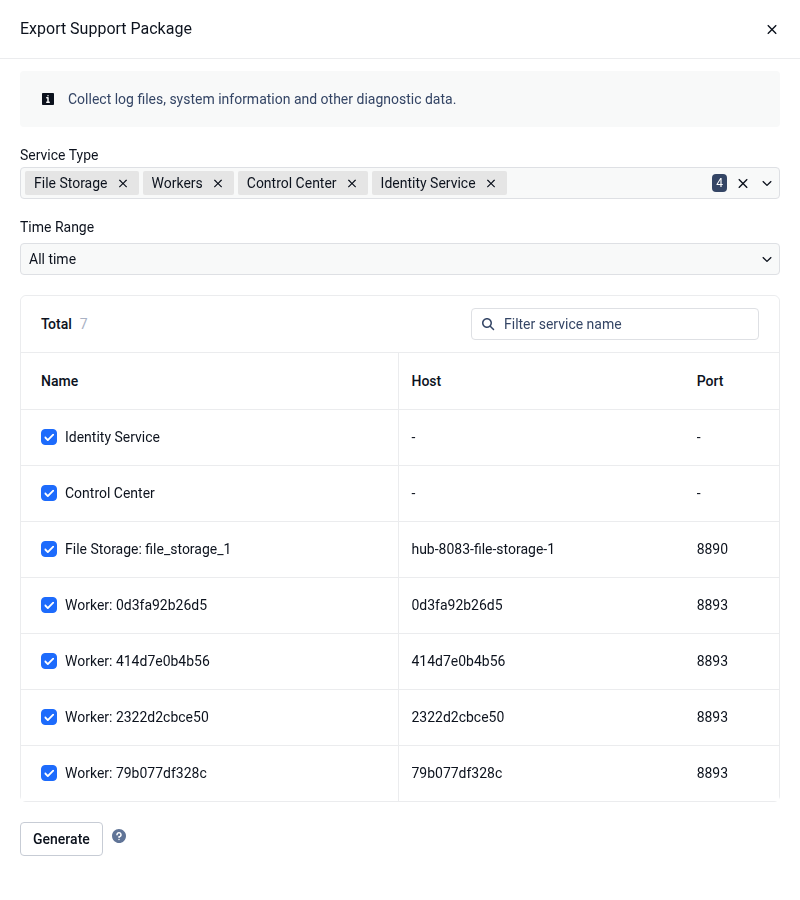
Select the MetaDefender Cluster Worker service to generate a support package for its deployed instance as well.
Wait for the generation process to complete successfully. Once it is done, the package appears with status
Successin theSupport Package Detailstable and can be downloaded from its Actions column.
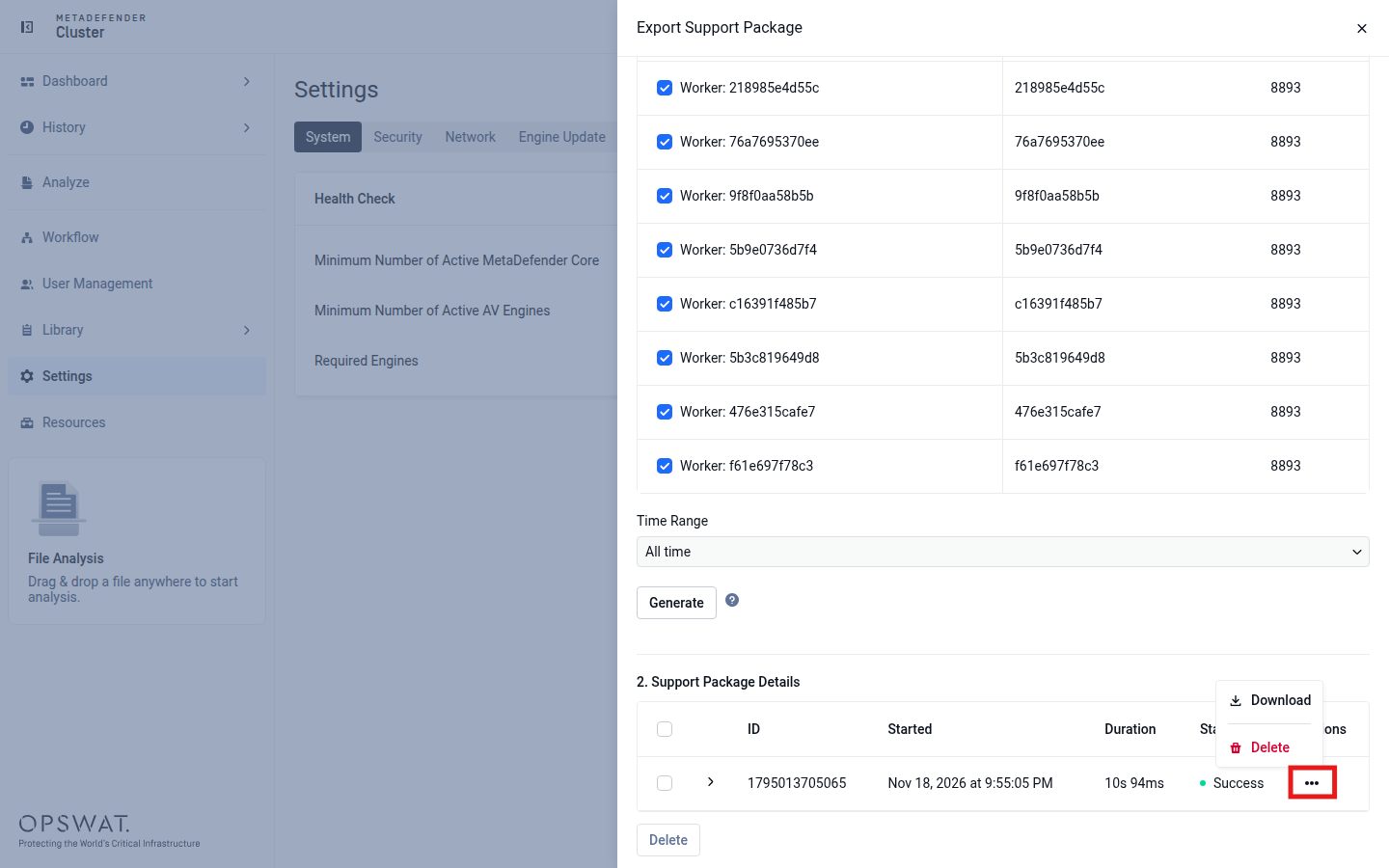
The size of the support package may vary depending on log size and the number of days for collection. If disk space is insufficient, certain log files may be excluded from the support package.
All support package files will be downloaded to the MetaDefender Cluster Control Center. Please monitor the disk space on the host running this service when using this functionality, as the size of log files can be very large.
Click
Download
Some services may fail due to connection issues or insufficient disk space. In such cases, only the successfully generated support packages will be available for download. Users can view detailed error information if failures occur.