
Key concept
The High Availability solution for MetaDefender Cluster (MD Cluster) File Storage is implemented in this manner:
A file is stored across multiple MD Cluster File Storages by MD Cluster API Gateway or MetaDefender Core.
MD Cluster API Gateway or MetaDefender Core must request all MD Cluster File Storage instances for a file existence or a file download.
A minimum of three MD Cluster File Storage instances must be installed on separate hosts for High Availability solution to function properly.
All MD Cluster File Storage instances must be of an identical version.
Setup Instructions
Setup MD Cluster File Storage instances on individual servers.
Sign to MD Cluster Control Center console with your Administrator account.
Navigate to
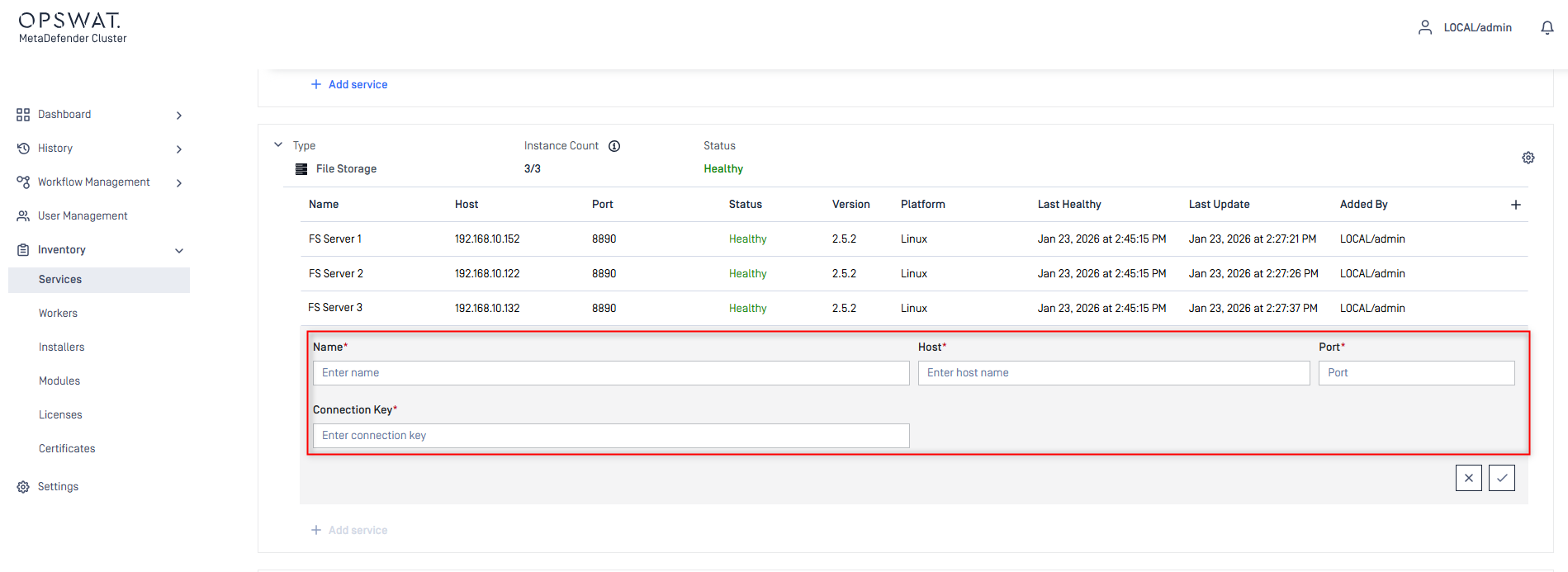
Inventory>Services.Expand the
File Storage Servicegroup.Click
Add service.Enter the values for
Name,Host,PortandConnection Keyfields of individual MD Cluster File Storage instances set up in Step 1.Click the
Checkicon in the bottom right to complete.
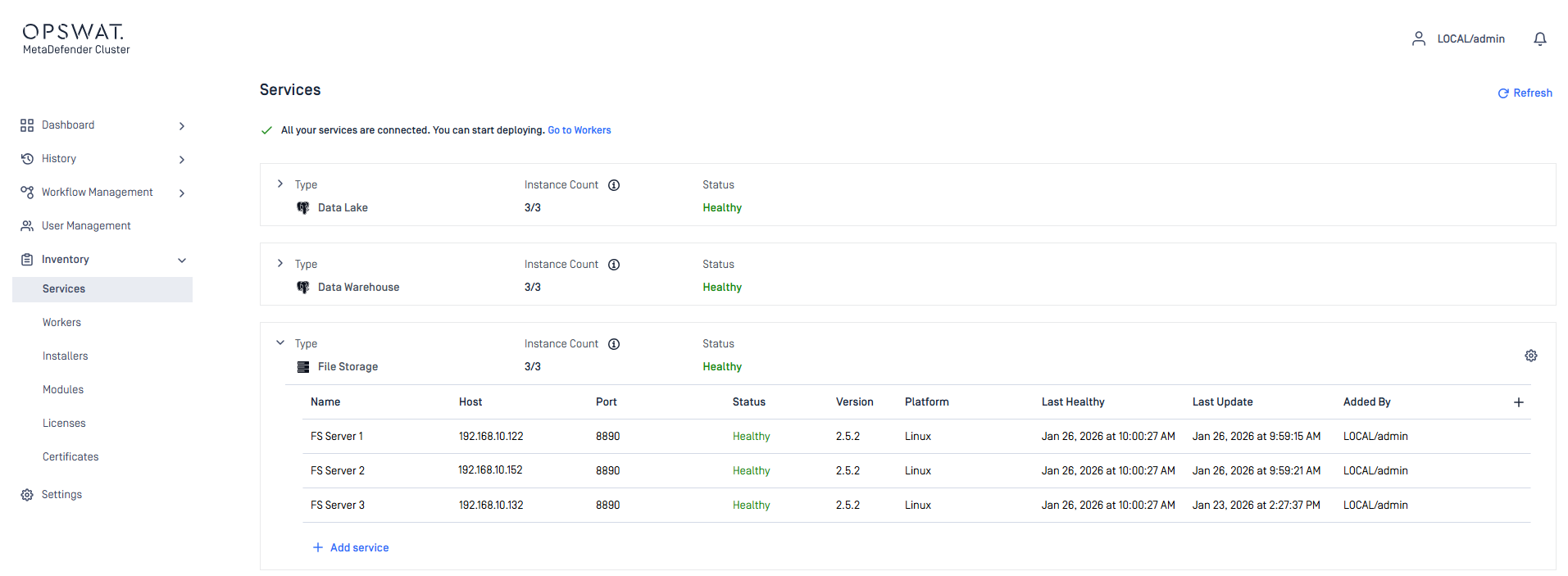
Ensure all MD Cluster
File Storageinstances are healthy and reachable by MD ClusterControl Center.
Click on the gear icon in the top left of
File Storage Servicegroup to configure the minimum and maximum replicas.
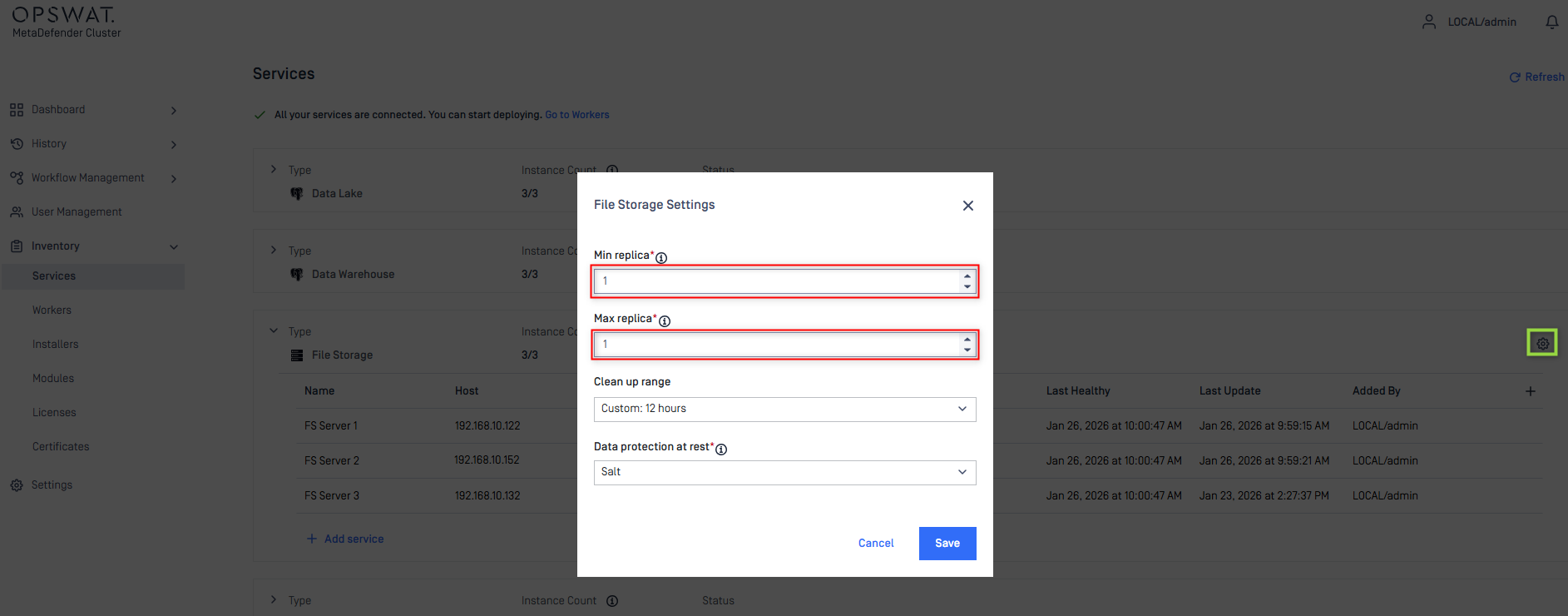
Minimum replica: The minimum number of data copies that must be written for the operation to succeed.
Maximum replica: The maximum of data copies stored across the system.
To balance performance and high availability efficiency, the minimum and maximum replicas should be set to the following values:
Min replica= 2Max replica= 3
Click
Saveto complete.