
Network settings are accessible under Settings > Network Settings.
On this page, you can change the Network Interface Cards (NICs) configuration for management purposes.
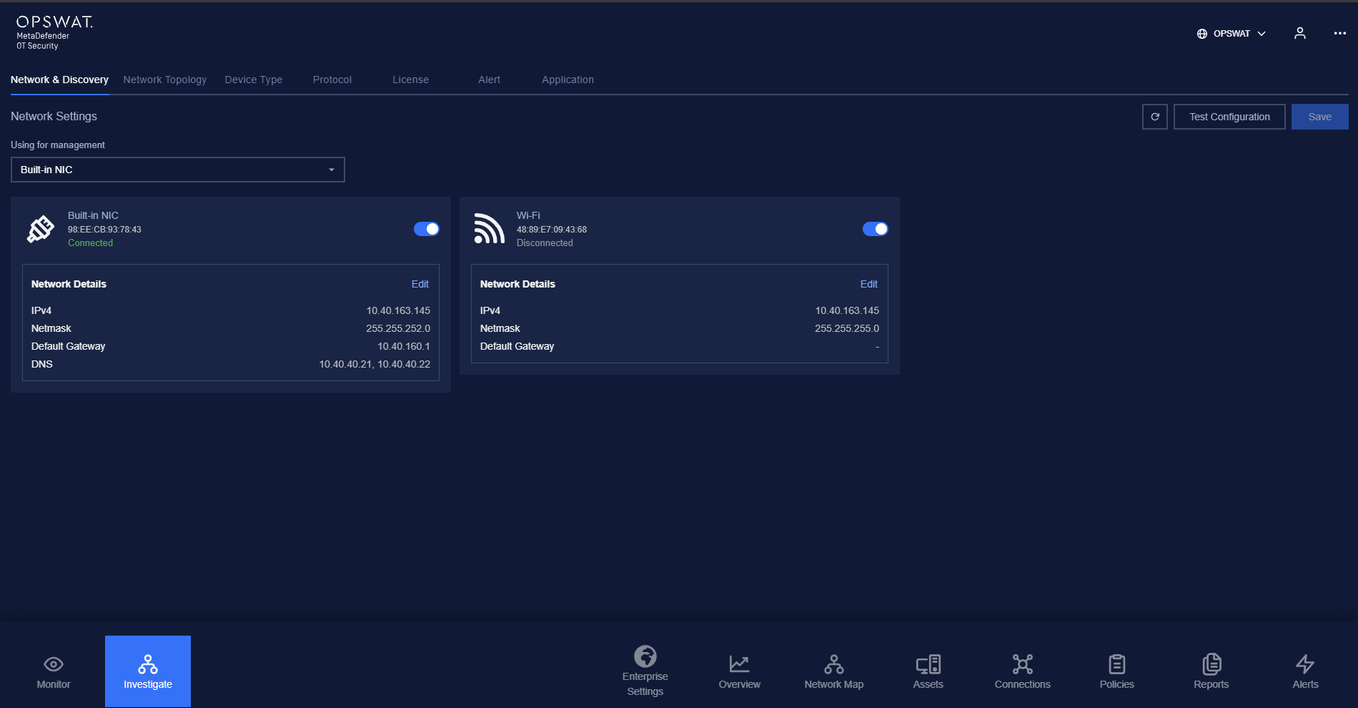
Under this section, you can see all the NICs of the Site Server, each in a different numbered card.
This information about the NICs matches the settings in the setup wizard you have completed.
Information of a network interface card includes:
MAC
IP address
Netmask
Default gateway
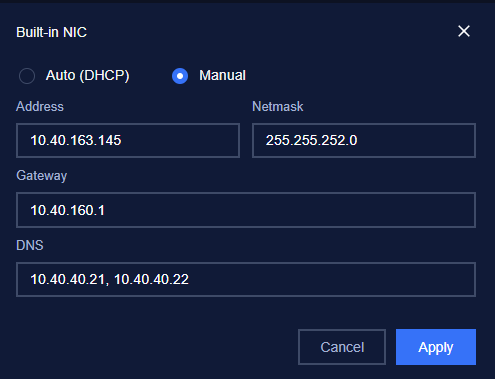
If you need to adjust the method of NIC configuration, set it to automatic (DHCP) or Manual, set Address, Netmask, Gateway, set DNS, and click the Apply button. Your changes will be applied to the system after saving.
After finishing configuring NICs, you can choose a NIC for management.

Was this page helpful?
Settings