
MetaDefender OT Security can support accessing by Web. User can navigate to Switch platform section under … button to switch to the Web platform or Desktop platform.
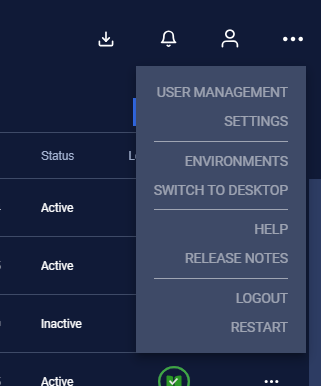
When switching to the Web platform, the interface is selected for “Management (web access)” (displays as IP address) that is used for web access.
There are only one NIC displayed (which is selected as management NIC).
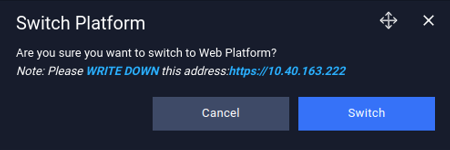
Example for web URL: https://10.40.163.x
When accessing to the web, user will be asked to log in again.
User can switch to desktop application by go to Switch Platform section on web or directly click on the “Switch to Desktop” button on AIO machine.

Note:
If you are logging with multiple users, there are some events will be shown for all users: alerts, PCAP environment, notification.
Support package, CVE remediation must be download to USB drive, downloading by web is not supported on this version.
Changing management NIC will impact accessing Web platform. If you want to change management NIC, you can switch to web platform for changing.