
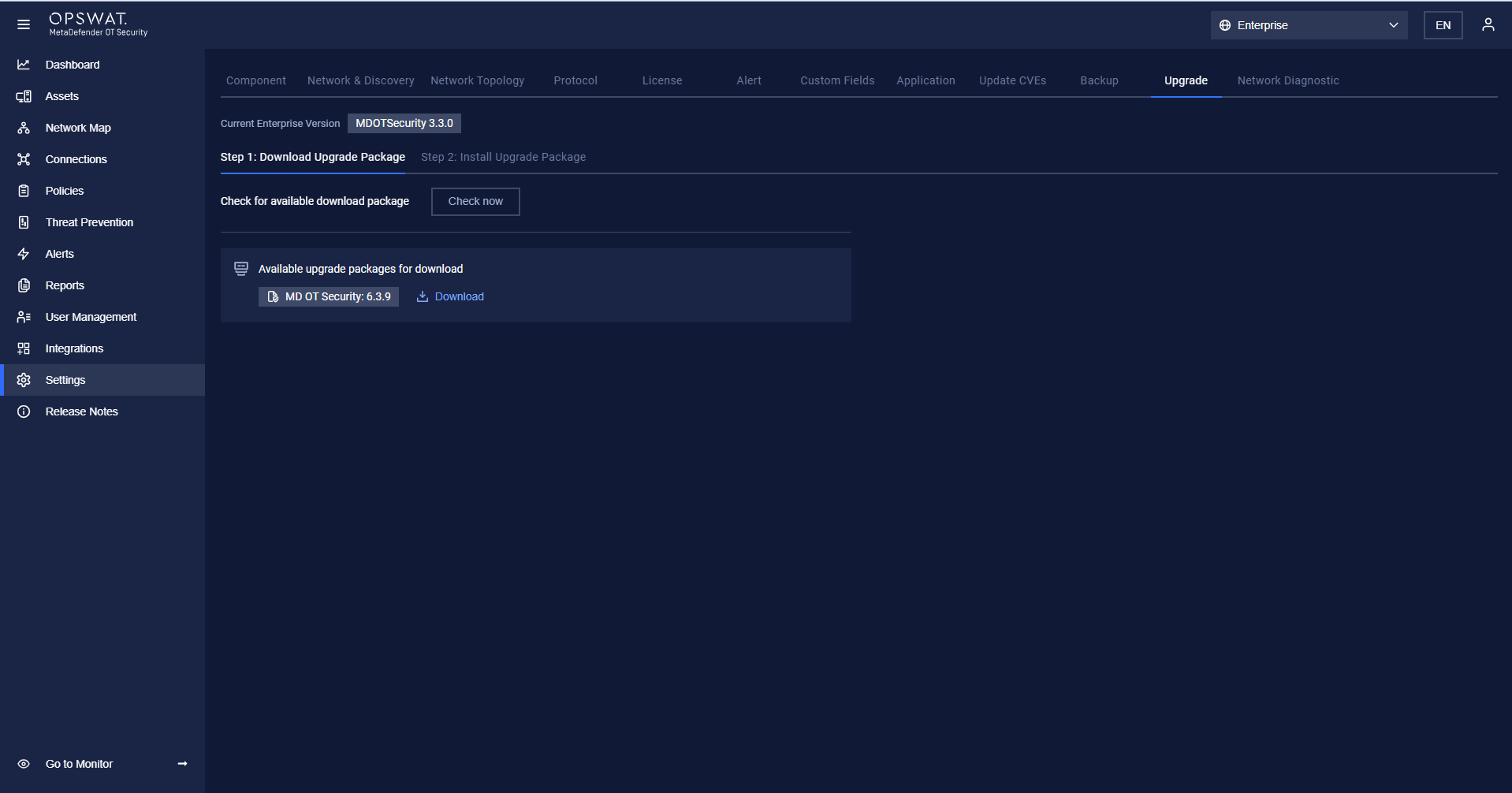
The Upgrade setting is accessible under Settings > Upgrade.
Before upgrading, the User has to check for a new version by clicking the “Check now” button, if having, The user clicks the “Download” button
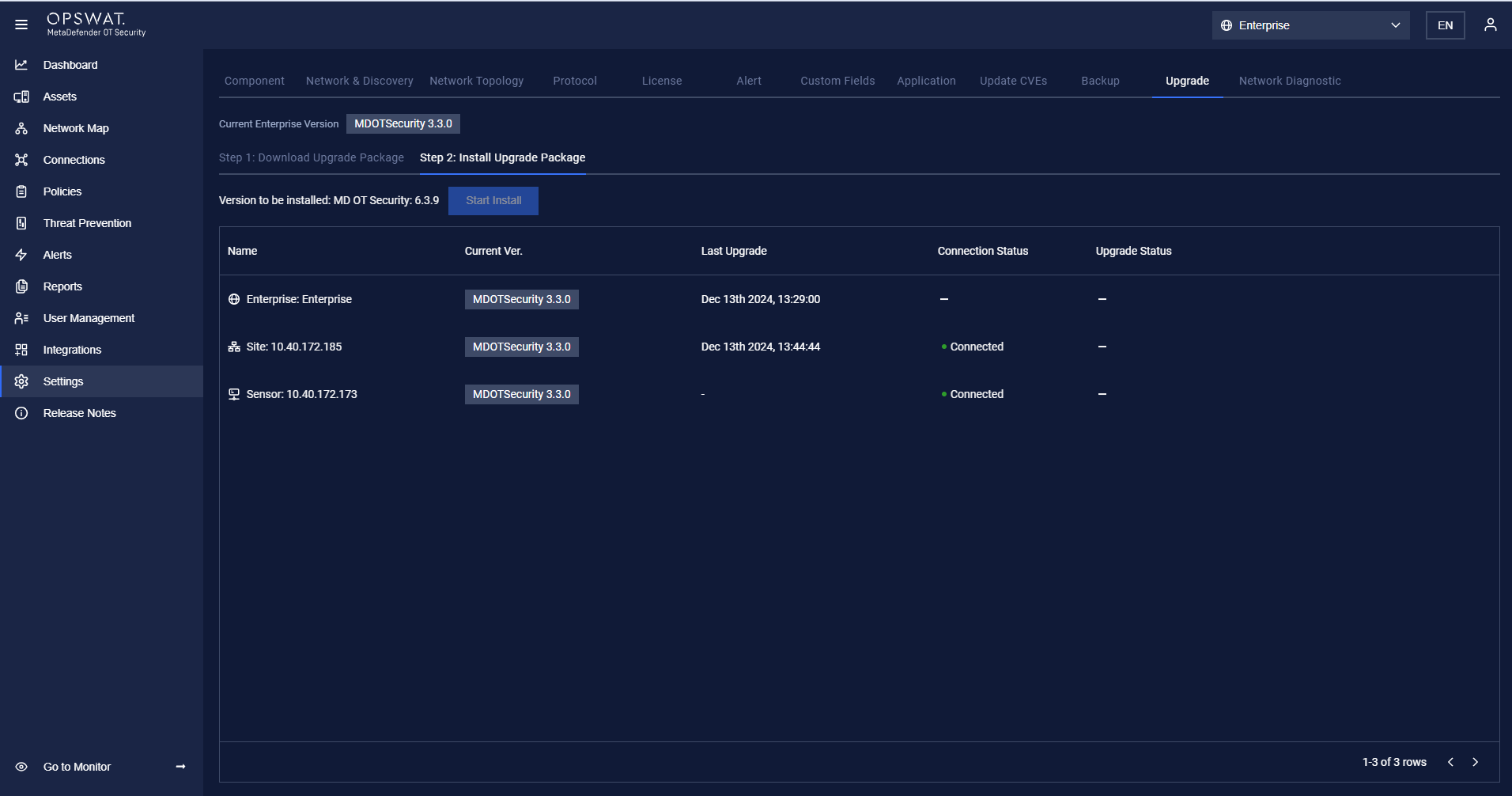
After finishing the download, the User clicks on Start Install to upgrade all components (Enterprise Manager, Site Manager, and Network Sensor)
Was this page helpful?
Settings