
Palo Alto XSOAR is a security orchestration, automation and response (SOAR) platform, which allows security teams to automate and streamline security processes. By integrating MetaDefender Sandbox (previously known as OPSWAT Filescan Sandbox) with Palo Alto XSOAR, security teams can automate the process of scanning files for malware and other security threats. This integration allows security teams to quickly and easily scan files for potential threats, and take immediate action to mitigate any risks that are identified.
With the integration, you can send a file or URL scan request from XSOAR to Sandbox, or search for previously scanned reports in Sandbox.
You can find more information about XSOAR here.
MetaDefender Sandbox integration in the XSOAR marketplace available here.
Installation
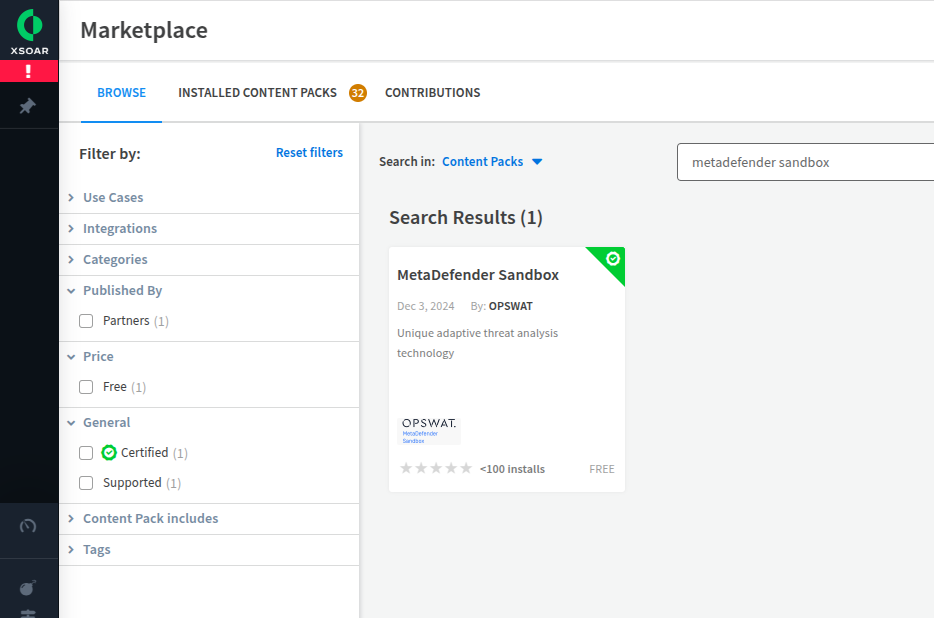
Step #1 - Search for MetaDefender Sandbox in the marketplace
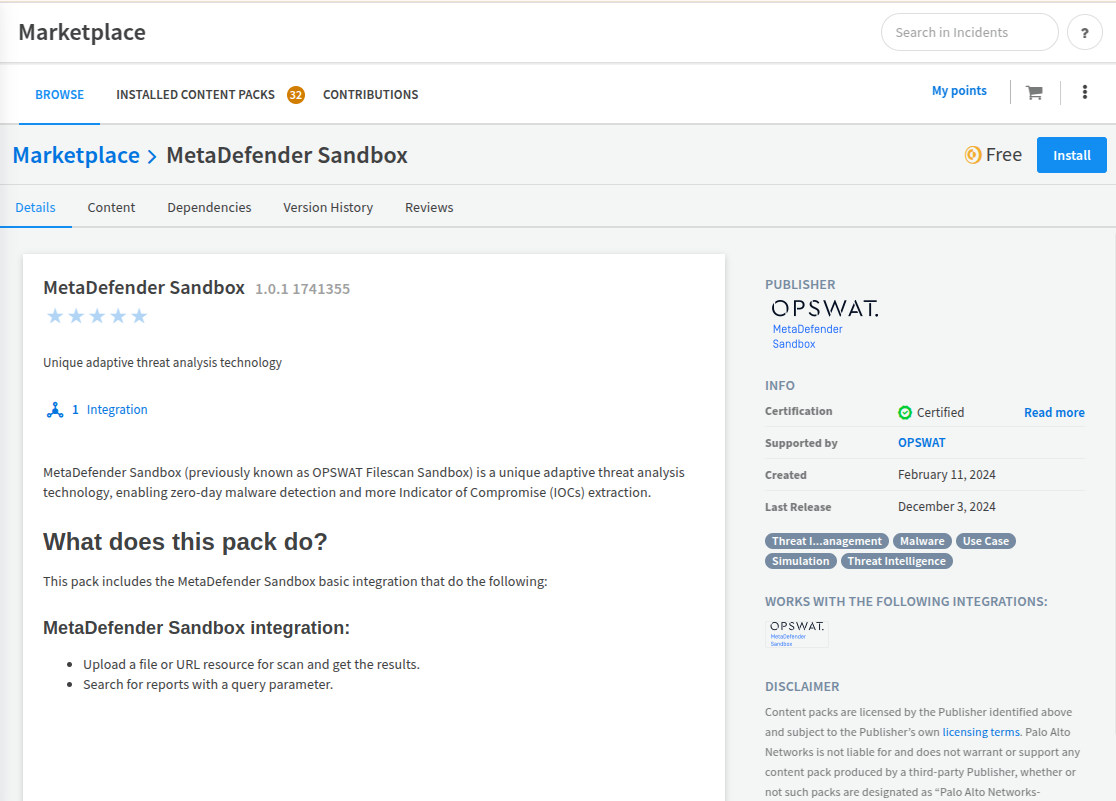
Step #2 - Click on the Install button in the top right corner.
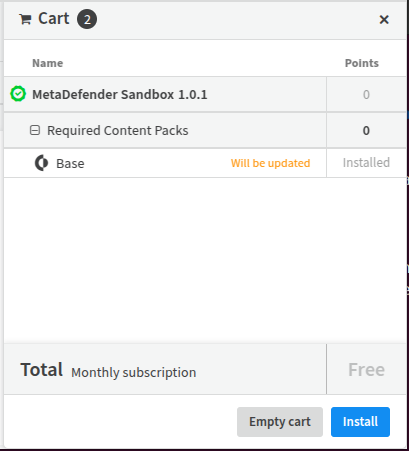
Integration is then added to the basket. (The integration is free.)
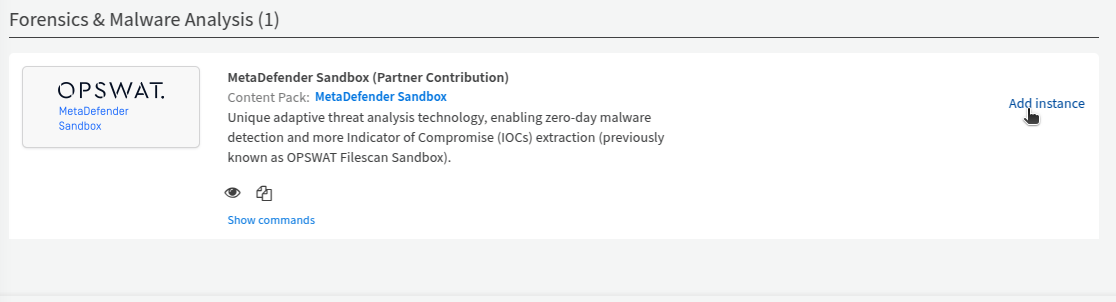
Step #3 - Add an instance.
For that go to Settings -> Integrations, search for 'OPSWAT' and click on 'Add instance' at the right side.
A Sandbox API key is required to use the integration.
You can use the Activation Key that you received from your OPSWAT Sales Representative, and follow the instructions on the License Activation page or you can create an API key on the Community site under API Key tab.
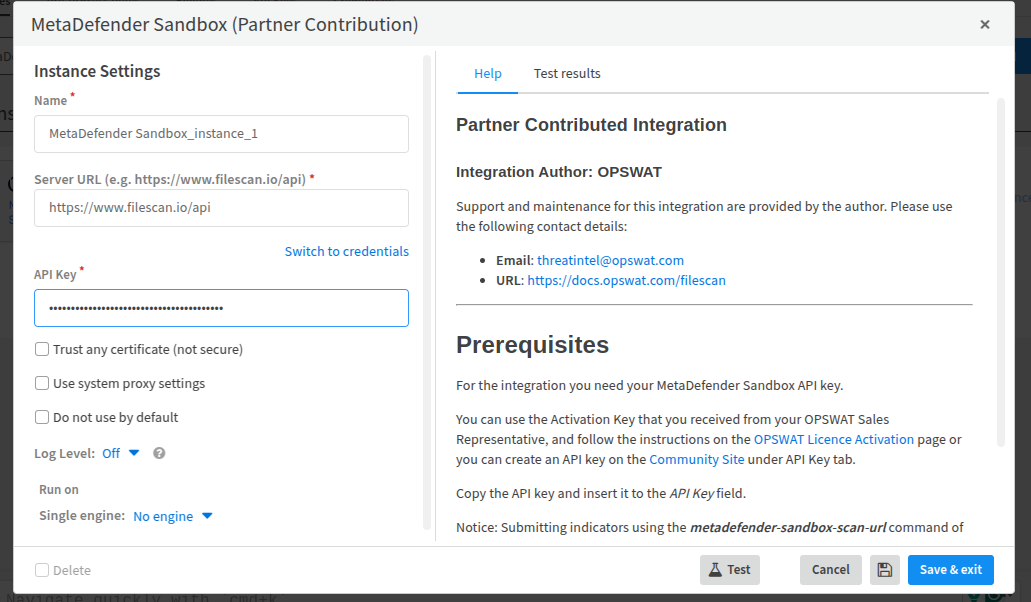
You need to add your API key, and if you have on-prem version of MetaDefender Sandbox, you can add your own server's URL. The default URL is the Filescan.io free community.
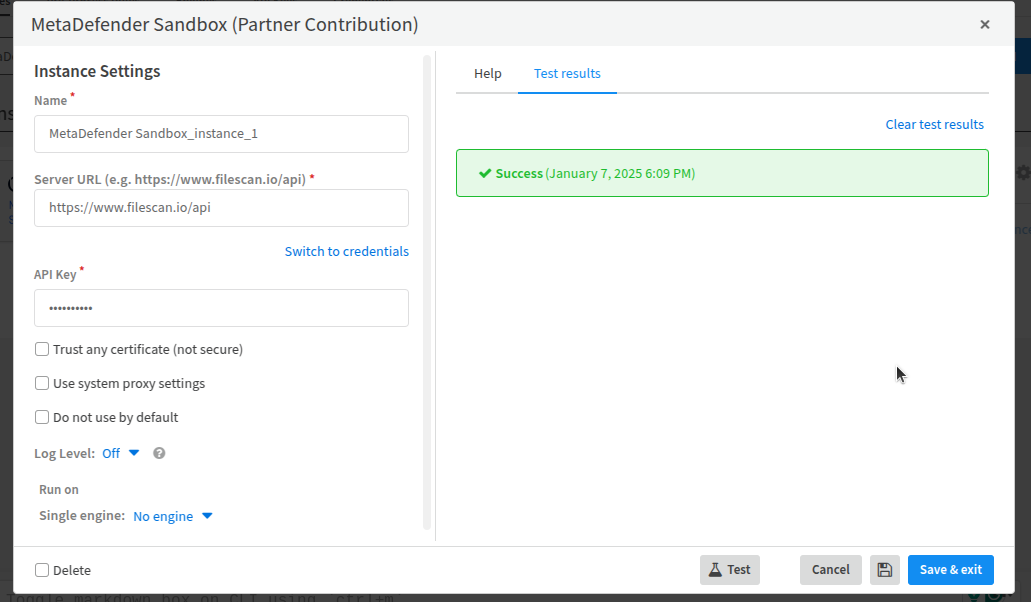
You can validate it under the 'Test results':
Available commands
Scan URL
metadefender-sandbox-scan-url
Scan URL resource with Sandbox POST - Scan URL
Command Arguments
Description | Default value | Required | |
|---|---|---|---|
url | The URL to submit | yes | |
timeout | The timeout for the polling in seconds | 600 | |
hide_polling_output | Hide polling output. | true | |
description | Uploaded file/url description | ||
tags | Tags array to propagate | ||
password | Custom password, in case uploaded archive is protected | ||
is_private | If file should not be available for download by other users | false |
Command example
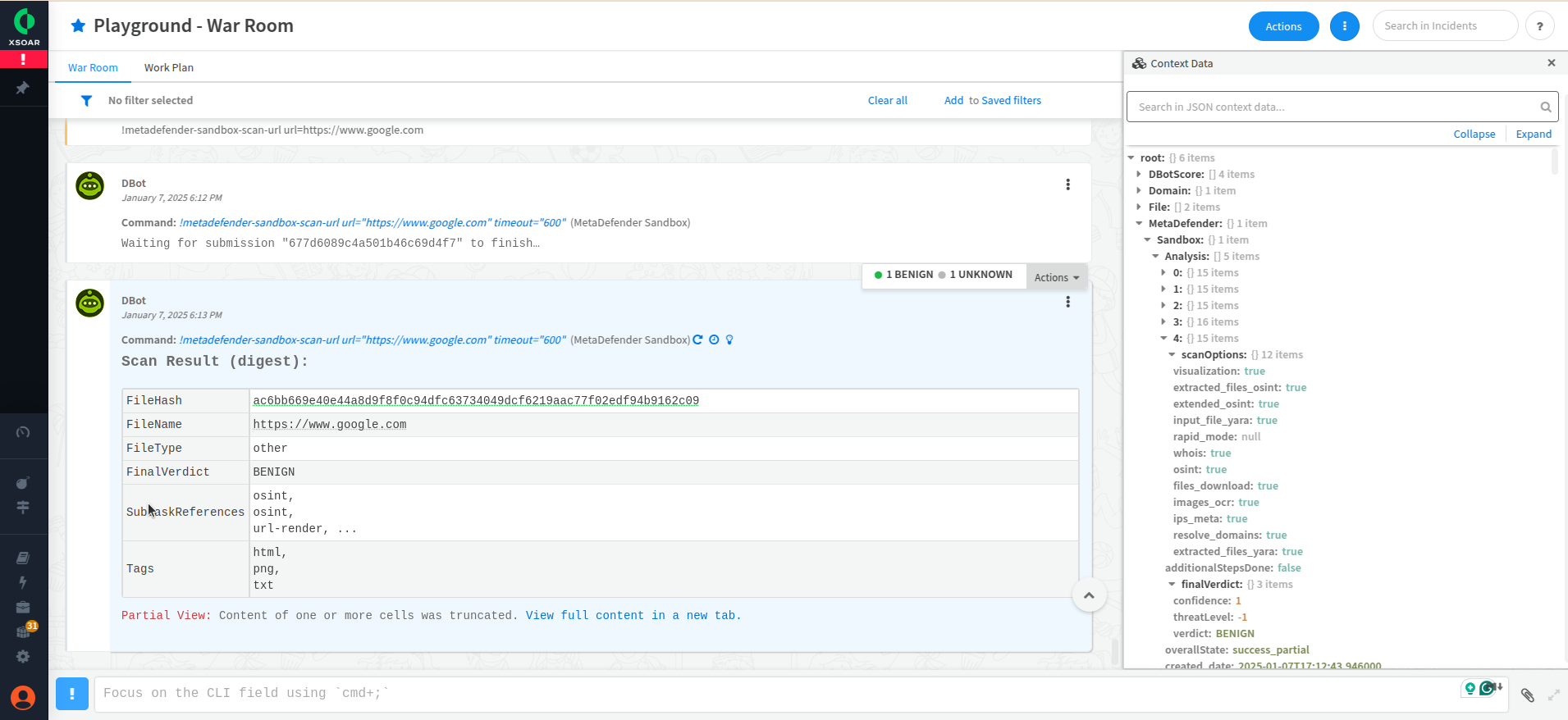
!metadefender-sandbox-scan-url https://www.google.com
Output example
Scan File
metadefender-sandbox-scan-file
Scan file resource with Sandbox POST - Scan File
Command Arguments
Description | Default value | Required | |
|---|---|---|---|
entry_id | The War Room entry ID of the file to submit. | yes | |
timeout | The timeout for the polling in seconds | 1200 | |
hide_polling_output | Hide polling output. | true | |
description | Uploaded file/url description | ||
tags | Tags array to propagate | ||
password | Custom password, in case uploaded archive is protected | ||
is_private | If file should not be available for download by other users | false |
Command example
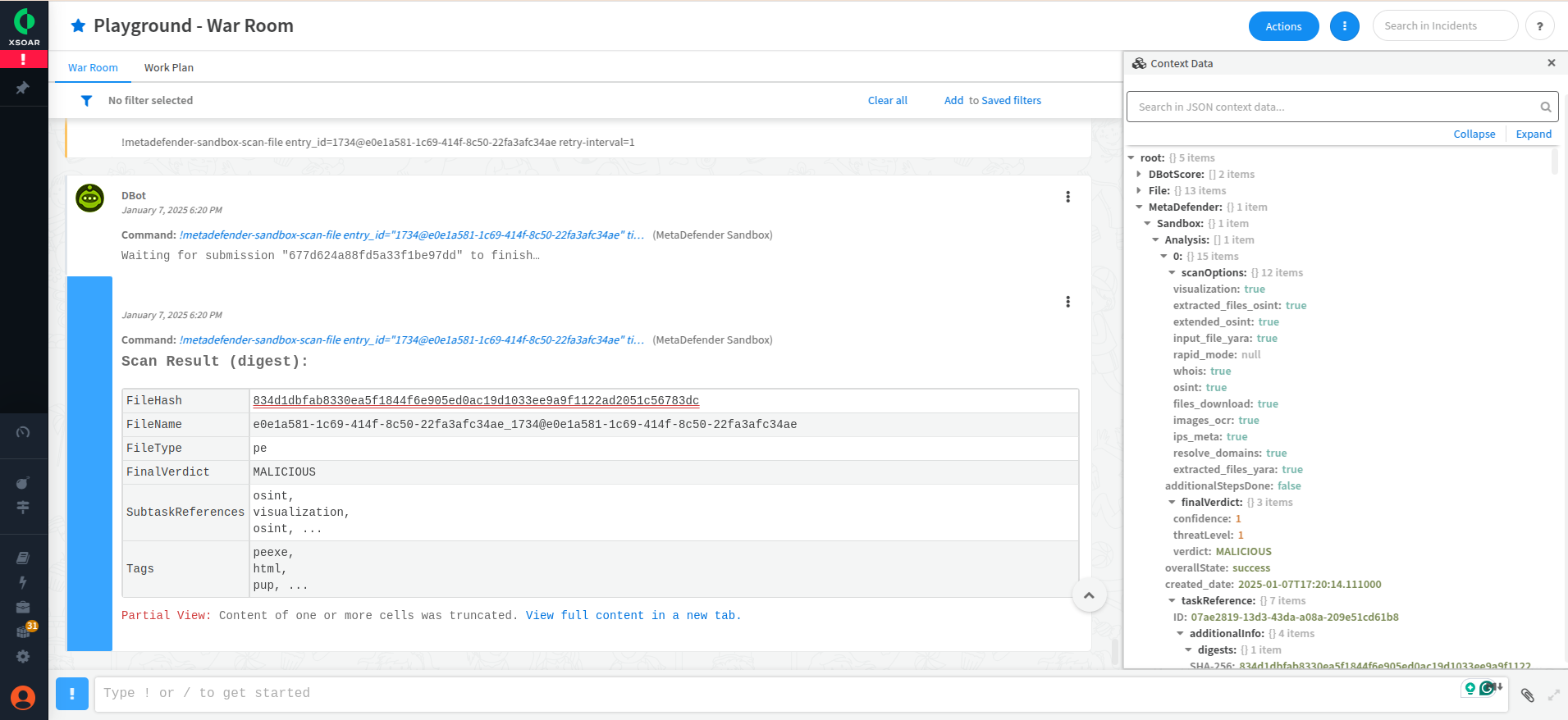
!metadefender-sandbox-scan-file entry_id=<paste your entry id here> retry-interval=1
Output example
Search
metadefender-sandbox-search-query
Search for reports. Finds reports and uploaded files by various tokens. Use GET - Search Report endpoint.
Arguments
Description | Default value | Required | |
|---|---|---|---|
query | The query string | yes | |
page | Page number, starting from 1 | ||
page_size | Page size. Can be 5, 10 or 20 | ||
limit | Number of total results. Maximum 50. (If page and page_size was also provided, then it will be ignored.) | 10 |
Command example
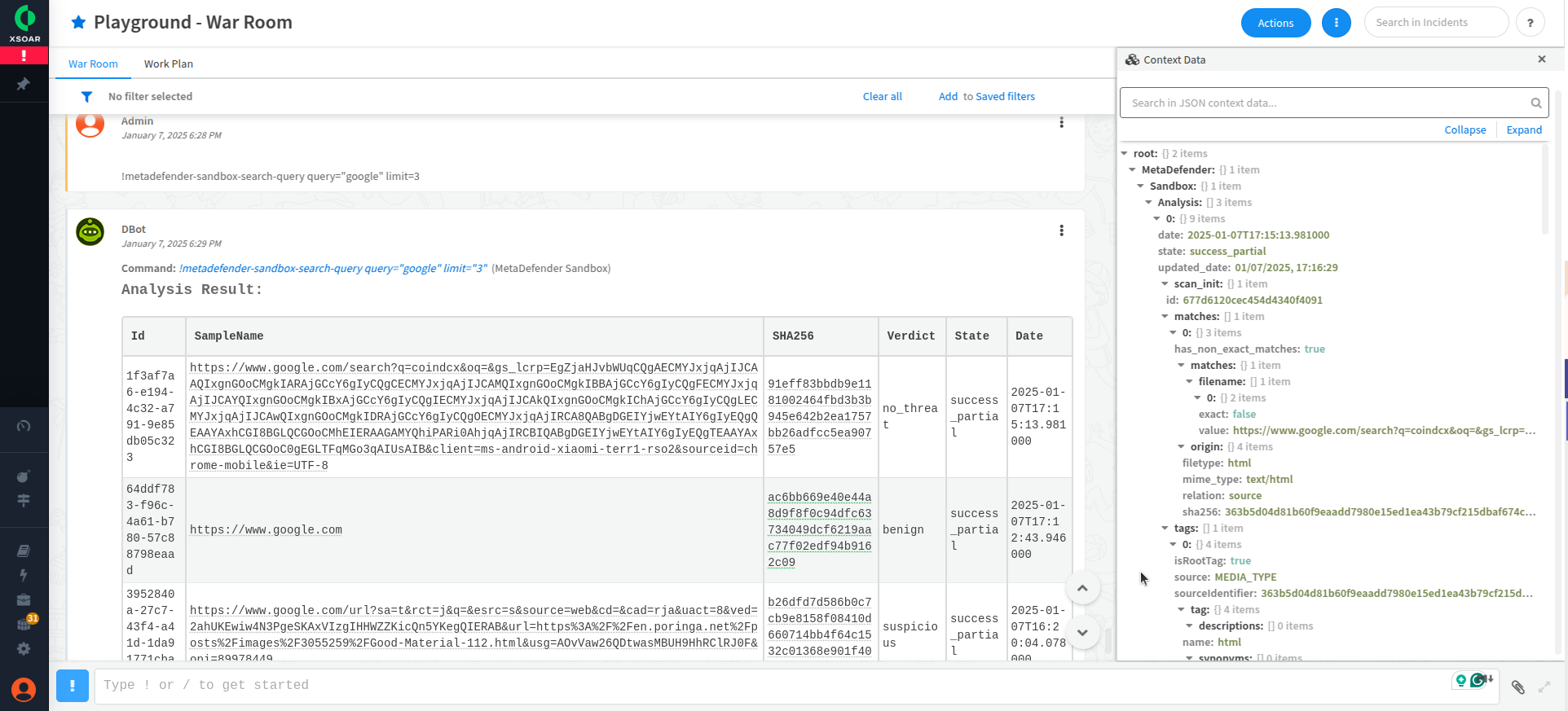
!metadefender-sandbox-search-query query="google" limit=3
Output example
Compatibility
Integration name | Version | Sandbox 1.9.* | Sandbox 2.0.0 - 2.1.0 |
|---|---|---|---|
OPSWAT-Filescan (deprecated) |
| Yes | No |
OPSWAT-MetaDefender-Sandbox | 1.0.0 | Yes | No |
1.0.1 | Yes | Yes |