Knowledge Base
10.7.26091
Search this version
How to create a playbook to check for a Windows Registry?
Summarize Page
Copy Markdown
Open in ChatGPT
Open in Claude
Connect to Cursor
Connect to VS Code
Check Your Version:
This article applies to all MetaDefender Endpoint releases deployed on Windows My OPSWAT Central Management IT Access
Playbook checks whether a Windows Registry Key and Value Exists
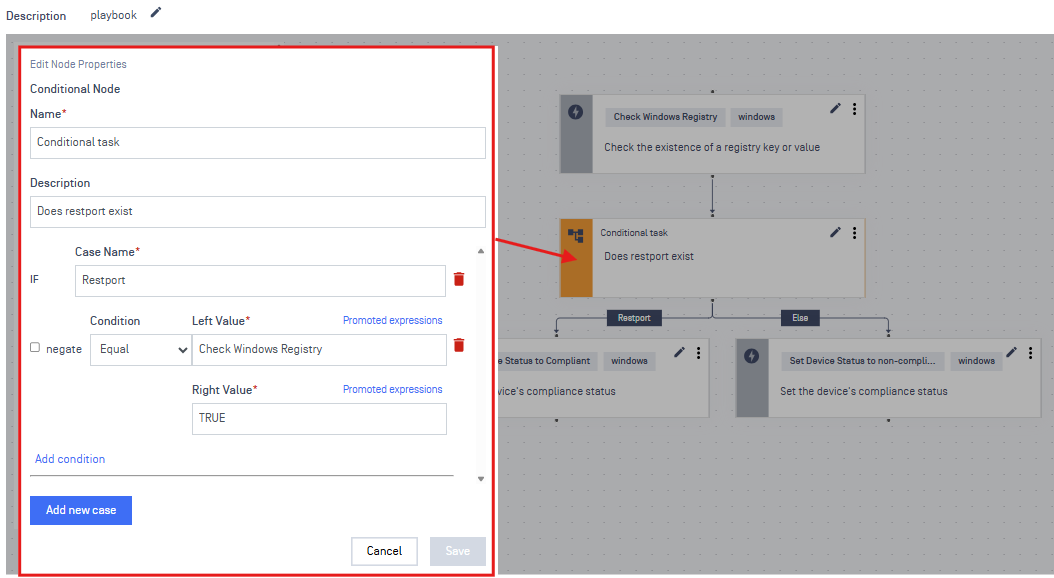
If TRUE, mark the device as Compliant
If FALSE, mark the device as Non-Compliant
Outline
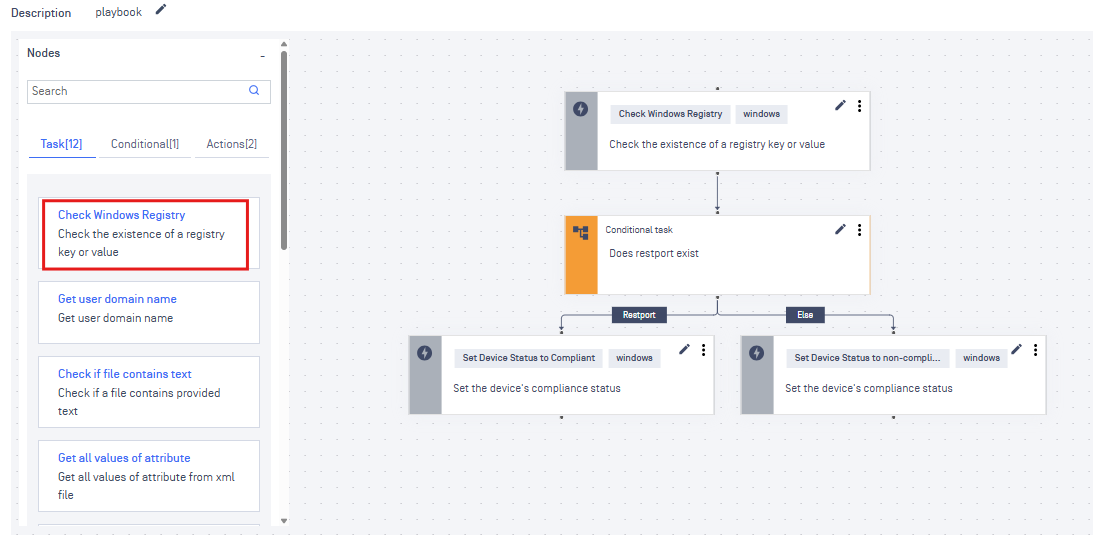
Registry
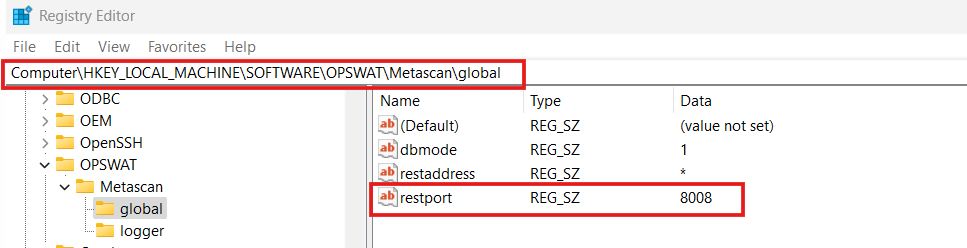
We are checking if the “global” key exists, with the value/string “restport”
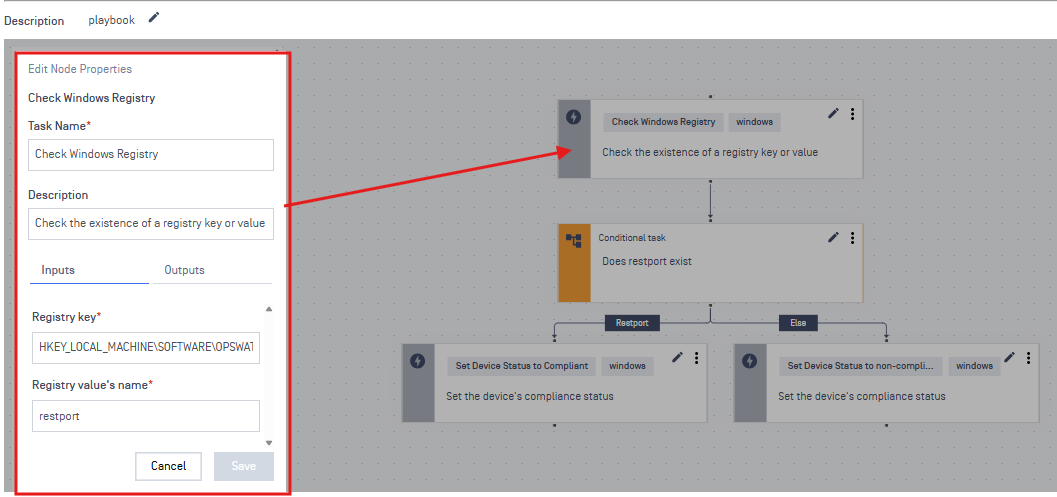
Task
Registry key: HKEY_LOCAL_ MACHINE\SOFTWARE\OPSWAT\Metascan\global
Warning:
We are removing the Computer\ from the path
Conditional Node
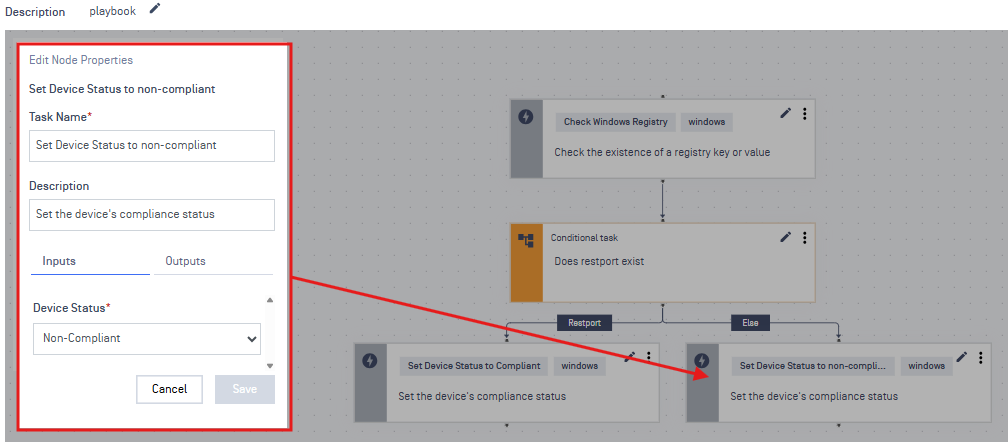
Actions
Left: Returns compliant if the registry exists
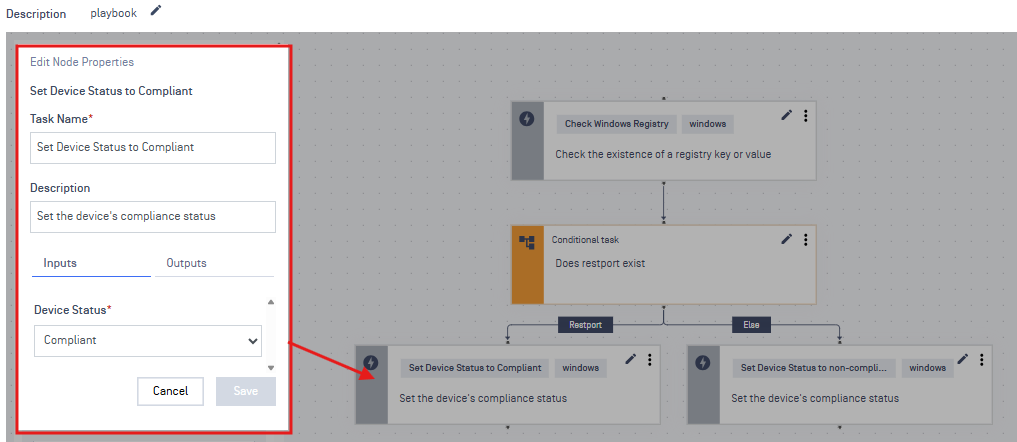
Right: Returns non-compliant if the registry does not exist
Support:
If Further Assistance is required, please proceed to log a support case or chatting with our support engineer.
Last updated on
Was this page helpful?
null
Discard Changes
Do you want to discard your current changes and overwrite with the template?
Archive Synced Block
Message
Create new Template
What is this template's title?
Delete Template
Message
Knowledge Base
Knowledge Base
METADEFENDER ENDPOINT
GENERAL
MOBILE CLIENT
Integration
Others
Page
Code Steps
Category
Label
Link
Separator
Title
Message
Page icon
No icon. This page keeps the plain index row.
orSVG or PNG, square, at least 32×32.
Create new category
What is the title of your new category?
Edit page index title
What is the title of the page index?
Edit category
What is the new title of your category?
Edit link
What is the new title and URL of your link?