Knowledge Base
v5.7.5
Search this version
Knowledge Base
Knowledge Base
Title
Message
Create new category
What is the title of your new category?
Edit page index title
What is the title of the page index?
Edit category
What is the new title of your category?
Edit link
What is the new title and URL of your link?
How do I clear out my MetaDefender Kiosk Linux license key?
Copy Markdown
Open in ChatGPT
Open in Claude
This article applies to all MetaDefender Kiosk Linux versions.
In order to clear out the license for your MD Kiosk Linux deployment using API calls, you will need the following variables:
- Obtain your valid License/Activation Key.
- Obtain your Deployment ID.
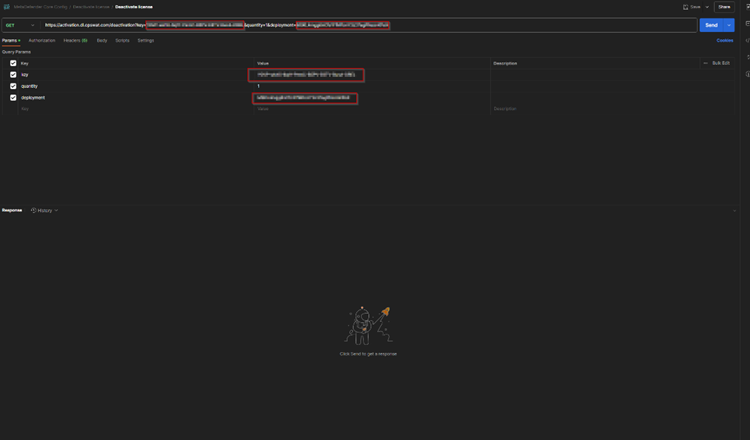
Apply the following API call, as illustrated in the screenshot below:
Bash
curl -X GET https://activation.dl.opswat.com/deactivation?key=<activation-key>&deployment=<deployment unique-ID> 
- Once the API call is done and you get the “200” response you should be able to use the license to activate different deployments if needed.
- Please take note that this API call will remove all licensed MD Kiosk Linux deployments from the activation key (all deployments will become unlicensed).
If you have any difficulty Deactivating MetaDefender Kiosk Linux Via API Calls, please follow these instructions on How To Create a Support Package, before logging a Support Ticket with the OPSWAT team.
Type to search, ESC to discard
Last updated on
Was this page helpful?
Discard Changes
Do you want to discard your current changes and overwrite with the template?
Archive Synced Block
Message
Create new Template
What is this template's title?
Delete Template
Message
